


Limited time discount Keep Summer Fully Booked
Up to 50%Off

How does the public event page work in Amelia

A dance studio wants to promote a single upcoming workshop on Instagram without sending followers to a page listing every class they run. With the public event page, they can share one link that shows only that workshop, its dates, its tickets, and a direct way to book, nothing else.

Info Please note

The public event page is included in every Amelia plan, including Lite.
What is the public event page and how is it different from the event list and calendar forms?

The public event page is a single, dedicated page generated for one specific event, with its own unique URL. Unlike the Event list booking form or Event calendar booking form, which display multiple events at once and can be filtered by tag, location, or date, this page only ever shows the one event it was created for. It’s meant to be shared directly, through a social post, an email newsletter, or a private message, without pointing people at your full events catalog.

How do I enable automatic creation of event pages?

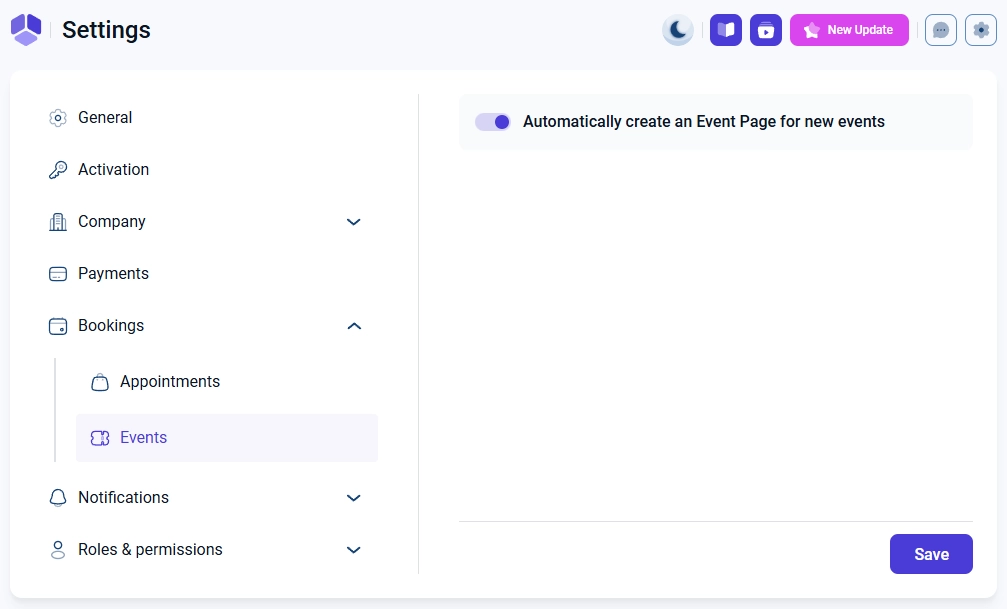
Go to Settings → Bookings → Events and turn on Automatically create an Event Page for new events. Once enabled, every new event you create gets its own public page automatically, without changing anything else about how you create events.

Create event page option in the event actions menu

How do I create an event page manually?

If the automatic toggle is off, you can still create a page for any individual event. Open the event’s three-dot menu and select Create event page, or open the event for editing and click Create event page below the color field. Once a page exists, both of these switch to Edit event page.

Create event page option in the event actions menu and in the Edit event modal

How do I edit an event page?

You can only reach an event page’s editor through Amelia, either from the three-dot menu or the Edit event page button inside the event editor. This opens the WordPress page editor, where you can change the title and the slug. The page’s design and layout can’t be edited beyond that.

You can still use the standard WordPress publish options to switch the page to draft or change its visibility. The page won’t show up under Pages or Posts in your WordPress admin menu; use the Open Event in Amelia button on the page editor to jump back to the event.

WordPress editor for an Amelia public event page showing title and permalink

Where do I find the event page's URL?

The page’s URL sits right under the title field on the Edit Event Page screen, as a permalink you can copy. Use this link to promote the event on its own, in a Facebook or Instagram campaign, an email newsletter, or a direct message, without linking to your full event list or calendar.

What does the public event page show to customers?

The page displays the event image, name, address, and open Timetable with every scheduled date and time. Below that, customers see the event description, the organizer, and available ticket types with pricing, plus a Book event button to start booking.

Public event page showing event details and ticket selection

How do customers book from the public event page?

Customers select ticket quantities (if tickets exist for your event) and click Book event, which opens the Your information step. Here they fill in their name, email, and phone, plus any custom fields you’ve configured, such as file uploads or a billing address. After clicking Continue, they move to the payment step (if enabled) and then to a confirmation screen, the same as with the other booking forms.

Since the page is self-contained and only covers this one event, it works well as the link you drop into a Facebook or Instagram post, an email newsletter, or an SMS campaign, anywhere you want people to land straight on this event and book, without routing them through your full event list or calendar first.