Limited time discount Spring Deals Are in Full Bloom
Up to 50%Off

How do event tags work in Amelia

Event tags help you organize and filter events, making it easier to group similar events and control what is displayed on the front end.

By assigning tags to events, you can create more targeted booking pages using shortcodes or blocks, allowing only specific events to be shown to your customers. This is especially useful when you want to separate events by type, location, audience, or any custom categorization.

Info Note

Event tags are available in all paid license plans.
How do I enable event tags?

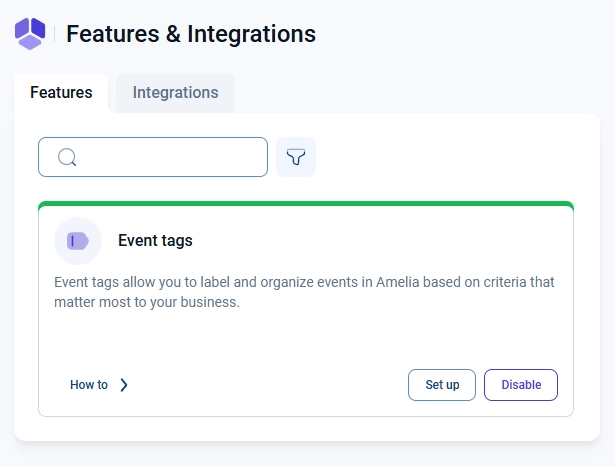
You can enable event tags in Amelia → Features & Integrations → Features by turning on the Event Tags feature.

Once enabled, a Set up button will appear on the Event Tags card, allowing you to access and manage all tags.

Event tags feature card in Amelia Features & integrations

How do I manage event tags?

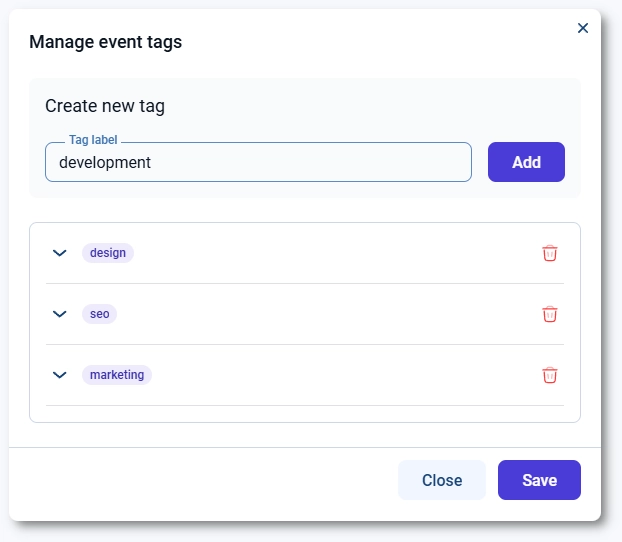
Clicking the Set up button opens the Event Tags management screen.

Here, you can:

  • Create new tags
  • Edit existing tags
  • Delete tags that are no longer needed

To create a new tag, enter its name and click Add. The tag will immediately become available when creating or editing events.

To edit or delete a tag, use the available options next to each existing tag in the list.

Event tags management screen with existing tags
Info Note

Don't forget to click the Save button when you add, modify, or delete tags from the list.
How do I assign tags to events?

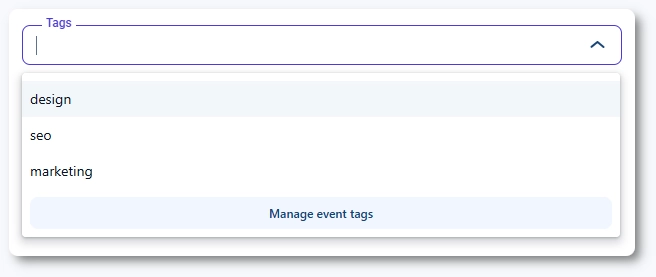
When creating or editing an event, you can assign tags from the Tags dropdown.

Select one or more tags to associate them with the event. These tags can later be used to filter events on the front end or organize your event list in the back end.

Tag selection dropdown showing existing tags with manage tags option when creating or editing an event

If you need to create or modify tags while working on an event, you can click Manage event tags directly from the dropdown. This opens a modal where you can manage tags without leaving the event page.

Manage event tags modal inside event creation form

How do event tags work on the front end?

Event tags can be used to control which events are displayed on the front end.

When using shortcodes or blocks, you can filter events by specific tags. This allows you to create booking pages that show only selected events based on your chosen criteria.

Amelia Events List Gutenberg block with the shortcode filtered per design tag displayed

For example, you can display only “design”, “marketing”, or any other tagged group, depending on how your events are organized.

Front-end event list filtered by event tags

How are event tags used in the Employee panel?

Event tags can also be assigned from the Employee panel when employees create or edit events.

In the event form, the Tags dropdown displays all tags previously created by administrators. Employees can select one or more tags to associate with the event, helping keep events organized and consistent across the system.

Info Note

Creating or editing events from the Employee panel is available only if Allow employees to manage their events is enabled in Settings → Roles & permissions → Employee, under Panel & access permissions.

Event tags dropdown in employee panel when creating or editing an event

Employees cannot create, edit, or delete tags from the Employee panel. Tag management is available only in the back end.