How do I set up Mailgun in Amelia
Mailgun allows Amelia to send authenticated, high-deliverability emails through your Mailgun account. To configure it, you need your Mailgun Domain, Private API Key, and the correct Endpoint.
Which fields do I need to configure for Mailgun?
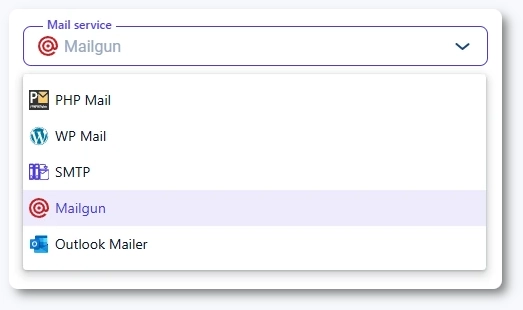
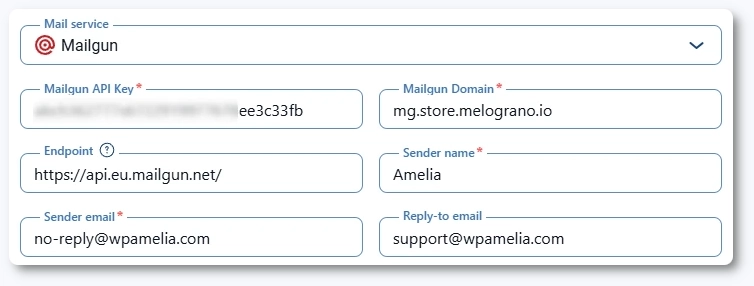
When Mailgun is selected as your mail service, three additional fields appear:
- Mailgun API Key
- Mailgun Domain
- Endpoint
If your Mailgun account is registered in the EU, you must use the EU endpoint:
https://api.eu.mailgun.net/
How do I find my Mailgun domain and API key?
To locate your credentials:
- Open your Mailgun account.
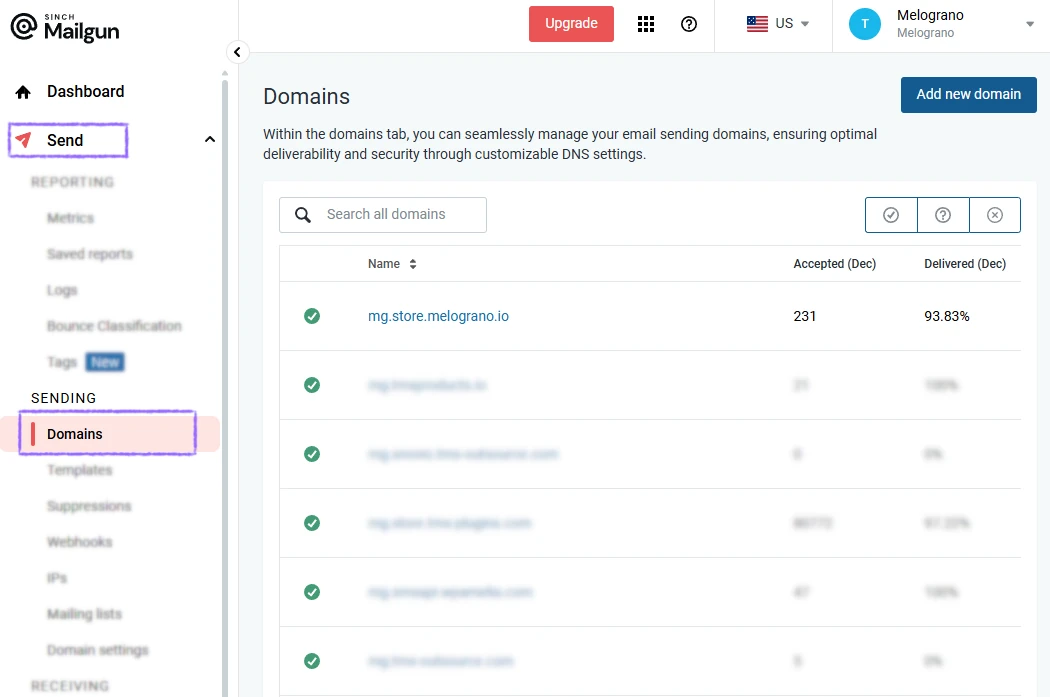
- Go to the Domains section and copy your domain (for example, mg.yourwebsite.com).
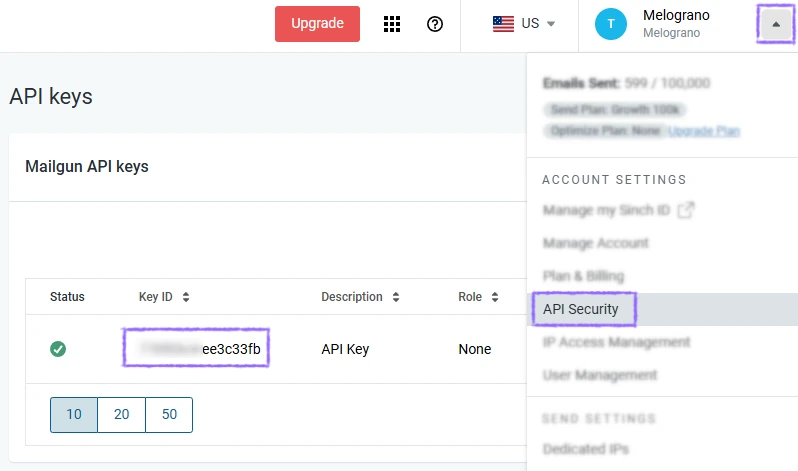
- Go to the API Keys section.
- Copy your Private API Key and paste it into Amelia.
You can find detailed instructions in Mailgun’s documentation:
Your Mailgun domain must be verified inside Mailgun before Amelia can send emails. Unverified domains will cause emails to fail.
Free Mailgun accounts cannot be used with Amelia. You must have a paid Mailgun plan to send emails through the integration.
What are the advantages of using Mailgun with Amelia?
- High email deliverability across all major providers
- Authenticated sending with strong reputation
- Support for large volumes of transactional emails
- Detailed analytics and delivery logs
If you rely heavily on booking confirmations, reminders, and follow-ups, Mailgun provides one of the most stable sending methods.