


How do SMS notifications work in Amelia
SMS notifications in Amelia are sent through the Amelia SMS platform, which requires you to sign in or create an Amelia SMS account. You can access SMS settings by navigating to Settings → Notifications → SMS in your WordPress dashboard.
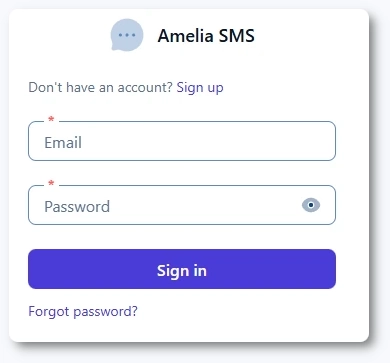
If this is your first time using SMS in Amelia, you will see a login form that requires an existing Amelia SMS account or a new registration.
- SMS notifications are billed separately from your Amelia license, and each SMS is charged per segment based on the selected country’s pricing.
- It is not possible to integrate external SMS providers like Twilio. Amelia’s built-in SMS system must be used for sending messages.
SMS length depends on character encoding. One segment allows up to 160 GSM (Latin) characters. Including any special or Unicode characters, such as č, ć, š, emojis, or long dashes, reduces this limit to 70 characters.
You can paste your SMS template into the character count tool to check character count, encoding type, and the number of segments. Replace placeholders (for example, %customer_full_name%) with a sample value to estimate real message length.
How do I sign up for an Amelia SMS account?
If you do not already have an Amelia SMS account, click the Sign up link above the Email field. The form will reload, and the button will change from Sign in to Sign up. The Forgot password? option will disappear for the sign-up mode.
After completing the sign-up form, you can sign in normally and proceed to SMS configuration.
What happens after I sign up and sign in?
After signing in, Amelia redirects you to Notifications → SMS, where you can edit SMS notification templates. To configure your SMS account settings, return to Settings → Notifications → SMS. This page includes account details, balance controls, and SMS sending preferences.
What can I configure in the SMS settings?
The SMS settings screen contains several tabs:
- SMS settings – account details, balance, sender ID settings, additional recipients, low credit reminders, and password change
- SMS history – a list of sent messages with filtering options
- Payment history – a record of all SMS credit purchases
- Pricing – SMS segment prices per country
Each of these areas is covered in a dedicated article for clarity and ease of navigation.
What should I know before using SMS notifications in Amelia?
- SMS messages are sent through Amelia’s internal SMS platform.
- A positive balance is required at all times.
- Delivery rules vary by country. In some regions, alphanumeric Sender IDs are restricted or replaced automatically, and certain providers charge for failed delivery attempts. For full details, see the Sender ID & country rules documentation.
- SMS notifications are separate from email notifications, so enabling/disabling email templates does not automatically enable/disable SMS equivalents.