


Limited time discount Book Smarter This Christmas
Up to 50%Off

How is WP Mail configured in Amelia

WP Mail allows Amelia to send email notifications using the native WordPress wp_mail() function. It is a good choice when your website is already configured to send email through a plugin such as WP Mail SMTP.

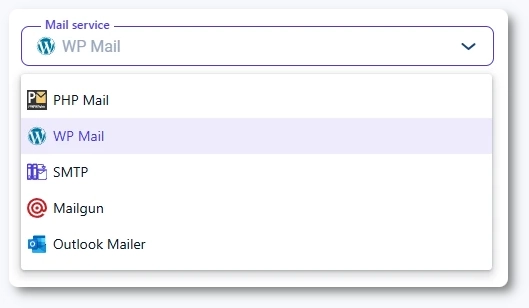
WP Mail selected as the mail service in Amelia email notification settings

What is WP Mail in Amelia?

WP Mail uses WordPress’s built-in wp_mail() function to send all notifications. This means Amelia hands off email delivery to WordPress, and WordPress then sends emails through whatever mail configuration you have set globally.

This option is ideal if you use a third-party mailing plugin to manage your site’s outgoing email.

Info Info

If you are using WP Mail SMTP, FluentSMTP, or a similar plugin, choose WP Mail as your mail service in Amelia to ensure consistent sending.
Which fields can I configure when using WP Mail?

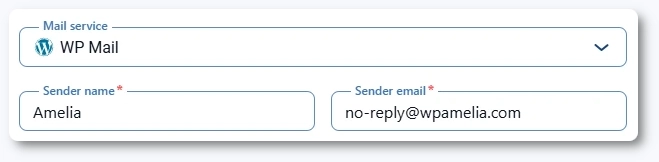
When WP Mail is selected as your mail service, two basic fields appear:

  • Sender name
  • Sender email

These control the sender information for all notifications generated by Amelia.

Sender name and sender email fields when WP Mail is used in Amelia
Info Info

Even when using WP Mail, all other notification settings such as ICS attachments, additional recipients, and package purchase notifications are configured under Notifications → Email.

When should I use WP Mail?

WP Mail is best used when:

  • You use a third-party plugin to configure SMTP or API-based email delivery
  • Your hosting provider restricts PHP Mail
  • Your WordPress configuration already enforces authenticated sending
  • You want Amelia to use the same mailer as your entire website

Are there limitations to WP Mail?

WP Mail inherits the strengths and weaknesses of your WordPress email setup. If your global mail configuration is strong, WP Mail will perform well. If not, emails may still fail or land in spam.

Alert Please note

If you are not using a dedicated mailing plugin, WP Mail behaves similarly to PHP Mail and may result in poor deliverability. In this case, consider switching to SMTP, Mailgun, or Outlook Mailer.