


Limited time discount Book Smarter This Christmas
Up to 50%Off

What can I configure in payment settings

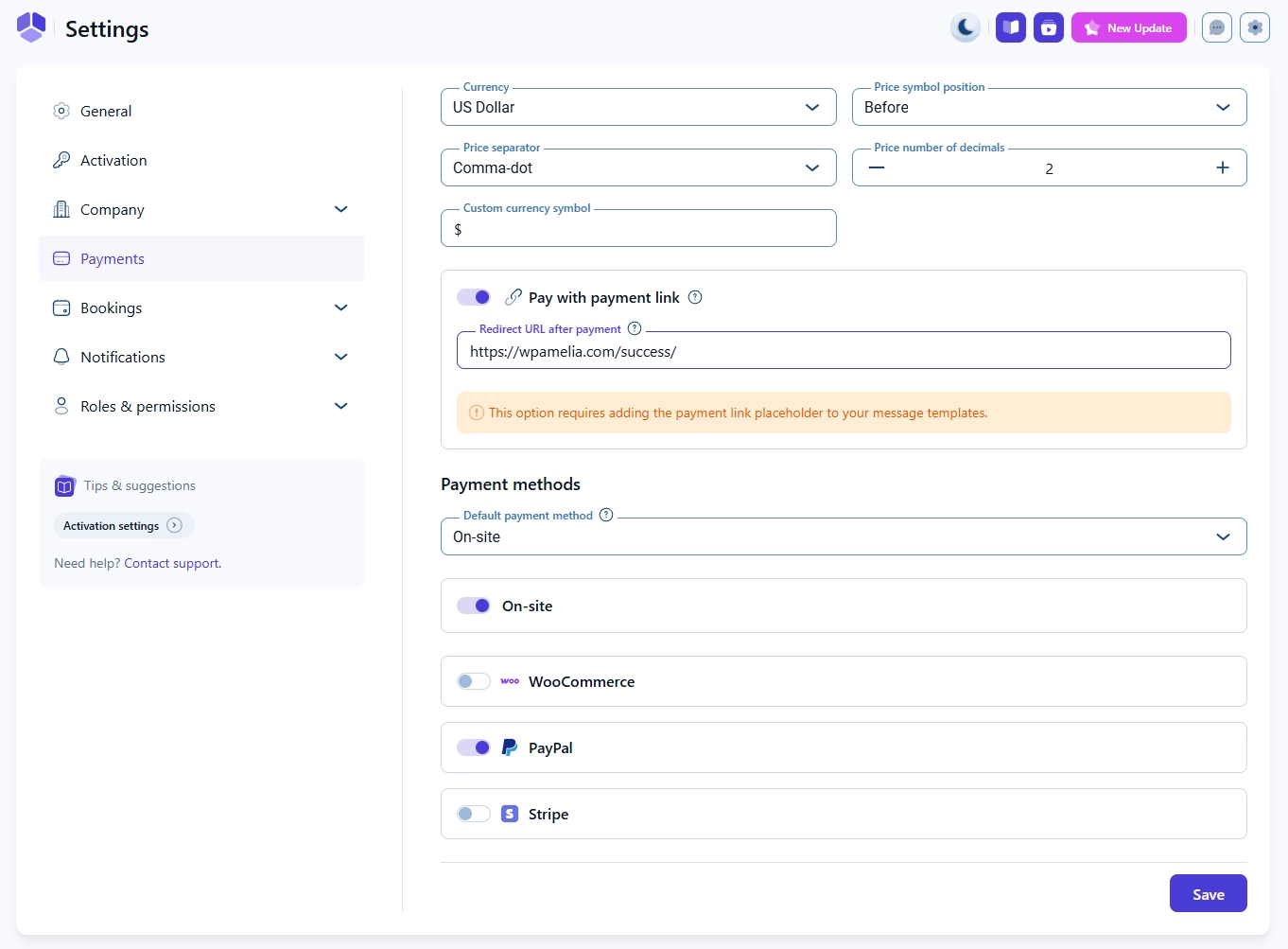
The Payment settings page controls your currency, price formatting, payment link behavior, and which payment methods are available for customers when booking through Amelia.

Payment settings page in Amelia showing currency, symbol position, and payment methods list

How do I choose the currency and price format in Amelia?

You can select your currency, price symbol position, price separator, and the number of decimals shown in prices.

Amelia supports zero to five decimal places.

You can also enter a custom currency symbol if the provided symbol does not match what you need. This field accepts text only.

How does the “Pay with payment link” option work?

The Pay with payment link slider becomes available only when at least one online payment method is enabled in Features and Integrations.

When enabled, Amelia generates a unique payment link that customers receive through notifications.

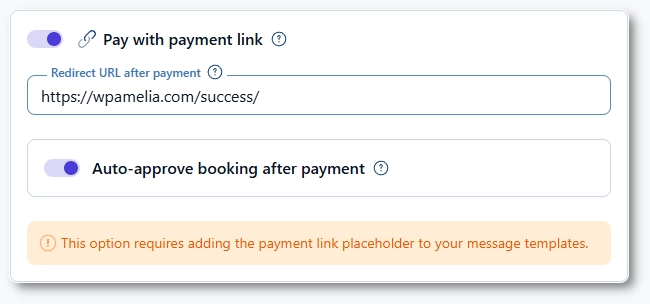
If you want customers to land on a custom confirmation page after paying, enter your Redirect URL after payment.

Pay with payment link option and redirect URL field in Amelia payment settings
Info Note

This option requires adding the payment link placeholder in your message templates so customers receive the link.
How do payment methods work in Amelia?

Amelia supports the following payment methods:

On-site, PayPal, Stripe, WooCommerce, Razorpay, Mollie, Square, Barion

Some payment methods cannot be active together because of compatibility rules. You can choose the default payment method, which is set to On-site by default.

Any online payment method available in your Integrations page will appear here as an expandable section.

What can I configure inside each payment method?

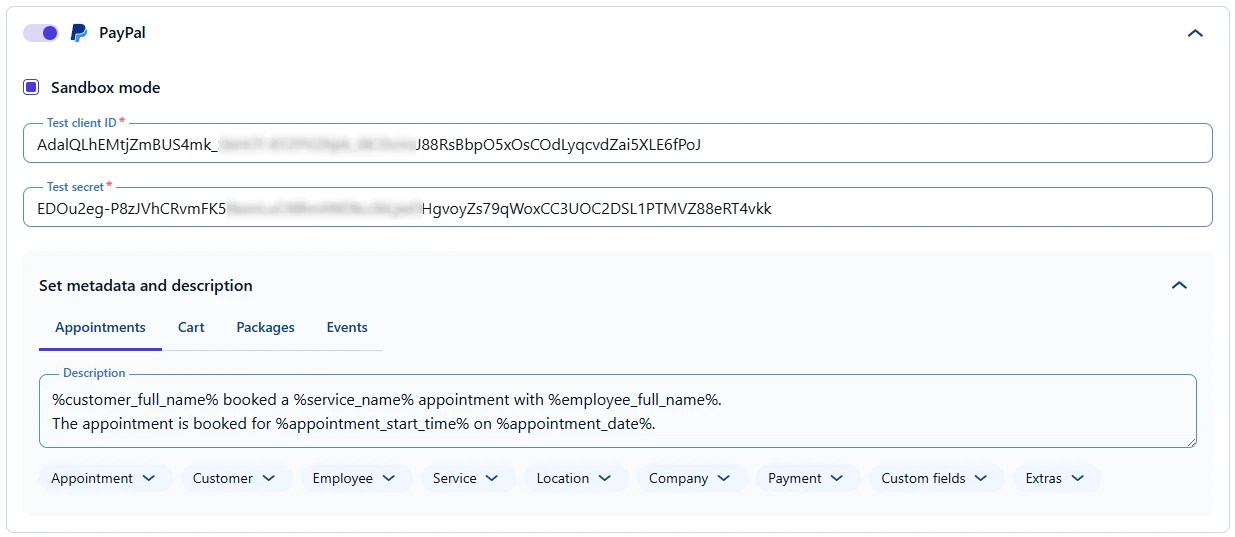
Each method (except On-site) has an expandable configuration section where you can:

  • Adjust specific settings for the payment provider
  • Add a payment description
  • Define unique descriptions for Appointments, Packages, and Events
  • Use placeholders from the dropdown menus
  • Translate each description into any language added in General settings

This lets you customize how each payment type’s description appears to customers and how payment data is stored.

Payment settings in Amelia showing the PayPal method expanded with currency and formatting options
Info Example

Full configuration steps for PayPal, Stripe, WooCommerce, Razorpay, Mollie, Square, and Barion are covered in separate pages under the Integrations category.