



Most salon bookings don’t happen while the salon is open. Square Appointments data puts 64 percent of bookings outside the standard 9-to-5 window (Square, 2024). Without online booking, those clients hit a closed phone line and try somewhere else.
Salon booking apps cover those hours. They keep staff calendars, booking flows for each service, and payment collection in one system built around a salon’s actual service menu, instead of the single generic meeting slot a basic scheduler gives you.
Barbers and solo stylists mostly run them from a phone or a tablet at the front desk. What they’re really comparing them against is the old setup, a phone line and a paper appointment diary.
The Best Salon Booking Apps
The paper salon appointment book at the front desk gets swapped for a shared calendar clients can open on their phone. That’s the basic trade.
The list puts salon and barbershop owners with a WordPress site first. After that it widens out to the marketplace and all-in-one platforms most of the industry uses day to day.
Only one of the ten, Amelia, is a WordPress plugin (there’s more on it in our roundup of the best WordPress booking plugins). Everything else is a standalone app or a hosted platform.
Some numbers worth knowing before the list.
- Fresha charges a one-time 20 percent commission (minimum $6) on new clients booked through its marketplace, on top of a monthly subscription (Pabau, 2026)
- Zenoti is used by more than 30,000 businesses across over 50 countries (Zenoti, 2026)
- Mindbody pricing starts at $99 per month per location (Mindbody, 2026)
- Booksy costs $29.99 a month for one user plus $20 a month per added staff member (Capterra, 2026)
- Businesses using Square Appointments saw an average 23 percent decrease in no-shows from Q1 2020 to Q1 2021 (Square, via Business Wire, 2021)
Trafft, Amelia, Fresha, Vagaro, and Square Appointments cover the widest spread of budgets and setups, so here they are side by side before the longer write-ups.
| App | Best for | Starting price | Pricing model |
|---|---|---|---|
| Trafft | Bookings and staff shifts in one place | Free plan; paid from about $13/month (billed annually) | Flat rate |
| Amelia | WordPress salons owning their booking page | Free Lite plugin; paid tiers | Annual or lifetime license |
| Fresha | Marketplace-driven new client discovery | $19.95/mo solo; $14.95/mo per staff | Subscription plus commission |
| Vagaro | Marketing tools bundled in | From $23.99/month | Per calendar, per month |
| Square Appointments | Salons already on Square hardware | Free for 1 location; Plus from $49/mo | Free plus per-location tiers |
Trafft, for salon groups that want bookings and staff shifts under one login
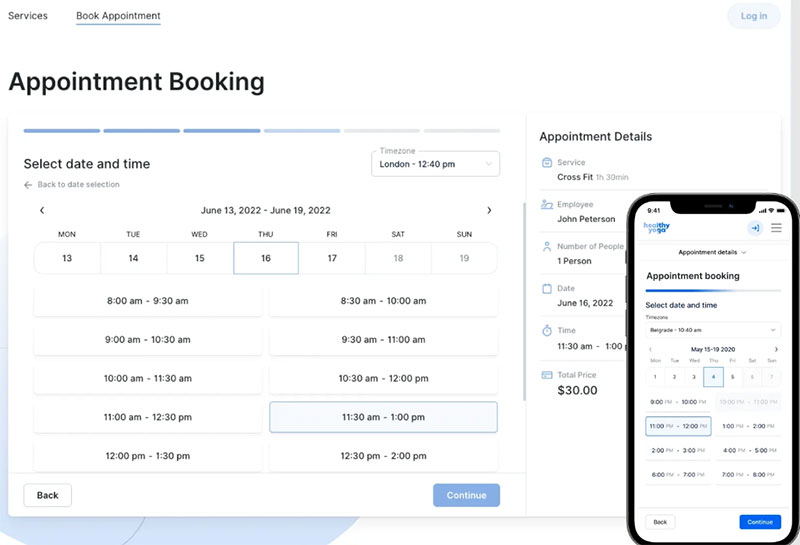
Trafft handles client bookings and employee shifts in the same system. Most salons end up paying for those as two separate subscriptions, so if you run more than one location, that alone makes it worth a look.
It’s made by the same company as Amelia. You can tell, because the two connect to each other very easily.
The shift scheduling is the part I’d point to. Competitors usually sell it as a second product. Here it’s in the same plan as booking, next to the usual stuff.
- Shared calendar across staff to stop double bookings before they happen
- Automated SMS and email reminders
- Multiple business locations on one account
- Stripe and PayPal payment collection
- Google, Outlook, and Apple calendar sync
A free plan covers a small team. Paid tiers start around $13 a month billed annually, on a flat rate rather than a per-seat fee (Capterra, 2026). There’s no per-booking fee, paid plans come with a 30-day money-back guarantee, and the booking form works even if you don’t have a full website yet.
One thing to size up front: a busy front desk moves past the free tier quickly, so price the plan against your actual appointment volume on the pricing page rather than starting free and migrating later.
Reviewers like it. Trafft holds a 4.9 out of 5 rating from 49 reviews on Capterra, with 96 percent of reviewers rating their experience positive (Capterra, 2026). But the real reason it’s here is the shift management pairing. Most tools further down either charge extra for the employee-scheduling half of the job or push you to a second product for it. The demos show both halves in one dashboard.
Amelia, if your salon already runs on WordPress
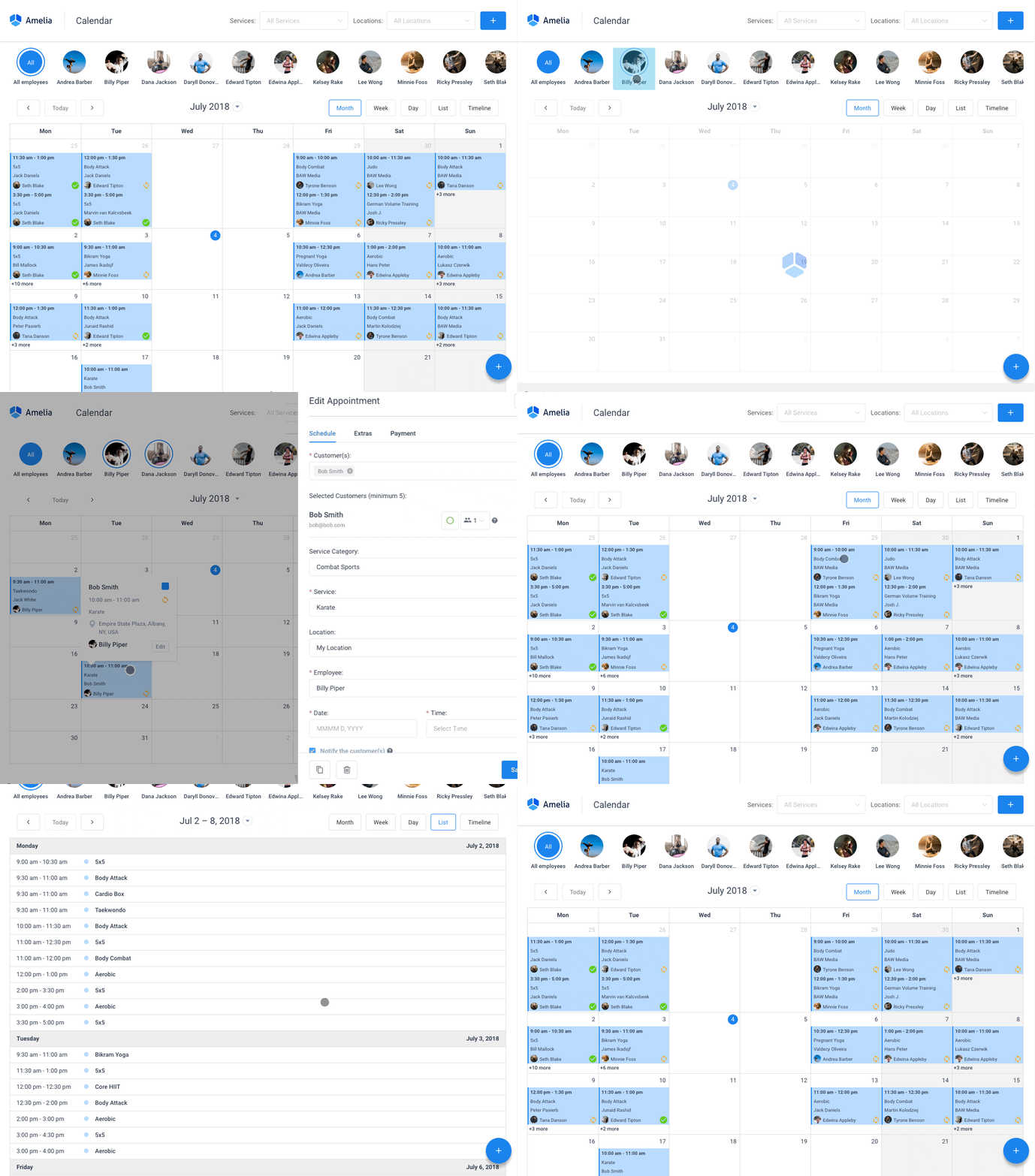
Amelia isn’t hosted SaaS. It’s a WordPress plugin, so the booking calendar lives on the salon’s own site and not on someone else’s marketplace page.
If you’ve spent years building up a WordPress site, you probably don’t want to rebuild everything around a third-party platform. This is for salon and barbershop owners who want the booking flow and branding on their own domain, and the client data too.
- Employee profiles with individual schedules, services, and days off
- Google Calendar and Zoom integration on the Pro tier and above
- Custom booking forms and multilingual booking pages
Paid tiers support Stripe, PayPal, Mollie, and Razorpay, which makes it a complete WordPress booking system with payment gateways out of the box.
Pricing works differently from most of this list. The Lite version is a free WordPress booking plugin for basic single-employee scheduling. Paid Starter, Standard, Pro, and Elite tiers handle larger teams, and each is sold as either an annual subscription or a one-time lifetime license. The pricing page has the current grid.
That lifetime option is what I’d pay attention to. With a marketplace app like Fresha or Booksy, commissions mean you pay more as the salon gets busier. Amelia’s cost stays flat however many bookings come in. Payments also run through the salon’s own gateway, so you control checkout, and the front-end booking wizard is nicely done.
Two practical notes. It’s WordPress-native, so it fits salons committed to the platform rather than those planning a move elsewhere. And since it runs on your own server, hosting quality affects how fast the calendar loads, so budget for decent hosting rather than the cheapest shared plan.
For the staff side, there’s the Amelia Business app for iOS and Android. Each stylist sees their own appointments with the client, service, time and price, and can mark a booking Approved, Canceled or No Show between clients. Stylists get a push notification when a client books, cancels or reschedules online, and the owner sees every chair’s schedule from one account. It’s a tool for your team, not for clients: they still book through the forms on your website, set up as described in this guide to building a salon booking system on WordPress. The app is included with the Elite plan.
Amelia holds a 4.9 out of 5 rating across roughly 245 reviews on Capterra and GetApp comparison pages. Same score as Trafft, bigger review base (Capterra, GetApp, 2026). The demos cover the client-facing booking flow.
Fresha, for marketplace-driven new client discovery
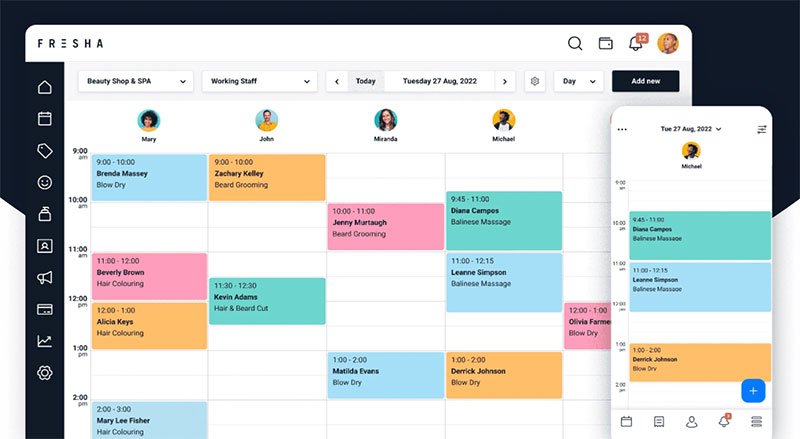
Plenty of reviews still describe Fresha as free. It isn’t anymore. That changed in 2025.
What Fresha does have is a large consumer marketplace running next to its booking software. A salon profile can show up for people searching nearby who’ve never heard of the business, and Fresha puts its own marketing spend behind ranking salons in local search. For salons and spas that want walk-in-style discovery without buying ads separately, that’s the pull.
- Unlimited appointments on every plan
- Built-in card processing and deposit collection
- Waitlist and staff calendar management
- Separate business and client mobile apps
The Independent plan runs $19.95 a month for one user. Team runs $14.95 a month per bookable staff member. Then there’s a one-time 20 percent commission (minimum $6) on new marketplace clients (Pabau, 2026). Repeat bookings from clients the salon already has don’t cost anything extra.
So if you’re comparing real costs, add the subscription, the commission, and the card processing fee together. During a busy month that total climbs a lot faster than the sticker price suggests.
The mobile apps are strong and the existing client base is big. Fresha holds a 4.8 out of 5 rating from more than 1,400 reviews on Capterra, one of the highest review counts on this list (Capterra, 2026).
Vagaro, when you want marketing and back-office tools in one platform
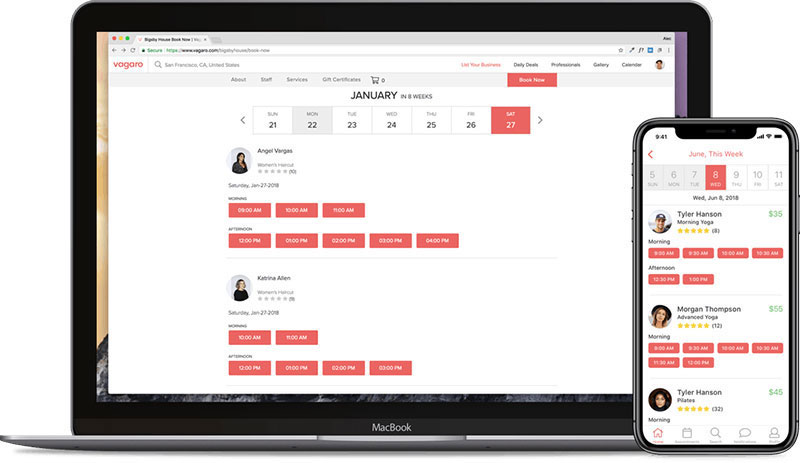
Vagaro packages booking, payments, inventory, and marketing into one platform, with payroll available as an add-on. You’re not stitching together five separate tools.
It fits a small team that has outgrown a booking-only app but isn’t ready for enterprise software. First-time setup is harder, though. The admin side takes real time to learn.
How much marketing comes in the base subscription is worth noticing. You get 1,000 free marketing emails a month and a listing in Vagaro’s own client marketplace. Salons looking to upsell salon services and retail usually pay extra for that layer somewhere else.
- Staff calendars with commission tracking
- Payroll processing available as an add-on
- Retail and product inventory tracking
- Automated review requests
- 24/7 phone, email, and live chat support
Plans start at $23.99 a month for one bookable calendar, each additional calendar adds $10 a month, and there’s no long-term contract (Capterra, 2026). Month-to-month billing, round-the-clock support, lots of features for the money.
For a larger team the bill grows, though. Extra calendars plus paid add-ons like text marketing and payroll add up.
Vagaro holds a 4.7 out of 5 rating from more than 3,400 reviews on Capterra, with 94 percent of reviewers rating their experience above 4 stars (Capterra, 2026).
Booksy, for barbershops and stylists building a client base through local search
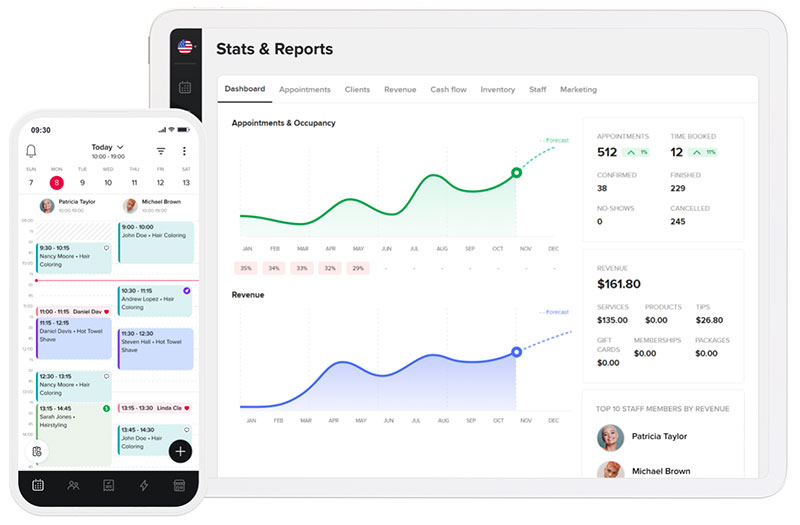
Booksy is mostly about its consumer app. Clients search by location and service, then find a barber or stylist nearby with an open slot.
It’s one of the better-known names for barbershops that want a dedicated barber booking website, not only hair salons in general. The best fit is barbershops and independent stylists who depend on local discovery more than on an existing client list.
- Unlimited appointments on the base plan
- Client appointment confirmations and text reminders
- Custom intake forms and liability waivers
- No-show protection with card-on-file
It costs $29.99 a month for one user, plus $20 a month for each additional staff member. Card processing starts around 2.49 percent plus 10 cents per transaction (Capterra, 2026).
There’s no free tier at all, only a 14-day trial. I don’t mind that much, since the pricing is upfront and there’s no free-plan bait-and-switch. Staff pricing that scales per person instead of a flat team fee does sting for a growing shop, though.
Then there’s Booksy Boost, a paid placement layer that pushes a listing higher in nearby marketplace search results. Boost is a separate 30 percent charge on a new client’s first visit, capped at $100 per client, on top of the flat subscription. It’s easy to miss when you’re lining up headline prices across apps.
Booksy Biz holds a 4.4 out of 5 rating from 479 reviews on Capterra (Capterra, 2026).
GlossGenius, for independent stylists who want an Instagram-ready booking page
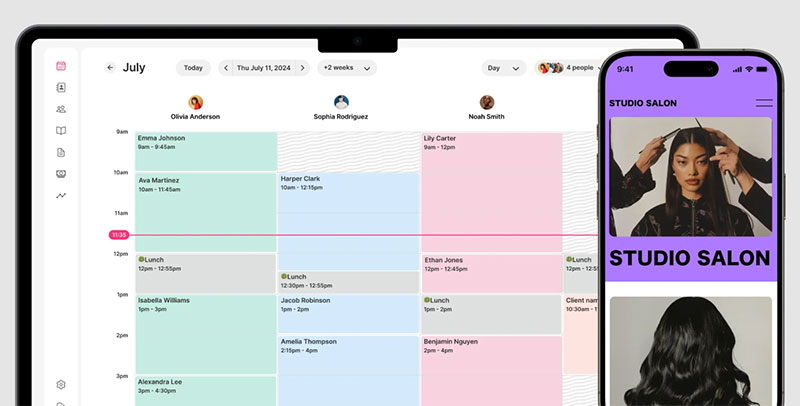
Independent stylists mostly find clients on social media. For most of them it starts with working out how to get clients on Instagram, and then they need a booking link that matches the feed. GlossGenius was built around that.
Setup is fast, often under an hour according to reviewers. When you’re running a chair alone, an hour is about what you’ve got.
The booking page is the cleanest and most customizable in this group, designed for a single practitioner and not a large team.
- Custom branded booking page and client app
- Deposit collection and card-on-file no-show protection
- Built-in marketing tools for email and text campaigns
- Inventory tracking for retail product sales
The Standard plan starts at $28 a month billed monthly, or $24 a month billed annually. Gold and Platinum tiers cover larger teams (GlossGenius, 2026).
GlossGenius holds a 4.8 out of 5 rating from roughly 350 reviews on Capterra, one of the highest scores on this list (Capterra, 2026).
Most comparisons stick to features and skip geography. GlossGenius is currently available only in the United States, and reviews rarely mention that upfront. A stylist outside the US can spend an evening researching it and then find out at signup. The solo focus also makes it a weaker pick for a multi-chair salon juggling several stylists’ schedules.
[activecampaign form=11]
Zenoti, for multi-location salon and spa chains
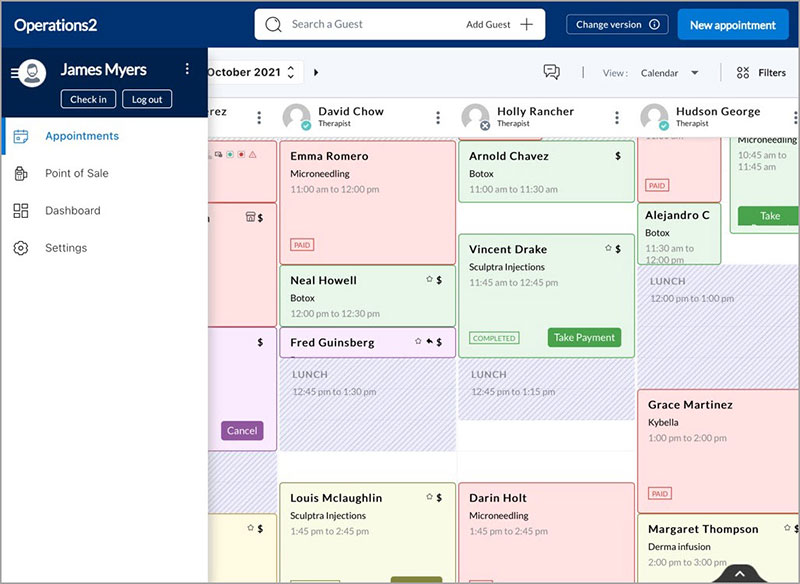
Zenoti is for chains. Salon and spa groups running three or more locations get centralized reporting and inventory that rolls up across every site, so the owner isn’t logging into a separate dashboard for each one.
A one-location salon will likely find far more here than it needs.
- Multi-location scheduling and staff management
- Centralized inventory and retail tracking
- Membership and package management
- Enterprise-level reporting and analytics
Zenoti does not publish flat pricing. Plans are quoted directly based on location count and the features needed, which makes comparing it against competitors upfront harder than it should be.
It’s used by more than 30,000 businesses across over 50 countries, according to the company’s own figures (Zenoti, 2026). The platform was built for salon, spa, and medspa chains specifically, not adapted from a general scheduling tool, and the reporting holds up at scale.
A single-chair salon comparing Zenoti against Amelia or Trafft on a feature checklist will misjudge it. The value only shows up past a certain size, and a checklist won’t tell you where that point is.
Mindbody, for salons adding spa or wellness services
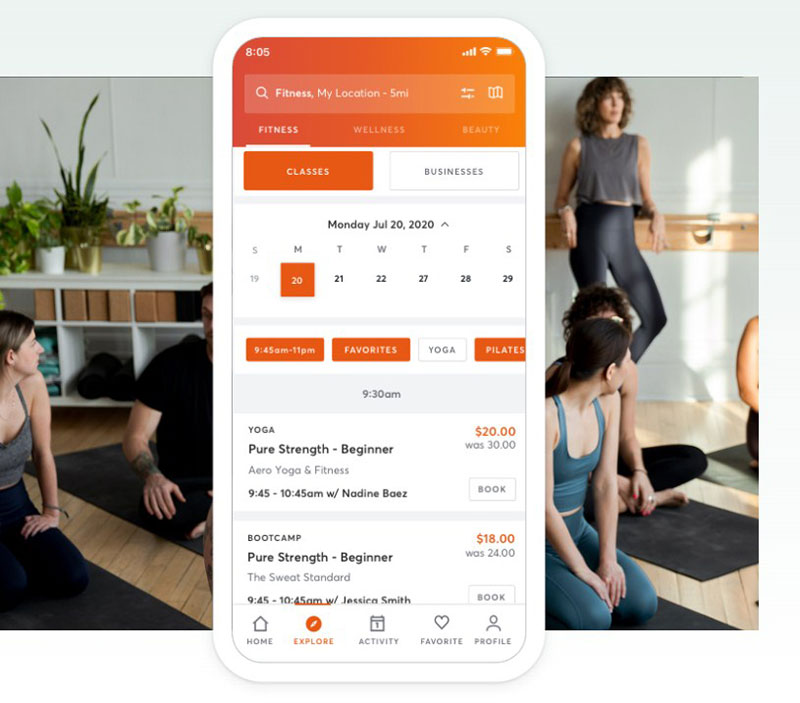
Mindbody came out of the fitness and wellness industry, and it still brings that client network along with plain salon booking. If your salon also offers facials, massage, or wellness add-ons, the overlap helps.
Its discovery network spans fitness, wellness, and beauty. Whether that’s good for you depends on where you are. In a wellness-heavy market it’s a real advantage. Where salon clients rarely open a fitness-branded app to look for a haircut, much less so, since the network mixes gym-goers and yoga students in with beauty clients.
- Class and appointment booking in one calendar
- Integrated payments and lead management
- AI-assisted front desk features
- Open API and a large partner integration marketplace
Plans start at $99 a month per location (Mindbody, 2026). Mindbody’s own pricing page confirms that, with higher Accelerate and Ultimate tiers quoted directly by the sales team. That starting price sits well above most of this list.
It does handle businesses that mix classes and appointments well, and the integration options go deep. Salon owners thinking about a move here often end up running a direct Vagaro versus Mindbody comparison before committing.
Square Appointments, for salons already using Square hardware at checkout
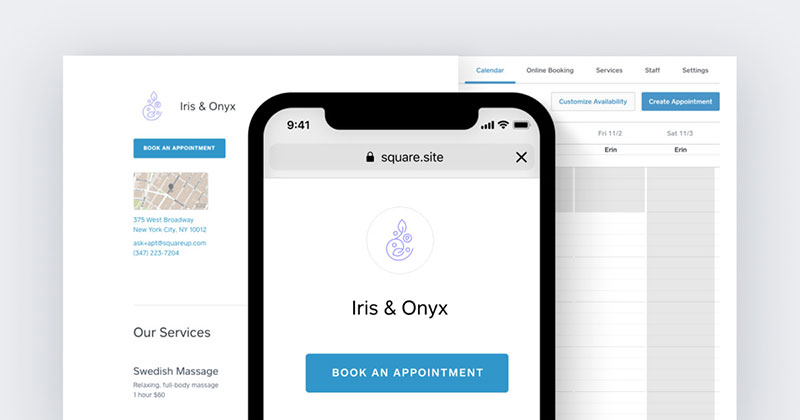
If a Square card reader already sits at your front desk, Square Appointments uses the same login. No second vendor. Card reader, receipt printer, and booking calendar all run off one account.
And the free tier is usable, not a stripped-down trial. For a solo stylist or single-location salon, it’s a reasonable place to start.
- Free plan for one location and one staff member
- Automated appointment reminders
- Instagram booking integration
- Resource and equipment scheduling on the Premium tier
It’s free for a single location and staff member. Plus runs $49 a month per location, Premium runs $149 a month per location (Square, 2026). No long-term contract.
The free tier stops at one staff member, and multi-location pricing is charged per site rather than as a flat fee across a small chain.
Keep in mind that “free” only covers the software fee. Every booking on the free plan still carries card processing fees, so your cost floor is whatever percentage Square takes per transaction. It’s never zero.
Square and pure scheduling tools chase the same solo-to-small-team range, so a lot of businesses end up running a direct Acuity Scheduling versus Square Appointments comparison first.
StyleSeat, for solo stylists who want marketplace search working in the background
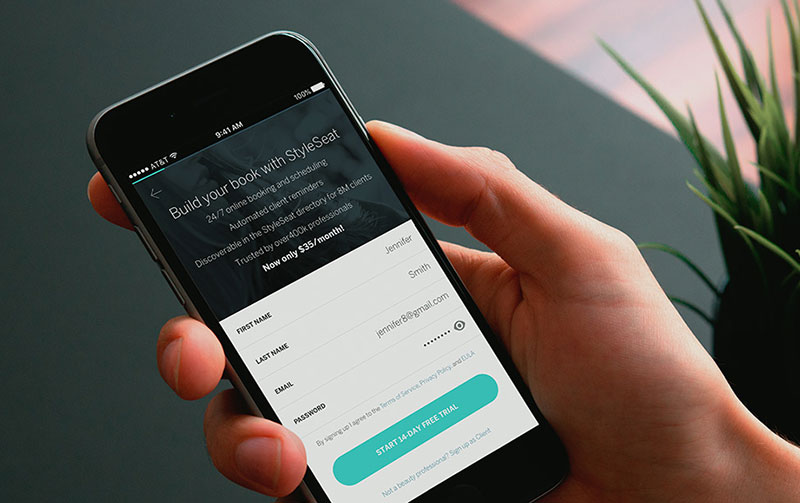
StyleSeat often gets called a flat-fee alternative to commission marketplaces. That’s not quite right.
A single plan runs $35 a month, or $31.50 a month billed annually, and that covers the software. On top of it there’s a one-time 30 percent New Client Connection fee (capped at $50) on clients who find the stylist through the marketplace, plus card processing (Pabau, 2026). A stylist still building a client list pays both.
The $50 cap is the good part. Uncapped commission models don’t give you a ceiling. Here the monthly bill stays predictable, even if the total for a busy discovery month doesn’t.
- Calendar and appointment management
- No-show and late-cancellation protection
- New client connections through the marketplace
- Smart pricing suggestions by service and demand
You get one all-inclusive plan with no feature tiers, and the platform handles marketplace promotion instead of the stylist. Against that, there’s no permanent free tier and fewer built-in business-management tools than Vagaro or Zenoti.
Reviewers are lukewarm on value. StyleSeat holds a 3.9 out of 5 rating on Capterra, with value for money as its lowest-scoring category at 3.4 out of 5 (Capterra, 2026).
When a salon booking app is not the fix
None of these solve every problem a salon has. In some cases the answer is something else.
- A stylist booking two or three clients a week may not need paid software yet. A shared calendar link can cover it until volume grows.
- Botox, laser, and similar services need clinical documentation and consent forms that pure booking-and-payments tools like Fresha or Booksy aren’t built for. Dedicated medspa software fits better.
- A rural single-chair shop with a full book of regulars gets little out of paid discovery like Fresha’s marketplace or Booksy Boost. It isn’t trying to find new clients it doesn’t need.
- If the salon already runs a different point-of-sale system for retail, a bolt-on booking tool can end up clunkier than switching the whole POS at once.
Cutting cancelled appointments and no-shows is what almost every app here is really selling, whether through deposits, card-on-file charges, or automated appointment reminders.
Which one is worth paying for comes down to your volume and how many locations you run. Then it’s whether finding new clients matters more to you than owning the booking page outright.
What Is a Salon Booking App?
Calendly and other general meeting schedulers assume one person and one type of meeting. Salons don’t work that way.
You have several staff members, each with their own service menu, appointment lengths, and prices, and the software has to hold all of it at once. A salon booking app is scheduling software built for exactly that in hair, nail, barber, and spa businesses, with payment collection attached.
- Clients get a booking page or widget where they pick a service, a stylist, and a time slot
- The business gets a shared calendar, a client record for every booking, and a payment or deposit collected up front
- Reminders go out automatically, so the front desk isn’t calling every client the day before
Do clients actually care about online booking? Square’s Future of Beauty Report found that 1 in 4 customers would avoid a salon with no online booking option (Square, 2022). That’s a big part of why salons moved away from phone-only front desks.
It helped during the pandemic too. The Beautiful Co. Salon in Greenville, SC kept clients informed through Square Appointments when in-person visits were not possible (Business Wire, 2021).
What Features Do Salon Booking Apps Include?
Every beauty salon booking website runs on roughly the same set of features, even when the branding looks nothing alike from one app to the next.
Knowing how to effectively schedule appointments gets easier once you know what the software does on each side of the booking.
Client-Facing Features
- Real-time availability by staff member and service
- A booking form that collects service, time, and contact details in one flow
- Deposit or full payment at the time of booking
- Self-service rescheduling and cancellation
- Mobile-first design, since most clients book from a phone, not a desktop
Online booking is the default now. Square Appointments data shows 75 percent of clients book their appointments through an online booking site (Square, 2024).
Business-Facing Features
On the salon’s side, each employee gets a calendar with their own schedule, days off, and assigned services. Every client has a record with booking history, notes, and contact details.
Calendar sync is standard. Most apps offer scheduling appointments with Google Calendar, plus Outlook and Apple Calendar in most cases.
Reminders are the feature clients notice first. 35 percent of consumers say they specifically want salons to automate sending appointment reminders, more than any other automated task (Square, 2024). I wouldn’t bother with an app that doesn’t do them.
How Do Salon Booking Apps Handle Payments and Deposits?
You’ll see two payment patterns in this category. Some apps take a flat processing fee on every card transaction. Others take a commission, but only when the software brings in a new client.
The same processors keep showing up.
| Processor | Typical rate | Where it shows up |
|---|---|---|
| Stripe | Built into plugin-based checkout | Amelia, Trafft |
| Square | 2.6% + 15 cents in person on the Free plan (2.5% + 15 cents on Plus and Premium) | Square Appointments |
| Booksy Pay | 2.49% + 10 cents per swipe | Booksy card reader |
Marketplace apps add a second cost on top of processing. Fresha charges a one-time 20 percent commission (minimum $6) on new clients booked through its marketplace, separate from card processing (Pabau, 2026).
After that, deposit rules and cancellation windows handle most of the work. You set a deposit percentage, a cutoff time for free cancellation, and a no-show fee, and the software enforces them automatically.
Salons get this wrong a lot, and it costs them. Read through how to avoid appointment scheduling mistakes before setting deposit rules. It saves a lot of cleanup later.
Marketplace Booking Apps vs Direct Booking Apps
The real split is about who brings in the clients. A marketplace app takes a cut of new-client revenue and gives you discovery in return. A direct-booking app charges a flat fee and expects the salon to bring its own traffic. WordPress plugins sit on the direct side too, just with a different way of paying.
| Model | Discovery | Pricing structure | Best for |
|---|---|---|---|
| Marketplace | Built-in client search (Fresha, Booksy, StyleSeat) | Subscription plus commission on new clients | Salons wanting new-client discovery |
| Direct-booking SaaS | None built in, relies on the salon’s own traffic | Flat monthly subscription (Trafft, Square Appointments) | Salons with an existing following |
| WordPress-native plugin | None built in | Annual or lifetime license (Amelia) | Salons that already own a WordPress site |
Direct booking is hardly a niche. Square Appointments alone crossed 200 million total bookings by mid-2021, without any marketplace layer (Square, via Business Wire, 2021).
If you’re working on how to get more bookings from people who have never heard of you, the marketplace model makes sense.
If your book is already full and you mostly want the admin work gone, direct booking fits better. A lot of salons start on a free salon software tier and only pay for an upgrade later.
FAQ on Salon Booking Apps
What is the difference between a salon booking app and general appointment scheduling software?
Most scheduling software for small businesses assumes one calendar and one service type.
Salon apps add staff-specific menus, per-chair availability, and deposit collection, all organized around the salon’s service list instead of a single meeting type.
How does the booking flow actually work from a client’s phone?
The client opens the booking page and chooses a service and a stylist. Then they see real-time availability pulled from that staff member’s calendar.
Picking a slot leads to a deposit or card-on-file step, and a confirmation arrives by text or email right after.
How do salon booking apps stop double bookings across staff calendars?
Each staff calendar updates the moment a slot is taken, so the same chair can’t show as open in two tabs.
Buffer time between services and blocked breaks apply automatically. Those are the gaps where manual double booking usually happens.
Do salon booking apps integrate with Instagram or Google Business Profile?
Most of the marketplace and standalone apps here support a book-now button on Instagram and a Google Business Profile listing. It costs nothing extra, which makes it one of the easier salon promotion ideas to switch on.
Coverage varies by platform tier.
Is a free salon booking app actually worth using?
For a single chair with light volume, a free tier works fine. Card processing fees still apply to every transaction, though.
Once you add staff or want marketing tools, the free tier mostly turns into a sales pitch for the paid plan.
Can you switch booking apps once a salon grows from one location to several?
You can, but it’s rarely painless. Client records, service menus, and staff schedules move by hand unless the vendor offers an export tool.
Check Team booking support across multiple locations before you sign up. Not after the second site opens.
How do you move from a paper book or spreadsheet without losing existing appointments?
Most platforms accept a CSV import for existing clients and appointments. Recurring bookings often need to be re-entered manually.
Run the new system next to the paper book for a week or two. You’ll catch the gaps before the front desk drops the paper for good.
What mistakes do salons make when adopting booking software?
The big one is switching the software on without setting a deposit or cancellation policy. That throws away the no-show protection the app was bought for in the first place.
Close behind is leaving the old phone number live without routing it into the calendar.
What Comes After Choosing a Salon Booking App?
Connect the payment processor and rebuild the service menu before you turn on any marketing. A booking page that can’t collect a deposit or shows the wrong price is not ready to go live.
Getting the order right matters more than any single step.
- Payment processor and deposit rules
- Service menu and staff schedules
- Reminders and marketplace visibility
Turn on marketplace visibility before the roster is fully staffed, and a client may book a slot nobody can cover.
Publishing the booking page before staff schedules are blocked out gets you a faster launch. It also means a higher risk of double booking in the first week.
Once the base calendar is live, set up recurring appointments for standing color or blowout clients. Do that before the first marketing push goes out.

Explore topics

Read Inspiring Customer Stories
Check out how our user set Amelia for his business