



Ten tools show up in booking software searches for a reason, and most of them do the basic job fine. What separates the two names at the top of this list from the other eight is that neither one forces you to bolt on a second plugin once bookings turn into full events with tickets and capacity limits.
Event scheduling software is a web-based booking platform. It automates appointment and event scheduling, assigns staff, and collects payment, cutting out the manual back and forth between a business and the people trying to book with it.
Service businesses, WordPress site owners, and agencies booking on behalf of clients lean on it to replace phone tag and email threads with a calendar clients can actually use themselves.
An ETH Zurich thesis study found a ten to fifteen person event took roughly forty five minutes to schedule with an online tool, against ninety minutes to two hours coordinated by phone and email (ETH Zurich, via Doodle, 2026). That gap alone explains why so many small teams eventually give in and adopt one of these tools, even the ones who swore a shared spreadsheet was “good enough.”
The Best Event Scheduling Software
This list runs strongest pick first, not sorted by price or category, because most people comparing event scheduling tools want to know which one to pick, not which bucket their business falls into.
WPAmelia and Trafft take the top two spots because they cover the widest range of use cases, appointments, staff scheduling, and full ticketed events, without forcing a second tool into the stack for ticketing or payments.
Anyone running a WordPress site should also check the broader roundup of scheduling software built for small businesses. Site owners weighing plugin options specifically will probably want the wider list of WordPress booking plugins too, before committing to just one.
| Platform | Best for | Starting price |
|---|---|---|
| Amelia | WordPress sites running both appointments and ticketed events | Free Lite version; paid tiers on annual or lifetime billing |
| Trafft | Agencies and service businesses that want a hosted SaaS without a WordPress site | Free for teams up to 5; paid plans scale by user count |
| Calendly | One-on-one meeting scheduling rather than full event management | Free (1 event type); Standard $10/seat/month billed annually |
| Acuity Scheduling | Service businesses selling packages, memberships, and class subscriptions | No free plan; Starter $16/month billed annually |
| SimplyBook.me | Multi-industry businesses that want to pick and choose features | Free (50 bookings/month); Basic ~$11.90/month billed annually |
| Setmore | Very small teams that want a real free plan, not a crippled trial | Free (4 users, 200 appointments/month); Pro $5/user/month billed annually |
| Bookly | WordPress owners with a short, specific add-on shopping list | Free tier available; lifetime license from ~$129 (Pro) |
| YouCanBook.me | Consultants juggling several calendars rather than several staff | Free plan; Individual ~$7–$9/month |
| 10to8 (Sign In Scheduling) | Healthcare and compliance-heavy scheduling on a budget | Free (100 appointments/month); paid historically from ~$7.20/seat/month |
Amelia: best for WordPress sites running both appointments and ticketed events
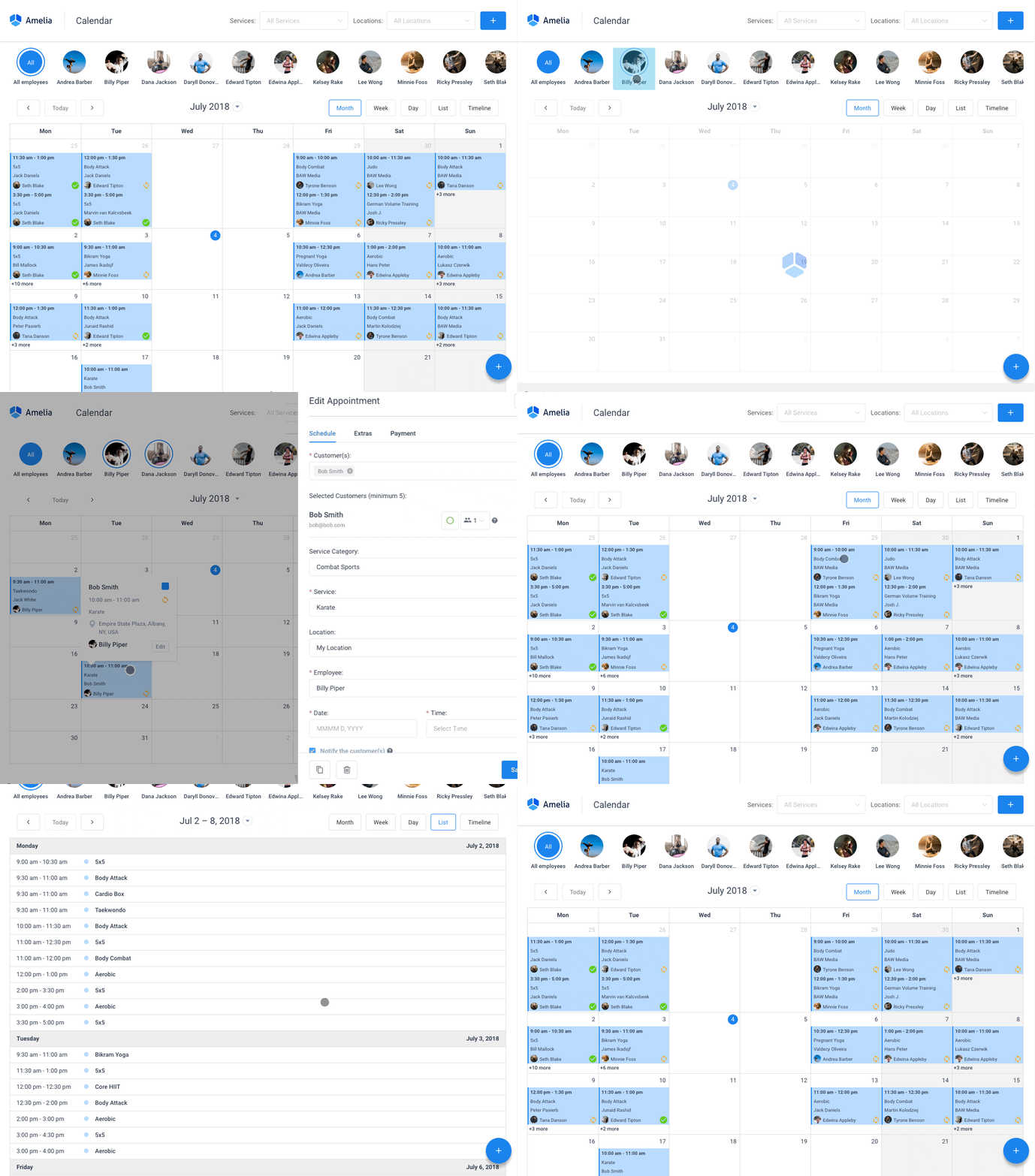
Amelia turns a WordPress site into a full booking system. Appointments and events run on the same plugin, so the calendar, payments, and ticketing stay under one login instead of three.
That single detail is what separates it from most WordPress scheduling plugins, which handle appointments fine and treat events like an afterthought bolted on later.
The events module is the part worth paying attention to: QR coded e-tickets, capacity limits, and a dedicated public catalog view, built with the same depth as the appointment side rather than as a stripped down extra.
- Two-way sync with Google, Outlook, and Apple Calendar via ICS
- Deposit and full payment collection, including a WordPress booking system with payment gateways setup for Stripe and PayPal
- White label branding for agencies managing several client sites
- Recurring appointments and multi-location, multi-staff scheduling
Pricing starts with a free Lite plugin on WordPress.org, then four paid tiers on annual or lifetime billing. Most production sites end up on the Pro tier, since that’s where full calendar sync and payment access unlock.
What it gets right:
- Genuine event ticketing depth, not a stripped-down add-on
- Active release cadence and strong documentation
- Runs natively inside WordPress, no separate SaaS login
Where it falls short:
- Full calendar sync and the wider gateway set unlock on Pro rather than the entry tier
- WordPress-native by design, so it suits teams committed to the platform
- Day-to-day admin runs through the WordPress backend, with the business mobile app covering the on-the-go view
Independent testing across 37 feature checklist items rated Amelia 4.9 out of 5 from 245 Capterra reviews, walking the full public booking widget from date selection through payment (Capterra, 2026). The demos cover the same flow if you’d rather see it before installing.
Most roundups list Amelia as an appointments tool with events tacked on. Use it for a bit and the reverse turns out to be true. The events side, ticketing included, holds up to the same standard as the appointment flow (see creating tickets for events), which is the part competing lists tend to skip past.
Trafft: best for agencies and service businesses that want a hosted SaaS without a WordPress site
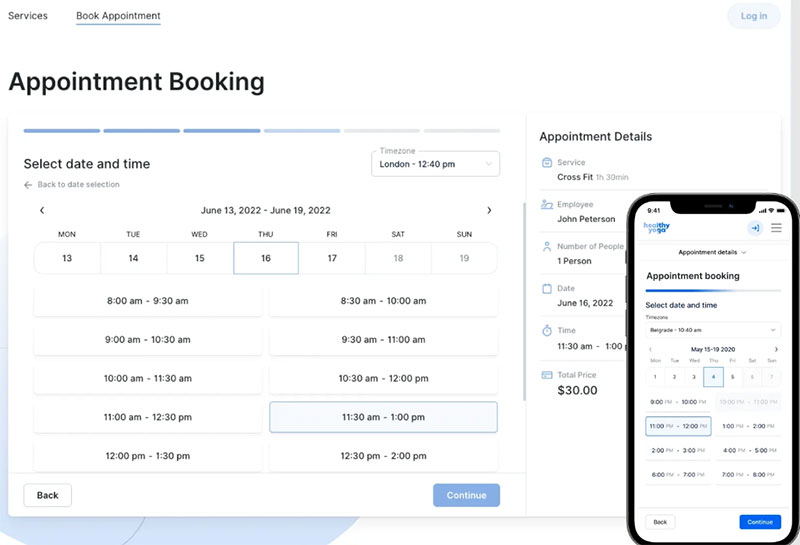
Trafft skips WordPress altogether. It runs as its own hosted platform, aimed at service businesses and at the agencies juggling several of them at once.
The agency dashboard is the reason agencies actually pick it over alternatives: each client gets their own portal, while the agency keeps central control over all of them from one login. The demos show how that looks across industries, from salons to clinics to home services.
| Capability | Detail |
|---|---|
| Calendar sync | Google Calendar and Outlook, two-way |
| Locations | Multi-location support built in |
| Notifications | Automated email and SMS reminders |
Pricing is free for teams up to five, then paid plans scale by user count with no per-booking fees, billed monthly or annually. A 30-day money-back guarantee backs the paid tiers (Trafft.com, 2026).
In its favor: an intuitive UI praised across review platforms, no per-booking transaction fees, and an agency dashboard included at every paid tier. The feature list covers what lands on each plan.
The friction points: client portal branding is set at the agency level rather than per client, custom domains and Zapier sit on the higher tiers, and SMS reminders run on credits bought separately.
Trafft earns 4.6 out of 5 from 220 plus verified reviews across review platforms. G2 users specifically call out the intuitive UI and the depth of employee customization (Revuary, 2026).
The agency dashboard is really the detail worth flagging here. Once a client’s calendar goes live, the usual tactics for getting more bookings apply the same way they would to any scheduling tool. Trafft just happens to be one of the few on this list actually built to run that playbook across several client accounts at once, not just one business.
Calendly – Best for one-on-one meeting scheduling rather than full event management
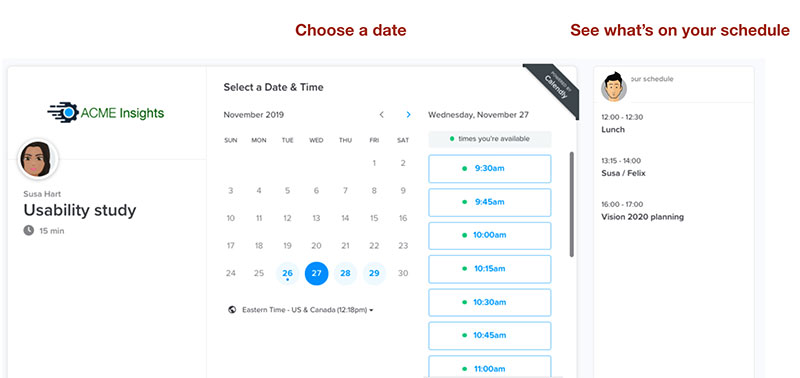
Calendly automates one-on-one and group meeting scheduling with calendar integrations and reminders, and it does that one job cleanly. Nothing more.
It’s not built for staff rosters, event ticketing, or multi-location businesses. It earns its spot here for meeting-first use cases specifically, recruiters, sales calls, consultant bookings, the stuff that’s really just two calendars trying to agree on a time.
The connect-calendar-share-link flow is the whole pitch. There’s almost no setup curve, which is rare in this category.
- Unlimited event types on paid tiers
- Stripe and PayPal payment collection
- Zapier connectivity for workflow automation
- Round-robin routing on the Teams plan
Free covers one event type. Standard runs $10 per seat monthly on annual billing ($12 monthly). Teams starts near $16 per seat monthly on annual billing ($20 monthly). Enterprise begins around $15,000 a year (G2, 2026).
Strong points: the fastest setup on this list, a wide third-party integration library, and reliability across recruiters, sales, and education use cases.
Weak points: no staff or resource management, no event ticketing, and it gets expensive per seat once a team needs round-robin routing.
The free plan caps out at one active event type and skips automated reminders or workflows entirely. That’s the specific limit G2 reviewers cite most often as the reason they eventually upgrade (G2, 2026).
That one-event-type ceiling, not some missing integration, is the real reason solo coaches hit a wall fast on the free plan. Worth checking Calendly alternatives before assuming it’ll stretch to cover a second service.
Acuity Scheduling – Best for service businesses selling packages, memberships, and class subscriptions
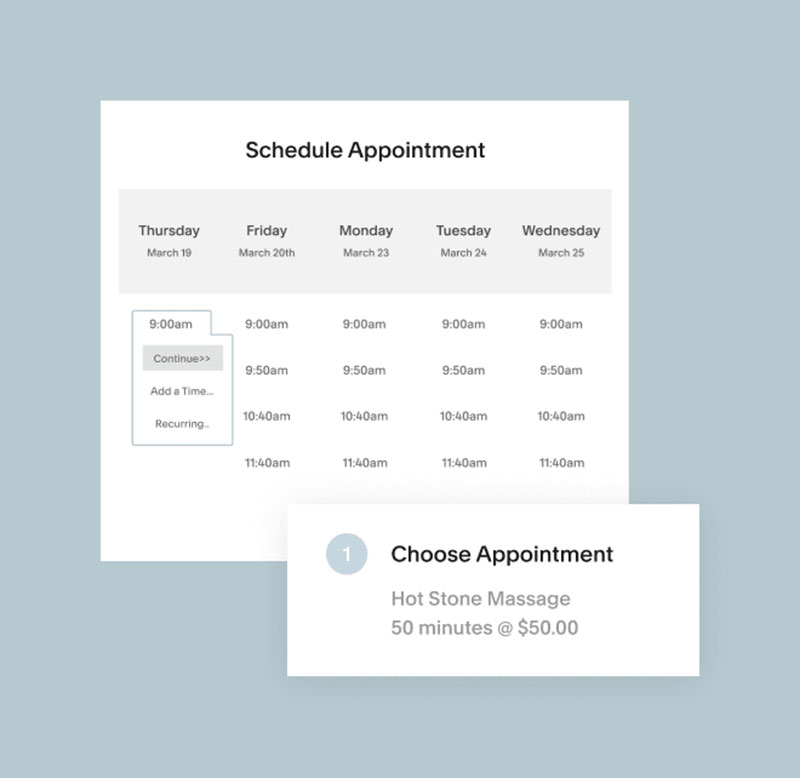
Acuity Scheduling builds commerce straight into the booking flow. Packages, memberships, subscription billing, all of it lives inside the base product instead of requiring a separate checkout tool.
Running that whole commerce layer without routing anything through a separate ecommerce plugin is the part most tools on this list simply can’t match.
Automatic time zone detection, intake forms, a weekly schedule viewer, private staff notes shared across a team, and packages and gift certificates on Standard and above round out the feature set.
There’s no free-forever plan here, just a 7-day trial. Starter runs $16/month on annual billing ($20 monthly) for one calendar. Standard and Premium run roughly $27 and $49/month annually ($34 and $61 monthly) (Pabau, 2026).
Where it wins: a genuinely useful weekly schedule view, packages and memberships built in, private team notes on bookings.
Where it costs you: Starter can’t check a second calendar for conflicts, there’s no SMS reminders until Standard, and it’s pricier than most of this list for a single practitioner.
Reviewers compare it directly against cheaper competitors constantly. A side-by-side of Acuity Scheduling vs Setmore is worth reading before choosing, since the two sit at opposite ends of the pricing spectrum for roughly the same core job.
The packages and memberships layer is the underrated part, honestly. Most “best of” lists mention Acuity for its calendar polish and skip past the fact that it can replace a subscription billing plugin entirely for class-based businesses.
SimplyBook.me – Best for multi-industry businesses that want to pick and choose features
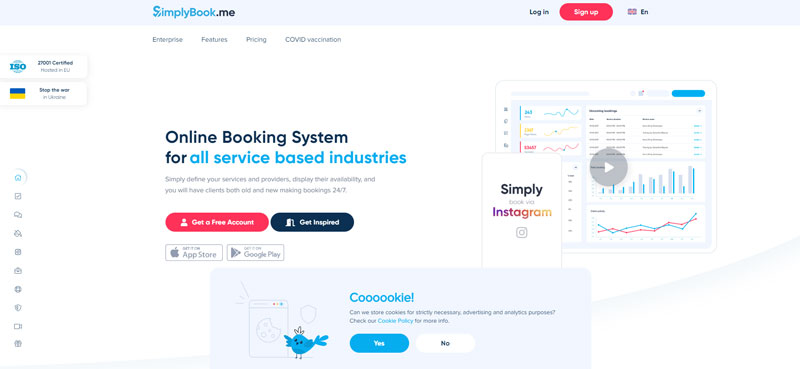
SimplyBook.me runs on a custom-feature model instead of a flat feature list. Every plan includes a base set of free features, and each tier then unlocks a certain number of premium features you choose yourself.
Tattoo studios, dance schools, small clinics, the niche stuff that doesn’t fit a generic package, tend to end up here because of that flexibility.
Over 70 custom features are available, point-of-sale tools included, so the same core plugin can be reshaped for pretty different business types without switching platforms.
- 50 to 2,000 monthly bookings depending on tier
- Client login portal
- Deposit and tip collection on Basic and above
- Multi-language support
Free covers up to 50 bookings monthly for one provider. Basic starts near $11.90/month on annual billing ($13.90 monthly). Premium runs around $49.90/month on annual billing ($59.90 monthly), before a custom Enterprise tier kicks in (SimplyBook.me pricing, 2026).
What works well: a genuinely flexible feature set, strong fit for niche or multi-service businesses, no per-booking transaction fees.
What doesn’t: the free plan caps out at 50 bookings a month for one provider, which any active salon or clinic hits almost immediately (SimplyBook.me, 2026), and the feature-allowance model takes a while to configure correctly the first time.
Two businesses on the same paid tier can walk away with completely different toolsets, since the plan sets how many premium features you get, not which specific ones. That flexibility is also, unsurprisingly, the biggest source of setup confusion reviewers mention.
Setmore – Best for very small teams that want a real free plan, not a crippled trial
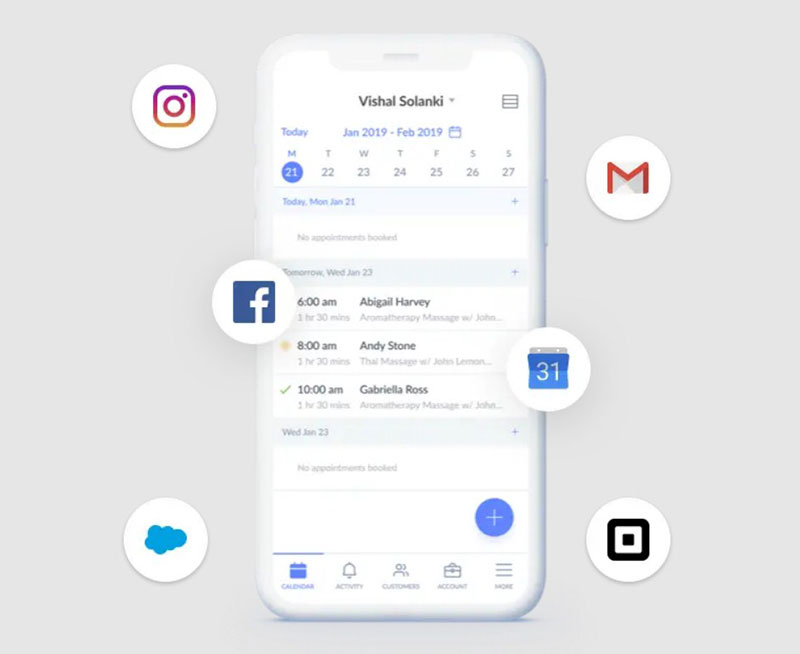
Setmore’s free plan isn’t a time-limited trial dressed up as generous. It stays free indefinitely for up to 4 users and 200 appointments a month.
Solo operators and small teams testing a full scheduling workflow before paying anything land here most often.
The free tier includes payments, a branded booking page, and app integrations, features some competitors lock behind a paywall from day one. That’s genuinely rare for a free tier in this category.
Team collaboration tools, mobile apps for iOS and Android, Stripe and Square payment integration, and one-way calendar sync on Free (upgraded to two-way on Pro) round out what you get.
Free covers up to 4 users and 200 appointments monthly. Pro runs $5 per user monthly on annual billing, or $12 monthly without a yearly commitment (Setmore pricing, 2026).
The upside:
- Free plan is usable, not just a demo
- Low entry cost on Pro at $5 per user annually
- Clean, low-friction setup
The catch:
- One-way calendar sync on Free means double-booking risk stays live
- No SMS reminders until Pro
- Weak reporting and limited flexible integrations even on paid tiers
GetApp’s review analysis found users repeatedly cite the free plan’s booking page and staff management as genuinely useful, while also wanting more flexible pricing and deeper customization (GetApp, 2026).
The one-way sync on the free tier is the detail most “free scheduling tool” roundups skip past. It reads as calendar sync in the marketing copy. In practice it only reads your calendar, it doesn’t block time back on it, so double bookings stay possible right up until you upgrade. Anyone who hits that wall should compare Setmore alternatives before assuming Pro is the only fix.
Bookly – Best for WordPress owners with a short, specific add-on shopping list
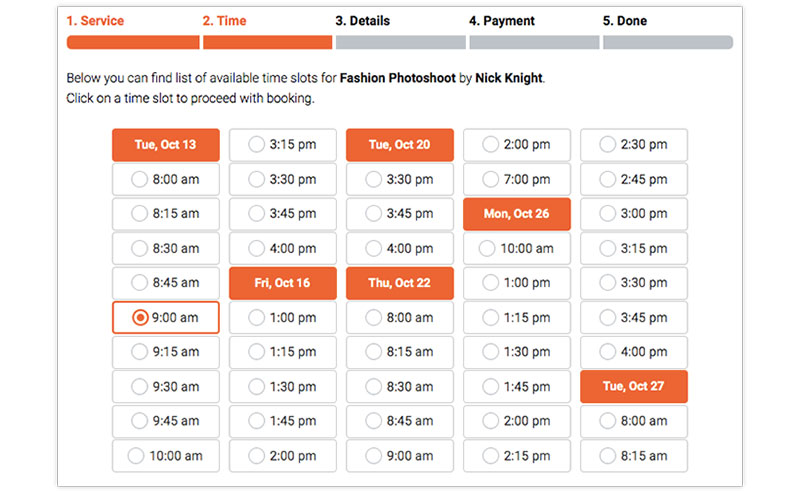
Bookly is one of the longer-running WordPress booking plugins around, built on a lean core plugin plus more than 40 paid add-ons.
Site owners who just need Pro alone, or Pro plus one or two specific add-ons, fit this better than anyone chasing a full bundle.
The Email Notifications module gets praised constantly, and so does the Calendar’s coverage of every staff view, day, week, and month.
- Free tier available on WordPress.org to de-risk the decision first
- Customer and staff self-service portals on higher tiers
- Two-way Google Calendar sync as an add-on
- Recurring appointments as an add-on
One-time WordPress lifetime licenses start around $129 for Pro, scaling to roughly $399 for Business and $799 for Ultimate, which bundle most of the 40 plus add-ons in (FS-Code review, 2026).
Its strengths: a mature, long-running plugin, strong booking widget conversion, and a genuine free tier for testing first.
Its weak spots: the add-on model means the Pro sticker price rarely reflects real cost, and the admin interface reads as dated next to newer competitors.
A hands-on review of Bookly found the booking widget converts cleanly and the Calendar module holds up across every view a service team needs, while noting the admin design itself feels behind current WordPress plugin standards (Booknetic.com, 2026).
Once Stripe, two-way sync, locations, and recurring appointments are all added in, Business or Ultimate is the honest starting tier here, not Pro. For a direct side-by-side against WordPress’s other major booking plugin, see Amelia vs Bookly vs Booked.
YouCanBook.me – Best for consultants juggling several calendars rather than several staff
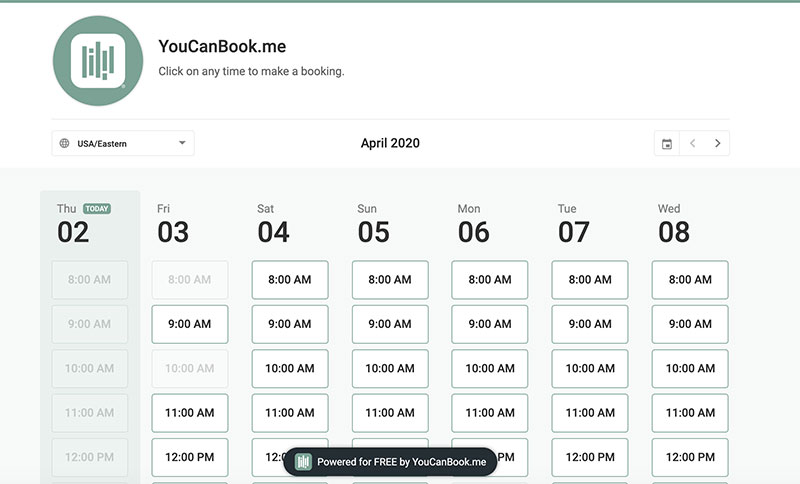
YouCanBook.me prices by calendar connections instead of user seats, which actually fits how consultants and advisors work day to day.
Solo consultants and recruiters checking availability across several calendars for one person, not multi-staff teams, get the most out of it.
Automatic time zone detection paired with instant booking confirmation is the part reviewers consistently flag as the smoothest piece of the product.
Branded booking pages, Zoom and API integrations, automated email or SMS confirmations, and built-in rescheduling and cancellation workflows make up the rest.
There’s a free plan. Individual runs roughly $7 to $9 per month depending on billing term, and Professional pricing scales by the number of calendars connected rather than by user (Capterra, 2026).
Where it delivers: an intuitive interface, reliable automated calendar syncing, and it works well for non-technical clients booking on the other end.
Where it struggles: per-calendar pricing gets expensive fast for a solo consultant managing several calendars, and MS Teams integration is weaker than competitors offer.
Because pricing scales by calendar rather than seat, a solo consultant managing three calendars can end up paying more than a five-person team sharing just one. For anyone weighing it against the category leader for one-on-one scheduling, a direct Calendly vs YouCanBook.Me comparison lays out where each one actually wins.
10to8 – Best for healthcare and compliance-heavy scheduling on a budget
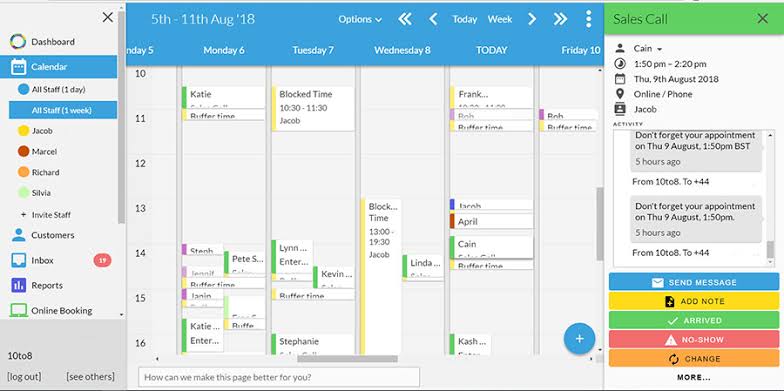
to8, now operating as Sign In Scheduling under its parent company Sign In App, targets healthcare, education, and other regulated service businesses specifically.
Clinics and front-desk teams needing HIPAA and GDPR-compliant scheduling without paying enterprise pricing are the obvious fit.
Built-in compliance posture, HIPAA, GDPR, CCPA, sits at every tier, and meeting-room booking comes on top of standard client appointments.
- SMS, email, and voice-call reminders
- PayPal and Sage Pay payment processing
- Google, Exchange, and Office 365 calendar sync
- Booking-trend and no-show reporting
Free covers up to 100 appointments monthly. Paid plans have historically started near $7.20 to $9.60 per seat monthly, and are increasingly sold as annual bundles under Sign In App’s own pricing structure these days (SoftwareFinder, 2026).
What’s solid: genuine HIPAA and GDPR compliance out of the box, a solid customer support reputation, and real usefulness for regulated industries on a budget.
What’s not: the 100-appointment free cap is tight for larger practices, and its standalone identity is fading fast as it gets absorbed into Sign In App’s bundle pricing.
That absorption into Sign In App is worth flagging for anyone bookmarking it as an independent purchase. Pricing and plan names have shifted mid-transition, so it’s worth checking current terms directly before buying rather than trusting an older screenshot someone saved months ago.
What Is Event Scheduling Software
A calendar app just displays time. This goes further: it assigns staff and takes payment, then confirms the booking, without anyone on the business side having to lift a finger. That’s the real distinction, not the marketing copy most vendors use to describe it.
At a basic level, it’s a web-based application that automates booking, staff assignment, and payment collection for appointments and events, cutting out the manual back and forth between a business and its clients.
Two neighboring categories are worth telling apart here. Appointment scheduling software handles one-to-one, single-provider bookings. Event management software handles the full production of an event, venue, sponsors, staffing, the works. Event scheduling software sits in the gap between the two, covering individual appointments and ticketed, capacity-limited events on the same booking engine.
Amelia (WPAmelia) and Trafft, the two tools ranked highest above, are both built around that dual role.
How Event Scheduling Software Works
The mechanics don’t change much between tools. A client sees live availability, picks a slot, confirms the booking, and the system syncs that slot back to the calendar before firing off a reminder.
Booking Flow From Request To Confirmation
The steps repeat across almost every tool in this category, regardless of who built it:
- Client browses available services or event types
- Client selects a time slot from real-time availability
- System collects client details and, where required, payment
- Booking is confirmed and written to the staff or resource calendar
- Confirmation and reminder messages go out automatically
An ETH Zurich thesis study found that scheduling a 10 to 15 person event took roughly 45 minutes with an online scheduling tool, against 1.5 to 2 hours using phone or email coordination (ETH Zurich, via Doodle, 2026).
Manual coordination for effectively scheduling appointments without software follows that same slow pattern: one message per proposed time, repeated until both sides finally land on a slot that works.
Calendar Sync And Double-Booking Prevention
Two-way sync is the detail that actually prevents conflicts, and it’s easy to miss when comparing feature lists at a glance.
One-way sync only reads a calendar. Two-way sync blocks time back on it the moment a slot gets taken, and that’s what stops a second client from grabbing the same window.
| Sync Type | Reads Calendar | Blocks Time | Double-Booking Risk |
|---|---|---|---|
| One-way | Yes | No | High |
| Two-way | Yes | Yes | Low |
Tools that ship only one-way sync on a free tier are a common source of double booking appointments, since a staff member’s personal calendar and the booking system quietly stop agreeing with each other.
Core Features Event Scheduling Software Needs
A handful of feature groups actually decide whether a tool replaces manual booking, or just adds a form on top of it.
Payments And Deposits
Some tools collect a fraction of the price at booking to discourage no-shows, others charge the full amount upfront. That difference alone changes how a client behaves at checkout.
Stripe and PayPal are the two most common gateway integrations across this category. Deposit capture softens the financial hit of a no-show even when the client just doesn’t show up, and coupon codes or package pricing usually live inside the same payment module.
A gateway that only supports full payment upfront can quietly suppress bookings for higher-priced services, since clients hesitate to pay the entire amount before the appointment has even happened.
Notifications And Reminders
Reminder timing isn’t cosmetic. It’s one of the features most directly tied to no-show rates, and the data on this is fairly stark.
A randomized study in a hospital ophthalmology department found non-attendance fell from 18.1% with no reminder to 11.2% with an SMS reminder, a 38% relative reduction (Koshy, Car and Majeed, BMC Ophthalmology, 2008).
Kaiser Permanente Washington later tested adding a second, earlier text reminder ahead of visits estimated to carry a higher no-show risk, using a prediction model built on data from its electronic health record (Ulloa-Pérez et al., The Permanente Journal, 2022).
Most appointment reminder apps on the market default to email plus SMS now, since email alone reaches a smaller share of clients before the appointment window closes.
Staff, Resources, And Ticketing
Most businesses need some mix of staff assignment (one provider per booking), resource assignment (a room or piece of equipment tied to the slot), and capacity-based ticketing (many attendees against one event with a hard seat limit).
Event ticketing also needs to handle a recurring appointment pattern for weekly classes or repeating workshops, not just one-off sessions.
Software that only supports staff assignment can’t run a ticketed workshop or a class series without a second plugin bolted on somewhere.
WordPress Plugin Or Standalone SaaS, Which Deployment Fits
This is the split between Amelia’s category and Trafft’s category, and honestly it decides more of the total cost than any single feature does.
WordPress powers roughly 41% of all websites globally (W3Techs, 2026), which is a big part of why so many event scheduling tools ship as WordPress plugins rather than standalone platforms in the first place.
| Dimension | WordPress Plugin | Standalone SaaS | Best For |
|---|---|---|---|
| Hosting | Your own WordPress host | Vendor-hosted | SaaS for zero server maintenance |
| Cost structure | Often one-time or annual license | Recurring per-seat subscription | Plugin for lower long-run cost |
| Design control | Full site-level branding control | Limited to the vendor’s booking page templates | Plugin for brand consistency |
| Maintenance | You handle core, plugin, and PHP updates | Vendor handles all updates | SaaS for teams without a developer |
A business already running its marketing site on WordPress, one of the many WordPress plugins for business in active use, usually gets more out of a native plugin than out of adding a second, disconnected SaaS login to the mix.
How Much Does Event Scheduling Software Cost
Pricing across this category splits into three patterns, free-plan caps, per-seat SaaS subscriptions, and one-time plugin licenses.
Free plans commonly cap out between 50 and 200 bookings a month for a single provider. Entry-tier SaaS subscriptions run from roughly $5 to $20 per seat monthly. One-time WordPress plugin licenses start around $79 to $150 for a core tier. Most upgrades get triggered by SMS reminders, two-way sync, or a second staff member joining, not by booking volume on its own.
The gap between advertised and real cost usually comes from add-ons. A plugin priced under $100 can double once payment gateways and calendar sync get added on as separate purchases, and that’s easy to miss when you’re just comparing sticker prices.
How To Choose Event Scheduling Software For Your Business Size
Business size changes which features actually matter more than it changes which single tool counts as “best.”
Solo Practitioners
A solo provider really only needs one calendar, one payment gateway, and reminders. Nothing else moves the needle much at this size.
94% of consumers say they’d be more likely to choose a service provider that offers online booking, and 59% report being frustrated by hold times and inconvenient office hours when booking by phone (GetApp, 2021).
That preference gap is really the whole argument for a solo practitioner to adopt scheduling software at all, independent of any staff or event features they might never even use.
Small Teams And Multiple Locations
Once a second staff member joins, availability rules stop being simple. The software now has to check each provider’s calendar separately, route bookings to the right person, and keep locations from double-booking a shared room.
Per-staff calendars with individual working hours, location-specific service menus, and centralized reporting across every provider all start mattering here.
This is also where team booking features start to matter more than solo-focused ones like a single branded page.
Agencies Managing Several Clients
An agency isn’t running one calendar. It’s running several, on behalf of different clients, from a single login.
White label branding matters most here, so each client’s booking page looks like their own business and not the agency’s, along with separate client portals so accounts don’t cross-contaminate each other.
Without white label support, an agency ends up running a separate paid account per client, which erases most of the cost advantage of picking one tool in the first place.
Pros And Cons Of Event Scheduling Software
The category-level trade-off is different from any single tool’s pros and cons already covered above.
What you gain:
- Removes the back-and-forth of manual booking entirely
- Cuts no-shows through automated, timed reminders
- Runs 24/7, capturing bookings outside business hours
- Centralizes client data that used to live in a notebook or spreadsheet
What it costs you:
- Setup takes real time, services, staff, availability rules, and payment all need configuring before launch
- Plan-tier gating on most tools locks core features like SMS or two-way sync behind a paid upgrade
- Staff need training before go-live, or bookings get missed on the calendar side
The category solves a real, repeated cost. Businesses that skip it are relying on the same manual process that studies on the general benefits of scheduling consistently show is slower and more error-prone than an automated flow.
How To Set Up Event Scheduling Software
Setup order matters more than people expect. Doing this out of sequence is the most common reason a launch stalls before it even starts.
- Define services or event types, including duration, capacity, and price
- Add staff or resources and set individual availability rules
- Connect the payment gateway and test a real transaction before going live
- Set up notifications for confirmation, reminder, and cancellation
- Connect the calendar, most tools support scheduling appointments with Google Calendar as the default two-way sync option
- Publish the booking page and run one test booking as a client would
Migrating off a spreadsheet works the same way. Service and staff data goes in first, historical bookings get imported last, since they don’t affect whether the live flow actually works.
Common Event Scheduling Mistakes And How To Avoid Them
Most launch problems trace back to a handful of repeated errors, not to anything wrong with the software itself.
Time zone misconfiguration tops the list for any business booking clients outside its own region, since a slot that looks correct locally can display wrong to a client three time zones away without anyone noticing until a no-show happens.
Publishing a booking page before testing the full payment flow is the second most common issue, and it’s usually only caught after a client reports a failed charge.
- No buffer time between back-to-back bookings, leaving no room for overruns
- Reminder automation left on default settings instead of tuned to the business’s actual no-show pattern
- Staff never trained on how to manually adjust a booking, so every exception becomes a support ticket
A full walkthrough on how to avoid appointment scheduling mistakes covers the buffer-time and time zone issues in more depth than fits here.
When Event Scheduling Software Does Not Apply
This category isn’t the right fit for every business, and pretending otherwise just wastes a setup cycle.
Extremely low-volume, walk-in-only businesses rarely see a return on it. A business taking fewer than a handful of bookings a week will find manual scheduling stays cheaper than any subscription or license, at least for a while.
Surgical suites and industrial equipment tied to multi-step production runs need dedicated resource-planning software built for that constraint logic. That’s a genuinely different problem than a booking-first tool solves.
Deep ERP or CRM integration beyond what a booking tool’s API exposes is another hard limit worth knowing about upfront. A business that needs scheduling data to drive complex downstream workflows in an existing ERP system will hit the edge of what these tools’ APIs return, usually sooner than expected.
Migration cost matters too. For a business already running a functional manual process with low booking volume, the admin time saved in year one can end up smaller than the cost and disruption of switching systems.
None of this rules out the category broadly. It just rules out treating it as a default fix for every scheduling problem, regardless of volume or complexity.
FAQ on Event Scheduling Software
What Is The Difference Between Event Scheduling Software And Appointment Scheduling Software
Appointment scheduling software books one provider against one client at a time, nothing more complicated than that. Event scheduling software builds on top of it, adding capacity limits, ticketing, and multiple attendees per slot, so staff availability and group bookings, classes, workshops, that kind of thing, run on the same calendar engine.
Is Event Scheduling Software The Same As Event Management Software
No. Event management software covers the full production, venues, sponsors, marketing, staffing, all of it. Event scheduling software has one narrower job: the booking calendar, availability, and ticket sales. Larger events often end up running both, with the scheduling software feeding data into the management platform on top.
Do I Need Separate Software For Appointments And For Ticketed Events
Not if the tool covers both. Amelia and Trafft both handle staffed appointments and capacity-limited events on one calendar. A business only really needs a second tool once its event side requires seating charts, sponsors, or multi-day passes, stuff that goes beyond what a scheduling engine is built for.
What Happens If A Business Doesn’t Adopt Scheduling Software At All
Bookings stay dependent on phone calls and email, which caps how many a business can actually process and loses after-hours requests entirely. No-shows tend to run higher without automated reminders, and staff end up spending hours a week on manual coordination instead of billable work.
What Should You Test First When Choosing Event Scheduling Software
The best event scheduling software, WPAmelia and Trafft, are worth testing on their free tier before you pay for anything. Booking caps and calendar sync reveal a tool’s real limits faster than any feature list ever will.
A few checks decide the shortlist, roughly in this order: confirm the free plan’s booking cap, verify two-way calendar sync, then test the payment gateway once with a real transaction.
Free-tier booking caps across this category run low enough that five weekly clients can outgrow one within a single season, sometimes faster.
A one-time WordPress license trades a lower long-run cost for the ongoing work of managing core and plugin updates yourself, without a vendor handling it in the background.
Once a platform is confirmed, the next step is placing a working schedule an appointment button on the live site. An unused booking engine converts nothing, no matter how good the backend looks.

Explore topics

Read Inspiring Customer Stories
Check out how our user set Amelia for his business