
Most people who run classes or workshops start with a Google Form and a spreadsheet they update by hand. That holds up for a while. Then a Saturday class oversells by four people, and the check-in list at the door turns out to be two versions behind the one on your laptop.
An event booking system replaces that setup. It tracks how many seats are left and takes the payment. It also keeps the attendee list and handles check-in, all from the same dashboard. Venues and conference organizers are the obvious buyers. So are plenty of service businesses that sell a ticketed class now and then.
It’s a growing category. The global event management software market reached $7.2 billion in 2025 and is projected to reach $14.7 billion by 2034, a 7.90% compound annual growth rate (IMARC Group, 2026). A lot of that growth comes from unglamorous features like waitlists and payment gateways.
Top Event Booking Systems
Some numbers worth keeping in mind while you read the reviews below.
- Eventbrite charges US organizers 3.7% + $1.79 per paid ticket plus 2.9% payment processing (Eventbrite, 2026)
- Cvent’s median annual contract runs $19,550, based on 194 purchases (Vendr, 2026)
- Amelia has more than 90,000 active WordPress installs and a 4.6 out of 5 rating across 788 reviews (WordPress.org, 2026)
- Ticket Tailor’s flat fee runs about $0.85 a ticket, against $3 to $6 or more on percentage-based platforms for the same ticket price (2026 pricing comparison)
- Bizzabo starts at $499 per user per month billed annually, with a 3-user minimum (Bizzabo, 2026)
| Tool | Starting price | Fee model |
|---|---|---|
| Trafft | Free, paid from $7.99/mo | Flat subscription |
| Amelia | Free Lite, paid from $49/yr | Flat subscription |
| Ticket Tailor | First 5 tickets free | Flat per-ticket fee |
| Eventbrite | Free to publish | Percentage + per-ticket fee |
| Eventzilla | Free for free events | Percentage or flat per-registration |
Trafft – Best for solo operators and small service teams
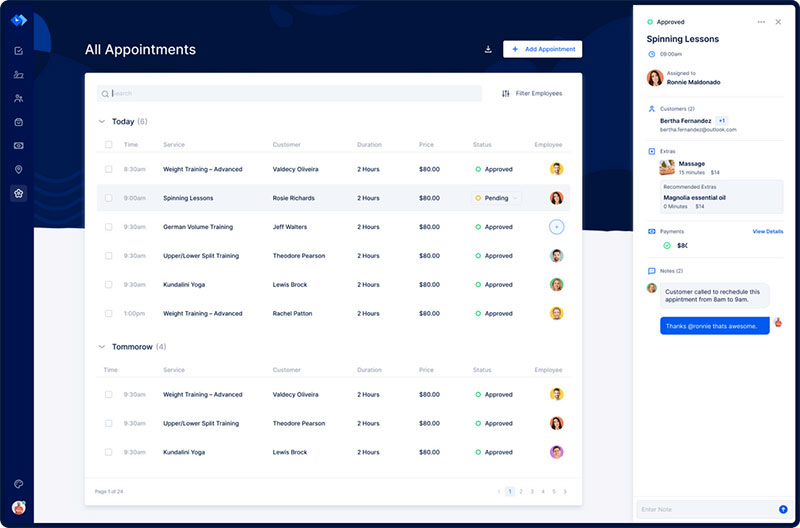
You can use Trafft for free with one user. Not a 14-day trial that locks you out halfway through the month, an actual free plan. It’s a hosted scheduling platform for service businesses, and there’s an official plugin if you want the booking form on a WordPress site.
Paid plans are priced by how many people are on your team, not by how many bookings you take. For a small team that mostly wants online payments and reminders, that’s the fairer way to charge. You don’t end up paying for enterprise features nobody on staff will open.
What you get
- Free plan for 1 user and up to 100 appointments a month, with paid tiers raising the cap to 3, 5, 15, or 30 users and unlimited appointments
- WordPress plugin that connects a hosted Trafft account to any WP site
- Square payments on every plan. Stripe, PayPal, and Mollie arrive with the Growth tier, and deposit collection with Professional
- Buffer time from the Mini tier, with recurring appointments and resource management on Professional and above
- Automated booking confirmation email and reminder sequence (SMS works through purchased credits)
Paid plans start at $7.99 a month for Mini (3 users). Growth is $19.99 for 5 users, Professional is $39.99 for 15, and a Business tier covers 30 users above that. Annual billing saves up to 25%, and the pricing page has the current grid.
Know the free tier’s shape before you start. It stops at one user and 100 appointments a month, calendar sync comes with the paid plans, and gateways beyond Square start at Growth. Independent reviewers describe Trafft as dependable rather than cutting-edge, which is a fair read of a tool built for reliable day-to-day booking.
Roundups of free booking tools tend to mention Trafft in one line next to Calendly-style schedulers and move on. They skip the part that matters. The free tier is permanent, and it runs on the same booking engine paid customers use. A solo operator can live on it, and a team of three moves up to Mini. The demos show both.
Amelia – Best for WordPress sites running both appointments and events
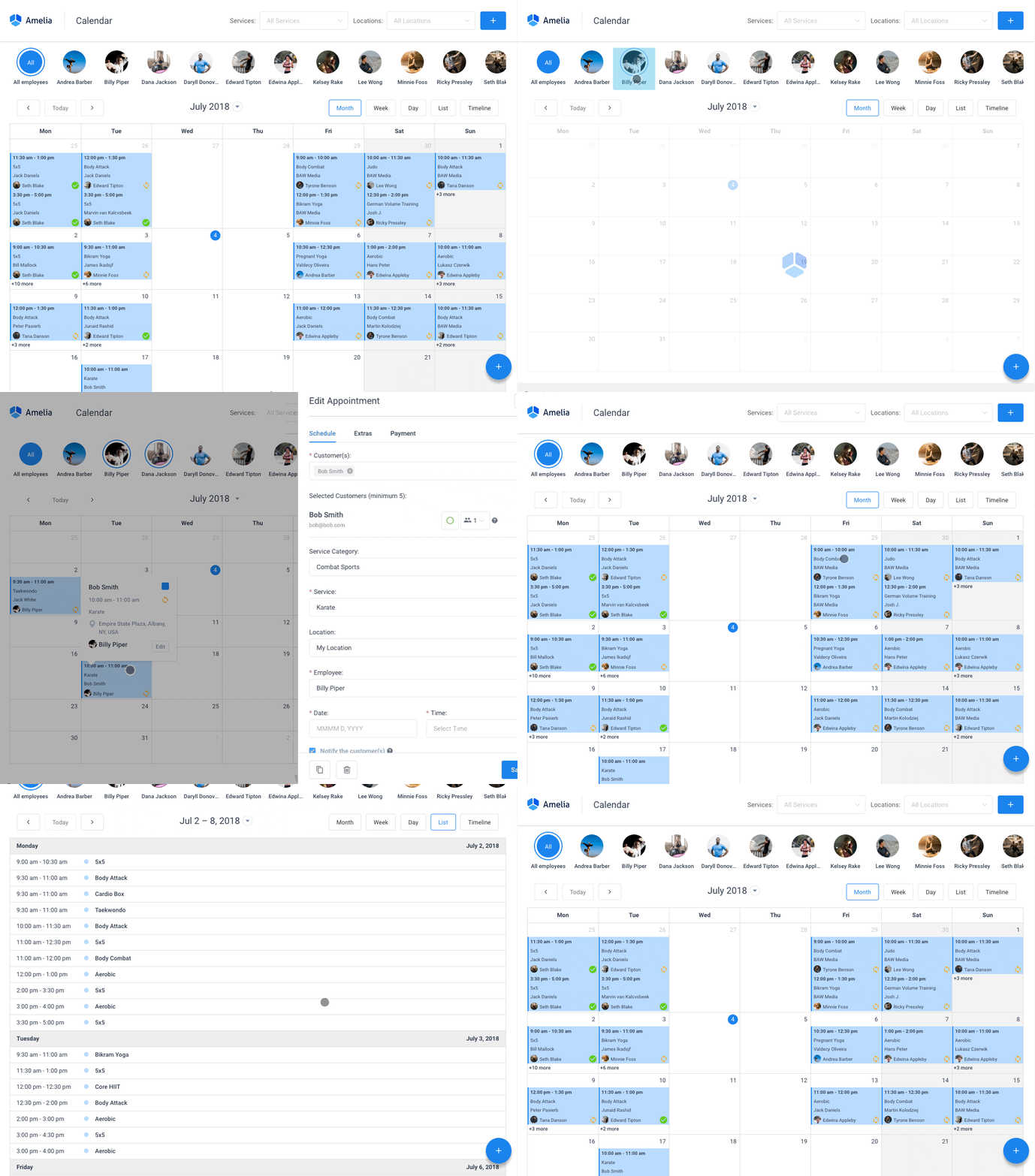
If your site is on WordPress and you sell both one-on-one sessions and the occasional workshop, Amelia handles both from inside wp-admin. It’s a self-hosted plugin. Appointments, group bookings, packages, and ticketed events all sit in one catalog.
The alternative is usually two separate SaaS subscriptions that don’t talk to each other. I’ve watched people run a scheduler for appointments and a completely different tool for their monthly open house, then reconcile the customer lists by hand. Amelia removes that step.
The events module includes QR code e-tickets on Pro and Elite licenses. That’s not common for a WordPress booking plugin.
- Appointments, group bookings, packages, and ticketed events in one catalog
- Waitlists and recurring bookings for classes
- Google Calendar and Outlook sync, so the same slot doesn’t get booked twice
- Stripe, PayPal, and WooCommerce on Standard plans and above (Lite and Starter use Square), which covers what a wordpress booking system with payment gateways needs to actually collect money
- Notification matrix across email, SMS, and WhatsApp
The Lite edition is free on WordPress.org. Paid plans start at $49 a year and come with a 15-day money-back guarantee (pricing).
| Pros | Cons |
|---|---|
| Events and appointments share one admin panel | Some integrations, including Stripe and PayPal, come with the higher plan tiers |
| Large, consistently strong review base on WordPress.org | Needs a self-hosted WordPress site, so it suits teams already on the platform |
90,000 installs is a big number for a plugin that covers two product categories. The reviews on WordPress.org and third-party marketplaces keep coming back to the booking widget and the events module as the reason people picked it over a single-purpose plugin. The demos cover both flows.
Most comparisons treat scheduling and event ticketing as two different purchases. Calendar tools like EventOn do one job. Ticket-focused plugins like Event Espresso do another, and listing-style tools like WP Event Manager sit somewhere else again. Amelia runs appointments and events from the same catalog, with the same notifications. For a service business that hosts a ticketed event a few times a year, that’s the whole appeal.
Eventbrite – Best for organizers who want built-in audience discovery
People browse Eventbrite looking for something to do on Friday. That’s what you pay for. It’s a public ticketing system and marketplace, and in exchange for a per-ticket service fee, your event shows up in its search and browse pages.
It makes sense for conferences, classes, and mass-market events where strangers finding you is worth more than keeping every dollar.
- Unlimited free event publishing (fees only apply to paid tickets)
- Reserved seating, group bookings, and promo codes
- Mobile check-in app with QR code scanning at the door
- Email marketing tools priced by daily send volume
- Eventbrite Ads for promoted placement in select markets
Publishing is free. In the US, paid tickets carry a 3.7% + $1.79 service fee plus 2.9% payment processing. Pro email tiers run $15 to $100 a month.
The check-in and reporting tools are mature, and you can run free and paid events from one account. The problem is the fees. They compound fast on cheaper tickets. Even US donation tickets, where the service fee is waived, still carry the 2.9% processing charge.
Fee calculators built to compare Eventbrite with flat-fee competitors show the gap getting wider as ticket prices go up. More organizers check that math now before they commit to a marketplace.
If you want the marketplace reach but don’t want to send visitors off your own site, a wordpress eventbrite integration keeps ticket sales on a WordPress page while the listing still appears publicly.
Cvent – Best for enterprise event programs

Cvent is built for organizations running 30 or more events a year with a dedicated ops team behind them. Registration, venue sourcing, attendee engagement. The budget starts in the five figures annually, so if you’re a two-person team, you can skip this one.
Its venue-sourcing marketplace is the largest in the category. Recently it added AI video and webinar capability by acquiring Goldcast (December 2025) and ON24 (completed in 2026).
- Venue sourcing marketplace alongside registration and budget tracking
- Attendee Hub mobile event app with exhibitor lead retrieval
- Salesforce, HubSpot, and Marketo integrations
- OnArrival on-site check-in and badging
- Exportable reporting across multiple events and venues
Pricing is quote-based. The median annual contract runs around $19,550. Per-registrant fees are commonly quoted at $7 to $12, and first-year implementation costs run $5,000 to $50,000.
| Pros | Cons |
|---|---|
| Largest venue marketplace in the category | Three-layer pricing makes total cost hard to predict upfront |
| Deep CRM and marketing integrations | Onboarding usually requires formal training and a multi-week setup period |
On procurement benchmarking platforms, buyers call Cvent the default choice for enterprise programs. They also complain about manual Salesforce reconciliation once the contract is signed and the platform is live. That one comes up a lot.
Competitor pages rarely mention the acquisition run. Goldcast for AI video was announced in December 2025. ON24 for webinars was a roughly $400 million deal completed in 2026. If your team already turns session recordings into marketing content, that’s one fewer vendor to manage.
Ticket Tailor – Best for organizers who already have an audience
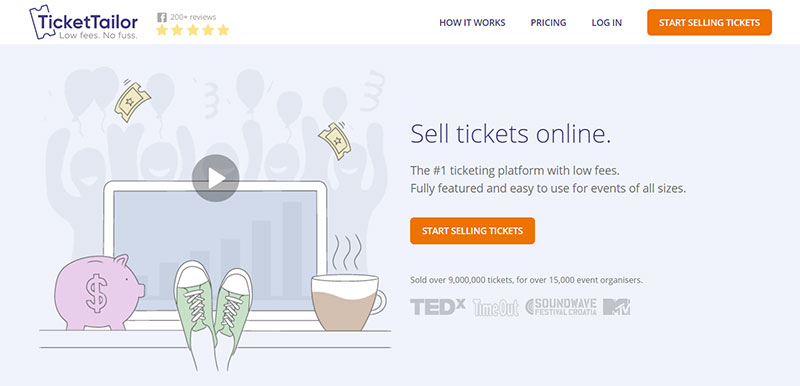
Ticket Tailor charges a flat fee per ticket. No percentage. So the more your tickets cost, the more you keep compared to Eventbrite.
You give up the marketplace traffic, though. This works when your own mailing list, social following, or venue reputation is already selling the tickets.
What I like most: every plan includes every feature. Seating charts and promo codes aren’t locked behind a higher tier, and support is included at every level.
- Flat per-ticket fee
- First 5 tickets free on every account, handy for testing
- Seating charts, promo codes, and a free check-in app
- Prepaid credit packs that lower the cost at volume
- 50% discount for registered charities
After the first 5 free tickets, pay-as-you-go runs about $0.85 a ticket. Prepaid credit packs bring that down to roughly $0.30 to $0.70.
Organizers who’ve run the same event through both platforms report noticeably higher take-home revenue on the flat-fee model once sales pass a few hundred tickets. The marketing is still your job, though. Nobody is browsing Ticket Tailor for weekend plans.
Most roundups compare the headline fee against Eventbrite and stop. They miss the seating surcharge. Assigned seating burns two credits per ticket instead of one, so for theaters and seated venues the advantage over general admission pricing shrinks.
Whova – Best for conference networking and attendee engagement
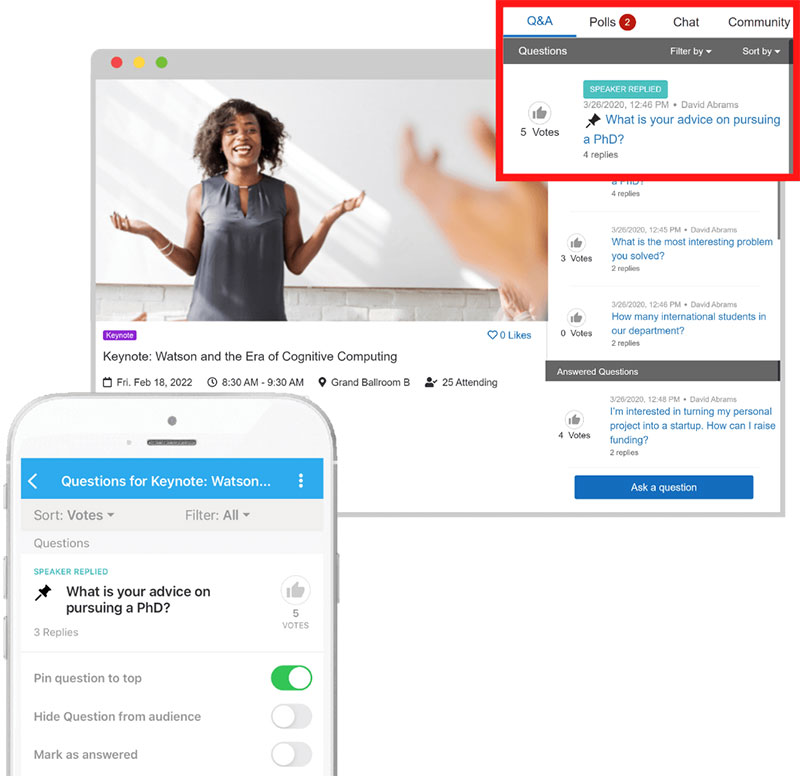
Whova cares less about who bought a ticket and more about whether attendees talked to each other once they got there. It’s a mobile-first app for conferences and association events, built around networking, matchmaking, and sponsor lead capture.
Academic conferences and association annual meetings are the natural fit. Multi-day events too, where networking is the reason people came.
Attendee profiles build themselves from business card scans, and the app starts suggesting matches before the event opens. Beyond that you get in-app messaging, digital sponsor booths with lead capture, a community board with live polling and session Q&A, and a personalized agenda builder. The card digitization runs through a feature called SmartProfile.
Pricing is quote-based per event, with discounts on multi-event packages. There’s no published starting price.
Reviewers keep singling out the networking tools as the platform’s real strength. Whova has been recognized by the Event Technology Awards nine years running through 2024, including Best Event App wins, and day-of usability is strong once people install the app. That “once” is the catch. If your attendees won’t download it and just check email instead, a lot of the value disappears. It also has no reserved seating, no season passes, and no PayPal support.
Whova’s case study library includes the Indiana Chamber of Commerce running its Indiana Workforce Summit as a hybrid event on the platform. Attendees exchanged more than 340 messages and sponsors logged over 17,800 impressions (Whova, 2022).
Notice how much of that library measures interaction instead of ticket volume. Conference organizers usually get evaluated internally on engagement, not registration counts, so that’s the right thing to measure.
Bizzabo – Best for large-scale hybrid programs
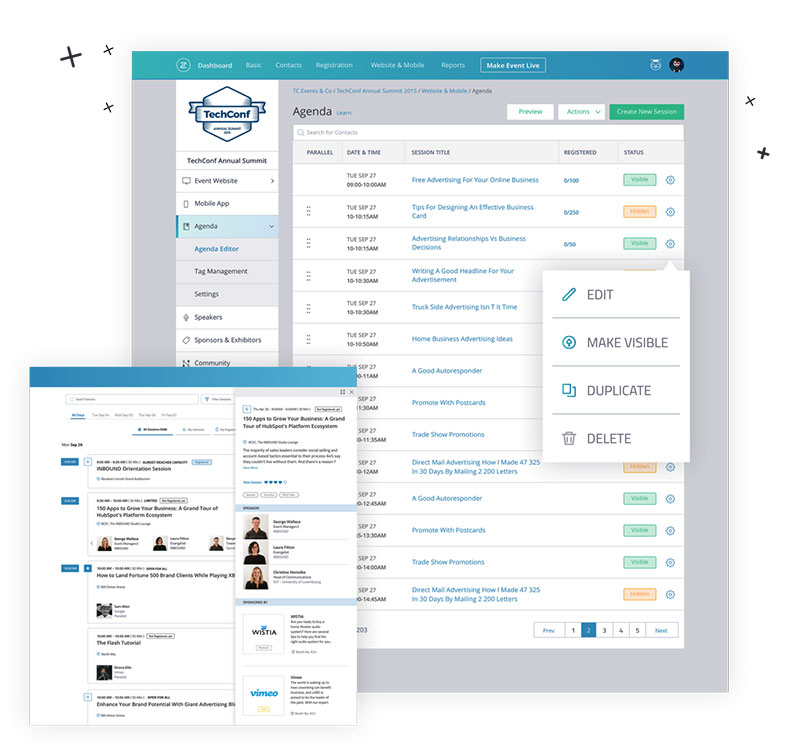
Bizzabo calls itself an Event Experience OS. In plain terms, it’s for marketing and events teams running complex hybrid or in-person programs across multiple markets. You’ll want a dedicated events function, a CRM to feed data into, and a seat-based budget starting around $18,000 a year.
The interesting piece is hardware. Klik smart badges handle onsite networking at hybrid events, while parallel virtual tracks run alongside. If your team is still gathering hybrid event ideas, that setup is a concrete template to start from.
- Branded event website builder with conditional registration logic
- Klik smart badge hardware for onsite hybrid networking
- Salesforce, HubSpot, and Marketo integrations, sold as premium add-ons
- Session and speaker management across multi-track agendas
- Real-time analytics for registration and engagement data
It starts at $499 per user per month billed annually, with a 3-user minimum. Bizzabo lists that as starting at $17,999 a year.
| Pros | Cons |
|---|---|
| Handles complex, multi-track hybrid agendas well | Seat-based pricing scales fast for larger teams |
| Smart badge hardware adds physical networking onsite | Not built for smaller, in-person-only events |
Its own case examples lean toward multi-market hybrid programs, and reviews split the same way. Onboarding and support score well. Aggregator sites score it lower, but those pool feedback across the wider event-tech category rather than Bizzabo’s own review page.
The price floor is what most comparisons underplay. Three seats at $499 a month each means $17,999 a year before you’ve built a single event. That rules it out for the mid-market teams that “Cvent alternatives” lists keep grouping it with.
Purplepass – Best for venues running box office and online sales together
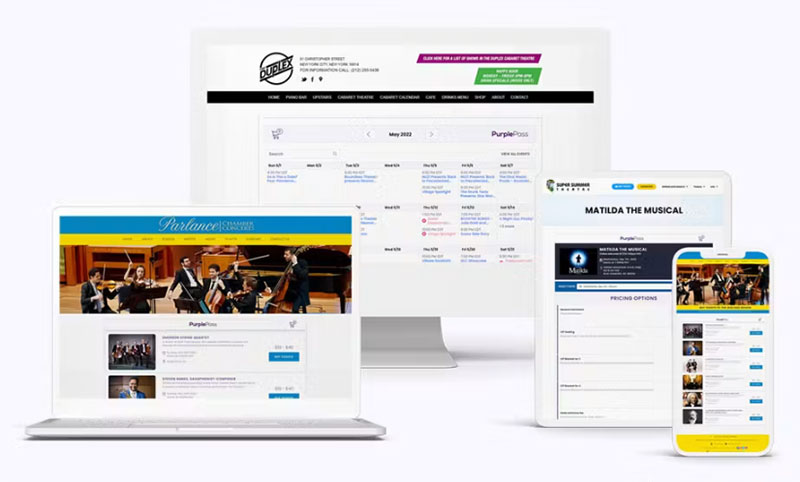
Theaters, universities, and festivals still sell a lot of tickets at a physical door. Purplepass was built for that. Box office operations, reserved seating, and printed ticket stock sit next to regular online sales in one system.
Box office, phone, and comp ticket sales carry zero platform service fee. That’s rare.
- Reserved seating with interactive, mobile-friendly seat maps, built for you at no cost
- Box office and phone order sales with no platform service fee
- Printed ticket stock and wristbands
- Guest list and comp ticket tools, useful when creating tickets for events that mix free VIP passes with paid general admission
- Volume discounts and license pricing as low as $0.35 a ticket
There are no signup or monthly fees. For-profit events pay 2.5% + $0.99 a ticket, and nonprofit events pay 2.0% + $0.99. Box office and phone sales skip the service fee, but card processing still applies.
That processing charge stacks on top of the service fees, which is worth modeling before you switch. The marketing tools are also lighter than Eventbrite’s. If you don’t sell in person at all, there are better options.
Reviewers say free box office sales and free seat-map building are what got their venue off spreadsheet-based door lists. You see that mostly with theaters and university event offices running mixed online and walk-up sales.
Plenty of modern ticketing comparisons skip Purplepass because the interface looks dated next to Eventbrite. Fair enough, it does. But when half your tickets never touch the website, zero platform fees on box office and phone sales add up fast.
Eventzilla – Best for nonprofits and frequent low-cost events
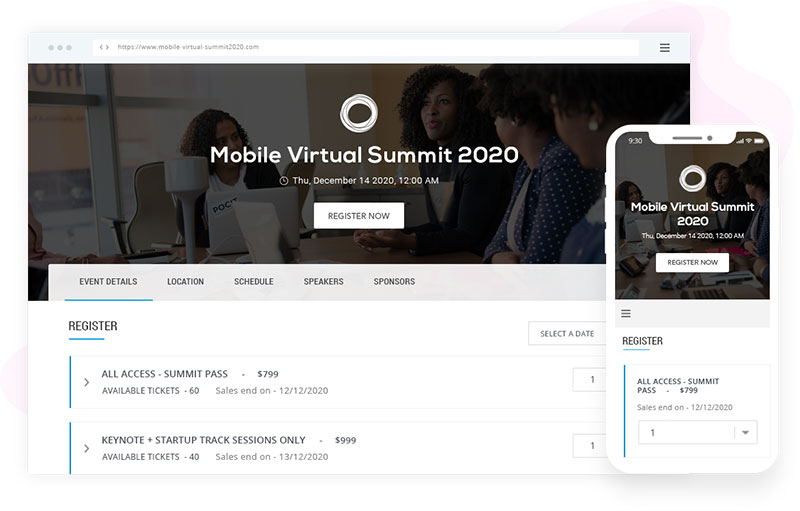
Free events cost nothing to publish on Eventzilla. You start paying per registration once tickets have a price. Nonprofits, training providers, and small teams running frequent, budget-conscious events get the most out of it, especially if they’d rather have simple setup than deep customization.
You get customizable registration forms with multiple ticket types and unlimited free registration types on every plan. Automated reminders and custom name badge printing are included. The Event Hub (a branded mobile experience), self-service kiosk, and lead capture are add-ons priced per attendee.
Paid plans run $1.50 to 2.9% + $1.50 per registration. The top tier is a flat $4,999 a year for unlimited paid events.
Setup is easy, and reviewers on the big software marketplaces describe it as intuitive for technical training and nonprofit events. The lower tiers are priced with nonprofits in mind. The recurring complaint is those add-ons. Once you move past the free tier, extras show up as separate per-attendee charges. Some reviewers also find the navigation cluttered, and customization is limited compared with enterprise tools.
That Unlimited tier gets left out of most lists. At $4,999 a year, an organization with enough volume stops paying per-registration fees at all. Work out your break-even before assuming the percentage tiers are your only choice.
TicketSpice – Best for a fully white-label checkout
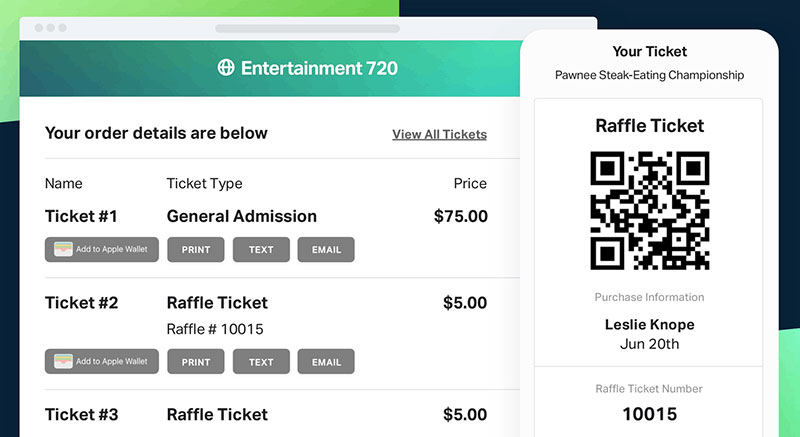
TicketSpice puts no branding of its own on your checkout page. The buyer sees your logo, your colors, and that’s it. There’s no monthly subscription or contract, just a flat fee per ticket.
The weekly payouts might matter more than the branding, depending on your situation. Most platforms hold funds until after the event. If your ticket window runs for six weeks, getting paid weekly helps with cash flow.
- White-label checkout with no TicketSpice branding on the ticket page
- Reserved seating, timed entry ticketing, and a box office app for onsite sales
- Weekly payouts rather than a lump sum after the event
- Optional SMS and email marketing automation add-ons
- Ticket delivery by text message as well as email
It’s a flat $0.99 per ticket, dropping to $0.49 for tickets priced at $5 or less and for box office sales. The organizer can absorb the fee or pass it to the buyer at $0.99 plus 3.5% processing.
| Pros | Cons |
|---|---|
| Full white-label branding, no platform logo at checkout | Using your own payment processor adds a separate 1% fee |
| Flat fee stays predictable at any ticket price | SMS and email automation cost extra on top of the base fee |
People who switched from Eventbrite usually name the flat $0.99 fee and the white-label checkout. It hits hardest on higher-priced tickets, where a percentage cut hurts more.
The fine print is that 1% extra if you insist on your own payment processor. If you already have a merchant account you like, the fee advantage gets smaller than it first looks.
Event Booking System vs Appointment Scheduling Software
The difference comes down to how many people share a time slot. Event booking handles many attendees in one slot and caps it at a capacity limit. Appointment scheduling is one provider with one client, repeated across a lot of slots.
| Attribute | Event booking system | Appointment scheduling software | Why it matters |
|---|---|---|---|
| Core unit | Seats or capacity per event | One provider, one client, one slot | Determines how inventory is tracked |
| Output | Ticket, registration, or pass | Confirmation and a calendar hold | Determines what the buyer receives |
| Typical buyer | Conference, class, or venue organizer | Salon, clinic, or consultant | Determines which category actually fits |
In practice the line is blurrier than the category names suggest.
Amelia, for example, runs one-to-one appointments and ticketed group events from the same WordPress catalog. A yoga studio doing private sessions plus a monthly workshop is exactly the business that outgrows a pure appointment tool but doesn’t need full event-management software.
If you really just need to manage one provider’s calendar, a guide on how to effectively schedule appointments will be more useful to you than this article.
How Does an Event Booking System Work?
Every booking checks availability first, then holds the slot, then confirms the transaction. Platforms differ mainly in how fast the hold happens and what triggers the confirmation.
Real-Time Availability and Capacity Control
Overselling is prevented by the availability engine. You set a numeric limit per event, ticket type, or time slot. When that limit is reached, a waitlist can kick in. Separately, an overbooking rule decides whether sales stop completely or whether a small buffer is allowed to cover no-shows.
Google’s Calendar API documentation describes a push notification model for this kind of syncing. The app doesn’t keep polling for changes. Google sends a message the moment a watched resource updates. Most booking platforms use the same webhook pattern to keep inventory in sync across a website, a mobile app, and a box office at the same time.
Without that sync, one seat can sell twice through two different channels. That’s the most common cause of double booking complaints in booking software reviews.
Booking Confirmation and Notification Flow
Once a slot is reserved and payment goes through, the system sends a confirmation and schedules a reminder. Email is the default channel. Platforms with a fuller notification matrix also send SMS or WhatsApp.
Notifications usually fire when a booking is created or paid for, and again if the event is modified or canceled.
Buffer time also gets set here. Staff need a few minutes between one booking and the next, and back-to-back slots with zero margin fall apart the first time something runs late.
Recurring bookings go through the same confirmation flow on a repeat schedule. If you run weekly classes, this is the part to get right, and there’s a separate guide to setting up recurring events.
Texts get opened faster than email. That’s why platforms that offer an appointment confirmation text tend to sell it as an add-on instead of making it the default.
Key Features of an Event Booking System
Feature checklists in this category end up looking pretty similar, whatever the marketing copy says.
| Feature | What it does |
|---|---|
| Ticket output | QR code, PDF, or wallet pass generated per attendee |
| Check-in | Mobile app or kiosk scanning at the door |
| Reporting | Attendance rate, revenue, and no-show rate, usually exportable |
| Group and recurring support | Multi-seat purchases and repeat-schedule events |
I’d pay more attention to reporting than most comparisons do.
A platform that only shows total tickets sold is missing the one number you need afterward: how many registered people didn’t show up. That figure is what tells you whether to require deposits next time, or how big an overbooking buffer you can get away with.
Women in CyberSecurity ran its 8th annual conference in Denver through Whova. According to Whova’s case study, 100% of attendees built a personalized agenda inside the app.
Whether the booking happens on your own site or on a third-party page is a separate decision. Where the booking widget sits relative to an event calendar on website often decides how much of this feature list people actually use.
FAQ on Event Booking Systems
What types of events and businesses use event booking systems?
Conferences and workshops, obviously. Fitness classes, weddings, festivals, and webinars too. Gyms, salons, nonprofits, churches, and conference organizers adopt them most, basically anywhere capacity and recurring bookings matter more than the one-to-one slots a simple appointment calendar handles.
How do event booking systems prevent double bookings and overbooking?
Inventory lives in a shared availability engine that updates the moment a slot sells, on every channel at once. Capacity limits and waitlist triggers work alongside an overbooking rule, so two people can’t claim the same seat through different checkout pages.
Free versus paid event booking systems, which should you pick?
Start free if your volume is low or you’re testing. Free plans are usually capped by staff count, number of events, or ticket volume. Paid tiers add things like SMS reminders, deposits, and integrations. Switch when per-ticket fees or missing features start costing more than a subscription would.
How do you migrate from spreadsheets or manual booking to a system?
Export your existing bookings to a CSV, map the fields to the new platform, and import contacts before launch. Then connect a payment gateway and set capacity and buffer time. Run one live test booking before real customers see the booking widget.
Can you build a custom event booking system instead of buying one?
You can. Either build the whole platform or combine a booking API with a payment gateway and calendar sync. Expect ongoing developer time for security, PCI DSS compliance, and updates, all of which an off-the-shelf plugin like Amelia already handles for you.
What’s the next step?
Checkout. When an event booking system breaks, it usually breaks at checkout and calendar sync. A failed transaction or an unsynced time slot kills the sale before a ticket or confirmation email reaches the buyer, and a nice-looking page doesn’t help.
So test checkout and payment confirmation with a real transaction first. After that, check calendar sync and capacity settings to make sure no seat can sell twice. The confirmation and reminder sequence comes last, but don’t skip it. Attendees who never got a reminder are the ones who don’t turn up.
Testing checkout first takes setup time before any tickets go on sale. It’s still much cheaper than the far larger cost of refunding a batch of failed transactions after launch.
Once those hold up under a live test, the remaining problems are usually in your process, not the software. A guide on how to avoid appointment scheduling mistakes covers that side.

Explore topics

Read Inspiring Customer Stories
Check out how our user set Amelia for his business