
![Calendly Alternatives Compared [+ Pricing Breakdown]](https://wpamelia.com/wp-content/uploads/2023/08/calendly-alternatives-1024x576.jpg)
Calendly does one thing extremely well: drop a link in an email and let someone pick a slot. The trouble starts when your business isn’t actually a series of one-to-one meetings.
Add staff, services, deposits, and locations and the cracks show. The bill scales with every hire, the booking records sit on someone else’s servers, and your own branding costs extra.
That’s what sends people looking for Calendly alternatives. For anyone already on WordPress, the short answer is Amelia, which wins on features, one-time pricing, and keeping every booking on your own site. If there’s no WordPress site to build on, its hosted sibling Trafft covers the same service-business logic without asking you to run anything.
Worth saying up front: Amelia publishes this article, and Trafft comes from the same company. The reasoning sits under every pick and both get an honest “where it falls short” section like everything else here. Several tools below beat them outright for specific jobs, hosted service businesses that need intake forms and packages, overlay booking, developer-led teams wanting API depth, and anyone who wants booking records on their own infrastructure, and we’ve said so plainly in each case.
How we tested: we set up the same booking scenario in each tool during July 2026, a service with two staff members, a deposit at booking, and a calendar connection, then ran a test appointment through the client-facing flow. Amelia and the other WordPress plugins went onto a clean WordPress 6.9 sandbox. Trafft, Acuity, SavvyCal, and Cal.com were tested on their free tiers or trials. Where a feature sits behind a tier we didn’t buy, notably Calendly Enterprise and Cal.com’s paid Teams plans, we’ve said so rather than guessing.
What Is a Calendly Alternative?
The bar is higher than it sounds. A genuine alternative handles booking, availability sync, and payments with equal or broader functionality, and it replaces at least one of Calendly’s structural limits: the per-seat model, the hosted-only data storage, or the locked branding. Copying the calendar widget doesn’t count.
The category is bigger than most people assume. Calendly holds roughly 57.6% of the appointment scheduling market against competitors like Acuity and Schedulista, per enlyft industry research. That dominance is exactly why an alternative has to clear a real bar.
Hosted SaaS vs Self-Hosted Booking
The biggest fork in this category is where the software actually lives.
| Type | Where It Runs | Data Owner |
|---|---|---|
| Hosted SaaS (Calendly, Acuity, SavvyCal) | Vendor servers | The vendor |
| Hosted SaaS with embed plugin (Trafft) | Vendor servers, form on your site | The vendor |
| Self-hosted plugin (Amelia) | Your WordPress site | You |
| Community edition (Cal.diy) | Your server | You |
Traits That Separate a Real Alternative From a Clone
- Calendar sync depth: two-way sync with Google, Outlook, and Apple, not one-directional pushing
- Payment handling: deposits, full payments, and more than one gateway
- Data ownership: whether booking records sit on your infrastructure or the vendor’s
- Customization: control over the booking form, fields, and front-end look
- Pricing model: flat, one-time, or per-seat recurring
Who Actually Needs One
WordPress site owners, agencies reselling booking to clients, and businesses tired of paying per head are the groups that switch most.
Small operations comparing scheduling software built for small businesses usually want to drop the recurring per-user bill before anything else.
Why Do People Look for Calendly Alternatives?
Service businesses and WordPress owners hit the limits fastest, and it’s usually the pricing model that pushes first.
The Per-Seat Math Gets Ugly Fast
Calendly charges by the seat on every paid plan. A 10-person team on the Teams plan pays $1,920 per year at annual billing, and that number climbs with every new hire.
| Plan | Price | Catch |
|---|---|---|
| Free | $0 | 1 event type, 1 calendar |
| Standard | $10/seat/mo annual | Cost scales per head |
| Teams | $16/seat/mo annual | Round-robin and routing tier |
| Enterprise | $15,000+/yr | Roughly 8x a 10-seat Teams bill |
The Limits That Push People Out
- Data lives elsewhere. Every booking record sits on Calendly’s servers, not your own
- Calendar cap. Connections are limited to 6 calendars per user across every tier, including Enterprise. Calendly also stopped accepting new iCloud and Apple Calendar connections in August 2024, so Mac-only users have to sync through Google or Outlook
- Branding is gated. Removing Calendly branding and adding your own requires paid plans
- Service logic feels thin. Group booking, service durations, and staff assignment sit awkwardly on top of a tool built for one-to-one meetings
What we found testing Calendly itself: setting up a booking link took under five minutes, which is the reason it dominates the category and no alternative here beats it on speed. Timezone handling across test invites was flawless. The limits arrived exactly where the complaints say they do. On the free tier we connected one calendar, and a busy slot sitting on our second, unconnected calendar was invisible, so Calendly offered that time anyway. We also confirmed the iCloud gap directly: there’s no path to add a new Apple Calendar connection. Then we tried to model a two-staff service with a deposit, and the tool simply isn’t shaped for it. That’s not a bug, it’s the product being built for one-to-one meetings.
A healthcare team needing HIPAA is the clearest example of the cost gap. Calendly pushes that requirement to Enterprise at $15,000+/year, while Acuity offers a HIPAA-configurable option on its top tier at roughly $588/year. Same need, wildly different bill.
What Makes Amelia the Best Calendly Alternative?
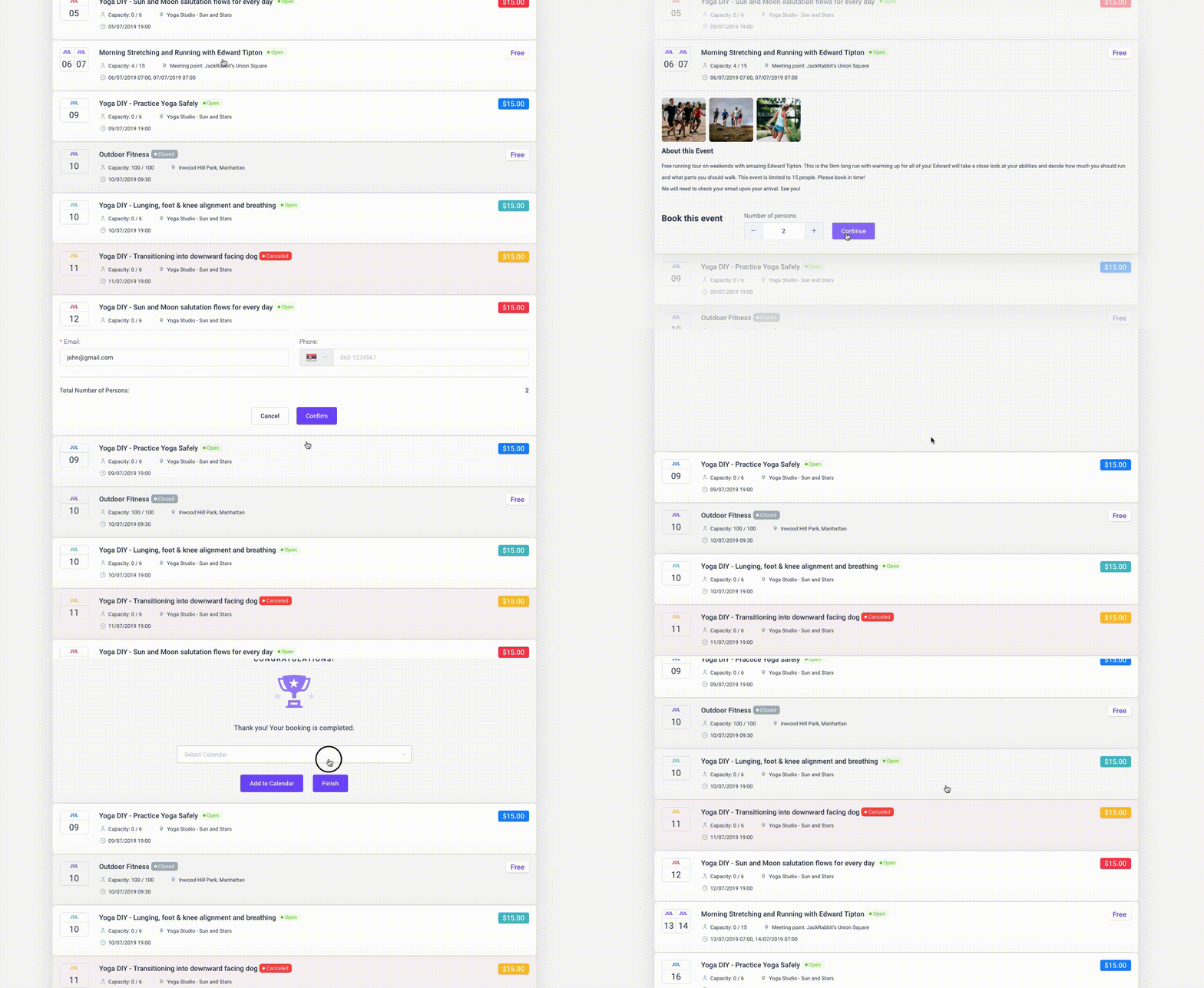
Amelia runs inside WordPress on a one-time or annual license, keeps booking data in your own database, and handles staff, services, and payments with no per-seat fees. That replaces the scheduling link and the recurring bill in one move.
The reach argument is hard to ignore. WordPress powers roughly 41% to 42% of all websites (W3Techs, 2026), so for a large slice of the web a native plugin skips the third-party account entirely. Amelia sits at the top of most WordPress booking plugin roundups for that exact reason.
Amelia Pricing and License Model
Amelia breaks the subscription trap.
- Paid tiers start around $49/year (Starter) and ladder up through Standard, Pro, and Elite
- Lifetime licenses available on most tiers, one payment, no renewal
- A free Lite version lives on WordPress.org (one employee, Square payments)
Trust signals back it up: 4.6/5 from 761 reviews on WordPress.org and 4.9/5 from 245 reviews on Capterra.
Amelia Core Booking Features
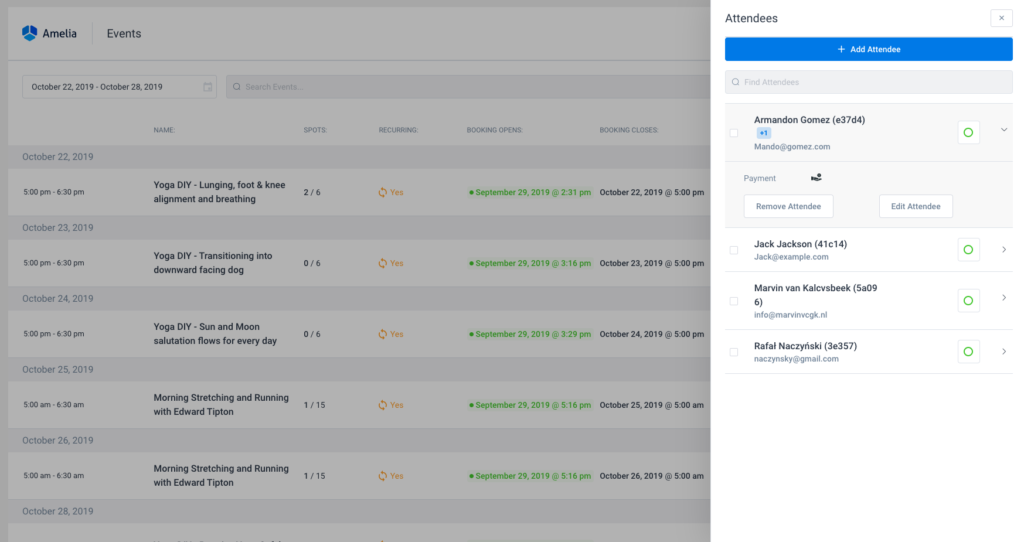
This is where the plugin earns its place over a booking link.
On payments, it works as a full WordPress booking system with payment gateways covering Stripe, PayPal, Mollie, and Razorpay, plus native WooCommerce appointment handling.
On scheduling logic, you get multiple staff, services, and locations with no per-seat charge, plus the option to let clients set a recurring appointment daily, weekly, or monthly. Employee and location limits vary by tier, though, so check which plan covers your headcount.
On video and sync, there’s two-way Google Calendar and Outlook sync, Google Meet, and a built-in Zoom meeting scheduler. Automated email and SMS notifications handle the reminder side, and the full feature list runs considerably longer than this.
What we found testing it: on a clean WordPress 6.9 install we built a two-staff service with a deposit and walked the booking wizard from date and time through payment, committing a live appointment with no errors. Adding the second staff member cost nothing extra, which is the whole structural argument against per-seat pricing and it holds. The booking records sat in our own database, visible in the WordPress admin. Two frictions were real. Setup took noticeably longer than signing up for Calendly, closer to half an hour before the first service was properly configured. And the free Lite tier caps you at one employee with Square-only payments, so the two-staff scenario we tested needed a paid tier. Calendar sync also sits above the entry plan.
Where Amelia Falls Short
No tool wins on everything, and pretending otherwise is dishonest.
- You need a WordPress site to run it, which rules out no-code users
- The v9 admin is polished, but there’s still a setup learning curve compared with signing up for a hosted link
- No standalone hosted version if you ever leave WordPress
- Calendar sync and several key integrations sit on higher tiers, not the entry plan
Is Trafft a Good Calendly Alternative If You’re Not on WordPress?
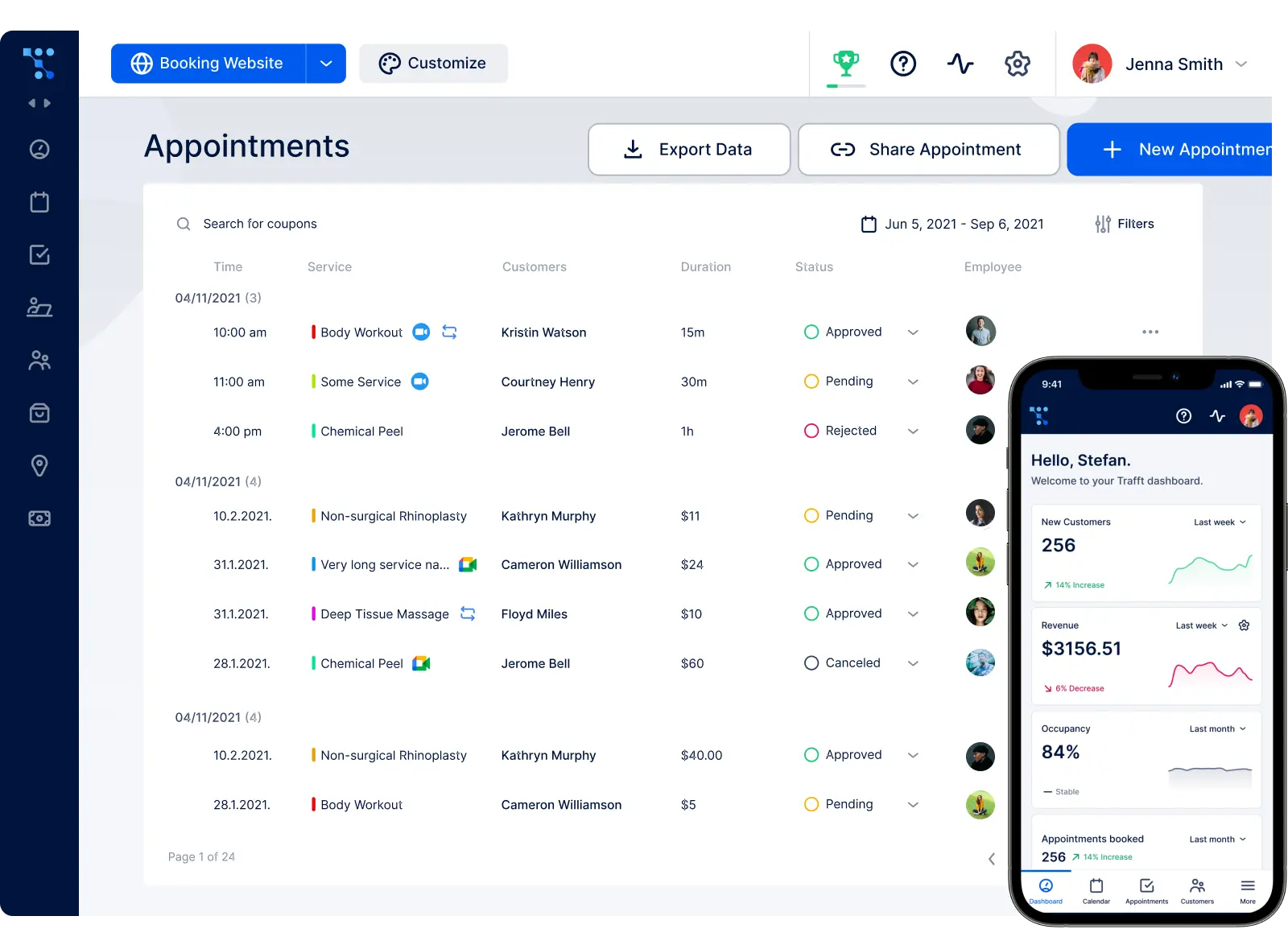
Yes, and it answers the biggest hole in Amelia’s case. Trafft is hosted scheduling software built around the same shape of business, staff, services, locations, payments, except it runs on Trafft’s infrastructure and works whether or not you own a website at all.
Same company as Amelia, so apply the same skepticism you applied to the last section. The useful part is that the two barely overlap. Amelia keeps your records in your database. Trafft hands you a booking site in an afternoon and never asks you to touch a server.
Trafft Pricing and Plan Structure
Five tiers, and headcount is what moves the price, not a meter that starts ticking at user two.
| Plan | Users | What It Unlocks |
|---|---|---|
| Free forever | 1 user | 100 appointments a month, booking website, Square |
| Mini | 3 users | Calendar sync, group bookings, coupons, taxes |
| Growth | 5 users | Stripe, PayPal, Mollie, Zoom, custom fields, invoices |
| Professional | 15 users | Deposits, packages, recurring, gift cards, Zapier |
| Business | 30 users | API, webhooks, WhatsApp, custom domain, no branding |
Seats past your plan’s limit cost a per-user monthly add-on, so the per-seat math doesn’t vanish completely. It just starts a lot later than Calendly’s, where user two already costs you. Paid plans include a 14-day trial with no card and a 30-day refund window. Promotions run constantly, so check the Trafft pricing page for today’s number rather than trusting any comparison article, this one included.
What Trafft Does Better Than Calendly
Service plumbing, basically. Everything Calendly treats as an edge case is a first-class object here.
- Staff schedules, services, multiple locations, and a customer list with notes and per-client stats
- A generated booking website if you don’t have one, plus an embeddable form, a QR code, a booking chatbot, and a link that behaves fine in an Instagram bio
- Reminders by email, SMS, and WhatsApp, which is the no-show lever most schedulers only half implement
- Deposits, coupons, gift cards, packages, taxes, and automatic invoices
- iOS and Android apps for running the day from your phone
- Reserve with Google on the top tier, so bookings can start from Search and Maps
- White label options for agencies running client accounts
What we found testing it: the free plan got us a live booking page in roughly ten minutes with no card, faster than anything else in this article except the Google and Microsoft natives. Two staff members on separate schedules worked without drama, and the calendar connection correctly blocked out an existing external event. The deposit was the wall. Deposits sit on the Professional tier, so on the trial we could take a full payment but not a partial one, and modelling the exact scenario we ran everywhere else meant moving up. The booking page looked closer to a real brand site out of the box than Calendly’s link ever does. Records live on Trafft’s servers, though, so if data ownership is the reason you’re reading this, the WordPress plugins are still the answer.
Where Trafft Falls Short
Hosted software carries hosted software problems.
- Client records sit on Trafft’s infrastructure, not yours
- Deposits, recurring appointments, and packages start at Professional, a real jump for a small salon
- Branding removal, custom domain, API, and webhooks are Business-tier only
- The free plan caps at 100 appointments a month, fine for a solo coach, thin for a busy studio
- SMS runs on credits you buy separately, so the reminder bill isn’t in the sticker price
- The WordPress plugin embeds the hosted form. Handy, but it doesn’t move your data onto your site, and people assume it does
How Does Acuity Scheduling Compare to Calendly?
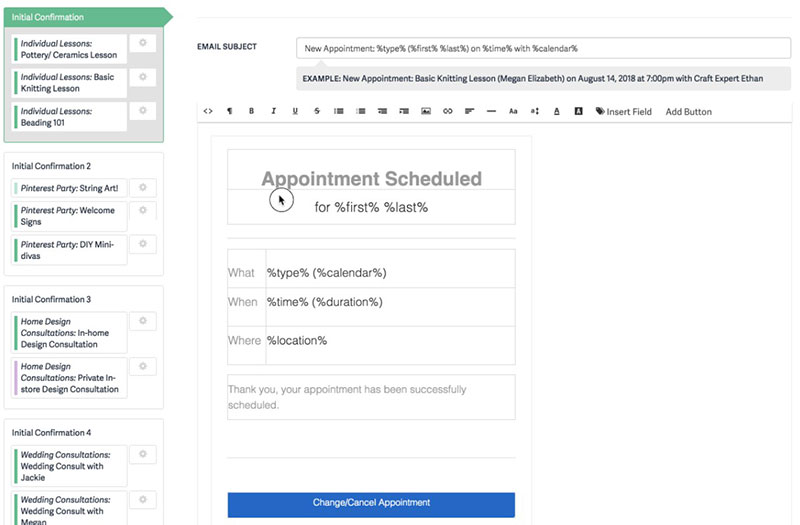
Acuity is the strongest hosted alternative for service businesses. Owned by Squarespace, it beats Calendly on intake forms, packages, and payment depth, while keeping subscription pricing and weaker WordPress integration than plugin-based tools.
Where it wins: custom intake forms, conditional logic, appointment packages, memberships, and gift certificates. Payments run first-class through Stripe, Square, and PayPal.
Where it lags: the mid tier runs around $34/month, pricing scales by staff calendar, and setup takes at least 30 minutes versus Calendly’s few minutes. Acuity also renamed its plans in early 2026, so older comparisons using Emerging, Growing, and Powerhouse now map to Starter, Standard, and Premium.
What we found testing it: on the 7-day trial we built a paid service with a conditional intake form and required a deposit at booking. The intake builder handled branching questions cleanly, so context and payment both arrived before the appointment, which is the anti-no-show mechanic Acuity is built around and the clearest thing it does better than Calendly. We also built a 10-session package that sold as one product and drew down per booking. The costs were setup time, availability rules took the longest of any hosted tool we tried, and the absence of a free tier, so there’s nowhere to practise before the trial clock starts. Client data sits on Squarespace infrastructure, which is the trade against a self-hosted plugin.
It’s built by people who run service businesses, and it shows in salons, therapy practices, and personal training studios. But it’s still hosted software, with your client data on Squarespace infrastructure rather than yours.
Is Cal.com a Good Open-Source Alternative?
This answer changed in 2026, and most comparison pages haven’t caught up.
Cal.com (formerly Calendso) built its reputation on open-source transparency and self-hosting. In April 2026 the company moved its production codebase to a private repository. In its own words, the commercial edition was “source-available” before and is now “closed source.”
The open-source code was relaunched separately as Cal.diy under the MIT license. That community edition still contains the full scheduling engine, app store framework, and booking infrastructure, but Cal.com’s own documentation states it is “strictly recommended for personal, non-production use,” and the following were removed from it:
- Organizations and Teams, including team creation, team availability, and team booking flows
- Multi-tenant organization management and permission-based access control
- The related API v2 endpoints
That matters because the two groups this tool is usually recommended to, development teams and privacy-focused businesses, are exactly the ones who need team features and production-grade support.
What it means in practice:
- The hosted Cal.com product remains a capable Calendly competitor, with Teams plans commonly listed between $12 and $15 per user per month depending on the source and current promotion
- Self-hosting is still possible via Cal.diy and is free to license, but you take on servers, backups, monitoring, and security patching yourself
- If self-hosting for data residency or GDPR reasons is the whole point, verify Cal.diy actually covers your requirements before committing
What we found testing it: on the free hosted tier we created several event types and connected Stripe, and payments worked end to end with no paywall in the way, which is more generous than Calendly’s free plan by a clear margin. Routing forms captured lead answers on the free tier too. Setup ran longer than the plug-and-play tools; several calendar and workflow settings assume more comfort with configuration than a non-technical owner would have. We did not stand up a self-hosted Cal.diy instance in production, so we can’t speak to running it at scale, and we’d point to Cal.com’s own “personal, non-production use” language before anyone tries.
The tradeoff is real, and it grew. Cal.com still suits tech-savvy users with development capability. If nobody on your team touches code, the self-hosting advantage turns into a burden.
What Does SavvyCal Offer That Calendly Doesn’t?
Calendar overlay booking, which is a genuinely different idea. Recipients place their own calendar on top of your availability, and ranked time slots nudge them toward your preferred times.
As a pure meeting scheduler, SavvyCal fixes one specific annoyance: the guest guessing which of your open slots is actually convenient for both of you.
- Overlay booking so recipients see their schedule against yours
- Ranked time slots that steer people toward your preferred times
- Personalized links and meeting polls for group coordination
Pricing starts around $12/month per user, rising to about $20/month for the tier that adds payment collection and admin access. It’s hosted-only, so the data-ownership question that drives people to Amelia stays unanswered here.
What we found testing it: we sent scheduling links to several busy people and watched the overlay work. Invitees saw their own calendar layered over our availability without switching tabs, and the feedback was consistently positive. This is the smoothest booking experience of anything in this article, Amelia included, and it’s the one feature nobody else here copies well. Ranked slots did quietly steer bookings toward the times we preferred. The limits are scope rather than quality: it’s a meeting scheduler, so there’s no staff roster, no service catalog, and payment collection sits on the higher tier. The free option is thin enough to feel like a trial.
How Do Google and Microsoft Native Schedulers Stack Up?
Both cost nothing extra for existing subscribers, and both stay basic on purpose. They cover simple booking well and lock you inside their own ecosystems.
| Tool | Cost | Best For |
|---|---|---|
| Google Appointment Schedules | Free with Workspace | Solo Google users |
| Microsoft Bookings | Free with M365 Business | Outlook-based teams |
For anyone already paying for Workspace, scheduling appointments straight from Google Calendar is the zero-cost starting point. Microsoft Bookings does the same job inside the Microsoft 365 stack.
The catch is that limited branding, thin payment support, and weak multi-staff handling mean they cover simple bookings and little else.
What we found testing both: Google Appointment Schedules was live in about a minute with nothing to configure, since the calendar was already there. Microsoft Bookings took slightly longer but generated a Teams link automatically on each booking, which was the smoothest video handling of any tool here for a team already on Microsoft 365. Then we tried to add an intake question and a deposit to each, and there’s nowhere to put either. Branding is bare on both. For an internal meeting or a free consultation these are genuinely sufficient and cost nothing extra, which is a real argument. For paid client work they run out of road immediately.
Teams on Microsoft 365 who only use Outlook calendars get Bookings at $0 incremental cost. Hard to argue against free. Just don’t expect service-business depth from it.
Which Alternatives Work Best Inside WordPress?
Amelia, Simply Schedule Appointments, Bookly, and BookingPress. All of them keep booking data and payments on your own site instead of a vendor’s servers. Amelia leads on features, while Simply Schedule Appointments wins on setup speed. Trafft sits in the same table for a different reason: its plugin puts the form on your pages while the engine stays hosted.
Running booking through a plugin instead of embedding a Calendly widget on WordPress changes who owns the data. The records live in your database, not a third party’s.
| Plugin | Starting Price | Best For |
|---|---|---|
| Amelia | Free ~$49/yr | Full-featured sites, events |
| Simply Schedule Appointments | Free ~$99/yr | Fastest setup, solo use |
| Bookly | Free ~$49 Pro | Modular add-ons |
| BookingPress | Free ~$89/yr | Lightweight installs |
| Trafft (embed plugin) | Free plugin, hosted plan | WordPress front end, hosted back end |
Why Keep Booking Inside WordPress
A native plugin puts scheduling on infrastructure you already control.
You skip the separate subscription, keep customer records on your own WordPress calendar plugin, and style the booking form to match your site.
The reach is real: WordPress runs more than four in ten websites, so for most site owners this is the path of least resistance.
How the Main Plugins Differ
- Bookly is a long-running WordPress plugin with tens of thousands of active installs and modular add-ons you buy as needed. There’s a full Bookly plugin breakdown if you want the detail
- Simply Schedule Appointments gets nicknamed the “Calendly of WordPress,” with strong ratings and a large install base built on fast setup
- Trafft is the odd one here. Its free WordPress plugin drops the booking form onto any page, but the scheduling engine and the customer records stay hosted. Right call if you want the WordPress front end without maintaining the booking back end. Wrong call if data ownership is the whole reason you’re here
What we found installing the alternatives: we put all four on the same sandbox alongside Amelia. Simply Schedule Appointments earned its nickname, the guided setup wizard had a working booking page faster than anything else in this group, Amelia included, which makes it the honest pick for a solo user who wants live today. Bookly’s free core was usable but the modular model means the features most businesses actually want, including payments and staff, arrive as separate purchases that add up. BookingPress was the lightest of the four to configure and the thinnest on automation. Trafft’s plugin was the least work of all, one connection and the form was on the page, which is exactly what an embed should feel like.
For a head-to-head on the two oldest names, this Amelia vs Bookly comparison covers where each pulls ahead.
What Do Calendly Alternatives Cost?
The range runs from free to enterprise, and per-seat pricing is the main dividing line. Amelia starts around $49/year with a one-time lifetime option, Trafft has a forever-free tier with paid plans priced by team size, Acuity from about $20/month, Cal.diy free when self-hosted, and the Google and Microsoft native tools at zero extra cost.
One-Time License vs Recurring Subscription
Amelia and Bookly sell lifetime licenses, so the cost stops after purchase. Calendly, Trafft, Acuity, and SavvyCal bill monthly or yearly, and the meter never turns off.
Over three years, a lifetime plugin license usually undercuts any per-seat subscription for a team of more than two.
Free and Near-Free Options
Several tools cost nothing to start.
- Cal.diy self-hosted, free to license (you still pay for hosting and maintenance)
- Google Appointment Schedules and Microsoft Bookings, free with existing plans
- Trafft’s forever-free plan, one user and 100 appointments a month, no card required
- A capable free WordPress booking plugin like Amelia Lite or Bookly Free
Cost Comparison at a Glance
| Tool | Pricing Model | Starting Price | Self-Hosted |
|---|---|---|---|
| Amelia | One-time or annual | ~$49/yr | Yes |
| Trafft | Subscription, free tier | $0 free plan | No |
| Calendly | Per-seat subscription | $10/seat/mo | No |
| Acuity | Subscription | ~$20/mo | No |
| Cal.com / Cal.diy | Hosted or self-host | $0 self-host | Community edition only |
| Google / Microsoft | Bundled | $0 extra | No |
Always confirm current pricing on each vendor’s page. These rates shift, and sale prices come and go.
Which Calendly Alternative Should You Pick?
Amelia if you run a WordPress site or agency, Trafft if you want that same service-business depth hosted, Acuity for a hosted solo pro leaning on intake forms, Cal.com for a developer-led team, SavvyCal for overlay booking, and the Google or Microsoft native tools if you only need basic scheduling on a subscription you already pay for.
| Your Setup | Best Pick |
|---|---|
| WordPress site or agency | Amelia |
| No website, or multi-location team | Trafft |
| Solo service pro, hosted | Acuity |
| Developer team wanting API depth | Cal.com |
| Basic booking, already on Google/MS | Native schedulers |
| Team wanting overlay booking | SavvyCal |
Match the Tool to Your Setup
- Consultants and coaches: a hosted tool works, but a WordPress plugin built for consultant scheduling keeps clients and payments in one place
- Teams with staff rotas: plugins that double as employee scheduling software handle multiple calendars without per-seat charges
- Squarespace users: Acuity is the natural pick, since Squarespace owns it
- Salons and clinics with several branches: Trafft’s unlimited locations on the upper tiers save you from running one account per site
One honest caveat on our own recommendations: if you’re not on WordPress, Amelia isn’t an option at all, and no amount of feature depth changes that. Trafft covers that gap, but it puts your records back on a vendor’s servers, which is the exact thing that sent half of you looking in the first place. Test the shortlist against your actual stack before the feature list.
Why Owning the Booking Flow Wins
Self-service booking isn’t a nice-to-have anymore. 82% of consumers prefer booking online, and 48% have switched providers over a bad booking experience (SchedulingKit).
Roughly 40% of bookings happen after hours, revenue you lose without a 24/7 page (SchedulingKit).
Online-booked appointments also show a 3.2x higher show-up rate than phone bookings. For WordPress owners, Amelia captures all of that on infrastructure you already run. For everyone else, Trafft captures it without asking you to run anything.
Frequently Asked Questions About Calendly Alternatives
What is the best Calendly alternative?
Amelia is the best Calendly alternative for most WordPress site owners. It runs inside WordPress, uses a one-time or annual license instead of per-seat fees, and keeps every booking on your own database. If you’re not on WordPress, Trafft and Acuity are the stronger hosted picks.
Is there a free Calendly alternative?
Yes. Trafft has a forever-free plan with 100 appointments a month, Cal.diy is free to license when self-hosted, Google Appointment Schedules and Microsoft Bookings are free with existing plans, and Amelia Lite offers a capable free WordPress booking plugin with unlimited appointment types on one employee calendar.
What is Trafft and how does it compare to Calendly?
Trafft is hosted appointment scheduling software for service businesses. Against Calendly it adds staff management, multiple locations, a customer list, deposits, packages, gift cards, invoices, and WhatsApp reminders, plus a generated booking website for people who don’t have one. Calendly is still faster to set up for plain one-to-one meetings.
Should I use Amelia or Trafft?
Amelia if you run a WordPress site and want booking records in your own database on a one-time license. Trafft if you want the same service-business features hosted, with a booking page you can launch without a website. Same company, different problem.
What is the best Calendly alternative for WordPress?
Amelia leads the WordPress field. It handles appointments, events, recurring bookings, and payments natively, ahead of Bookly and Simply Schedule Appointments on feature depth while keeping your data on your own site. Simply Schedule Appointments is faster to set up if speed matters more than depth, and Trafft’s free plugin embeds a hosted form if you’d rather not maintain the back end.
Does Amelia sync with Google Calendar and Zoom?
Yes. Amelia offers two-way Google Calendar and Outlook sync, plus native Zoom and Google Meet integration. Video meeting links generate automatically when a booking is confirmed. Note that calendar sync unlocks on paid tiers rather than the free Lite version.
Is Amelia cheaper than Calendly?
Over time, yes. Amelia starts around $49/year with a lifetime option, while Calendly charges per seat. A 10-person Calendly Teams plan runs $1,920 per year, and that bill never stops.
What is the difference between Calendly and Acuity Scheduling?
Calendly focuses on simple one-to-one meetings. Acuity, owned by Squarespace, adds intake forms, packages, memberships, and deeper payment processing, making it better for service businesses like salons, coaches, and therapy practices.
Is Cal.com still open source?
Not the main product. In April 2026 Cal.com moved its commercial codebase to a private repository and relaunched the free code as Cal.diy under the MIT license. Cal.diy is self-hostable but is documented as being for personal, non-production use, and it excludes Teams and Organizations features.
Can I accept payments with a Calendly alternative?
Yes. Amelia works as a full PayPal booking system and also supports Stripe, Mollie, Razorpay, and WooCommerce. Trafft covers Square, Stripe, PayPal, Mollie, and Authorize.net. Acuity and SavvyCal handle payments too, though usually through fewer gateways.
Do Google and Microsoft offer free scheduling tools?
Yes. Google Appointment Schedules comes free with Workspace, and Microsoft Bookings is included in Microsoft 365 Business at no extra cost. Both stay basic on branding, payments, and multi-staff scheduling.
Which Calendly alternative keeps my booking data private?
Self-hosted tools keep data on your own infrastructure. Amelia stores everything in your WordPress database, and Cal.diy does the same when self-hosted, unlike Calendly, Trafft, Acuity, and SavvyCal, which hold records on vendor servers.
Conclusion
Choosing between Calendly alternatives comes down to what you actually value: flat pricing, deeper booking logic, or full ownership of your data.
Acuity suits hosted solo pros, Cal.com rewards developers, and the free Google and Microsoft schedulers cover the basics.
But if your site runs on WordPress, the answer is clear.
Amelia pairs a one-time license with unlimited staff, recurring appointments, WooCommerce payments, and calendar sync, all stored on your own server.
No per-seat meter. No data sitting on someone else’s infrastructure.
And if there’s no WordPress site to build on, Trafft gives you the same staff, services, locations, and payments as a hosted product, starting free.
Test a free tier, run a few real bookings through it, and check the pricing page before you commit.
The right scheduler pays for itself the first month you stop losing after-hours bookings.

Explore topics

Read Inspiring Customer Stories
Check out how our user set Amelia for his business