




Choosing a booking tool usually comes down to one decision you make before you compare a single feature: do you want to rent a scheduling page on someone else’s platform, or own a booking system that lives on your own WordPress site?
That’s the real split between Calendly and Amelia. Calendly is a hosted SaaS scheduler — you get a polished calendly.com link, priced per seat per month. Amelia is a WordPress booking plugin — it runs on your site, under your domain and branding, for a single annual license that covers your whole team. Both let clients book online without creating an account. Where they part ways is ownership, what you can actually sell, and how the bill grows.
Here’s an honest, side-by-side look so you can pick the one that fits how you work.
Amelia vs Calendly overview
Pricing and features as of September 2026. Calendly plans and prices from calendly.com/pricing; Amelia plans from wpamelia.com/pricing. We build and maintain Amelia — this comparison is written to be fair, and we’ve linked Calendly’s own pages so you can verify every row.
The core difference: a WordPress plugin vs a SaaS platform
This is the decision everything else hangs off.
Calendly is a scheduling service you sign into. Your booking page is a calendly.com link, your availability and client records live on Calendly’s servers, and you pay for each person on the team who needs a link. It’s fast to start and genuinely good at one thing: getting a meeting on two calendars.
Amelia is a plugin you install on your WordPress site. The booking form sits on your own pages, under your own domain and design. The appointments, customers, and payment records land in your site’s database — not a platform you rent. There’s one annual license per site, and it covers unlimited services, staff, and bookings rather than charging by the seat.
If you already run your business on WordPress, that difference compounds. Your booking system becomes part of the site you control instead of a widget pointing off to someone else’s brand.
Booking types: appointments and events in one place
Calendly is built around meetings — 1:1, round-robin, collective, and group event types. If your world is sales calls, consultations, and interviews, that model fits well.
Amelia covers the same appointment scheduling and runs events: one-off, recurring, and multi-day ticketed events with capacity limits and group bookings. A yoga studio can take 1:1 privates and sell class passes; a tour operator can book guided sessions and sell tickets to a weekend workshop — all from one plugin, without bolting a second tool onto the site. That “one system for appointments and events” is the single most common reason customers pick Amelia over a point solution.
Getting paid: WooCommerce vs Stripe links
Both tools take money online, but at different depths.
Calendly can collect payment through Stripe or PayPal on its paid plans — you attach a price to an event type and the invitee pays when they book. It’s the full amount, up front.
Amelia takes payments natively through WordPress: direct Stripe, PayPal, Mollie and Razorpay, or the full WooCommerce checkout with its 50+ gateways, tax rules, and invoicing. It also supports deposits and partial payments, so you can charge a percentage to hold the slot — useful for higher-ticket services and events where you don’t want to invoice the whole amount at booking. If you already sell anything through WooCommerce, bookings become just another order in the same store.
Amelia vs Calendly: which is more AI-ready?
“AI-ready” isn’t about having a chatbot bolted onto a settings page — it’s about whether an AI assistant can actually reach your booking system and do useful work with it. This is where the self-hosted-vs-SaaS split shows up again. Because Amelia lives on your own WordPress site, it can expose its capabilities to AI workflows through an MCP-based connection, so an assistant can create appointments, look up services and staff, and work with the data alongside your forms and tables — all on infrastructure you own. Calendly has added AI features of its own, but they stay inside its closed, hosted platform: helpful within Calendly, but not something you can point your own AI stack at or run on your own terms.
- Amelia — AI acts on your own site. Through its AI booking for WordPress foundation, an AI assistant can take real actions — book appointments, list services and employees, add customers, assign people to events — via one MCP connection, with all data staying in your WordPress database.
- Amelia — part of a bigger WordPress workflow. The same architecture connects to IvyForms and wpDataTables, so AI can collect with forms, book with Amelia, and report on the data — a workflow that spans plugins instead of a single tool.
- Amelia — you own the data the AI works with. Because nothing is rented from a third-party platform, you keep full control (and your GDPR posture) over the records an assistant reads or writes.
- Calendly — AI features inside a closed platform. Calendly offers AI-assisted extras like meeting notes and lead routing, but they operate within its hosted SaaS and aren’t yours to host, extend, or plug into your own AI workflows.
- Calendly — access via its API, on its terms. Programmatic access exists on higher tiers through Calendly’s API, but the data lives on Calendly’s servers and the scope is defined by the platform, not by you.
The short version: both are adding AI, but only one lets your AI work directly with your booking data on infrastructure you control. Amelia doesn’t stop at bookings — with Amelia you can build the whole booking website itself. Using the WordPress AI website builder, you can spin up a complete, booking-ready WordPress site — pages, layout, and a working Amelia booking form — so an independent professional or small team can go from nothing to taking appointments online without hiring a developer. Calendly gives you a scheduling link to embed somewhere; Amelia lets you create the site and the booking system, all in one place and all yours to own.
One MCP connection and a much bigger WordPress workflow
Amelia doesn’t have to work alone. IvyForms and wpDataTables can also expose AI-ready capabilities, opening the door to workflows that move beyond a single plugin — all through the same AI booking for WordPress foundation.
Amelia
Take action on bookings
Create appointments, list services and employees, add customers, and assign people to recurring events.
IvyForms
Work with submitted information
Give your AI workflows access to form and entry data, including everything collected before or around a booking.
wpDataTables
Work with structured data
Query table data and build AI-assisted reporting workflows from your booking and form data.
The bigger idea?
→
Book with Amelia
→
Work with the data in wpDataTables
All accessible to your AI workflow through the same MCP-based WordPress architecture. See how it starts with AI booking for WordPress, and where it leads with the WordPress AI website builder.
Pricing: per seat every month vs one license per site
Calendly’s Standard plan is $10/seat/month and Teams is $16/seat/month (both cheaper billed annually), with Enterprise starting around $15k/year for 50+ seats. The math is simple and it scales with headcount: five people who need booking links is five seats, every month, forever.
Amelia is an annual license per website — €49 (Starter), €89 (Standard), €199 (Pro, 5 sites), €339 (Elite, unlimited sites) — and a license covers unlimited employees and bookings on that site. A five-person salon pays once for the site, not five times per month. For a team of any size, or an agency running booking on client sites, that’s usually the bigger long-term saving. (Both offer a free tier to start: Calendly’s free plan gives you one event type; Amelia’s free version lives on WordPress.org.)
Data ownership and independence
Because Calendly is hosted, your client list and booking history live inside Calendly. Because Amelia is self-hosted, all of that sits in your WordPress database — you control it, you can export it, and it’s covered by your own privacy and GDPR posture rather than a third party’s. For privacy-conscious practitioners and anyone who’d rather not hand their customer relationship to a platform, owning the data is the point.
For agencies and developers
Amelia exposes WordPress hooks and a documented API, and its data model is clean enough to build on — including white-labeled booking on client sites under the client’s own brand. Calendly offers an API too, but on higher tiers and always within its hosted model. If you’re building and maintaining booking for other people on WordPress, Amelia gives you something you can extend and hand off; Calendly gives you a service to embed.
Amelia’s key features
- If you have business with multiple staff members you can efficiently manage their shifts, assign appointments, and track employee availability.
- Amelia allows you to categorize services, making it easier for clients to find and book the specific services they need.
- Users can create custom booking forms tailored to their business requirements, collecting relevant information from clients during the booking process.
- Amelia supports integration with popular payment gateways, enabling you to accept payments for appointments upfront, reducing no-shows, and enhancing revenue streams.
- Clients receive automated notifications and reminders about upcoming appointments, reducing the likelihood of missed appointments and improving overall customer experience and satisfaction.
- The calendar interface is intuitive, making it easy to view, manage, and organize appointments for optimal resource utilization.
- Amelia’s resource scheduling feature allows you to efficiently manage and allocate resources such as staff members, equipment, or rooms for appointments. With the ability to assign resources to specific services or time slots, you can optimize resource utilization and ensure smooth operation.
- Amelia enables you to create customizable service packages that bundle multiple services together for clients to purchase. With service packages, you can offer discounts, promotions, or specialized packages tailored to clients’ needs, enhancing value proposition and increasing sales opportunities.
Who is Amelia for?
- Amelia is perfect for spas, salons, and beauty clinics that offer services such as massages, facials, haircuts, or manicures. Its employee management features and customizable booking forms streamline appointment scheduling and resource allocation.
- Healthcare practices, including medical clinics, dental offices, and chiropractic clinics, can benefit from Amelia’s advanced scheduling capabilities.
- Fitness centers, gyms, and personal trainers can use Amelia to schedule training sessions, group classes, or personal coaching sessions. Its class scheduling and management features support efficient resource allocation and client engagement.
- Consulting firms, coaches, and professional services providers can leverage Amelia to schedule client consultations, strategy sessions, or project meetings. Its employee scheduling and payment integration features support efficient service delivery and revenue generation.
- Educational institutions, including language schools, music academies, or tutoring centers, can use Amelia to schedule classes, workshops, or tutoring sessions. Its class scheduling, student management, and payment processing features support streamlined operations and student engagement.
- Repair and maintenance businesses, such as automotive repair shops, HVAC contractors, or appliance repair services, can benefit from Amelia’s appointment scheduling and advanced features.
- Healthcare providers, therapists, and wellness professionals can leverage Amelia to manage appointments with patients or clients. Its appointment reminders enhance patient communication and streamline administrative tasks.
- Event planners and organizers can use Amelia to organize events, schedule meetings, consultations, or planning sessions with clients or vendors.
Thank you for subscribing. Check your mail for details
Who is Calendly for?
- Calendly is for solopreneurs or freelancers who offer services such as coaching sessions, consulting meetings, or training sessions. Its intuitive interface and automated scheduling features streamline the booking process for clients and professionals alike.
- Sales professionals and business development representatives can use Calendly to schedule meetings with leads, prospects, and clients. Its integration with CRM systems like Salesforce enhances workflow efficiency and enables seamless lead management.
- Calendly is beneficial for educators, trainers, and tutors who offer classes, workshops, or tutoring sessions. Its customizable availability and integration with virtual meeting platforms like Zoom facilitate the scheduling and delivery of educational sessions.
Amelia Pros & Cons
Calendly Pros & Cons
Pricing as of September 2026. Calendly prices from calendly.com/pricing; Amelia plans from wpamelia.com/pricing. We build and maintain Amelia and have written these pros and cons to be fair to both tools.
Who should pick which
Calendly is the better fit if your need is purely meetings — sales calls, interviews, consultations — you don’t run on WordPress, and you want the fastest possible setup with a hosted link you never have to maintain. It’s excellent at that job.
Amelia is the better fit if you’re on WordPress and want to own your booking system: appointments and events in one plugin, native WooCommerce payments with deposits, your own domain and branding, one annual license instead of per-seat monthly fees, and full control of your data. That’s most studios, clinics, salons, activity operators, and the agencies who build for them.
They’re not really the same product wearing different prices — they’re two philosophies. Calendly rents you a great scheduling widget. Amelia gives you a booking system you keep.
Own your booking system on WordPress. Get Amelia — one license, unlimited staff, appointments and events in a single plugin.
Amelia vs. Calendly Reviews
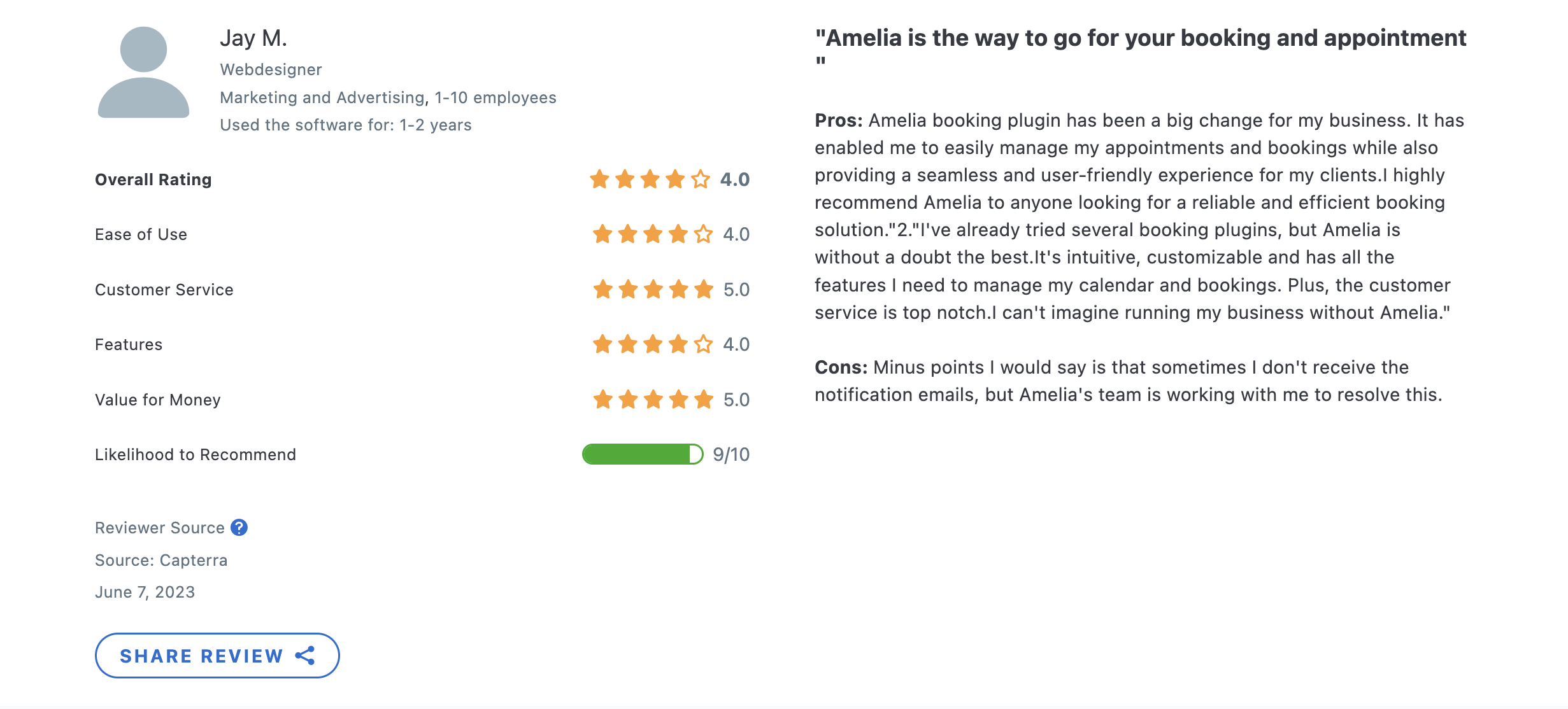
Both Amelia and Calendly have received positive reviews from users, with each platform earning praise for different aspects:
Amelia
WordPress community loves Amelia! Users appreciate its comprehensive feature set, seamless WordPress integration, and excellent customer support.
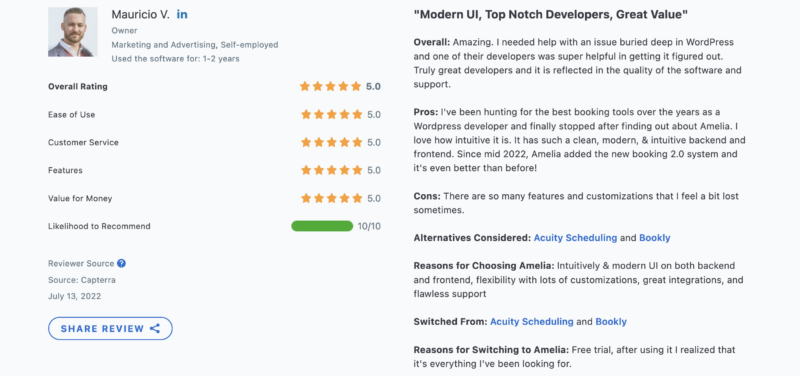
- 4.9 on Capterra
- 4.6 on WordPress.org
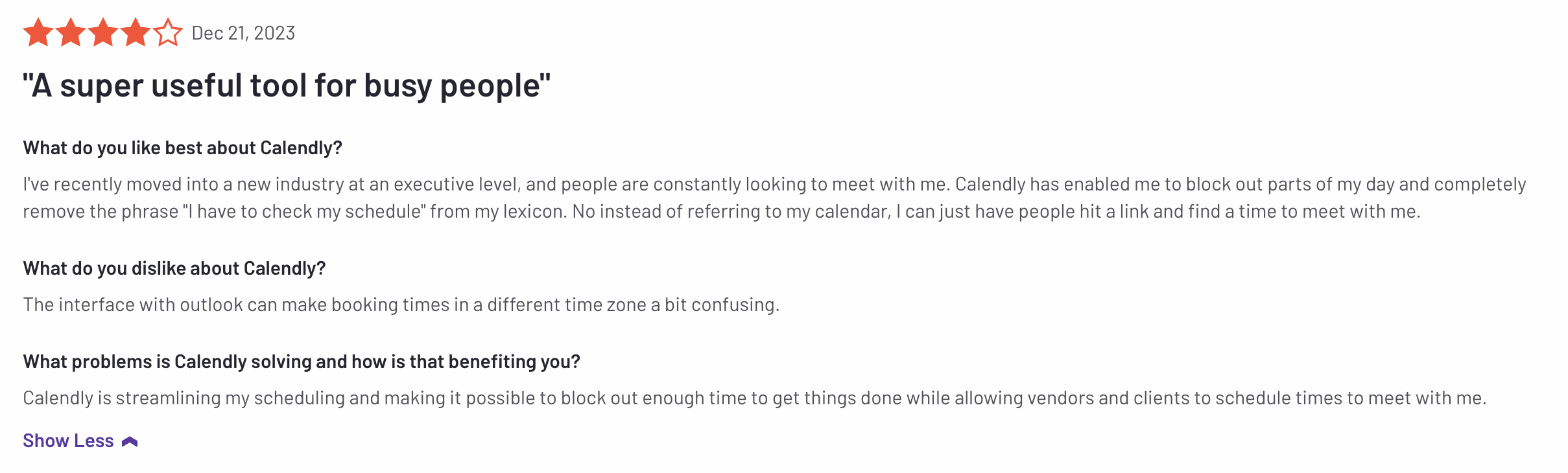
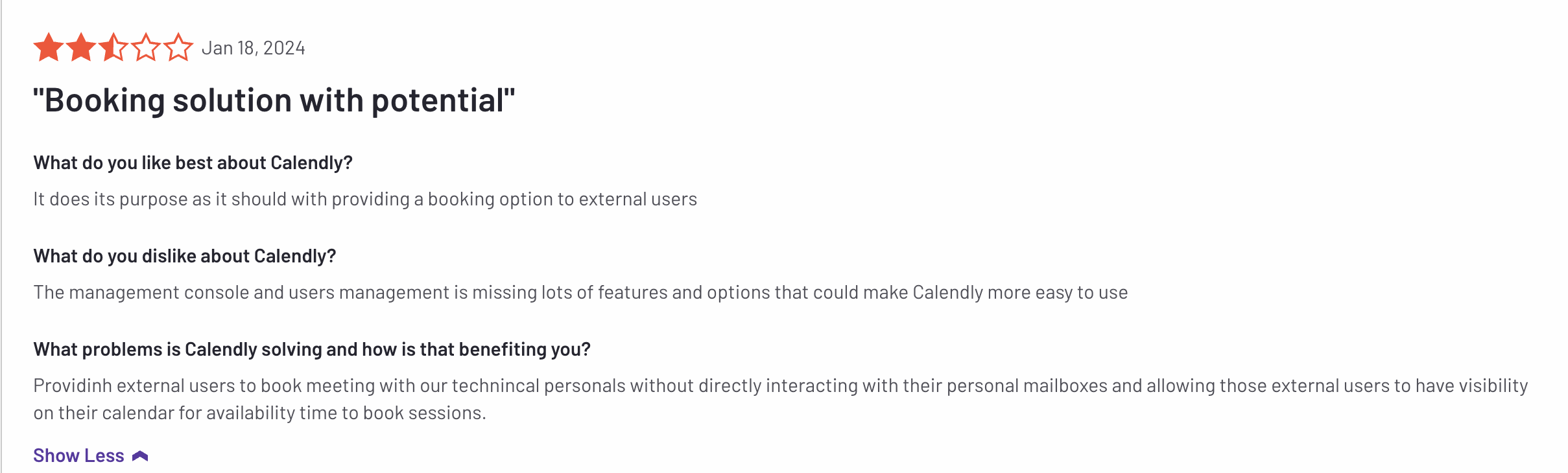
Calendly
Source: Capterra
Users commend its user-friendly interface, cross-platform compatibility, and integration with popular tools like Google Calendar and Zoom.
- 4.7 on Capterra
- 4.7 on G2
Source: Capterra
Frequently asked questions
Is Amelia a good Calendly alternative for WordPress?
Yes — Amelia is a WordPress-native alternative to Calendly. Instead of sending clients to a calendly.com link, the booking form runs on your own site under your domain and branding, and every appointment and customer record is stored in your WordPress database. It also handles events and ticket sales, which Calendly doesn’t.
What’s the main difference between Amelia and Calendly?
Amelia is a self-hosted WordPress plugin you own; Calendly is a hosted SaaS you rent per seat. With Amelia your booking data lives on your site and one annual license covers unlimited staff. With Calendly your data lives on Calendly’s platform and you pay per user every month.
Can Amelia take payments like Calendly?
Yes, and with more depth. Amelia takes payments through Stripe, PayPal, Mollie, Razorpay, or the full WooCommerce checkout with 50+ gateways, and it supports deposits and partial payments. Calendly collects full payment via Stripe or PayPal on its paid plans.
Does Amelia do events and group bookings, or just appointments?
Both. Amelia handles 1:1 appointments, group services and classes, and one-off, recurring, or multi-day ticketed events — all in one plugin. Calendly focuses on meetings (1:1, round-robin, collective, and group event types) and isn’t an events or ticketing tool.
Is Amelia cheaper than Calendly?
For teams, usually yes. Amelia is one annual license per site (from €49/year) covering unlimited employees, while Calendly charges $10–$16 per seat per month. A multi-person team pays once for the site with Amelia versus a recurring monthly fee per person with Calendly. Both offer a free tier to start.
Do clients need an account to book with Amelia?
No. Clients can book directly from your website without creating an account, the same no-friction experience Calendly offers — except the booking happens on your site, not a third-party platform.
Does Amelia sync with Google Calendar like Calendly?
Yes. Amelia offers two-way Google Calendar sync, plus Outlook and Apple Calendar, so your availability stays accurate across every calendar — the same two-way syncing you’d expect from Calendly.

Explore topics

Read Inspiring Customer Stories
Check out how our user set Amelia for his business