How do SMS history, payment history, and pricing work in Amelia
Amelia provides a set of tools for tracking all SMS communication, monitoring SMS credit payments, and reviewing the price of SMS segments by country. These logs help you understand delivery behavior, troubleshoot message issues, and estimate the cost of upcoming SMS notifications.
How does SMS history work in Amelia?
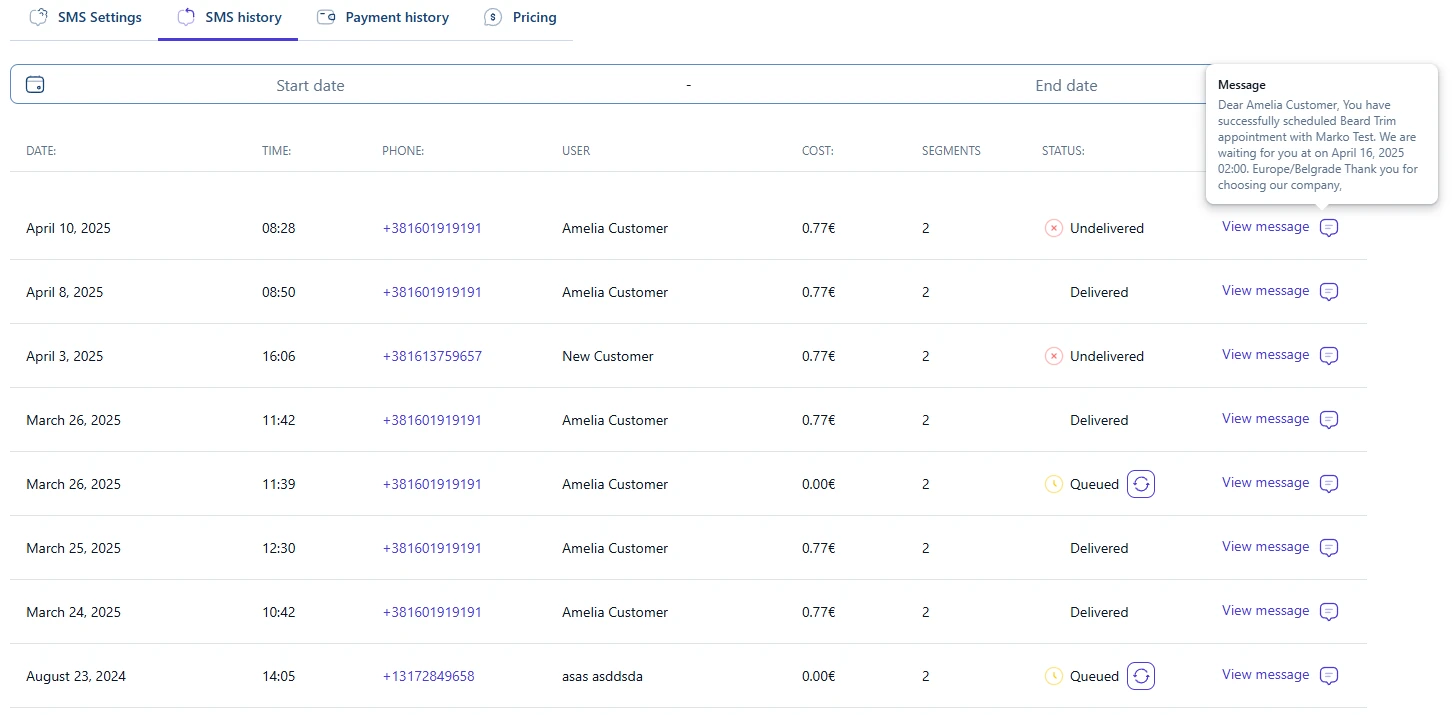
The SMS history tab shows every SMS message Amelia attempted to send through your SMS account. Each entry includes the message text, recipient number, sending date and time, and the latest delivery status returned by the mobile carrier.
You can filter results using the Date range picker. Clicking the text field opens a popup with the full content of the SMS, exactly as it was sent to the customer or employee.
Statuses shown in the history help you understand how far the message traveled in the delivery process. Below is a detailed explanation of each possible status.
SMS status definitions
- Delivered – the carrier confirmed that the SMS reached the recipient’s mobile device. This is the final and most reliable delivery status.
- Sent – the message was handed off to the local carrier, but no delivery confirmation was returned. Some carriers and countries do not send delivery reports, so “Sent” may already indicate successful delivery.
- Queued – the message is waiting to be processed by the provider. This typically appears if the carrier did not respond quickly. Messages with this status include a Refresh button so you can manually request an update.
- Undelivered – the SMS could not be delivered. This may occur due to:
- low or insufficient SMS balance
- use of an Alpha sender ID in a country where alphanumeric senders are restricted
- the recipient has opted out of receiving A2P (business) messages
- the phone number is not a mobile number
- the mobile device is switched off for an extended time
- carrier blocking or filtering rules
What does it mean when a recipient “opts out” of A2P messages?
In many regions, recipients can block business messages by replying STOP, using a carrier blocking service, or being listed on a national Do-Not-Disturb registry. When this happens, carriers reject the message, and in some countries the attempt is still billed. For complete country rules, see the Sender ID & country rules documentation.
How does the SMS payment history tab work?
The Payment history tab lists all payments made toward recharging your SMS balance. Each payment entry shows:
- Date
- Time
- Type (the payment method used)
- Payment ID
- Amount
- Status (successful or failed)
You can filter the list using the Date range picker, change the number of items displayed per page, and use pagination to review older payments. This helps you track SMS expenses over time or verify when balance top-ups were made.
How does SMS pricing work?
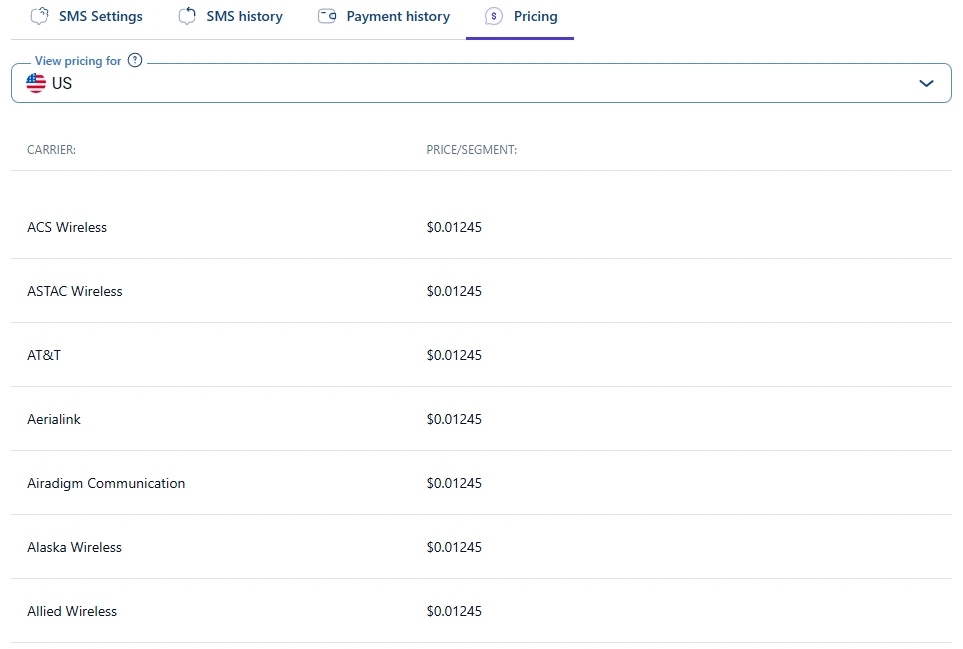
The Pricing tab shows the cost of a single SMS segment for each supported country. The default view loads pricing for the United States, but you can select any other country from the drop-down menu.
Prices are shown per SMS segment. A message may contain multiple segments depending on its length and the character set used.
Not all carriers are shown in the screenshot above.

Important details about SMS billing
- One GSM segment contains up to 160 standard (Latin) characters.
- Including a single Unicode character (emoji, non-Latin letter such as č, š, ć…) instantly reduces the segment limit to 70 characters.
- Longer messages automatically split into multiple segments, increasing the cost.
You can check message length and encoding type using this SMS character counter. Replace placeholders (such as %customer_full_name%) with sample text to get an accurate preview.
What should I keep in mind when reviewing SMS logs?
- Use SMS history to check whether messages were delivered or rejected.
- Review Payment history to confirm when balance top-ups occurred.
- Consult Pricing to estimate the cost of sending SMS notifications to different countries.
- Remember that delivery rules vary by carrier and location. Some regions bill for failed delivery attempts, or restrict alphanumeric sender IDs.
For a complete breakdown of Sender ID restrictions, blocked countries, and carrier rules, see the Sender ID & country rules documentation.