 Make This Winter Your Most Organized Yet

How do service settings work in Amelia
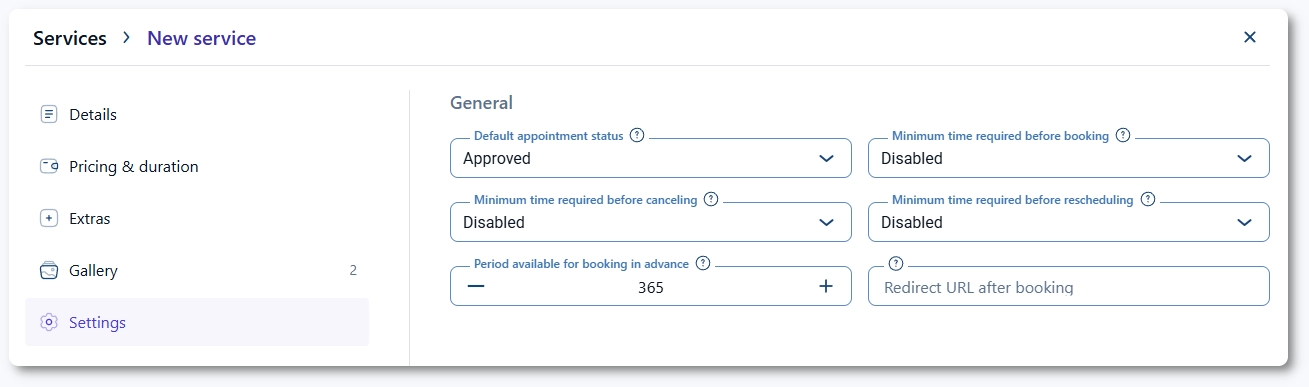
Service settings allow you to override global Amelia settings for a specific service. These options affect appointment status, booking rules, payment behavior, and which integrations apply to the service. Use these settings when a service requires different conditions than your default configuration.
Which general settings can be overridden per service?
The General section mirrors several options from General settings and allows you to replace global values with service-specific ones.
You can define:
- Default appointment status to control whether new bookings are pending or approved.
- Minimum time required before booking to prevent last-minute appointments.
- Minimum time required before canceling to control how long before an appointment can cancellations be made.
- Minimum time required before rescheduling to prevent short-notice rescheduling.
- Period available for booking in advance to restrict how far into the future appointments can be booked.
- Redirect URL after booking to send customers to a custom page after completing their appointment.
Each option works the same as in the global settings, and you can read more about them on the General settings page.
How do payment options work for each service?
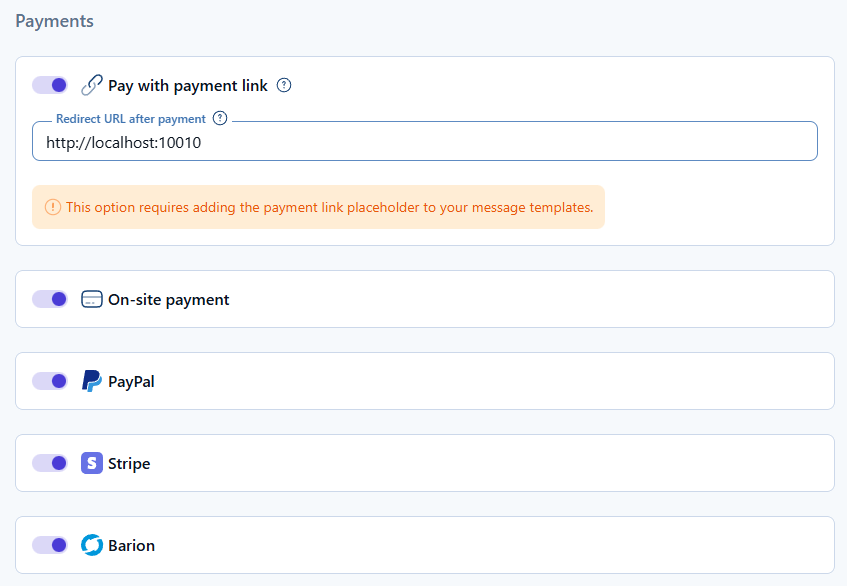
The Payments section lets you control payment behavior for individual services. If Pay with payment link is enabled globally in Payment settings, you can activate or deactivate it here for this specific service. You can also set a custom Redirect URL after payment if different services require different thank-you pages.
Any payment methods enabled as integrations and at the plugin level, in Settings → Payments will appear in this list, allowing you to choose which methods apply to the service. This lets you offer certain payment types only for specific services.
For an overview of available payment options, see the pages within the Integrations category.
How do integrations apply to individual services?
The Integrations section lists all active and correctly configured integrations that can affect this service. You can enable or disable supported integrations at the service level, including:
Only integrations that were enabled globally and connected correctly will appear here. This allows you to control which services generate online meetings or collaborate through external platforms.

What should I keep in mind when configuring service settings?
- Service settings override global plugin settings only for the selected service.
- Use different booking deadlines when a service requires more preparation time.
- Payment links and redirect URLs can be customized individually for each service.
- Only integrations enabled globally will appear in the service settings.
- Online meeting tools must be configured first before they can be used by a service.