 Spring Deals Are in Full Bloom

What is the difference between recurring and multi-day events in Amelia
Understanding the difference between recurring and multi-day events helps you choose the right structure for your event workflow in Amelia. Although both options allow an event to span multiple dates, they work very differently.
This article explains how each one behaves on the front end and back end, when to use them, and how they work together.
How do recurring events work in Amelia?
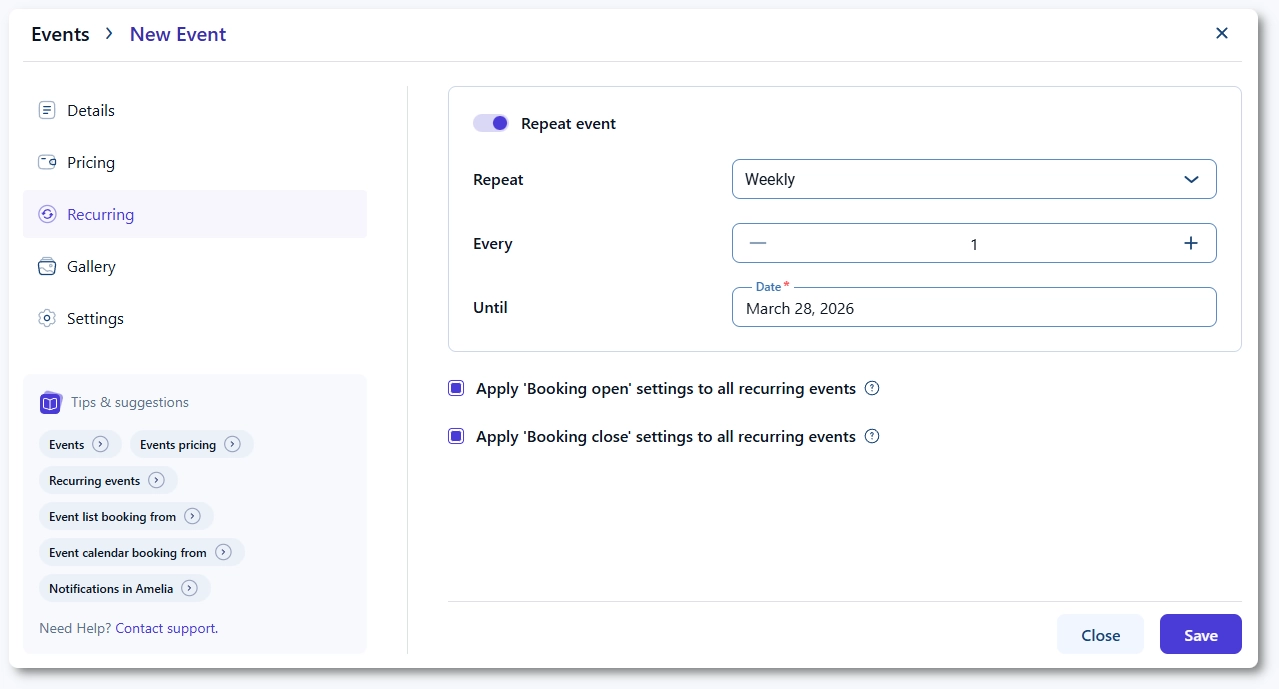
Recurring events are individual events that repeat on a schedule, such as daily, weekly, monthly, or yearly. Each occurrence is treated as a separate event with its own ID, attendee list, and booking availability.
A good example is a weekly lecture. If a lecture takes place every Monday from 10:00 to 14:00 and contains the same content each week, attendees typically book only one occurrence, not the entire series. Because of this, bookings do not carry over to future occurrences. Booking one recurring event never adds the attendee to all other events in the series.
How do multi-day events work in Amelia?
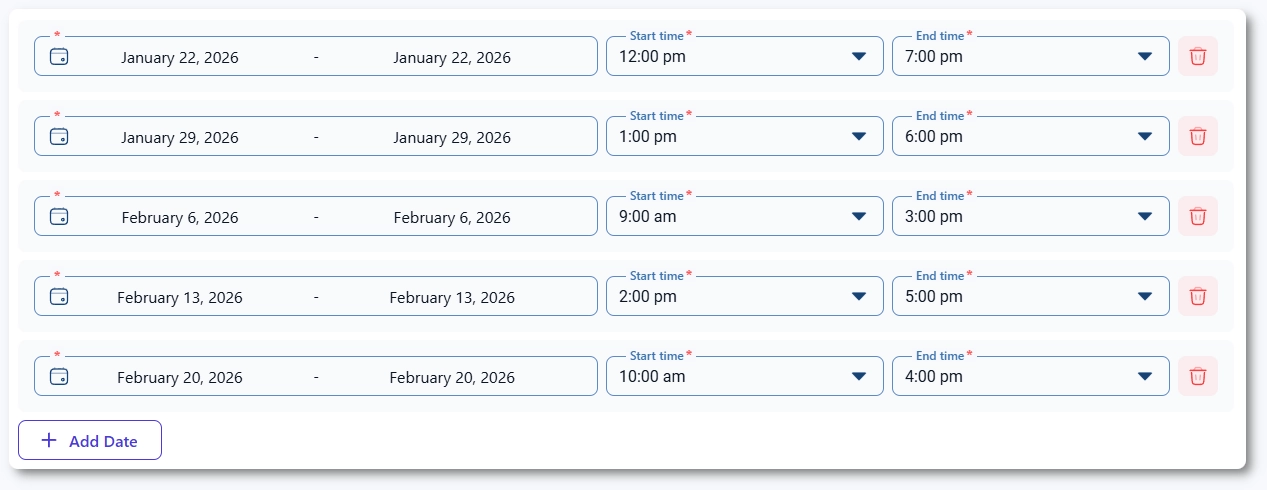
Multi-day events are designed for events that span multiple dates and represent one continuous event. They can include consecutive dates or any combination of custom dates. When an attendee books a multi-day event, they are automatically assigned to every date within that event.
For example, a CSS course held on January 22, January 29, February 6, February 13, and February 20 is considered one event with five sessions. When a customer books the course, they book all five dates at once because each date represents a part of the overall content.
Can recurring and multi-day events be used together?
Yes. You can combine both approaches by creating a multi-day event and then applying a recurrence rule to it. This is useful for events that span several days and also repeat on a yearly or monthly basis.
For example, if your festival lasts from June 1 to June 4 every year, you can:
- define June 1–4 as a multi-day event, and
- set it to repeat every year as a recurring event.
The same rules apply:
- Booking the event for 2025 assigns the attendee to all dates within the 2025 event.
- They are not automatically assigned to recurring events in 2026, 2027, and beyond.
What should I keep in mind when choosing between recurring and multi-day events?
- Recurring events behave as separate events; booking one does not book the others.
- Multi-day events are a single event with many dates; booking includes all dates automatically.
- Use recurring events for repeated standalone sessions with identical content.
- Use multi-day events for courses, programs, or events where each date represents unique or progressive content.
- You can combine both to create recurring multi-day events, such as annual festivals.