Limited time discount Book Smarter This Christmas
Up to 50%Off

How do I set up the Outlook Mailer in Amelia

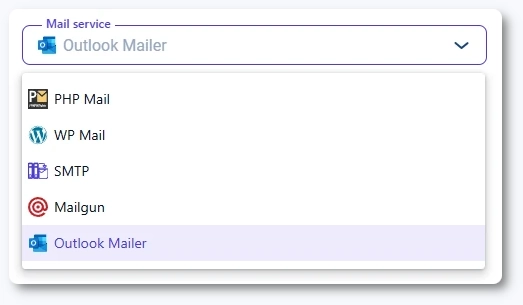
Outlook Mailer lets you send all Amelia email notifications through your Microsoft account. Before enabling it in the Notifications settings, you need to configure the Outlook Calendar and Microsoft Teams integration on the Integrations page.

Outlook Mailer option selected in Amelia email settings

What do I need before connecting Outlook Mailer?

To use Outlook Mailer, the Outlook Calendar and Microsoft Teams integration must be enabled and configured in Amelia’s Integrations section. The setup includes creating an app in the Azure portal and entering its details in Amelia.

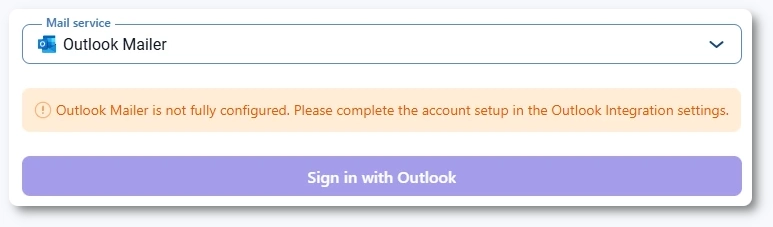
Once that integration is active, the Sign in with Outlook button becomes available in Settings → Notifications → Email. Until then, it shows a warning that the Outlook Mailer is not fully configured, and the button is un-clickable.

Outlook Mailer disabled with configuration warning in Amelia

How do I authenticate my Outlook account?

Once Outlook Mailer becomes active, click the Sign in with Outlook button. You will be redirected to Microsoft’s login page. Log in with the same Microsoft account used during the calendar integration setup.

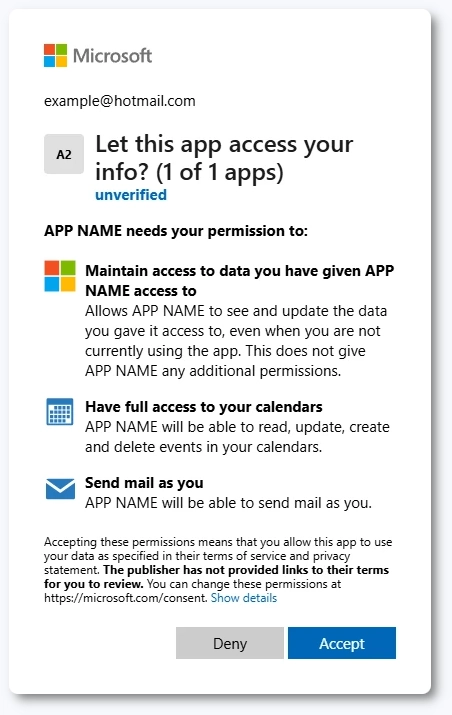
Microsoft will display a permissions prompt showing what the connected app can access, including calendar access and permission to send mail as you. Click Accept to complete the connection. When accepted, Amelia redirects you back to the Email settings.

Microsoft permissions prompt for Outlook Mailer authentication

Which settings can be configured after connecting Outlook Mailer?

The sender name, sender email, and reply-to email fields are always available in Amelia’s Email settings, regardless of which mail service you choose. The same applies to additional recipient notifications and ICS attachment options for approved and pending bookings.

However, it only makes sense to configure these fields after you have selected and connected a mail service, such as Outlook Mailer, so emails are actually sent from the correct address.

For a detailed explanation of each option, you can refer to the main Email Notifications article.

Outlook Mailer sender and reply-to fields in Amelia

What else should I know about using Outlook Mailer?

If you later revoke Microsoft permissions or change your security settings, Outlook Mailer may stop functioning. In such cases, return to the Email settings and reconnect by clicking the Sign out from Outlook → Save and then Sign in with Outlook again.

Info Info

If the Outlook Calendar and Microsoft Teams integration is disabled or misconfigured, Outlook Mailer will stop working until it is reactivated.