Limited time discount Book Smarter This Christmas
Up to 50%Off

How do I use Microsoft Teams for online meetings in Amelia

The Microsoft Teams integration allows Amelia to automatically generate online meeting links for appointments and events and add them to Outlook Calendar events.

When enabled, Microsoft Teams meetings are created through Outlook Calendar synchronization and can be used for both appointments and events, allowing employees and customers to join meetings directly from their calendars or notifications.

Info Note

Amelia supports connecting both personal and business Microsoft accounts for Outlook Calendar synchronization. However, Microsoft Teams online meetings are not available for personal Microsoft accounts. To use Microsoft Teams, a Microsoft 365 Business or Office 365 Education account is required.
What do I need before enabling Microsoft Teams?

Before enabling Microsoft Teams in Amelia, the following must already be set up:

  • Outlook Calendar integration must be enabled in Features & Integrations → Integrations
  • Azure credentials (Client ID and Client Secret) must be configured
  • Employees must be connected to their Outlook accounts

Microsoft Teams relies on Outlook Calendar synchronization and cannot be used independently.

Where do I enable Microsoft Teams in Amelia?

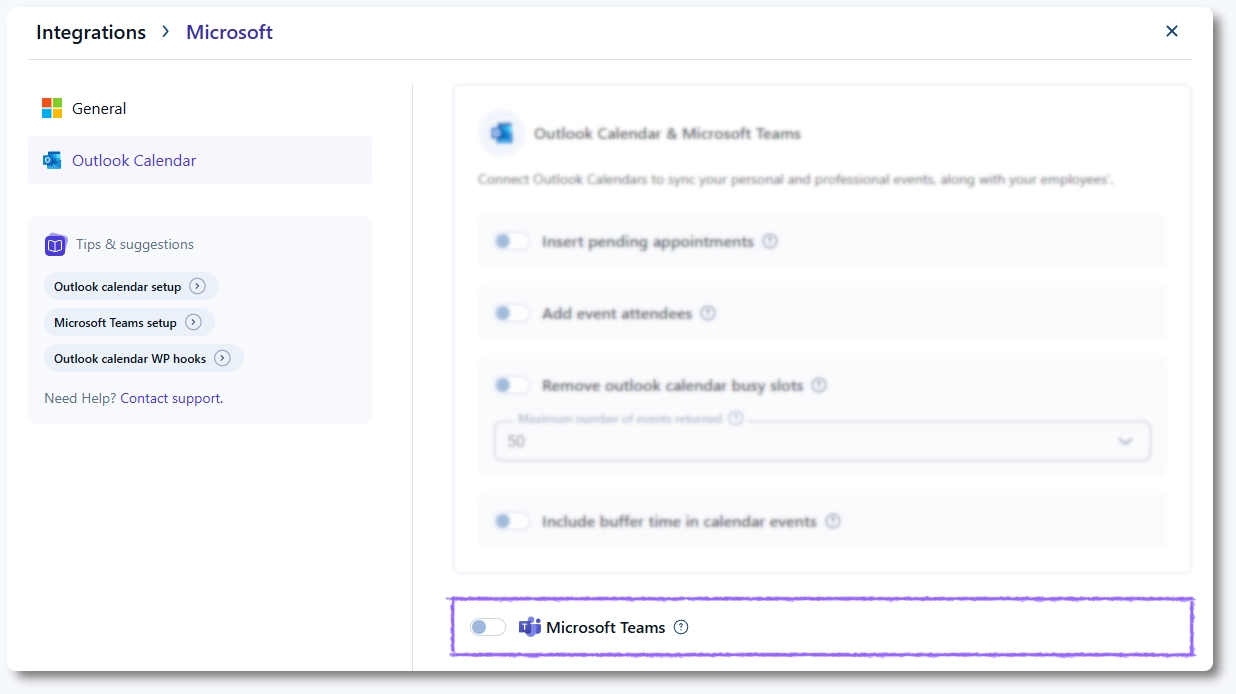
To enable Microsoft Teams, navigate to Features & Integrations → Integrations, open Outlook Calendar & Microsoft Teams, click Set up, and scroll down in the Outlook Calendar tab.

Microsoft Teams option enabled in Outlook Calendar integration settings

How do I enable Microsoft Teams for services?

Microsoft Teams must be enabled per service in Amelia.

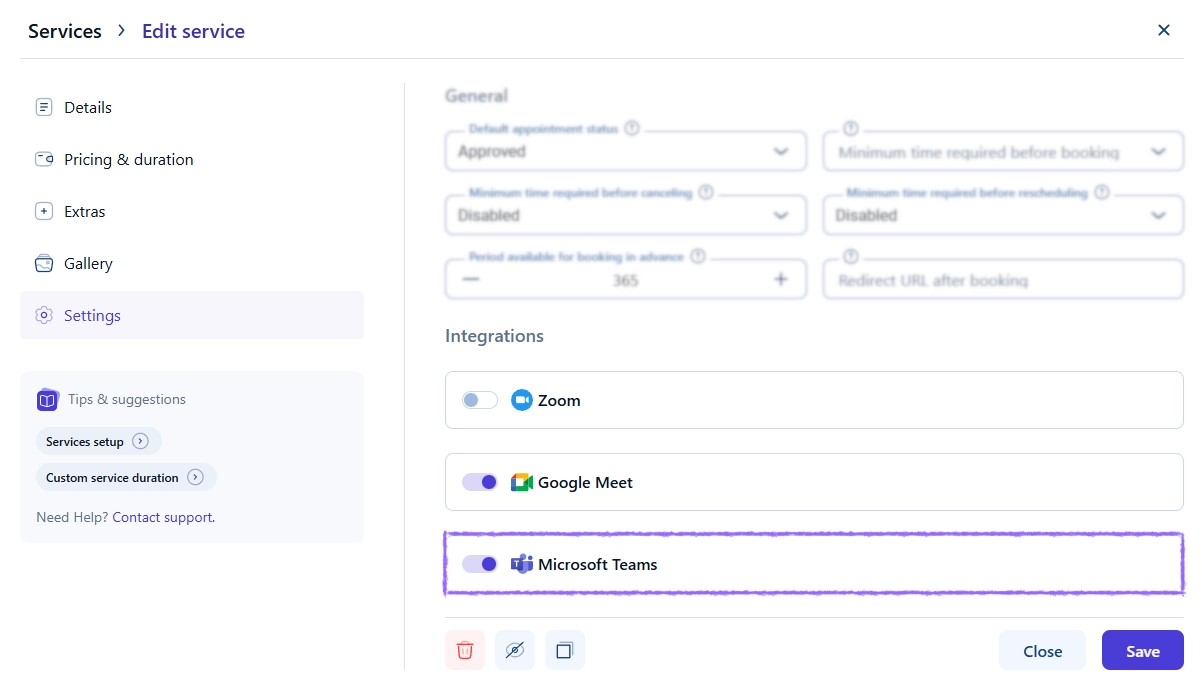
Open Catalog → Services, edit a service, go to the Settings tab, and enable the Microsoft Teams option.

Microsoft Teams option enabled in Amelia service settings
Info Info

Only services with Microsoft Teams enabled will generate Teams meeting links when appointments are booked.

How are Microsoft Teams meetings created?

When a new appointment is created for a service with Microsoft Teams enabled:

  • An event is added to the employee’s Outlook Calendar
  • A Microsoft Teams meeting link is automatically generated
  • The Teams meeting link is attached to the Outlook Calendar event

If the Add event attendees option is enabled in Outlook Calendar settings, customers will receive an Outlook invitation and can join the meeting directly from their calendar.

How can customers and employees join the Microsoft Teams meeting?

Employees and customers can join the meeting in several ways:

  • By clicking the Microsoft Teams button inside the Outlook Calendar event
  • By using the Microsoft Teams meeting link included in email notifications

How do Microsoft Teams placeholders work?

Amelia provides dedicated placeholders for Microsoft Teams meeting links that can be used in notifications.

Available placeholders:

  • %microsoft_teams_url% – for services
  • %microsoft_teams_url_date% – for events
  • %microsoft_teams_url_date_time% – for events with date and time

When used in notification templates, these placeholders automatically insert the correct Microsoft Teams meeting link for the appointment or event.

What should I keep in mind when using Microsoft Teams?

Keep the following in mind when using Microsoft Teams in Amelia:

  • Microsoft Teams meetings are created only for new bookings
  • Employees must be connected to Outlook Calendar for Teams meetings to work
  • Personal Microsoft accounts do not support Microsoft Teams meetings
  • Microsoft Teams availability depends on Outlook Calendar synchronization
