Limited time discount Book Smarter This Christmas
Up to 50%Off

How do I define company-wide days off in Amelia

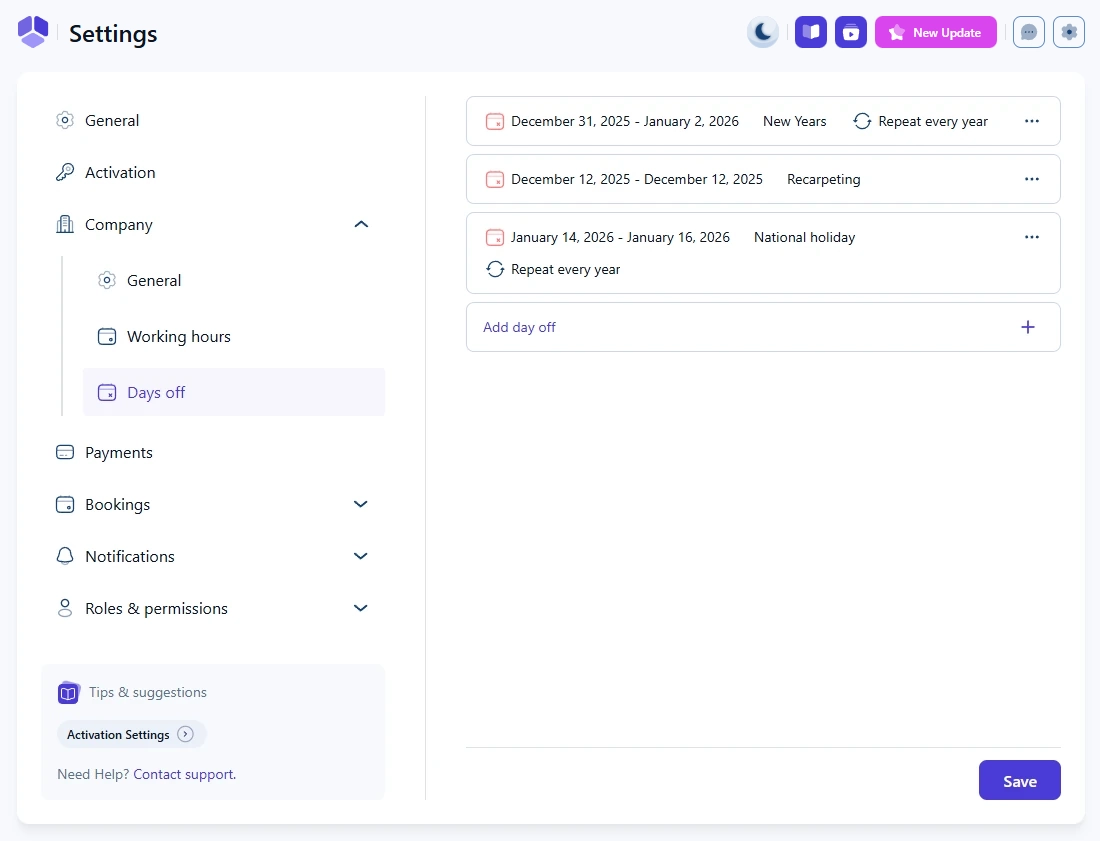
The Days off section lets you define company-wide non-working days for all employees. These days apply to every service provider in the system, and employees cannot override or edit them individually.

List of company days off in Amelia with recurring and single-day entries

How do I add a company day off?

When you open the Days off page for the first time, the list is empty. To add a new one, click the Add day off + card. This opens a popup where you can:

  • Set a single date or a date range
  • Enter a name for the day off
  • Enable Repeat every year if the date is the same each year (for example, New Year’s Day or Christmas)
Popup for adding a new company day off in Amelia

How do I select a date or a date range?

To select a single date, double click the date on the calendar. To select a date range, click the first date, then click the last date. Amelia will automatically highlight the entire range.

Recurring days off display the circular arrow icon with the text Repeat every year next to their name, while one-time days off show only the date and the name.

How do I edit or delete a day off?

Each day off has a three-dot menu with Edit and Delete options.

Editing opens the same modal used for creating a day off. Deleting removes it from the company schedule.

Options menu for editing or deleting a company day off in Amelia

Where do company days off appear for employees?

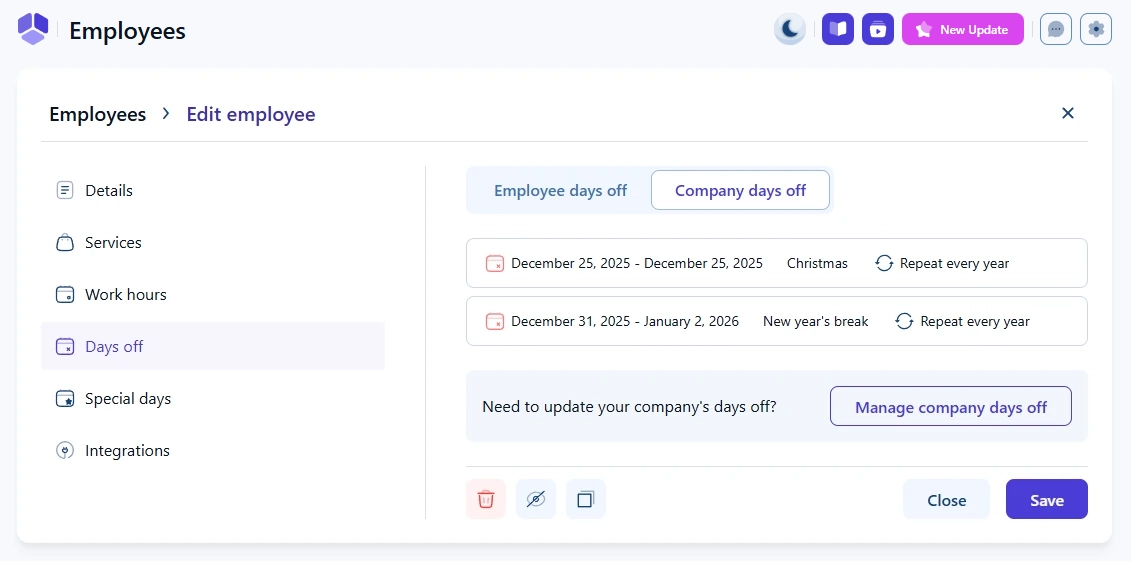
In each employee’s profile, under Days off, there is a Company days off tab. Employees can see all company-wide days off there, but they cannot modify them.

A link labeled Manage company days off takes administrators back to the company settings if changes are needed.

Employee profile showing the company days off tab in Amelia

Do company days off affect services and events?

Company days off apply only to services.

They do not block or modify any scheduled events, and existing events will remain available for booking even if they fall on a day off.

Alert Note

Days off only apply to service-based bookings. They do not block events.

Do employee special days override company days off?

No. Special days in the employee profile do not override company days off.

If a day is set as a company-wide day off, the employee is unavailable even if they have defined availability on their Special days tab.

Info Info

Company days off always take priority over employee schedules.