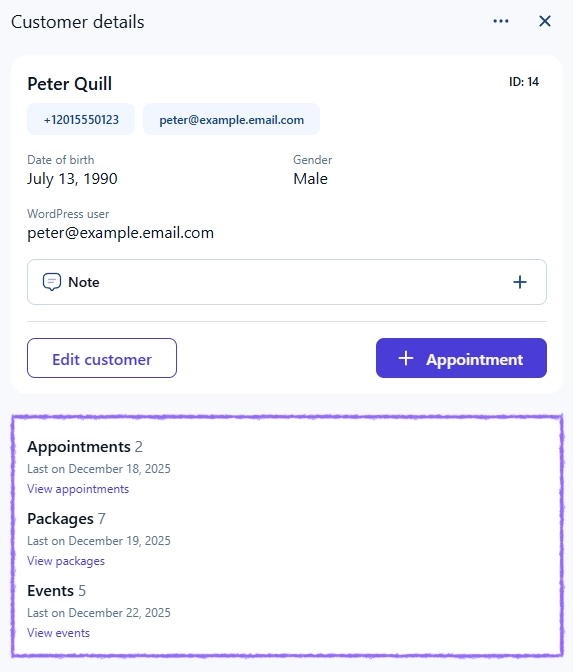
Customer activity provides a complete overview of all bookings associated with a specific customer. It helps you monitor their appointments, packages, and events in one place, making it easier to understand their history, preferences, and engagement over time.
This is especially useful for identifying regular customers or reviewing how they interact with your services.
Where can I find customer activity?
Open Amelia → Customers and click on any customer to open their details. The activity section is included inside the customer details overview and displays all bookings linked to that customer. You can see appointments, packages, and events in a single consolidated view.
How do I view detailed bookings for a customer?
Inside the activity section you will see hyperlinked “View appointments“, “View packages“, and “View events” text.
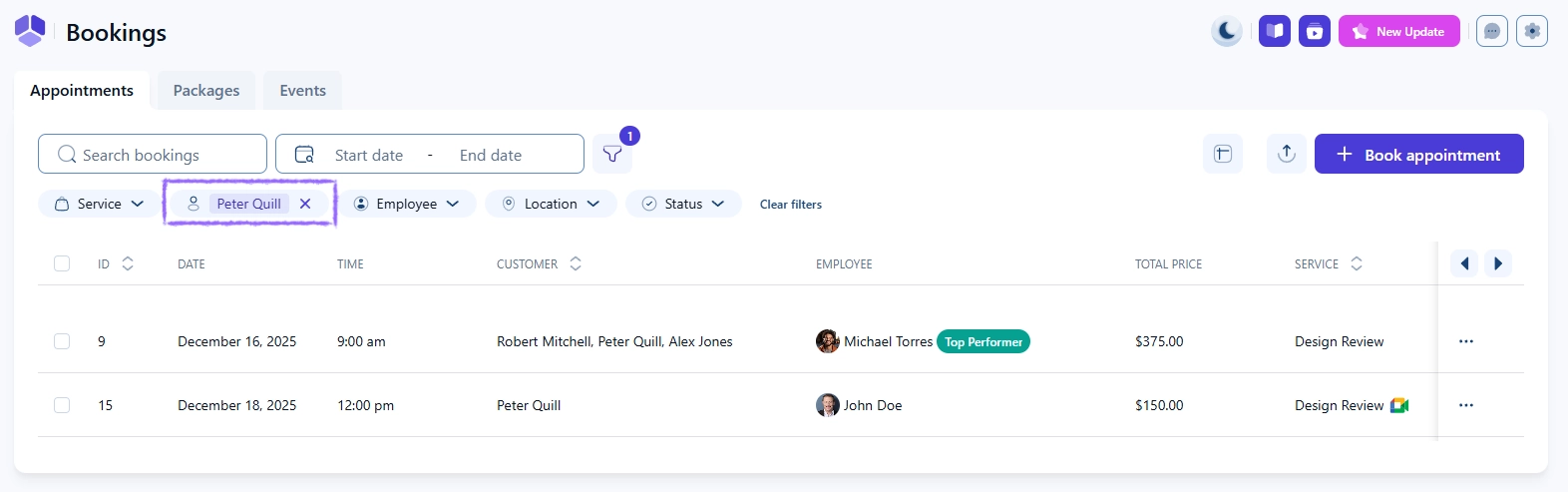
Clicking any of these options takes you directly to the Bookings page, filtered to show only the selected customer’s entries. This allows you to review booking history, check statuses, and quickly access relevant details without searching through all records.
What should I keep in mind when reviewing customer activity?
Activity lists include only bookings that are linked to that specific customer profile.
Filters applied through the View buttons help you review bookings faster.
Package details display both the initial purchase and the usage across individual appointments.
Customer activity can highlight high-value or at-risk customers based on their booking patterns.
Only completed and valid bookings appear in this section.