 Keep Summer Fully Booked

How does the Thrive Automator integration work with Amelia
The Thrive Automator integration allows you to trigger automated workflows whenever customers interact with Amelia. You can push booking details to CRMs, send additional emails, update spreadsheets, post messages to services like Slack, and connect Amelia to many external tools supported by Thrive Automator. In this example, we will create a simple automation that sends a Slack notification when a new booking is created.
For a more detailed tutorial, please check out Thrive Automator’s documentation.
How do I install and access Thrive Automator?
Install and activate the Thrive Automator plugin from WordPress. After activation, open Thrive Automator from the WordPress sidebar and click Add new (or Create your first automation if this is a fresh install) to create a new automation. Each automation consists of a trigger from Amelia and one or more actions in third-party services supported by Thrive Automator.
How do I set up an Amelia trigger in Thrive Automator?
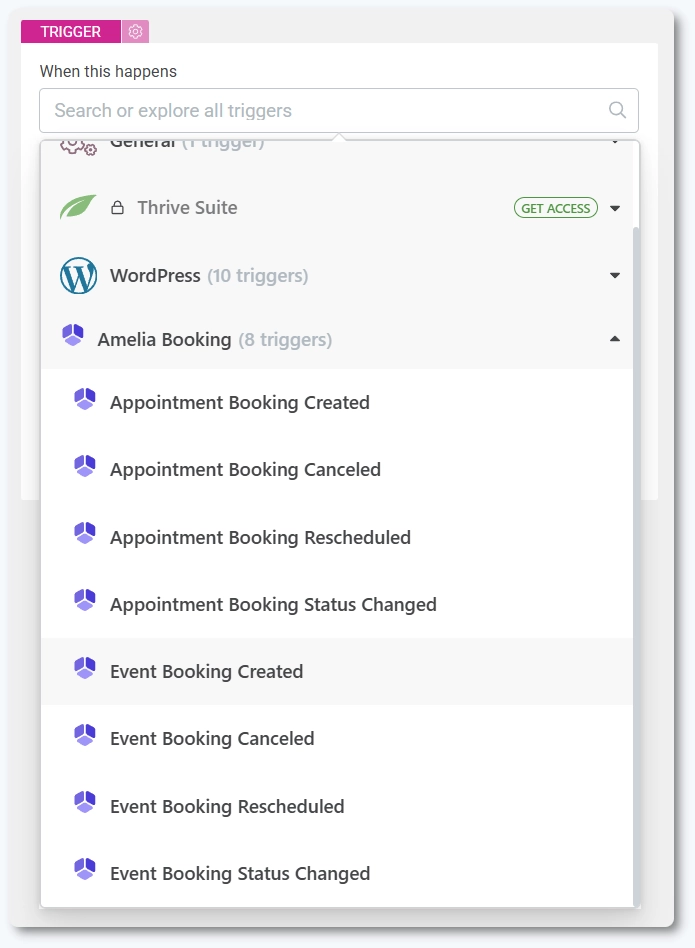
Give your automation a name and choose Amelia as the trigger category. Pick the event type that will start the automation. For example, Event booking created or Appointment booking created. You can optionally set conditions so the automation runs only for specific services, events, or employee assignments. When finished, click Done to save the trigger.
How do I add an action such as sending a Slack notification?
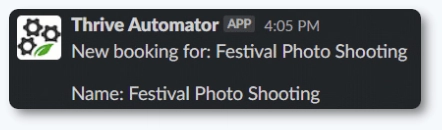
After setting the trigger, choose Slack as the action category and select Send notification. Configure the Slack channel where messages should be sent. Add a message title and include dynamic fields such as the customer name, email, selected service, or appointment time. Thrive Automator allows adding multiple fields, and you can preview data using the Send test option. Click Done to finalize the action.

How does the automation behave once it is active?
Whenever the selected Amelia event occurs, Thrive Automator sends the data to Slack using the information you configured. You will receive notifications in the chosen Slack channel, and each message will contain the fields and values mapped during the setup.
What should I keep in mind when using Thrive Automator with Amelia?
- Triggers are defined in Thrive Automator, not in Amelia.
- You can create multiple automations using different Amelia events.
- Dynamic fields depend on what Thrive Automator receives from Amelia.
- Actions such as Slack, emails, or CRM updates depend on Thrive Automator integrations.
- Workflows must be active in Thrive Automator for automation to run.