How to integrate Amelia with BuddyBoss
The BuddyBoss integration lets you display Amelia booking forms and user panels inside BuddyBoss member profiles. Once enabled, BuddyBoss manages where forms and panels appear, and how Amelia Customer and Amelia Employee profiles connect to BuddyBoss members.
The BuddyBoss integration is available in the Standard, Pro, and Elite license plans.
How do I enable the BuddyBoss integration in Amelia?
Open Features & integrations → Integrations and enable the BuddyBoss integration. There is no additional setup in Amelia, no sliders to activate, and no configuration fields to complete. Once enabled, all customization is handled directly in BuddyBoss.
How do I configure Amelia inside BuddyBoss?
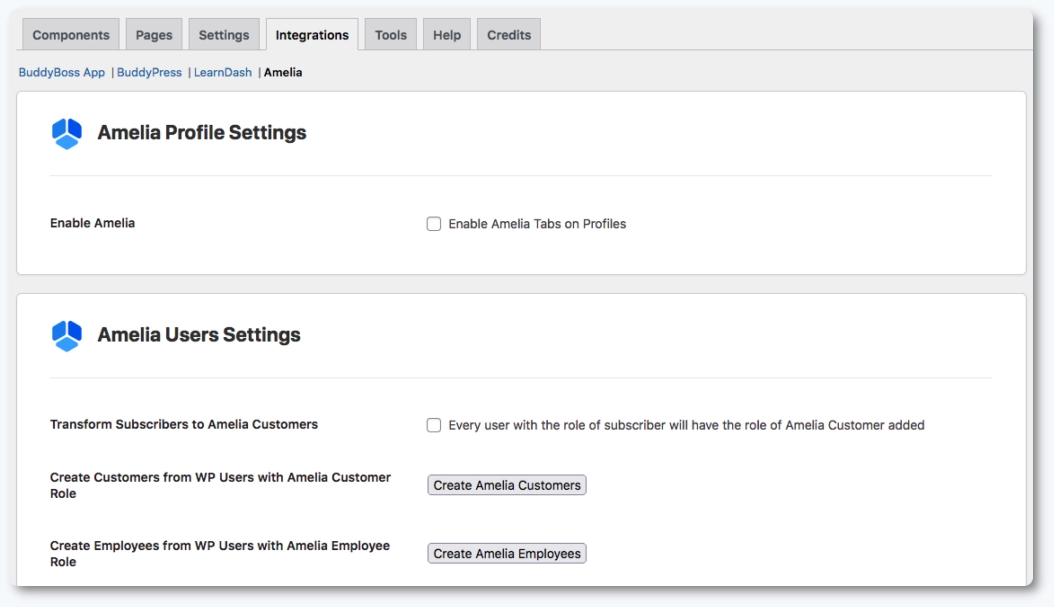
After enabling the integration, open BuddyBoss → Integrations and select the Amelia tab. BuddyBoss provides two sections:
- Amelia profile settings for adding the customer and employee panels to member profiles;
- Amelia users settings for creating or mapping WordPress users to Amelia customers or employees.
How do I show Amelia panels inside BuddyBoss member profiles?
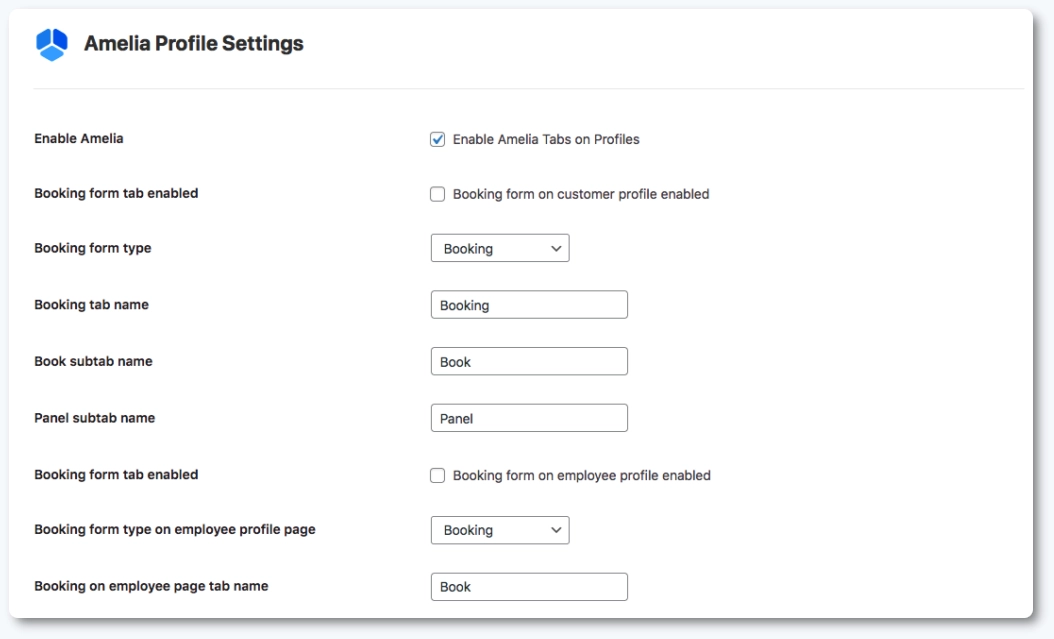
Once you check the Enable Amelia Tabs on Profiles option under Amelia Profile Settings, you will be able to select which Amelia panels should appear. Customers will see the customer panel in their BuddyBoss profile, while employees will see the employee panel. BuddyBoss controls the tab labels and the panel placement within each profile.
How do I add Amelia booking forms to BuddyBoss profiles?
BuddyBoss allows adding booking forms to customer and employee profiles. Check the Booking form on customer profile enabled option to let customers access any of Amelia’s forms from their profile.
Check the Booking form on employee profile enabled option to allow customers to book appointments or events directly from an employee’s BuddyBoss profile. You can choose from all available Amelia forms including step by step, catalog, events list, and events calendar.
How do I manage user syncing between WordPress, BuddyBoss, and Amelia?
The Amelia users settings in BuddyBoss let you create or map Amelia profiles from existing WordPress users. You can automatically assign Amelia Customer roles to all WordPress subscribers, or manually click Create Amelia Customers or Create Amelia Employees to generate matching profiles for existing users.
What should I keep in mind when using the BuddyBoss integration?
- All configuration is done in BuddyBoss, not in Amelia.
- Profile tabs appear based on the Amelia role assigned to the user.
- Booking forms for employees show only services or events available for that employee.
- User creation and role syncing depend entirely on BuddyBoss settings.
- No additional sliders, fields, or options appear in Amelia for this integration.