


Limited time discount Book Smarter This Christmas
Up to 50%Off

How to use extras in Amelia

Extras help you offer optional add-ons that enhance a primary service, such as equipment upgrades, extended time, or additional items. This allows customers to customize their appointment while helping you increase booking value. For example, a tennis coach may offer “Premium racket rental” or a consultant may offer “Extra 20 minutes” of time as an add-on.

Info Note

The Extras feature is available in all paid Amelia licenses.
Where can I see extras in a service?

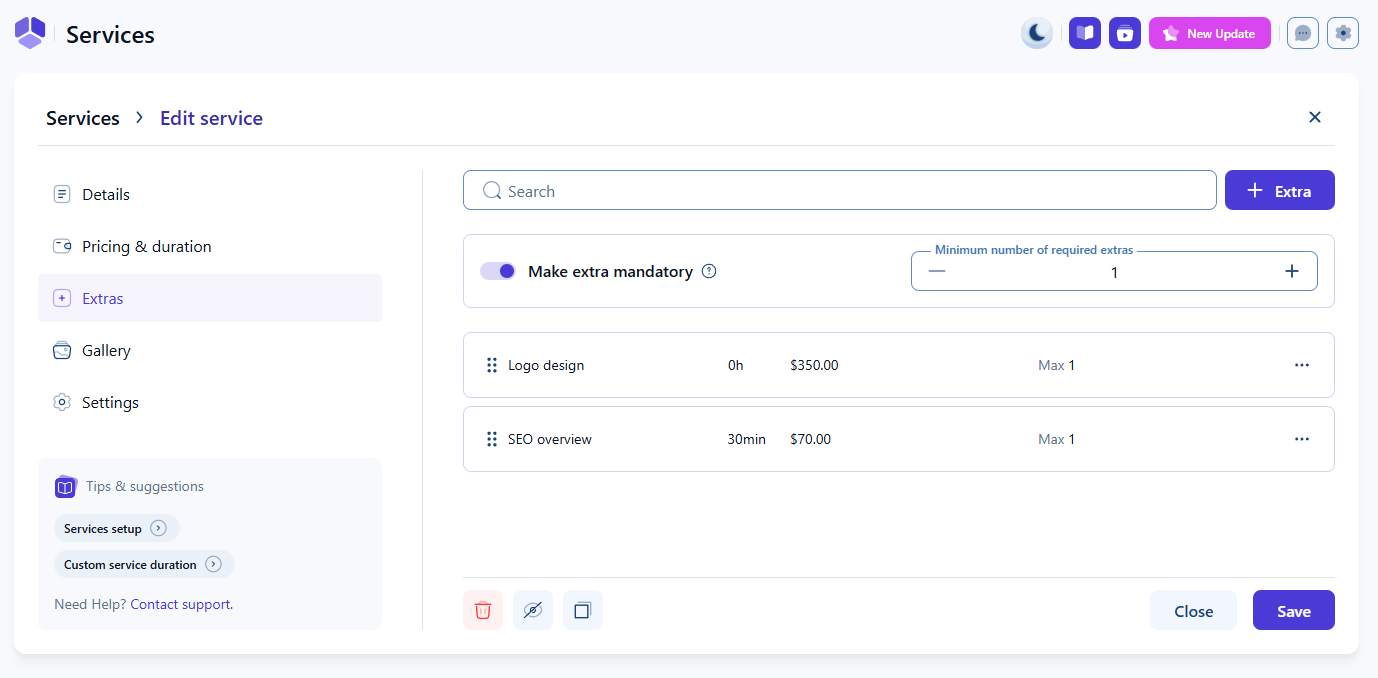
Once the Extras feature is enabled in Features & Integrations, each service displays an Extras tab in CatalogServices. This tab shows all extras created for that service, along with options to edit and delete them.

List of extras displayed inside a service in Amelia

How do mandatory extras work?

If at least one extra exists, the Make extra mandatory option becomes available. Enabling it requires customers to select a minimum number of extras before booking. This is useful when certain add-ons are necessary for delivering the service, such as required materials or base packages.

How do I create or edit an extra?

Click + Extra in the Extras tab to open the creation modal, or use the three-dots menu to edit an existing extra. Only the name is required. Duration is optional and useful for extras that extend appointment time, while price enables the Multiply price by number of people slider. The description helps customers understand what the extra provides, and Maximum quantity limits how many units can be added per booking.

Edit Extra modal in Amelia showing duration, price, and quantity settings
Alert Please note

Extras with a defined duration extend the total appointment time, so make sure your employee’s working hours can accommodate the additional time.
Where do extras appear in the front end booking form?

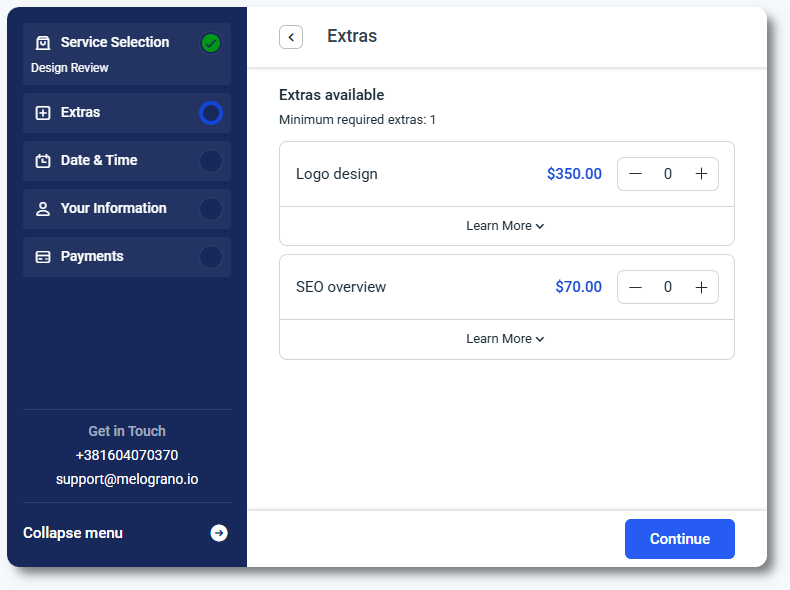
Extras appear immediately after selecting a service and before choosing a date and time. Customers can view prices, descriptions, and adjust quantities.

Extras shown in Amelia's front end step-by-step booking form
Info Info

Extra duration is added only once to the appointment and is not multiplied by the number of people or the selected extra quantity.
How do I book extras from the back end?

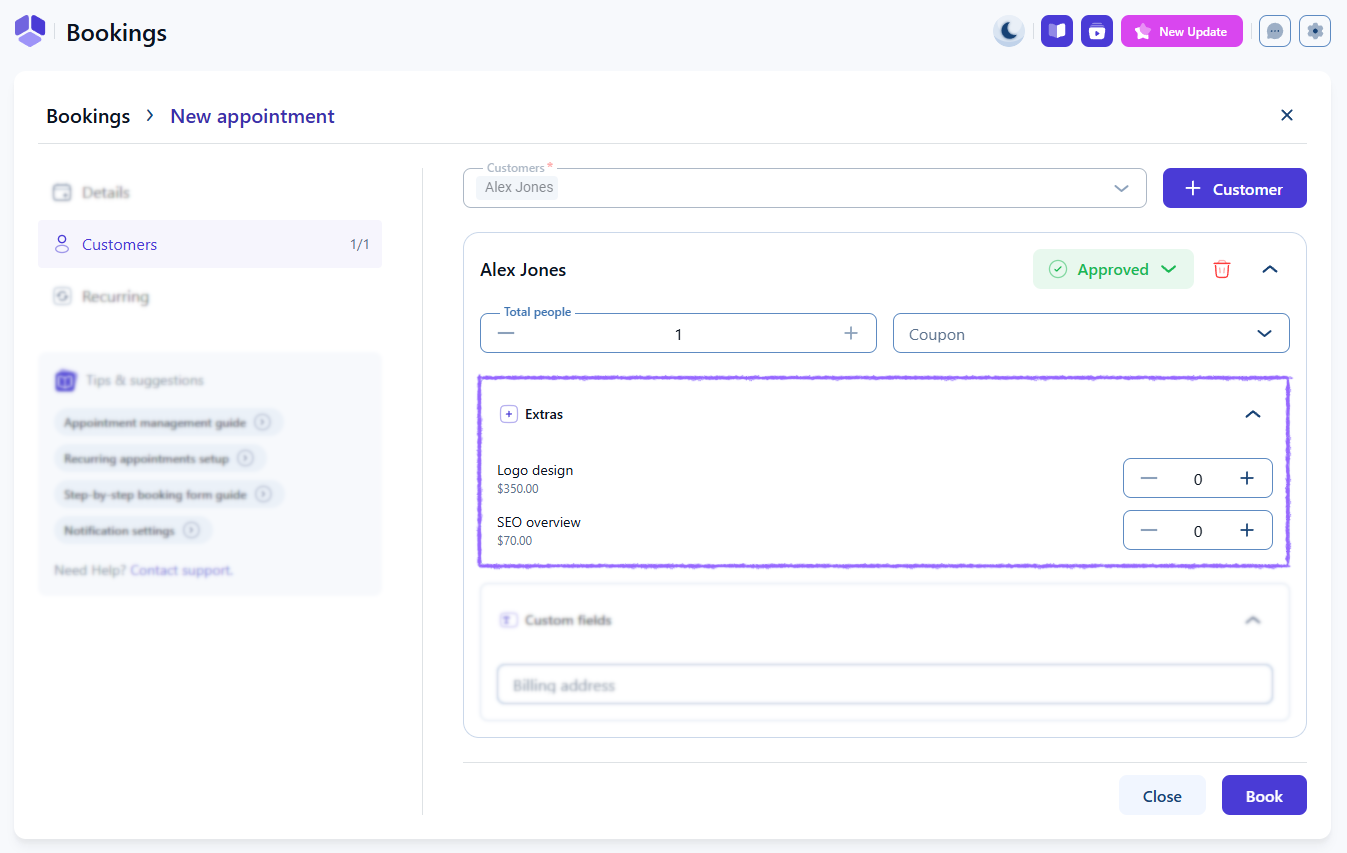
When creating an appointment in BookingsAppointments, select a service with extras and then add a customer. The available extras appear in the appointment details, allowing you to adjust quantities before saving the booking.

Extras selection options when creating an appointment in the back end of Amelia

What should I keep in mind when working with extras?

  • Extras do not track inventory or stock.
  • Mandatory extras apply only to the service where they are enabled.
  • Use clear descriptions to help customers understand the purpose of each extra.
  • Avoid adding too many extras to prevent overwhelming users.