


Limited time discount Book Smarter This Christmas
Up to 50%Off

How do employees work in events in Amelia

Employees are not required for managing events in Amelia, but they can be added to events as Organizers or Staff. This allows employees to receive event-related notifications and sync event bookings with their personal calendars.

Alert Please note

Employees must be created in advance before they can be assigned to events. You cannot add an employee to an event if they do not already exist in the Employees list.
Are employees required for events?

No. Events in Amelia can be created and managed without assigning any employees.

However, adding employees to events is highly recommended when you want:

  • Employees to receive notifications about event bookings, cancellations, and changes
  • Events to be synced with employee calendars
  • A clear distinction between event organizers and supporting staff

Where are employees assigned when creating an event?

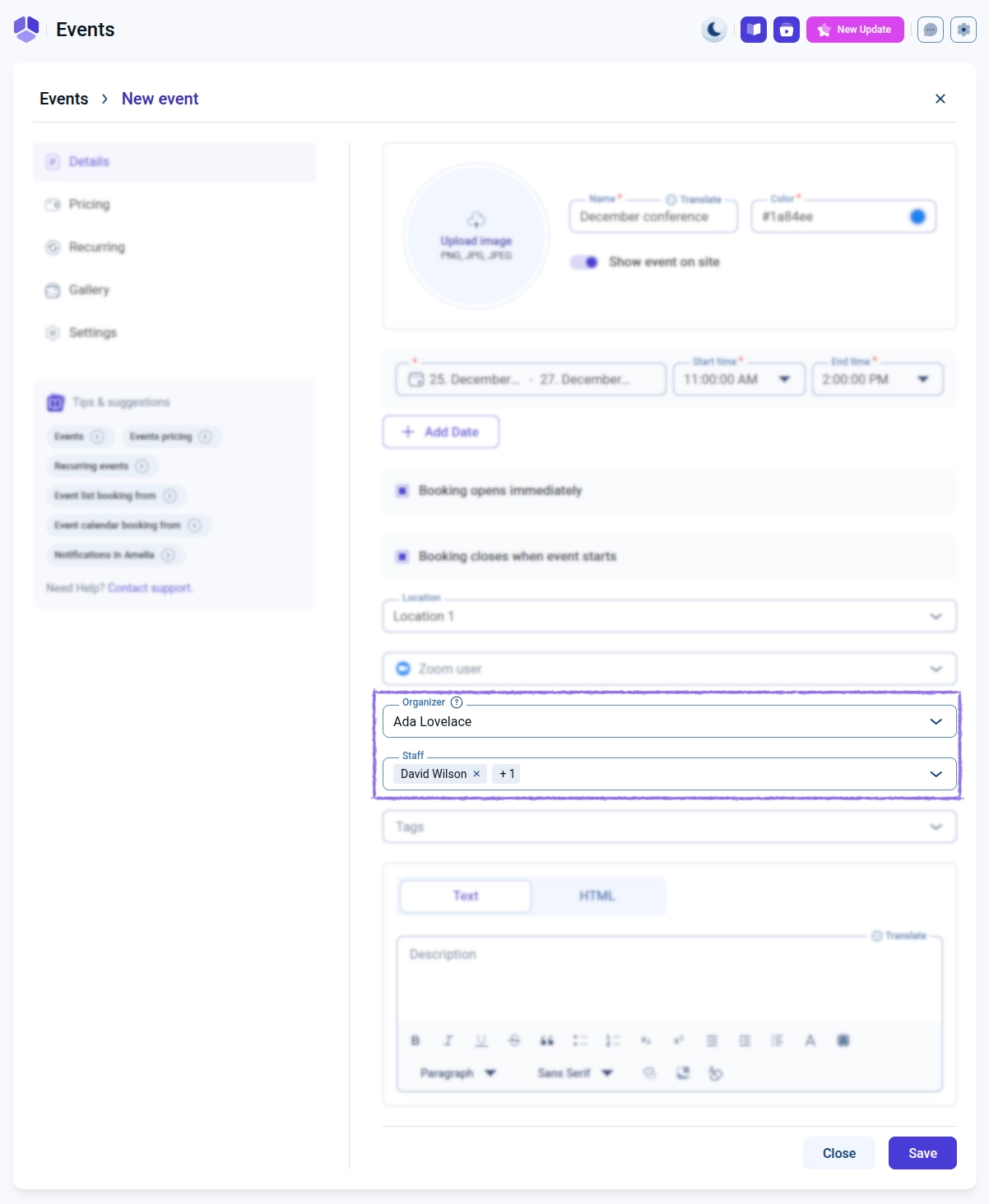
Employees are assigned directly inside the event creation screen when creating or editing an event.

Two employee roles are available:

  • Organizer
  • Staff
Event creation screen showing Organizer and Staff employee selection

What is the difference between Organizer and Staff?

Only one Organizer can be assigned to an event, while multiple employees can be added as Staff. The Organizer determines which employee’s calendar is used as the main calendar owner for the event in external calendar integrations. Employees added as Staff are treated as guests in those integrations.

Alert Please note

If no Organizer is selected for an event, calendar integrations will still function, but the event will not have a designated calendar owner.

How do calendar integrations behave for event employees?

Events are not written to employee calendars immediately after creation. An event is synced to connected employee calendars only after at least one attendee books the event.

Info Info

It is expected behavior that newly created events do not appear in Google, Outlook, or Apple calendars until the first attendee completes a booking.

How do employee notifications work for events?

Employees assigned to events as Organizer or Staff can receive:

  • New event booking notifications
  • Cancellation notifications
  • Rescheduling notifications
  • Reminder notifications
  • Updated event detail notifications

All notifications depend on your configured event notification templates and which placeholders are enabled.

Can the same employee be assigned to multiple events?

Yes. The same employee can be assigned as Organizer or Staff across multiple events without limitation.

Each event is handled independently for notifications and external calendar synchronization. This means that, unlike appointments, existing busy calendar events do not block availability for events created in Amelia.