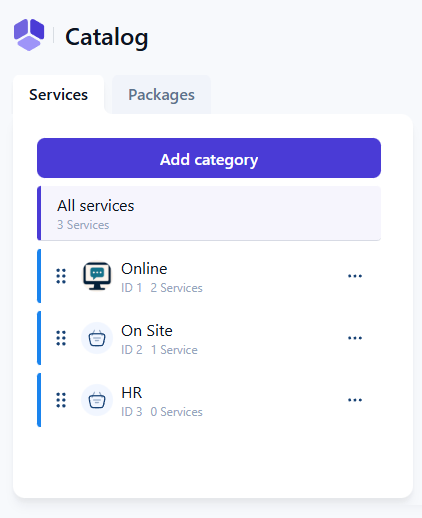
Service categories help you organize your services and are required before creating services. Even if your business offers only a few services, at least one category must be created to enable the service creation process. For companies with many services, categories make it easier to group, structure, and navigate through different offerings.
Where do I create service categories?
Open Amelia → Catalog and click + Category to create your first category. The category name is required, while adding a picture and choosing a color is optional. After saving, you return to the Catalog page, where categories appear on the left side and act as the main structure for organizing services.
How do categories appear in booking forms?
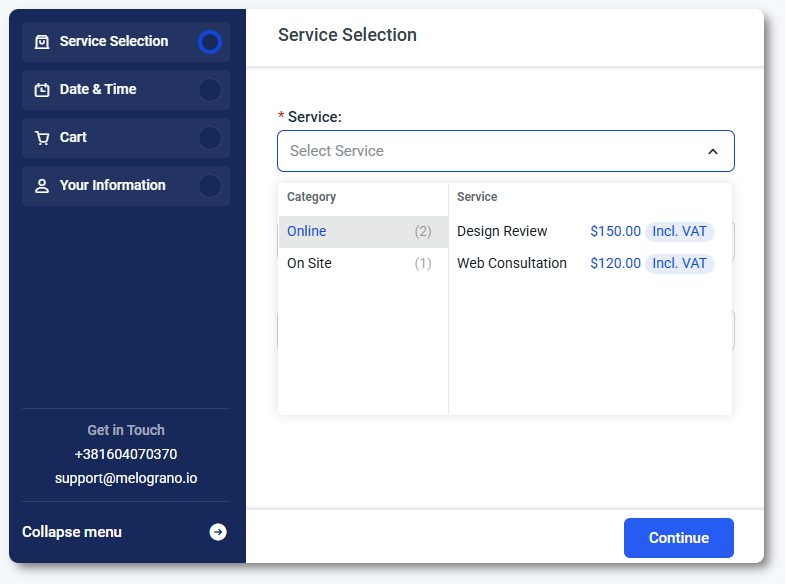
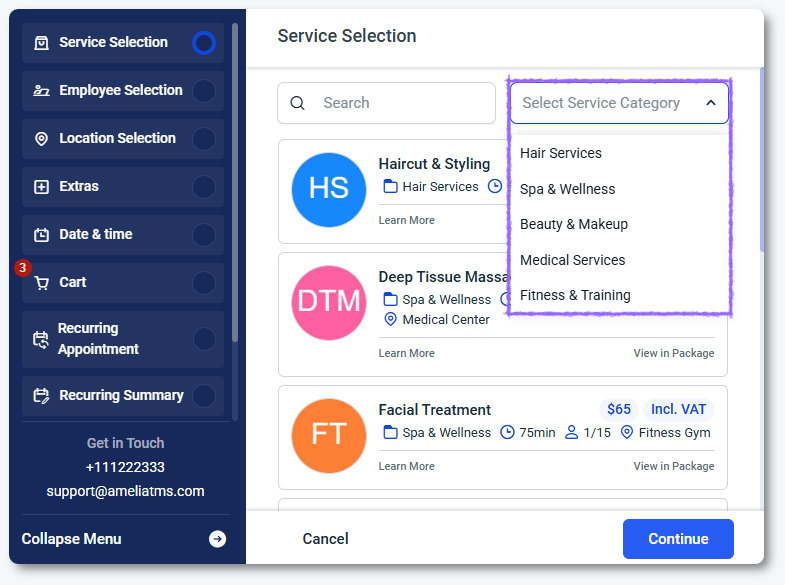
Categories are displayed in the step-by-step booking form as a dropdown when customers select a service. In the catalog booking form, the category step is shown first by default. If the form is filtered to a specific category, service, or employee, the category step is skipped automatically.
You can also hide this step by customizing the catalog form in the Customize section. These behaviors help tailor the booking flow depending on the services you offer.
The screenshot above shows the default (list) view of the Step-by-step booking form. This can be changed to the grid view in the Customize section, in which case, the categories will appear in a drop-down above the service list:
Are categories required when creating bookings in the back end?
When creating appointments in the back end, categories appear as an optional filter to help you find the correct service. They are not required for creating back end bookings, and you can select a service directly even if the category is not used as a filter. This makes scheduling faster while still keeping services organized.
What should I keep in mind when using service categories?
At least one category must exist before any service can be created.
Categories help simplify navigation when you offer multiple services.
Front end booking forms display categories unless filters remove that step.
Back end booking uses categories only as filters, not as mandatory selections.
Customizing the booking forms can hide or rearrange category steps when needed.