


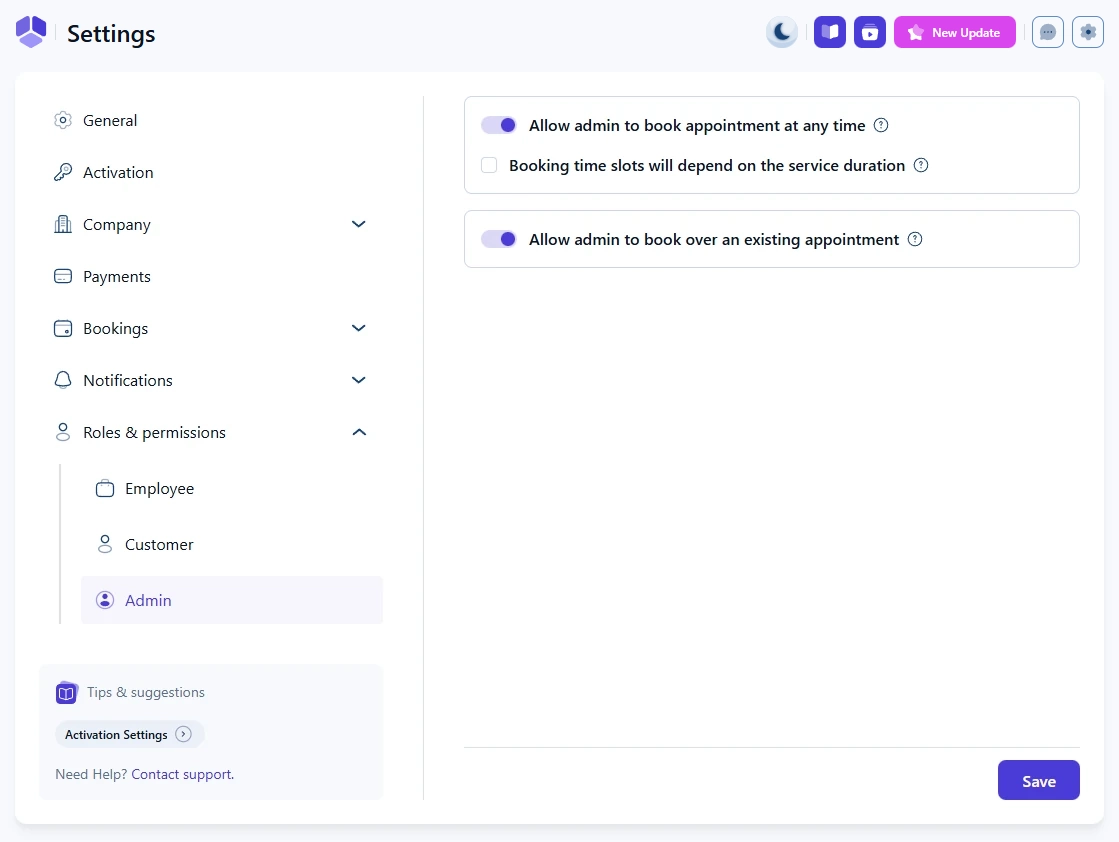
How admin permissions control access in Amelia
Admin permissions define how administrators can create bookings in the back end. These options let you override employee availability or existing appointments when needed, giving full control to manage schedules in exceptional cases.
What does “Allow admin to book appointment at any time” do?
When this option is enabled, admins can create appointments at any time. Employee working hours, special days and days off are ignored, so bookings can be placed outside of normal availability whenever necessary.
This option only affects admin-created bookings in the back end. Customer-facing booking rules remain unchanged.
What does “Booking time slots will depend on the service duration” mean?
When this checkbox is enabled, the time slots admins see when creating appointments depend on the service duration. If the option is turned off, time slots follow the Default Time Slot Step defined in Settings → General.
Disabling this option may result in time slots that do not align exactly with the service duration.
What does “Allow admin to book over an existing appointment” do?
When this option is enabled, admins can book an appointment over or during another appointment. This bypasses conflict checks and allows double booking when needed for internal scheduling purposes.
Use this option with caution. Double bookings can lead to overlapping appointments for employees if used frequently.