


Limited time discount Book Smarter This Christmas
Up to 50%Off

Which integrations does Amelia support and how do I connect them

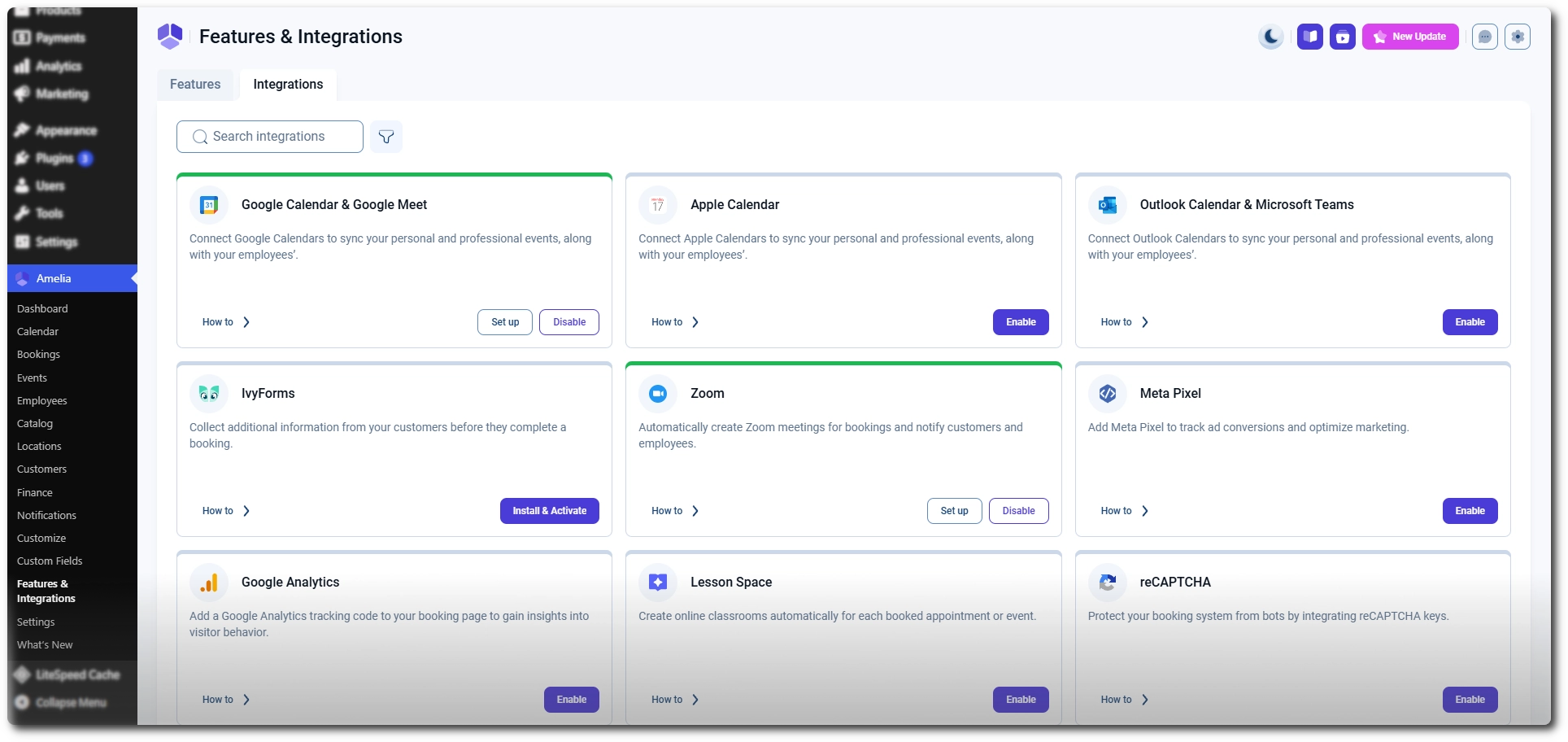
Amelia supports a wide range of integrations that connect your booking system with calendars, payment gateways, communication tools, analytics platforms, and third-party services. Integrations expand how Amelia interacts with external tools so you can automate workflows, collect payments, sync schedules, track conversions, and authenticate users.

Integrations tab in Amelia showing some of the available integrations

What should I know about integrations in Amelia?

Each integration requires configuration before it can be used. Calendar integrations ask for authorization from Google, Outlook, or Apple; payment gateways require API keys; WhatsApp requires a valid phone number; and some platforms like WooCommerce or Lesson Space involve additional steps outside Amelia. Once an integration is enabled, Amelia displays all required fields and guides you through the connection process.

Some functionality depends on integrations. Deposit payment requires at least one online payment method to be active, and WhatsApp notifications cannot be sent if no phone number is provided. Integrations also vary by license tier. Starter includes tracking and basic provider connections, while Standard, Pro, and Elite unlock calendar syncing, advanced gateways, and messaging services. The table below shows which integrations are included in each plan.

Integrations availability

Integration Starter Standard Pro Elite
Google Calendar & Google Meet
Apple Calendar
Outlook Calendar & Microsoft Teams
Zoom
Facebook Pixel
Google Analytics
Lesson Space
reCAPTCHA
Mollie
WooCommerce
PayPal
Stripe
Razorpay
Square
Barion
WhatsApp
Google social login
Facebook social login
Mailchimp
BuddyBoss

After enabling the integrations you want to use, continue to the individual integration guides below to learn how to authenticate your accounts, configure the required settings, and connect each integration to your booking workflow.