



Plenty of teams start looking at open-source scheduling software right after a Calendly or Acuity invoice jumps because someone new joined. What they find is a group of booking, calendar, and resource-reservation apps with public source code. You install one on your own server or a managed VPS, and you host your own booking system instead of renting one.
You own the data that way. You also own the upkeep, which is the part the comparison posts tend to skip.
Almost every tool below syncs calendars over CalDAV. The IETF published it as a Proposed Standard, RFC 4791, on March 16, 2007, according to CalConnect, the industry consortium that pushed for its adoption.
Top Open-Source Scheduling Software
Per-seat pricing is usually what starts the search. With one calendar you barely notice it, but by the fourth or fifth seat it gets hard to ignore.
I’ve grouped the tools by use case rather than giving them one overall score. Solo booking pages come first. After that it’s group polls and resource booking, then the full groupware suites, and finally a couple of tools built for one industry.
An open-source Doodle replacement and a self-hosted patient scheduler don’t compete with each other at all. Both get called scheduling software anyway, so a single ranked list would mostly confuse people.
If you’ve already outgrown a free tier somewhere, you’ve probably looked at scheduling software built around a small business budget. For a lot of people, self-hosting is where that search ends up.
A few numbers to keep in mind while reading:
- Cal.com’s hosted Teams plan starts at $12 per seat monthly, billed annually. The free self-hosted edition is now a separate MIT-licensed project called Cal.diy (Cal.com, 2026)
- Amelia Lite has 90,000+ active installations and a 4.6 out of 5 rating across 790 reviews on WordPress.org (WordPress.org, 2026)
- Odoo’s Standard plan starts at $24.90 per user monthly (first-year rate, billed annually), against a free, unlimited-user Community Edition. Odoo’s official Appointments app requires a paid plan (Odoo pricing, 2026)
- EGroupware’s hosted eCloud plans start at EUR 21.90 per month for NGOs and schools and EUR 24.90 per month for companies, plus VAT, while the GPLv2 Community Edition stays free indefinitely (EGroupware, 2026)
- In a randomized pediatric-clinic trial, patients who got a text reminder had a 23.5% no-show rate versus 38.1% for voice reminders alone, a 14.6 point gap (International Journal of Pediatrics, 2016)
- CalDAV, the sync protocol behind most tools on this list, was published by the IETF as a Proposed Standard (RFC 4791) on March 16, 2007 (CalConnect, 2007)
If you only need the short version, this table covers it.
| Best for | Tool | License |
|---|---|---|
| Solo booking pages | Cal.com (self-hosted as Cal.diy) | MIT (Cal.diy); hosted Cal.com is closed source |
| Appointments and events on WordPress | Amelia Lite | GPL-compatible (WordPress.org directory); paid premium versions exist |
| Group meeting polls | Rallly | AGPLv3 |
| Resource and room booking | Booked Scheduler (LibreBooking) | GPLv3 |
| Full groupware suite | SOGo | GPL-2.0 / LGPL-2.0 |
| ERP-bundled scheduling | Odoo | LGPLv3 (Community); Appointments app is Enterprise-only |
Cal.com (Cal.diy) – Best for solo professionals and consultants who want a Calendly-style booking page
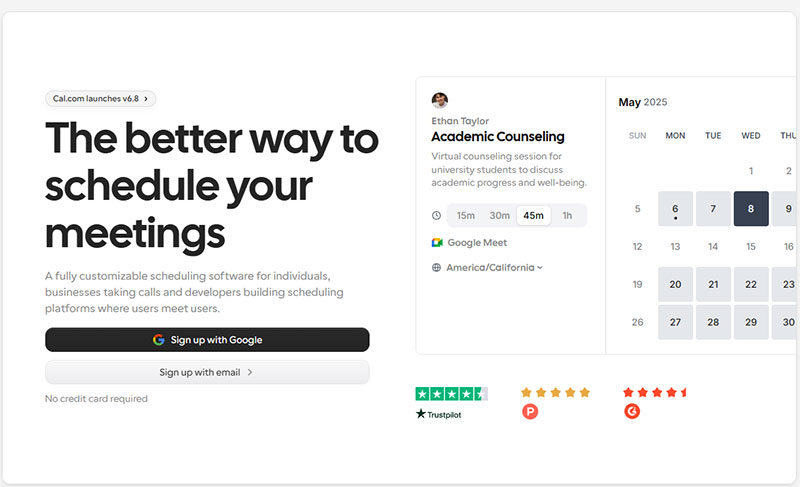
Most people already know Cal.com as the open Calendly look-alike. The part that changed is the self-hostable edition, which now lives as a separate project called Cal.diy.
For a solo consultant who wants a branded page, calendar sync, and their own data without per-seat SaaS costs, it’s still where I’d start. It fits consultants who need their own scheduling software for client calls and paid sessions pretty well.
I like the real-time two-way sync with Google, Outlook, and Zoho calendars best. Once a slot gets booked in one place it’s gone from the others, so two clients don’t show up for the same 3 p.m. call.
What’s in the box:
- White-label booking pages with custom branding and domain
- Round-robin and collective scheduling for teams, available on the hosted Teams plan but removed from Cal.diy
- Configurable buffer time between bookings
- Webhook and REST API access for custom workflows
- Stripe payment collection at the moment of booking
Cal.diy is free under the MIT license. The hosted Cal.com product is closed source now. Its Teams plan starts at $12 per seat monthly billed annually, and Organizations starts at $28 per seat monthly billed annually. Enterprise pricing is available on request (Cal.com pricing, 2026).
Where it’s strong
- Full source code access through Cal.diy, so nothing runs as a black box
- 100+ app integrations, from Zoom to HubSpot
- Large community, with Cal.diy now maintained as a community project on GitHub
Where it gets awkward
- Cal.diy strips out Teams, Organizations, Workflows, and SSO. Its maintainers recommend it for personal, non-production use
- Self-hosting needs a developer comfortable with Docker and PostgreSQL
- If nobody technical is around, setup takes a lot longer than signing up for a hosted SaaS
The public GitHub repository has more than 48,000 stars. In April 2026 Cal.com moved its production code to a private repository, renamed the public one Cal.diy, and relicensed it from AGPLv3 to MIT.
People sometimes assume that opened up the enterprise features, which used to sit under a separate commercial license. It didn’t. Cal.com removed that code from the public repository entirely, so team scheduling is now only in the hosted product.
That’s why it’s here, and why it’s first. Most “open source Calendly alternative” roundups still talk about one AGPL-licensed Cal.com. After the 2026 split you’re really picking between a fully open but stripped-down Cal.diy and a closed-source cloud product, and for a self-hoster those are very different choices.
Amelia Lite: best for WordPress sites that need appointment and event booking without a separate app
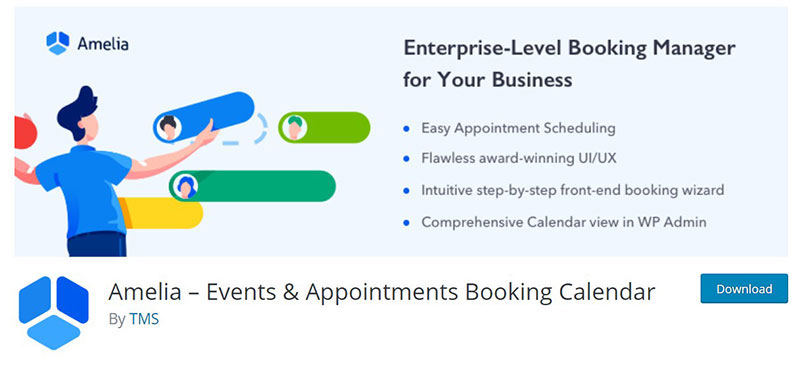
Amelia Lite is the free edition of the Amelia booking plugin, listed on WordPress.org as “Booking for Appointments and Events Calendar – Amelia”. It runs inside your existing WordPress site, so there’s no extra server, no Docker, and no second login to manage.
Salons, consultants, clinics, tutors, gyms, and event organizers are the typical users. It’s the one tool here that handles both appointments and multi-day events from the same admin panel.
Booking forms go onto a page through shortcodes or blocks. You pick a step-by-step form (ameliastepbooking), a catalog view where services show up as cards (ameliacatalogbooking), or an events list (ameliaeventslistbooking). Elementor, Divi, and Gutenberg all work, and you can show the form on the page or in a pop-up.
- Back-end calendar view of every appointment and event
- Services and categories, plus provider working hours and days off
- Events that last one day or several
- Dashboard with revenue, load percentage, approved appointments, and daily occupancy
- Automatic double-booking prevention
- Booking slots shown in the client’s time zone
- CSV import for existing customers
- Email and SMS booking notifications for customers and providers
- Free online payments through Square
The plugin is free. Premium versions add the rest, and pricing lives on the Amelia site. It’s distributed through the WordPress.org directory, which only accepts GPL-compatible licenses, so check the license file in the plugin folder if the exact version matters for your use.
Where it’s strong
- Nothing to deploy if you already run WordPress (it needs WordPress 6.5 or higher and PHP 7.4 or higher)
- Booking form works without any coding or design skills
- Square payments are free in Lite, which is rare for a free booking plugin
- 90,000+ active installations and a 4.6 out of 5 rating from 790 reviews (WordPress.org, 2026)
- Choice of 20+ languages for the interface
Where it gets awkward
- Lite is a trimmed edition. Unlimited employees, custom notifications, scheduled reminders, multilingual booking forms, and event ticket options are all premium
- Google Calendar, Outlook, Zoom, and Google Meet integrations are premium too, so don’t count on calendar sync in the free version
- PayPal, Stripe, WooCommerce, recurring appointments, coupons, and packages also sit behind the paid licenses
- Releases come out regularly through 2026, so keep it updated like any plugin handling payments
Be clear-eyed about the “free” part. Amelia Lite is a capable starter, and the features many businesses expect on day one (reminders, calendar sync, card payments beyond Square) are on the paid side.
I’d pick it over a standalone booking app when the website already runs on WordPress and the owner wants bookings to live next to the pages, not on a separate subdomain. If you don’t run WordPress, skip it.
It’s also a reasonable first step for anyone comparing the best WordPress booking plugins before committing to a server of their own. The demos show what the paid tiers add.
Easy!Appointments – Best for small service businesses that want a free booking page
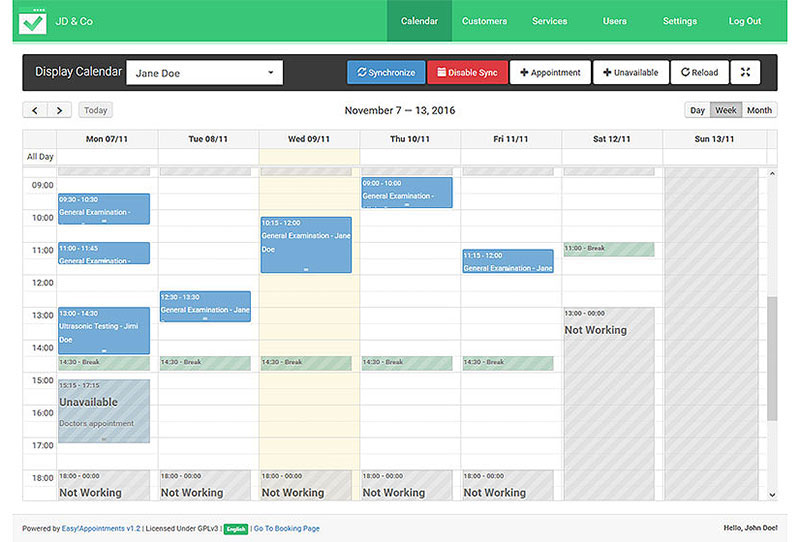
A salon, a clinic, or a tutor who needs customers to book online will get most of what they need from Easy!Appointments. It’s a small PHP app with no software fees. You pay for the server, and that’s it.
The typical user is a single-location service business that’s tired of paying for something like Acuity.
It syncs two ways with Google Calendar over OAuth 2.0. Since version 1.5 it also does two-way CalDAV sync, so provider calendars stay accurate and nobody has to update them by hand.
- Multi-provider, multi-service booking with working-hour rules
- Customers can book without creating an account
- REST API and webhook support
- Multi-language interface out of the box
The license is GPL 3.0 and the software is free. Hosting is the real cost. Managed platforms like Elestio start around $11 per month and go up with server size, and on a server you manage yourself there’s nothing to pay beyond the server (Elestio, 2026).
Why people pick it
- No licensing cost at any scale
- Simple PHP and MySQL stack that most hosts already support
- Maintained consistently for over a decade by its creator, Alex Tselegidis
Downsides
- The interface looks dated next to modern SaaS tools
- Taking payments needs extra setup, since there’s nothing built in
Before launching, I’d spend some time on the reminder settings.
In a randomized pediatric-clinic trial, patients who got a text reminder on top of the standard voice reminder had a 23.5% no-show rate, versus 38.1% for voice reminders alone. That’s a 14.6 percentage point gap (International Journal of Pediatrics, 2016), and no-shows are pretty much the problem reminder settings are there for.
It made the list because it never tried to become a suite. It stuck to syncing bookings straight into Google Calendar, and setup stays quick as a result.
Rallly – Best for ad-hoc group meeting polls without asking anyone to log in
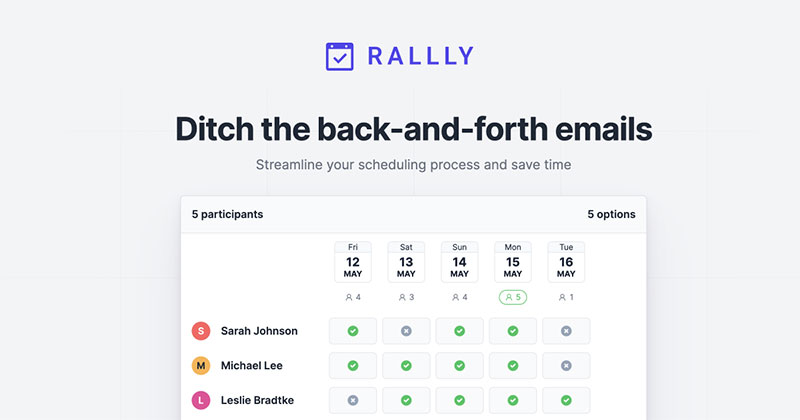
Rallly is an open Doodle alternative. You propose a few times, send a link, and people vote. You can self-host it for free, and voters don’t need an account.
It’s most useful when a team needs to find one meeting slot across a lot of calendars.
Responses show up on a shared availability grid that updates live, so the organizer sees the overlap as it forms.
- Date and time polls with multiple proposed options
- Comment thread attached to each poll
- Email notifications when participants respond
- Docker image, so you can have it running the same day
It’s free and open source under AGPLv3. If you’d rather not self-host, there’s a hosted version at rallly.co that’s also free to start.
The no-account voting is the big win because it gets people to respond faster. The interface is clean too (it’s built on Next.js and Prisma), and the community has translated it into 10+ languages.
There’s no resource or room booking at all. It only does polls, so don’t expect full calendar management from it.
I’d use it as a meeting scheduler for internal coordination. It isn’t a customer-facing booking page and doesn’t try to be one, and I think that’s the right call.
The “no login to vote” thing sounds minor on paper. In practice it’s why people fill in the poll instead of letting it sit in their inbox.
Framadate – Best for privacy-conscious teams replacing Doodle
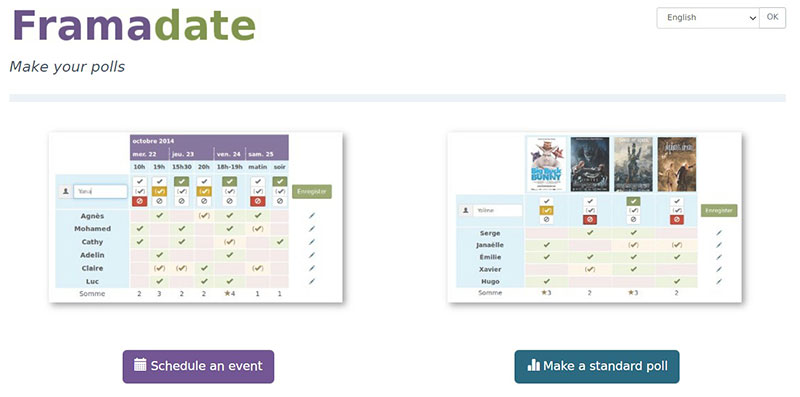
Framasoft is a French nonprofit, and Framadate is its free, ad-free date-polling tool. You get a Doodle-style poll with no tracking and no commercial account behind it.
Nonprofits, schools, and public-sector teams with strict data policies are the usual users.
No tracking and no ads is how it’s designed, not something you unlock by paying.
- Date polls and classic choice polls, no login required
- You can self-host it or use the free hosted service
- Admin link for poll owners to extend or close voting
- Multilingual, community-translated interface
You don’t pay anything, whether you use framadate.org or run your own copy. The current version runs on Pollaris, which is open source under AGPL-3. The old Framadate code, now archived, was licensed under CeCILL-B.
The good
- Backed by an established nonprofit, not a startup that could shut down overnight
- No data monetization or ad-driven business model
- Non-technical participants figure it out without help
The gaps
- No native calendar integration
- Missing automated reminders and team management features
For years it had no usable mobile layout. In late 2025 Framadate shipped a full redesign, rebuilt from scratch on Pollaris, and Framasoft’s own blog says the new version became the default in mid-November 2025.
Privacy-first tools are usually a pain to use. Framadate isn’t, and it works as a real alternative to When2Meet-style polls for teams that don’t want a US-based SaaS company holding their data.
Booked Scheduler (LibreBooking) – Best for resource and room booking
LibreBooking is what Booke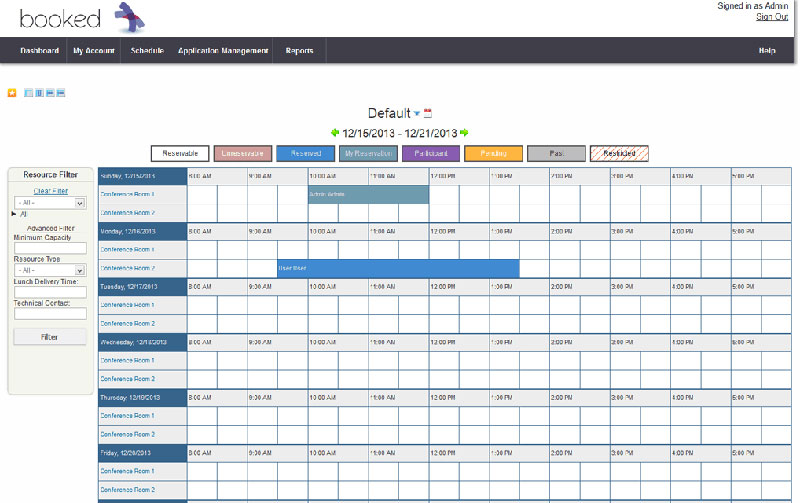 d Scheduler turned into after the community took over the last open-source release. Conference rooms, lab equipment, and vehicles are what it books. Personal appointments aren’t its job.
Offices, universities, and labs are the obvious fit.
The quota system is my favorite part. It caps how much of a shared resource any one person can reserve, so one department can’t hold the big meeting room all week.
- Multi-resource booking with waitlists
- Role-based access control by user group
- ICS export to Outlook or any calendar app
- LDAP and Active Directory authentication
Free and open source under GPLv3, self-hosted on a standard PHP and MySQL stack.
Because it was made for resources from the start, it doesn’t feel like a booking tool forced into a job it wasn’t built for. Large organizations get a permission system detailed enough to be useful, and nobody charges per resource or per user.
On the downside, the original vendor, Twinkle Toes Software, no longer develops the open-source edition. The interface also still looks dated next to modern SaaS tools.
The project’s README explains its origin plainly.
LibreBooking calls itself a community effort to keep the open-source GPLv3 version of Booked alive after Twinkle Toes Software stopped developing it. That’s the reason the fork exists at all.
Nearly everything else on this list books time with people. This books things, and most generic roundups miss the difference.
SOGo – Best for a full groupware replacement, not just a calendar
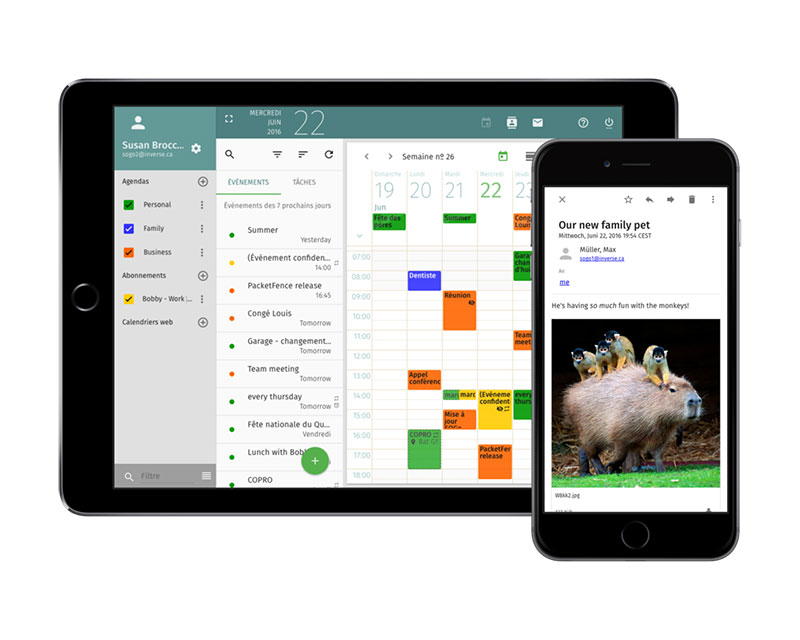
SOGo puts calendar scheduling, webmail, contacts, and resource sharing into one self-hosted suite. Organizations usually pick it to replace a hosted groupware subscription entirely. If all you need is a booking page, it’s more than you need.
It’s aimed at organizations that want mail and calendar in one place.
Outlook, Apple Calendar, and Thunderbird connect to it through open standards without any plugins.
- CalDAV, CardDAV, and GroupDAV support
- AJAX-based webmail alongside calendar and contacts
- Resource sharing with permission controls
- Two-factor authentication
The code is free and open source under GPL-2.0 and LGPL-2.0. Alinto, which took over stewardship of SOGo from Inverse in 2022, sells paid support contracts on top of the same free codebase. You also need one of those contracts to get its official production package builds.
What it does well
- It’s standards-based, so it talks to existing mail and calendar clients directly
- It handles thousands of simultaneous users on modest hardware
- It’s been in development since the mid-2000s
What to know first
- Setup is heavier than a single-purpose booking tool
- Too much for a team that only needs appointment scheduling
SOGo depends on CalDAV, which is a widely used standard. The IETF published it as a Proposed Standard, RFC 4791, on March 16, 2007, according to CalConnect, the industry group that pushed for it.
CalConnect’s member list back then already included Apple, Google, and IBM, along with universities like Carnegie Mellon. That’s why SOGo calendars sync cleanly with almost any modern client.
A lot of teams start out looking for scheduling software and figure out halfway through that they need groupware. When that happens, SOGo is usually the right answer.
EGroupware – Best for SME-wide collaboration with GDPR requirements
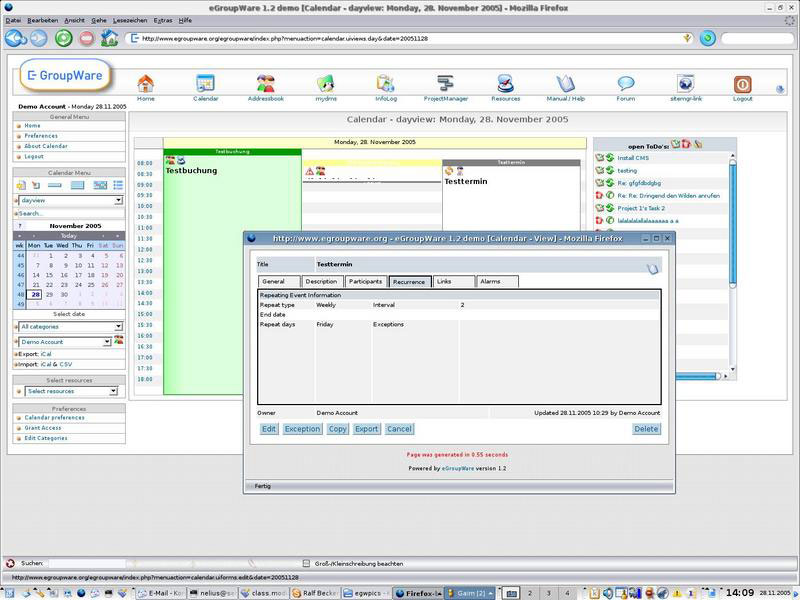
EGroupware is a modular collaboration suite you host yourself, built for small and mid-sized organizations. The calendar ships with file sharing, CRM, and project tools, and the whole thing follows German data protection standards.
European organizations with strict GDPR obligations are its main audience.
Collabora Online, Rocket.Chat, and Jitsi all plug into the same interface, which saves a lot of switching between tabs.
- Shared calendar, address book, and file manager
- Kanban board and project tracking
- Computer telephony integration (CTI)
- Two-factor authentication and CalDAV support
The Community Edition is free under GPLv2 with unlimited users. Hosted eCloud plans start at EUR 21.90 monthly for NGOs, associations, and schools, and at EUR 24.90 monthly for companies, plus VAT. The paid EPL (EGroupware Premium Line) edition adds extra business functions and support (EGroupware, 2026).
If you need EU data residency, there’s a German-hosted cloud option. Nonprofits and schools get discounts. The free tier doesn’t limit basic functions either, so it’s not a disguised trial.
Two catches. Unless you buy paid support hours, help for the Community Edition comes from the community forum. And because it’s modular, there’s more to configure up front.
Plenty of freemium tools cap user counts or put core features behind a paywall. EGroupware’s Community Edition doesn’t put artificial limits on the basics.
It’s one of the few tools here that assumes GDPR compliance from day one. With a lot of software, compliance is something added to an enterprise tier years later.
Nextcloud Calendar – Best for teams already self-hosting Nextcloud
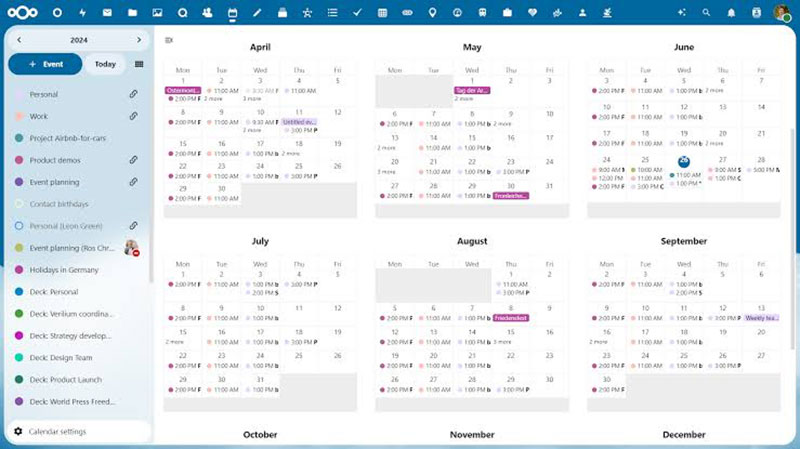
If you already run Nextcloud for file storage, you already have a CalDAV calendar. Nextcloud Calendar is built into the platform, so there’s no separate system to set up.
It makes the most sense for organizations that want files, calendar, and contacts on one self-hosted platform.
Apple Calendar, Thunderbird, Android calendar apps, and any other CalDAV client can sync with it directly.
- Shared calendars with per-user permissions
- Scheduling and free-busy lookups across users
- Recurring events with custom rules
- Integration with Nextcloud Talk for video calls
Free and open source under AGPLv3. It’s included with any Nextcloud instance at no extra cost.
Good
- No separate account or server needed if Nextcloud is already running
- Nextcloud GmbH, an established company, backs it, and there’s an active open-source community too
- Mobile apps for iOS and Android
Not so good
- Not built for public-facing customer booking pages
- You only get the full value once you’re using other Nextcloud apps too
It works as a real self-hosted alternative to Google Calendar, and your team keeps CalDAV compatibility with the apps they already use.
Hardly anyone installs it on purpose as their first calendar tool. It tends to become the one they rely on because it was already installed.
Odoo – Best for businesses that want scheduling bundled with a full ERP
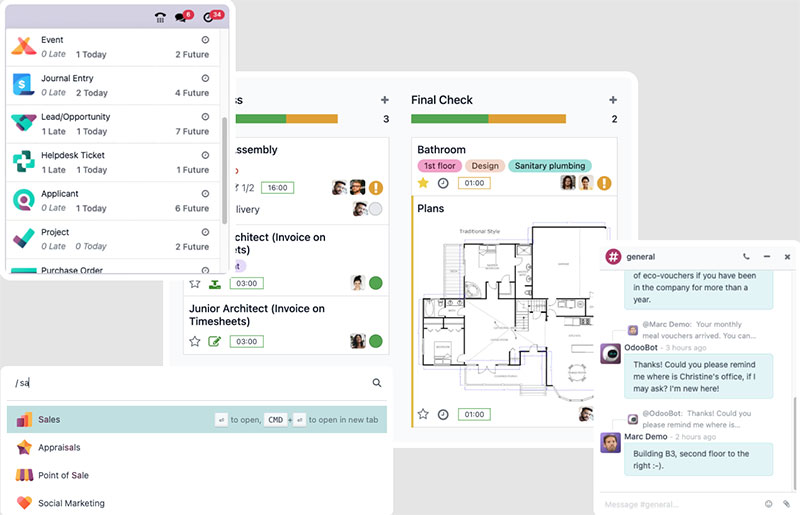
Odoo is an ERP suite with an Appointments app on top. Here, bookings connect to CRM, invoicing, and inventory instead of sitting in a separate tool. One catch up front: the official Appointments app is part of Odoo Enterprise, not the free Community Edition.
It suits growing businesses that want scheduling inside one operational system instead of spread across several. Bringing bookings, CRM, invoicing, and other workflows together can also enhance your business productivity by reducing the amount of manual work and switching between separate tools.
Bookings go straight into Odoo’s CRM and invoicing apps, so nobody has to re-type client details into a second system.
- Appointment scheduling with staff and resource assignment
- Recurring appointment rules for repeat clients
- Direct integration with 40+ other Odoo apps
- Multi-company support on the Custom plan
The Community Edition is free under LGPLv3 and self-hosted. It doesn’t include the official Appointments app, though, so Community users need a third-party module. Paid plans start at $24.90 per user monthly on the Standard plan (first-year rate, billed annually). Studio customization, multi-company, and external API access require the Custom plan (Odoo pricing, 2026).
Upsides
- Scheduling data feeds straight into accounting and CRM
- One vendor and one login, instead of stitching several tools together
- Community Edition has no user limit
Downsides
- Steeper learning curve than a dedicated booking tool
- The official Appointments app is Enterprise-only
I’d be careful with the “free to run” claim.
Community Edition doesn’t cost anything to license, but it doesn’t have the official Appointments app. You’ll also spend real time on hosting, backups, and manual version upgrades, which a dedicated booking tool wouldn’t ask of you.
Odoo makes sense when scheduling is one of several problems you’re solving. At that point you’re really choosing an operating system for the whole company.
OpenEMR – Best for medical practices needing scheduling tied to patient records
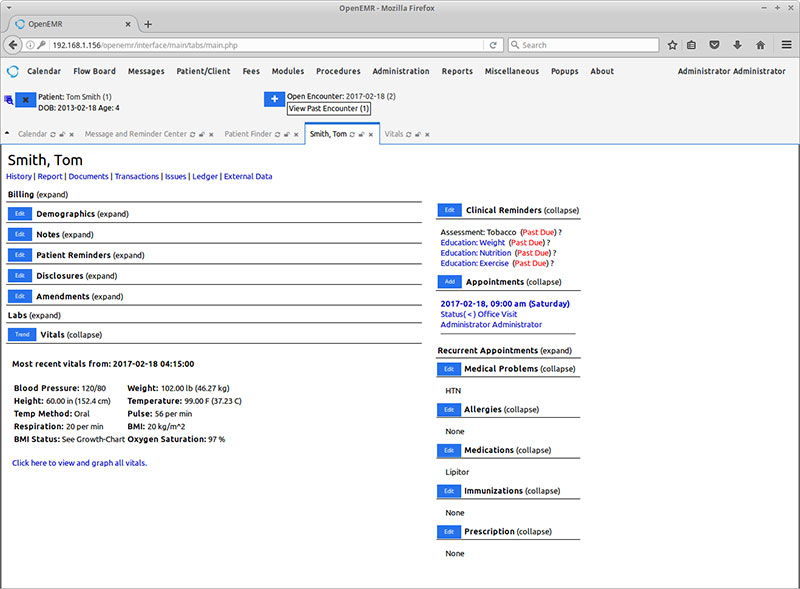
OpenEMR is a free, open-source electronic health record system, and appointment scheduling is one of its modules. Clinics use it when bookings have to connect to patient charts instead of living in a separate calendar.
Clinics and small medical practices managing patient visits.
Scheduling is tied to patient records natively. A booked slot links to the chart history and to billing.
- Multi-provider appointment calendar
- Patient portal for self-scheduling
- Billing and insurance claim integration
- Audit logging for compliance
Free and open source under GPLv3. If you use managed hosting from a third-party provider you’ll pay a monthly fee, but the software license itself carries no cost.
It was built for healthcare workflows from the beginning, not adapted from generic booking software. It’s been in active development for more than two decades, and a lot of clinics contribute fixes back.
Setup is heavier than for any general booking tool on this list. You’ll also need HIPAA-aware hosting, not just any web server.
That’s the tradeoff. Scheduling is wired into records and billing, and that same depth makes it a bad fit for a business that just wants a simple public booking page.
I wouldn’t compare it with Cal.com or Rallly at all. Healthcare scheduling has its own compliance requirements, and lumping it in with generic booking tools ignores them.
When open-source scheduling software isn’t the right choice
A free license doesn’t make self-hosting free.
Every tool on this list still needs a server, backups, and security patches, plus somebody willing to own all of that for years.
I’d skip self-hosting if any of these apply to you:
- No one on the team can manage Docker, database backups, or version upgrades
- Your customer-facing booking page has to stay up, and there’s no monitoring in place yet
- You need a signed Business Associate Agreement or formal compliance certification, since most of these projects don’t provide one directly
In those cases a hosted SaaS tool is the better deal. You pay a monthly fee and someone else carries the operational risk, and for a lot of small teams that’s worth it.
What Is Open Source Scheduling Software?
The simplest test is whether the code is public. If the booking, calendar, or appointment tool publishes its source under a license that lets anyone read it, change it, and run it on their own server, it counts.
With a proprietary SaaS tool, how it works stays on the vendor’s servers where you can’t see it. Here you can.
The category covers a lot of ground, from a single booking page up to a groupware suite with mail and shared calendars.
What they have in common is control. Whoever runs the software owns the code, the data, and the deployment.
What Open Source Scheduling Software Is Not
It’s not a job scheduler, though the names overlap.
Apache Airflow, Kubernetes CronJob, and a plain Unix cron job all get called “schedulers” too. They trigger automated tasks and pipelines. They don’t put a human booking on a calendar.
- Job schedulers move data and trigger scripts on a timer
- Booking schedulers put people on a calendar
They almost never share a codebase or a target user. Search for “open source scheduler,” though, and you’ll get both kinds mixed together, which wastes an afternoon if you’re not expecting it.
Types of Open Source Scheduling Software
“Scheduling software” covers several different jobs, and if you mix them up you end up with the wrong tool.
Appointment Booking Tools
These handle one-to-one bookings. A customer picks an open slot on a public page, and the tool blocks that time everywhere else on its own.
- Cal.diy (the open-source edition of Cal.com), Easy!Appointments, and Amelia Lite all fall here
- Consultants, clinics, salons, and tutors are the usual users
- Buffer time and provider working hours are normally built in, though Amelia Lite keeps some of these on its paid side
Meeting Poll Tools
Nothing gets booked directly with these. A poll goes out, people vote on what works for them, and the organizer picks the winning time.
Rallly and Framadate are the two open source options here. Both started as free alternatives to Doodle.
Voters don’t need an account, and that’s the detail that gets polls answered.
Resource and Room Booking Tools
These reserve things rather than people’s time, like conference rooms, lab equipment, or shared vehicles.
- Booked Scheduler, now maintained as LibreBooking, is the clearest example
- Quota systems cap how much of a resource one user can claim
- Permissions matter more here than they do in appointment tools
Groupware Calendars
In groupware, the calendar is one module inside a bigger mail and collaboration suite, not a product of its own.
SOGo and EGroupware both work this way. Calendar sync comes bundled with webmail, contacts, and file sharing in one self-hosted install.
Open Source Scheduling Software Licenses: AGPL, GPL, and MIT Explained
The license decides what a business can legally do with the code. Most scheduling software reviews skip it.
People look up MIT more than any other license. It drew roughly 1.53 million pageviews on the Open Source Initiative’s own license pages in 2025, more than four times Apache 2.0’s total. That makes it the license people look up more than any other on OSI’s site (Open Source Initiative, 2025).
| License | Can modify freely | Must share source changes | Common in this category |
|---|---|---|---|
| MIT | Yes | No | Cal.diy |
| AGPLv3 | Yes | Yes, even over a network | Rallly, Framadate (Pollaris), Nextcloud Calendar |
| GPLv3 | Yes | Yes, on distribution | Easy!Appointments, Booked Scheduler (LibreBooking), OpenEMR |
| LGPLv3 | Yes | Only for the library itself | Odoo Community |
Amelia Lite isn’t in the table because its WordPress.org page doesn’t name a license version. The directory only accepts GPL-compatible code, so the same GPL rules apply in practice.
AGPL vs GPL vs MIT: What Each One Permits
MIT barely restricts anything. You can even put the code inside a closed commercial product.
GPL asks for more. If you distribute the software, you have to share your source changes. Running it privately on your own server doesn’t trigger that.
AGPL was written to close that server loophole. Anyone who uses the software over a network has to be able to get its source. That’s why so many self-hosted, SaaS-style tools use it.
Open Core vs Fully Open Source
A license that covers the whole codebase is not the same as one that covers most of it.
Until April 2026, Cal.com ran an open-core model, with an AGPLv3 core and enterprise features under a separate commercial license. It then moved its production code private and renamed the public repository Cal.diy. It relicensed Cal.diy as fully MIT and removed the enterprise code from it rather than opening it up.
In an open core model, some paid features sit behind a separate license. A fully open source project has none of that. Amelia Lite sits closer to the first camp, since a free edition sits beside paid premium versions.
How Calendar Sync Works in Open Source Scheduling Tools
Nobody thinks about calendar sync until it fails and two people get booked into the same slot.
Most tools on this list rely on CalDAV. The IETF published it as a Proposed Standard, RFC 4791, on March 16, 2007, according to CalConnect, the industry group that pushed for its adoption.
CalDAV is the protocol a calendar client uses to talk to a server. SOGo, Nextcloud Calendar, and EGroupware all use it, and Easy!Appointments has supported it since version 1.5.
Underneath that sits iCalendar (ICS), the data format. It defines how an event’s date, time, and attendees get encoded so any app can read them. Booked Scheduler works with ICS feeds and exports and doesn’t act as a CalDAV server.
The Google Calendar API is a separate, proprietary route. Cal.com and Easy!Appointments use it for two-way Google Calendar sync. Amelia offers Google Calendar and Outlook Calendar integrations too, but only in its premium versions, not in Amelia Lite.
Watch out for one-way sync, which only pushes bookings out. If someone deletes an event directly in Google Calendar, a one-way tool never finds out, and the slot stays blocked for no reason.
How Open Source Scheduling Software Is Deployed and Hosted
You don’t pay for the license, but you do pay for the server it runs on.
Where you host it affects how long setup takes and what you’ll pay every month.
Self-Hosted on Your Own Server
You install the software on your own hardware or a rented VPS. You get complete data ownership, and everything else is on you too.
- No recurring license fee, ever
- Backups, security patches, and uptime become your job
- Makes sense if someone on the team already does sysadmin work
Docker and Container Deployment
Most tools on this list ship an official Docker image, so a multi-step server setup becomes a single command.
Cal.diy, Easy!Appointments, and Rallly all publish maintained images. If you’re already comfortable with Docker, the first install takes minutes instead of hours.
WordPress Plugin Hosting
Amelia Lite skips the server work entirely if you already have a WordPress site. You install it from the plugin browser, upload the ZIP, or copy the folder over FTP, then activate it.
Your WordPress host handles the PHP and database side, so updates come through the normal WordPress dashboard. The catch is that the booking tool is now part of your website, so a slow or broken site affects bookings too.
Managed Hosting Providers
Managed hosting sits between renting a bare server and paying for a SaaS subscription.
Platforms like Elestio host Easy!Appointments starting around $11 per month on a dedicated virtual machine. They handle patching and backups while the software license itself stays free (Elestio, 2026).
- Faster setup than a raw VPS
- Each deployment runs on its own dedicated VM rather than inside a vendor’s shared SaaS platform
- Monthly cost scales with server size, not user count
Once you count the time, none of these routes are free. You’re really deciding who spends that time: your own admin or a hosting provider’s support team.
FAQ on Open-Source Scheduling Software
What’s the difference between open source and free scheduling software?
Free software costs nothing to download. That’s all it promises.
Open-source scheduling software also ships with its source code. A developer can inspect, modify, and redistribute the booking logic instead of trusting a vendor’s closed binary.
How do you migrate existing bookings into an open source scheduling tool?
Most tools accept calendar data as an ICS import. Some also have a CSV importer for contacts and appointment history. Amelia Lite, for example, imports customers from a CSV file.
I’d run the old and new systems side by side for one billing cycle before switching over. It’s slower, but you catch missing bookings before a customer does.
Can open source scheduling tools send SMS or email reminders?
Nearly every tool on this list sends email reminders through SMTP.
SMS is rarer out of the box. You’ll usually need a paid SMS gateway connected through the tool’s webhook or API layer. Amelia Lite sends email and SMS booking notifications, but scheduled reminders, follow-ups, and custom templates are premium features.
Do open source scheduling tools have mobile apps?
Few ship a dedicated app.
Most count on the web version working fine on a phone, plus CalDAV sync into a native calendar app like Apple Calendar or a third-party Android client. Building their own mobile app isn’t a priority for most of these projects. Amelia is designed mobile-first in the browser, for both the admin side and the customer booking form.
Can I use Amelia Lite without paying anything?
Yes. The plugin is free on WordPress.org and includes appointment booking, event booking, the back-end calendar, and Square payments.
Premium versions add things like Google Calendar sync, more payment gateways, recurring appointments, coupons, and unlimited employees. Try the free version first and upgrade only if you hit a real limit.
Which Open-Source Scheduling Software Should You Install First?
I’d start with the narrowest tool that matches one specific job. For a single booking page, that’s Cal.diy or Easy!Appointments. On a WordPress site, Amelia Lite is the quickest route. For group polls it’s Rallly or Framadate. A full groupware suite can wait.
Moving up to groupware or an ERP-bundled system like Odoo only pays off once booking volume and staff count outgrow a single-purpose tool. Before you deploy anything, check that the calendar sync and the license both fit how you’ll use it.
Going this way lowers the recurring bill, but someone on the team now owns patching, backups, and uptime. A hosted platform would otherwise handle that for you.
If that trade doesn’t seem worth it, there’s a lighter option. You can compare the best WordPress booking plugins instead of running your own server.
Sources: Amelia Lite on WordPress.org

Explore topics

Read Inspiring Customer Stories
Check out how our user set Amelia for his business