




Setmore counts every staff calendar as a paid user on Pro, whether that person ever logs in or not. For a ten-chair salon, that’s ten seats billed for software maybe two people actually open.
That billing quirk, plus the 4-staff cap on free, is usually what starts the search for Setmore alternatives.
The market is crowded. Calendly, Acuity, SimplyBook.me, Square Appointments, Bookly, Trafft, and Amelia each solve a different slice of the problem. For WordPress site owners, the short answer is Amelia: a self-hosted booking plugin with a flat license instead of monthly per-seat fees. For anyone who wants to stay on hosted software, Trafft is the closest like-for-like swap.
Worth saying up front: Amelia publishes this article, and Trafft comes from the same company. The reasoning sits under every pick and both get an honest “where it falls short” section like everything else here. Several tools below beat them outright for specific jobs, and Setmore’s own free tier is more generous than Trafft’s, which we’ve said plainly in the section where it comes up.
How We Tested These Alternatives
We built the same scenario in each tool during July 2026: a service with two staff members, a deposit taken at booking, and a connected calendar, then ran a test appointment through the client-facing flow.
Amelia and Bookly went onto a clean WordPress 6.9 sandbox. Setmore, Trafft, Calendly, Acuity, SimplyBook.me, and Square Appointments were tested on their free tiers or trials. Where a feature sits behind a tier we didn’t buy, we’ve said so rather than guessing at it. Findings appear in each section below.
What Is Setmore and Why Look for Alternatives
It’s a cloud-based appointment scheduling app built for solo operators and small service teams, and it’s genuinely good at that job. The reasons people leave are structural rather than about quality.
The free tier reads as generous until you hit its edges: 4 staff and 200 appointments per month.
Past that, every staff calendar counts as a paid user on Pro. A 10-person salon pays $50/month billed annually, or $120/month billed monthly, since Pro runs about $5 per user annually and $12 per user monthly.
The usual triggers for switching:
- Per-login tax. Costs scale with every staff calendar, not actual usage
- Rented booking pages. The booking flow sits on Setmore’s domain, not yours
- SMS behind the paywall. Text reminders require the paid tier, while the free plan sends email reminders only
- Calendar sync gripes. Two-way sync sits on paid plans, and sync reliability is among the most repeated complaints in user reviews
Setmore holds an overall rating of 4.6 from 958 reviews on Capterra, with ease of use at 4.6 and value for money at 4.7, so switching is rarely about quality. It comes down to ownership and pricing model.
What we found testing Setmore itself: setup was the fastest of anything here, we had a working booking page in well under fifteen minutes with no configuration screen to wrestle. That speed is the reason it holds the ratings it does. The free tier genuinely handled four staff calendars and email reminders at no cost, which is more generous than several paid competitors. The walls arrived exactly where reviewers say: SMS reminders required the paid tier, two-way calendar sync did too, and the booking page sat on Setmore’s domain with no way to move it. Adding a fifth staff member is what turns a free account into a monthly bill.
What Should You Look for in a Setmore Alternative
Data ownership, flat pricing instead of per-user monthly fees, wide payment gateway support, and staff scaling without penalty. The best scheduling software for small businesses also handles SMS, email, and calendar sync natively.
| Criterion | What to Check | Setmore Gap |
|---|---|---|
| Hosting | Self-hosted vs SaaS lock-in | SaaS only |
| Pricing | Flat license vs per-seat monthly | Per-calendar billing |
| Payments | Stripe, PayPal, WooCommerce range | Narrow gateway support |
| Scaling | Staff and locations without fees | 4-staff free cap |
Two more factors decide the fit: notification depth across SMS, email, and WhatsApp, and two-way calendar sync with Google Calendar and Outlook.
North America holds roughly 43% of the appointment scheduling software market, where per-seat SaaS pricing dominates. Self-hosted tools break that recurring cost pattern.
Which Setmore Alternative Is Best Overall
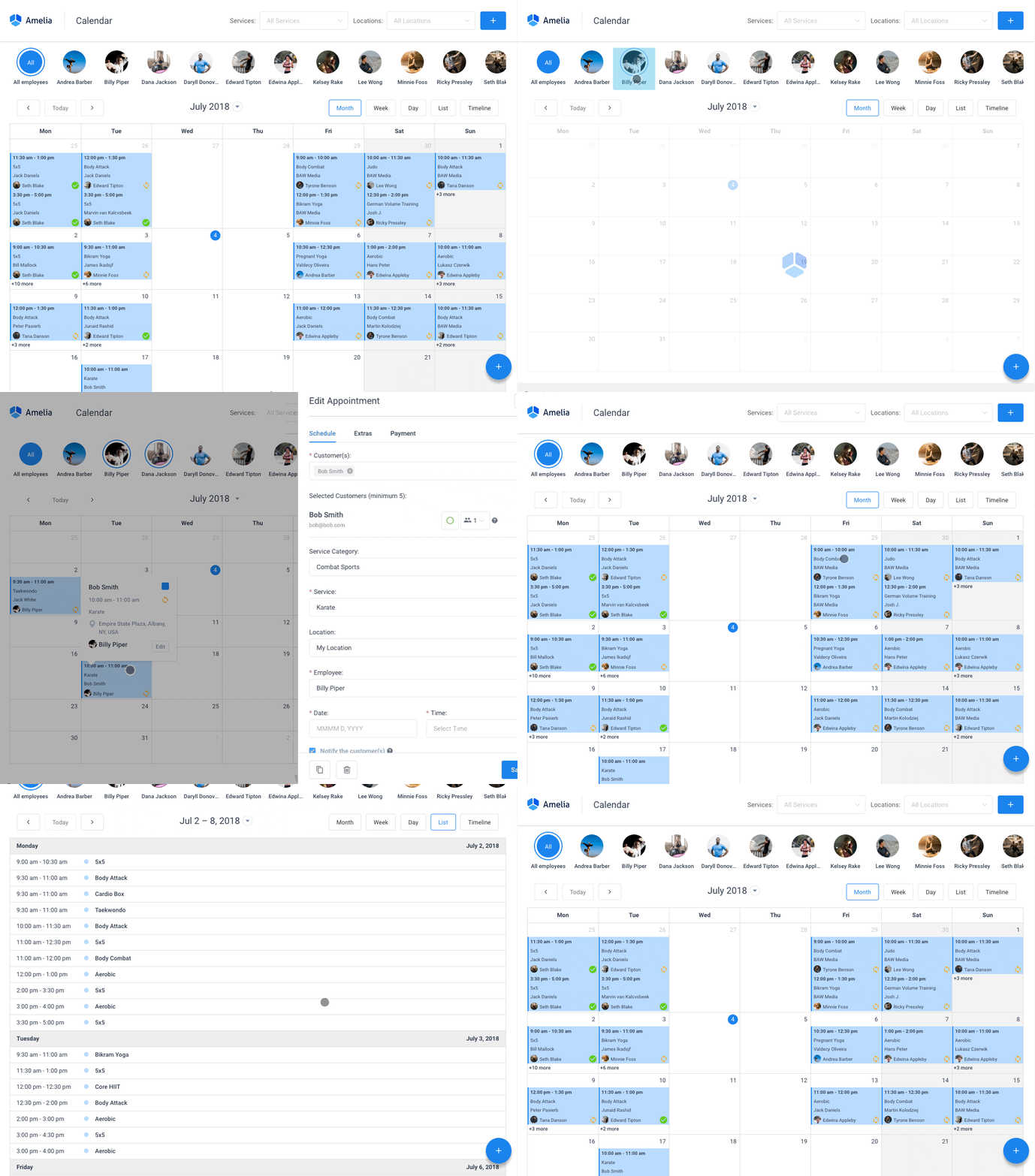
For WordPress owners, Amelia. It’s a self-hosted plugin with a one-time or annual license, native Stripe, PayPal, WooCommerce, Mollie, and Razorpay support, plus group bookings, events, and packages that Setmore handles thinly.
Built by TMS and first published in December 2018, it runs on 90,000+ active installs of its free version and holds 4.9/5 on Capterra from 245 reviews, alongside 4.6/5 from 761 reviews on WordPress.org.
The whole pitch is control. Your booking flow lives on your own domain instead of a rented page, which matters when WordPress powers roughly 41% to 42% of all websites (W3Techs, 2026). It sits among the strongest WordPress booking plugins for that exact reason.
Amelia Core Features
What you get out of the box:
- Step-by-step or catalog booking forms, embedded with two shortcodes
- Native payments through a WordPress booking system with payment gateways including Stripe, PayPal, Mollie, and Razorpay
- Group appointments, events with QR-coded tickets, and service packages
- Two-way Google Calendar, Outlook, and Apple Calendar sync on higher tiers
- Repeat bookings through built-in recurring appointment scheduling
- Automated email and SMS reminders, plus a built-in Zoom meeting scheduler
Online booking also tends to cut no-shows. Self-scheduled appointments consistently show lower no-show rates than phone-booked ones across published studies, and reminders plus deposits compound the effect.
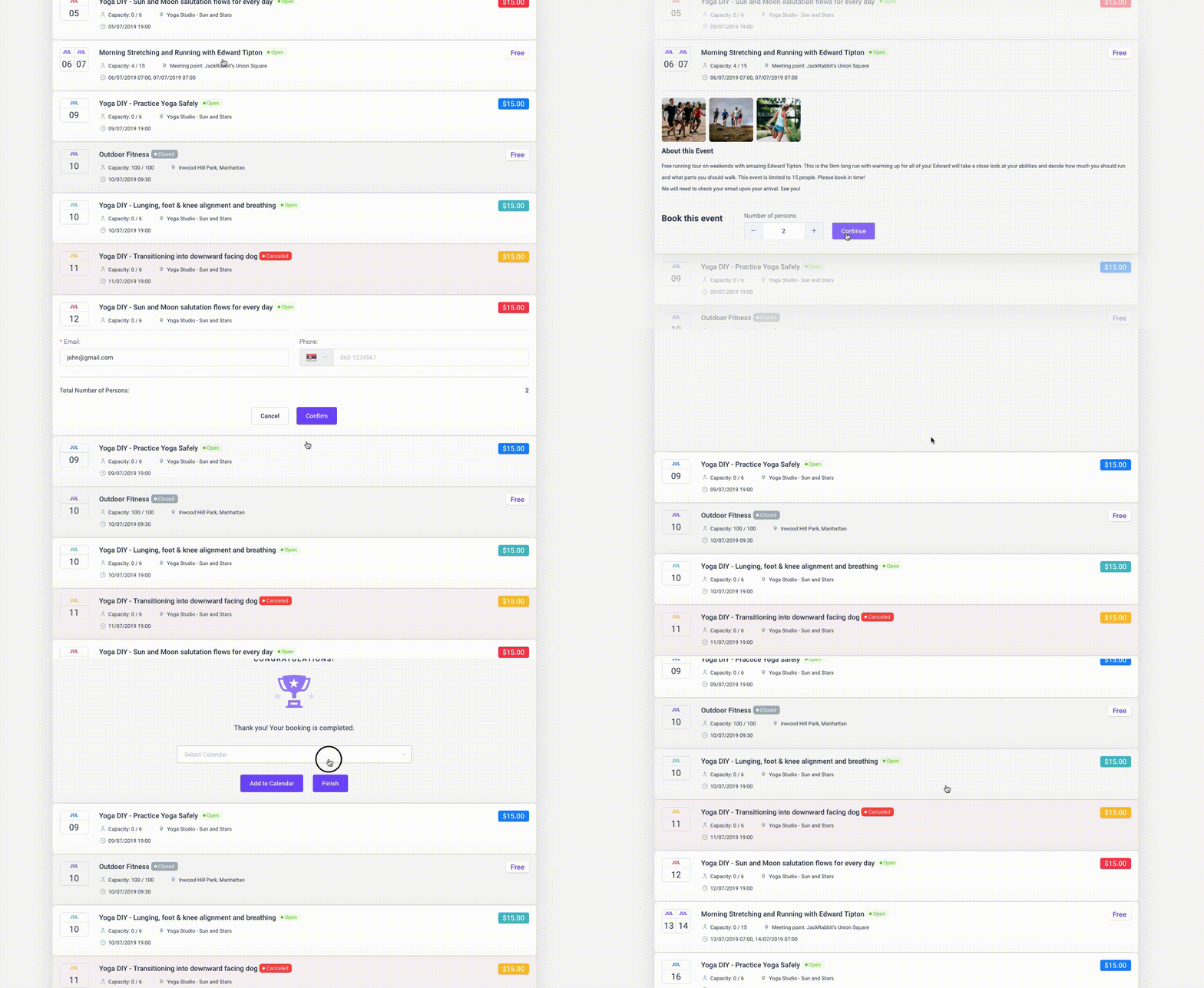
What we found testing it: on a clean WordPress 6.9 install we built the two-staff service with a deposit and walked the booking wizard from date and time through payment, committing a live appointment without errors. Adding the second staff member cost nothing extra, which is the structural argument against per-seat billing and it holds up in practice. The booking records sat in our own database, visible in the WordPress admin, not on anyone else’s server. We also generated a QR e-ticket from the events module, which is the piece Setmore has no equivalent for. Two frictions were real. Setup ran closer to half an hour against Setmore’s fifteen minutes, and connecting Google Calendar for two-way sync required moving above the entry tier.
Amelia Pricing and Licensing
Amelia sells annual subscriptions and lifetime licenses. A free Lite version ships on WordPress.org.
| Plan | Billing | Price |
|---|---|---|
| Lite | Free | $0 |
| Starter | Annual | $49/yr |
| Standard | Annual | $89/yr |
| Pro | Annual | $149/yr |
Lifetime licenses are available on most tiers, commonly listed from around $299 for Standard, and they beat per-seat SaaS math within a couple of years. Sale pricing moves often, so confirm current lifetime rates on wpamelia.com. Teams that want a free WordPress booking plugin to test first can start on Lite, then upgrade.
Where Amelia Falls Short
It’s not a universal pick. Some honest drawbacks:
- Key integrations, including two-way calendar sync, sit behind higher tiers rather than the entry plan
- The free Lite version is limited to one employee, so Setmore’s free tier covers more staff
It also needs a WordPress site. No WordPress, no Amelia.
Is Trafft the Closest Hosted Swap for Setmore
If you want to stay on hosted software, yes. Trafft serves the same crowd Setmore does, salons, clinics, studios, coaches with a handful of staff, and it fixes the per-login tax at the structural level by bundling users into the plan instead of billing each staff calendar.
As noted at the top, Trafft comes from the same company as Amelia. Judge the section on the detail, not the recommendation, and note that we’ve listed the places where Setmore’s free tier is actually the more generous of the two.
How Trafft Handles the Per-Login Problem
Each plan ships with a block of users. You don’t buy seats one at a time until you exceed that block, and only then does a per-user add-on kick in.
| Plan | Users Included | What It Unlocks |
|---|---|---|
| Free forever | 1 user | 100 appointments a month, booking website, Square |
| Mini | 3 users | Calendar sync, group bookings, coupons, taxes |
| Growth | 5 users | Stripe, PayPal, Mollie, Zoom, custom fields, invoices |
| Professional | 15 users | Deposits, packages, recurring, gift cards, Zapier |
| Business | 30 users | API, webhooks, WhatsApp, custom domain, no branding |
That’s the whole difference for a ten-chair salon. On Setmore Pro you’re buying ten calendars. On Trafft Professional those ten sit inside a plan built for fifteen, and you add seats only past that line. Prices move with promotions, so check the Trafft pricing page before running the math on your own headcount.
Where Trafft Beats Setmore
- Multiple locations without a separate account per branch, unlimited on the upper tiers
- WhatsApp reminders alongside email and SMS, which Setmore doesn’t offer at any tier
- Money features Setmore treats thinly: deposits, coupons, gift cards, service packages, taxes, automatic invoices
- Reserve with Google on the top tier, so bookings can start from Search and Maps rather than your link
- Booking channels beyond a page: embeddable form, QR code, booking chatbot, and a free WordPress plugin that drops the form onto your own site
- Customer records with notes, custom fields, and per-client stats, closer to a light CRM than a calendar
Both ship iOS and Android apps, so that one’s a wash. Both also generate a booking website for businesses without one.
What we found testing it: we set up the free tier first, then tested paid features on a trial. Building a booking website with no existing site took minutes, and the multi-location handling from one dashboard did what Setmore requires separate accounts for. WhatsApp reminders worked and have no Setmore equivalent at any tier. The free plan is where our expectations were wrong, though: one user and 100 appointments a month is genuinely thinner than Setmore’s four staff and 200, and we hit that ceiling faster than we hit anything on Setmore free. Deposits, the feature most salons want first, sit on Professional rather than a lower tier, which is a real jump for a two-person studio.
Where Trafft Falls Short
Being fair about this one matters, because the free tiers don’t land where you’d expect.
- The free plan is thinner than Setmore’s. One user and 100 appointments a month against Setmore’s four staff and 200. If free is where you plan to live, Setmore wins that round outright
- It’s still SaaS, so client records sit on Trafft’s servers rather than your own database
- Deposits, recurring appointments, and packages start at Professional, which is a jump for a two-person studio that only needs deposits
- Branding removal, custom domain, API, and webhooks are Business-tier only
- SMS runs on credits bought separately, so reminders aren’t fully covered by the sticker price
- The WordPress plugin embeds a hosted form. It doesn’t move your booking data onto your site, and people assume it does
How Does Calendly Compare as a Setmore Alternative

Calendly leads on meeting scheduling, not service booking. One-to-one and round-robin meeting links work beautifully. Salons and clinics fit poorly, since it lacks resource and staff-calendar depth.
- Strong: Zoom, Google Meet, and Salesforce integrations for sales teams
- Weak: no self-hosting, and booking pages stay on Calendly’s domain
- Watch: per-seat billing stacks up as headcount grows, from $10 per seat monthly on Standard to $16 on Teams billed annually
What we found testing it: a booking link was live in under five minutes, faster than anything else here including Setmore, and timezone handling across test invites was flawless. Then we tried to model the same two-staff service with a deposit and the tool simply isn’t shaped for it. There’s no service catalog and no staff roster in the sense a salon needs. On the free tier we also confirmed the single-calendar limit: a busy slot on our second, unconnected calendar was invisible, so Calendly offered that time anyway. For a consultant booking calls it’s excellent. For the businesses leaving Setmore, it usually isn’t the answer.
WordPress users who like Calendly’s flow often embed it through a Calendly WordPress plugin instead of switching platforms.
Is Acuity Scheduling a Strong Setmore Replacement
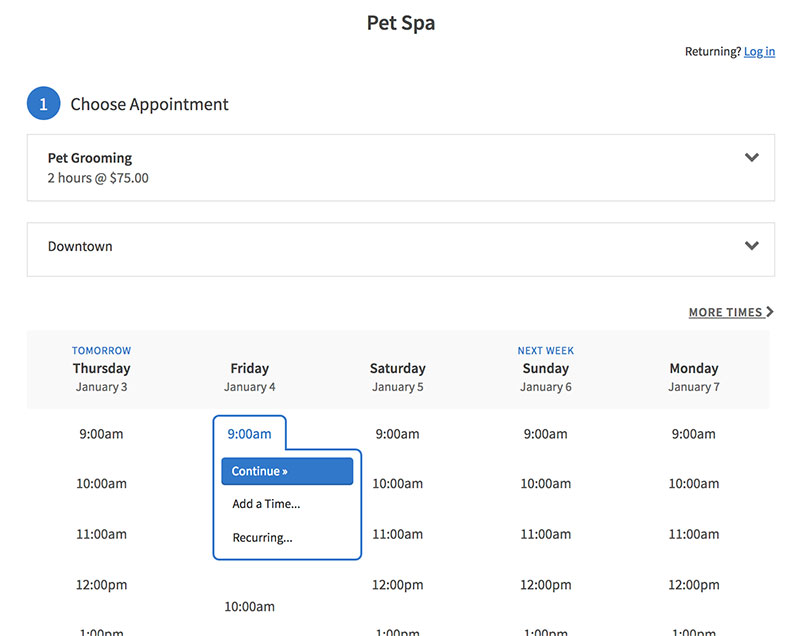
Acuity suits appointment-heavy solo operators and small businesses inside the Squarespace ecosystem. Intake forms, packages, subscriptions, and gift certificates are all strong, as is client self-rescheduling and time-zone handling. Like Setmore, it’s SaaS, so you never own the data.
- Deep intake forms, packages, and gift certificates
- Squarespace-native tie-in for existing site owners
- Monthly per-plan pricing with a 7-day trial and no permanent free tier
Acuity renamed its plans in early 2026, so older comparisons citing Emerging, Growing, and Powerhouse now map to Starter, Standard, and Premium.
What we found testing it: on the 7-day trial we built a paid service with a conditional intake form and a deposit at booking. The intake builder handled branching questions cleanly, so client context and payment both arrived before the appointment, which is deeper than anything Setmore offers. A 10-session package sold as one product and drew down per booking. Two costs stood out. Availability rules took the longest to configure of any hosted tool we tried, well past Setmore’s fifteen minutes, and there’s no permanent free tier, so the trial clock starts the moment you sign up with nowhere to practise first.
The head-to-head between these two stays close on features, so the call often comes down to ecosystem and pricing model. The full Acuity Scheduling vs Setmore breakdown covers where each one pulls ahead.
How Does SimplyBook.me Stack Up Against Setmore
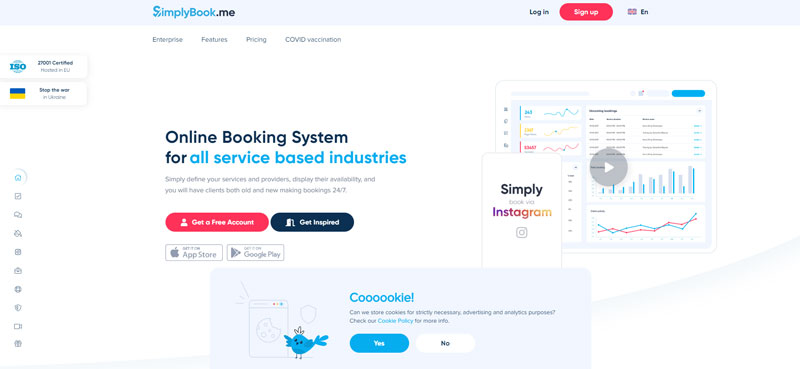
SimplyBook.me targets service businesses that want a feature-modular SaaS. You get a custom booking website plus widgets and a broad multi-industry template range. The free tier caps at 50 bookings a month with one provider, and paid plans scale by booking volume.
What it does well is the custom booking website with an embeddable widget, plus a template library that runs deep across many industries.
The trade-offs are the flip side of that modularity:
- Each add-on feature raises the recurring bill
- Booking-volume caps push growing businesses up tiers
What we found testing it: we set up the free plan with one provider and switched the booking page to a second language, which rendered cleanly and is a genuine edge over Setmore for cross-border businesses. The modular system is the friction: you toggle each capability on individually, and it took real time to work out which combination produced a finished booking page. The free tier’s 50-booking monthly cap is tighter than Setmore’s 200 and bit sooner than the single-provider limit did. Adding a few paid modules also pushed the running total past what a flat-rate competitor would charge for the same result.
Patient and client surveys consistently find that online booking, cancellation, and rescheduling rank among the features people most expect from a service provider, so modular booking features carry real weight.
Is Bookly a Good WordPress Alternative to Setmore
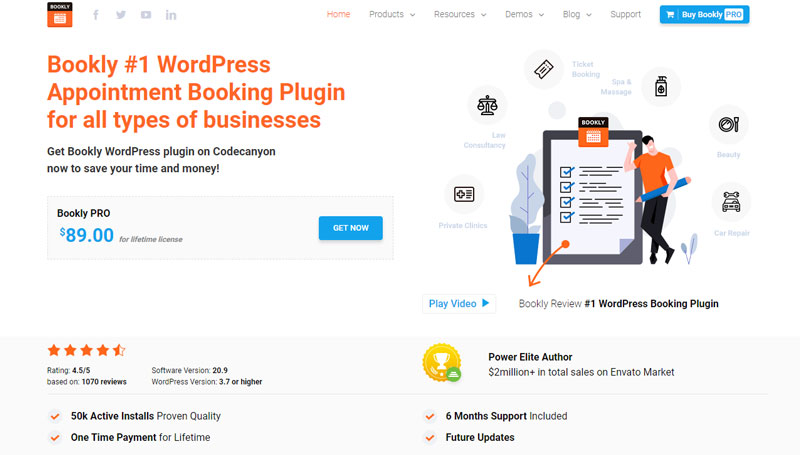
Bookly is the other major self-hosted WordPress booking plugin, with a free core and a paid Pro version. It rivals Amelia on data ownership, but stacks most real features as paid add-ons that raise the true cost.
The core plugin looks cheap. Then you add SMS, then recurring bookings, then Google Calendar two-way sync, and the total climbs. It fits people who prefer paying only for the pieces they use, as the Bookly plugin overview lays out.
What we found testing it: we installed the free core on the same sandbox as Amelia. Basic booking worked, and for a solo operator wanting nothing more than a form and a calendar, the free version is genuinely usable. The modular model showed itself as soon as we tried to build our test scenario: payments, recurring bookings, and two-way calendar sync each turned out to be separate purchases. Reaching feature parity with a bundled tier meant assembling several add-ons rather than buying one thing. Whether that’s better or worse depends entirely on how many of those pieces you actually need.
Bookly vs Amelia on Total Cost
| Plugin | Model | Entry Price |
|---|---|---|
| Amelia Starter | Bundled tiers, annual | $49/yr |
| Amelia Pro | Bundled, sync included, annual | $149/yr |
| Bookly Pro | Core plus paid add-ons | Varies by add-on stack |
One caveat on that comparison: Bookly Pro has historically been sold as a one-time CodeCanyon purchase rather than an annual subscription, with add-ons priced separately. Compare the total add-on stack rather than a headline figure, and confirm current terms before buying.
Amelia folds calendar sync and events into fixed tiers. Bookly charges separately for two-way sync and Outlook, so the modular route often ends up pricier once you need the full feature set. The Amelia vs Bookly comparison runs the full math side by side.
How Does Square Appointments Compare for Setmore Users

Square Appointments fits businesses built around in-person card payments. Scheduling is free and tied to the Square POS ecosystem, so you pay through processing fees instead of software fees. It works best for retail, salons, and barbershops already running Square hardware.
The free plan covers one location, online booking, calendar sync, and email reminders. Staff management, class bookings, and SMS reminders need the Plus plan at $49/month per location.
Square overhauled this pricing in October 2025, raising the in-person per-transaction fee from 10¢ to 15¢, so older comparisons quoting 2.6% + 10¢ are out of date.
| Plan | Monthly Cost | In-Person Rate |
|---|---|---|
| Free | $0 per location | 2.6% + 15¢ |
| Plus | $49 per location | 2.5% + 15¢ |
| Premium | $149 per location | 2.4% + 15¢ |
The fees are where it adds up. A salon processing $8,000/month in card payments pays over $210 in processing on the Free plan before any subscription cost.
What we found testing it: we opened the free single-location plan and ran a test card payment, which felt identical to any Square retail transaction and is the smoothest checkout of anything here. Online booking, calendar sync, and email reminders all worked at no monthly cost. Then we tried to add a second staff member and SMS reminders, and both required the Plus plan at $49 per location, which is where the “free” framing stops holding. The processing fee is the real cost, and unlike a software subscription it scales with revenue rather than headcount, so a busy salon can pay more here than on a paid plan elsewhere.
Square locks you into its own payment loop and offers no WordPress-native control. If you want to weigh it against a Squarespace-based tool, the Acuity Scheduling vs Square Appointments breakdown lines them up.
Amelia vs Trafft vs Setmore Direct Comparison
The core split is simple: Amelia is a self-hosted WordPress plugin you own, Setmore and Trafft are SaaS you rent. Amelia wins on ownership and pricing model, Trafft wins on hosted feature depth and how it counts users, Setmore wins on setup speed and a free tier that fits four staff.
| Factor | Amelia | Trafft | Setmore |
|---|---|---|---|
| Hosting | Self-hosted WordPress | SaaS with WP embed | SaaS only |
| Pricing | Annual or lifetime license | Tiers with users bundled in | Per-login monthly |
| Free tier | 1 employee, Square only | 1 user, 100 appointments a month | 4 staff, 200 appointments a month |
| Payments | Stripe, PayPal, WooCommerce, Mollie, Razorpay | Square, Stripe, PayPal, Mollie, Authorize.net | Narrower gateway range |
| Events, packages | Native, with QR tickets | Packages and deposits from Professional | Thin or absent |
| Data ownership | Full, on your domain | Held by Trafft | Held by Setmore |
Amelia carries native PayPal booking and WooCommerce checkout, so payments run through gateways you already use. Setmore keeps you inside a narrower processing setup, and Trafft sits between the two, wider than Setmore on gateways but still holding the records for you.
Which Setmore Alternative Fits Your Business Type
It depends on where your site lives and how you sell.
- WordPress owners and agencies: Amelia, for full control across a beauty salon booking website or a multi-client build
- Multi-staff service businesses staying hosted: Trafft, which is the nearest swap for Setmore and stops billing you per calendar
- Sales and consulting calls: Calendly, or dedicated consultant scheduling software
- Squarespace-based solos: Acuity Scheduling
- Retail and salons on Square hardware: Square Appointments
- Budget WordPress users who tolerate add-ons: Bookly
- Businesses staying on a free plan indefinitely: Setmore, which beats both our own tools on free-tier generosity
The large majority of clients now prefer providers that offer online booking, so the platform you pick shapes revenue, not just admin time.
For most service businesses running on WordPress, Amelia is the alternative that removes Setmore’s per-login tax, hands back your data, and covers appointments, events, and packages in one license. For the ones with no site to build on, Trafft removes the same tax without asking you to run anything.
Frequently Asked Questions About Setmore Alternatives
What is the best Setmore alternative overall?
For WordPress site owners, Amelia is the best Setmore alternative. It is a self-hosted booking plugin with a flat annual or lifetime license, native Stripe and PayPal payments, plus group bookings, events, and packages in one purchase. If you have no website to build on, Trafft is the closest hosted swap.
Why do people switch away from Setmore?
The main triggers are the 4-staff free cap, per-calendar billing that counts every staff member as a paid user, SMS reminders locked behind the paid tier, and booking pages that live on Setmore’s domain instead of yours.
Is there a free Setmore alternative?
Yes. Amelia ships a free Lite version on WordPress.org, and Square Appointments offers a genuinely free plan for one location. Calendly and SimplyBook.me also have free tiers, though each caps bookings or features. Worth knowing that Setmore’s own free tier covers four staff, which is more than most alternatives allow.
Which Setmore alternative works best on WordPress?
Amelia leads for WordPress. Bookly is the other self-hosted plugin worth testing. All three keep your booking data on your own domain, unlike SaaS tools such as Setmore, Calendly, or Acuity.
How does Amelia pricing compare to Setmore?
Amelia charges a flat license: $49/year Starter, rising through Standard and Pro, with lifetime options available. Setmore bills per login monthly, so a 10-person team pays roughly $50 to $120 monthly depending on billing period. Amelia’s math wins as teams grow.
Does Amelia support more payment gateways than Setmore?
Yes. Amelia connects to Stripe, PayPal, WooCommerce, Mollie, Razorpay, and Square. Setmore offers a narrower range. Wider gateway support means you keep the processor you already use.
Is Calendly a good Setmore replacement?
Calendly suits meeting scheduling, not service booking. It handles one-to-one and round-robin links well but lacks staff-calendar and resource depth for salons or clinics. Per-seat monthly pricing also climbs fast for teams.
What is the difference between Bookly and Amelia?
Both are self-hosted WordPress plugins. Bookly sells a cheap core, then charges add-ons for SMS, sync, and packages. Amelia bundles those into fixed tiers, so total cost usually stays lower once you need full features.
Can I move my data off Setmore easily?
Setmore exports appointments and customer lists, but the booking page and links belong to Setmore. Switching to a self-hosted plugin like Amelia means rebuilding the booking flow on your own domain, then redirecting existing links.
Which alternative fits a salon or clinic best?
Salons and clinics need staff calendars, resources, and deposits. Amelia covers all three on WordPress, while Square Appointments fits shops already on Square hardware. Both beat Setmore’s thin multi-staff handling.
Conclusion
Choosing between Setmore alternatives comes down to two questions: who owns your booking data, and how does the price scale as your team grows?
SaaS tools like Calendly, Acuity, and Square Appointments keep the setup light but hold your data and bill per seat.
Self-hosted plugins flip that. Bookly gives you a WordPress online booking system, though add-ons stack up.
Amelia stays the strongest pick: a lifetime license, unlimited staff on higher tiers, two-way calendar sync, and group events with QR-coded tickets, all on your own domain.
Match the tool to your business, not the other way around.
For most WordPress service businesses, that answer is Amelia.

Explore topics

Read Inspiring Customer Stories
Check out how our user set Amelia for his business