



Amelia and Trafft sit at the top of this list, and that’s not an accident of alphabetical order. Wellness booking software as a category covers the tools spas, salons, gyms, and studios use to run appointments, the systems that put a calendar, a payment processor, and client-facing booking behind one login instead of three separate apps.
Spas, salons, yoga studios, solo practitioners: pretty much anyone running appointment-based services ends up choosing between a WordPress plugin bolted onto a site they already manage, or a hosted SaaS platform that lives somewhere else entirely.
Amelia alone reports more than 16,000 appointments booked every week and 20,000 events booked every month across its installs, a figure most competing WordPress plugins do not publish (Amelia, 2026).
The Best Wellness Booking Software
Ranked overall-best-first, the way most people actually search for “best wellness booking software” rather than alphabetically or by launch date.
Amelia and Trafft take the top two spots because they come from the same maker and cover both deployment models most single-vendor lists miss. One lives inside wellness booking software built as a WordPress plugin, the other runs fully hosted with zero plugin upkeep.
Everything below that is ranked by how much a typical spa, studio, salon, or solo practitioner actually gets for the money.
| Category | Pick | Why |
|---|---|---|
| Best on WordPress | Amelia | Native plugin, one-time or annual license, no monthly SaaS fee |
| Best hosted alternative | Trafft | Free for teams up to 5, no plugin, no per-booking fee |
| Best for chains | Zenoti | Multi-location reporting built for enterprise spas |
| Best subscription-free | Fresha | Low-cost per-team-member plan, no flat business-wide fee |
Amelia: best for WordPress sites that want booking built into the CMS
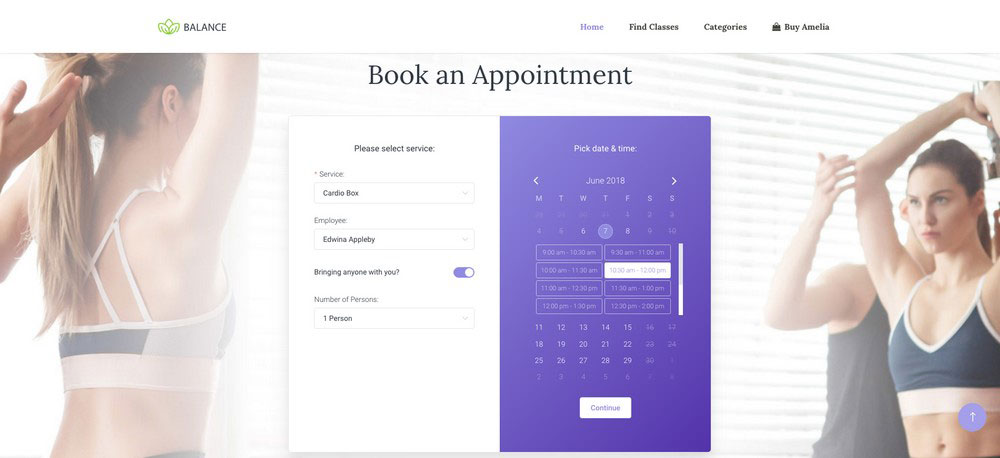
Amelia is a WordPress booking plugin built for appointments and events, made for businesses already running their site on WordPress rather than looking to migrate somewhere new.
The calendar, the employee panel, and the payment flow all live inside wp-admin. No second dashboard, no separate login to remember.
It works well for spas, salons, clinics, and studios that manage their own WordPress install and would rather not juggle two systems. The feature that sets it apart from most competing plugins is a built-in Events module with QR-coded e-tickets, something few WordPress booking tools bother to include.
- Two-way Google and Apple Calendar sync
- Employee panel with custom working hours and days off
- Recurring appointments (daily, weekly, monthly, yearly)
- Stripe and PayPal payment processing
- SMS and email reminders
There’s a genuinely usable free WordPress booking plugin tier for solo operators who just need the basics. Paid annual plans start at $49 a year for the Starter tier, and lifetime licenses are available on higher plans (Pro and Elite lifetime pricing currently runs roughly $349 to $709 during ongoing promotions) for anyone who’d rather skip renewals altogether (wpamelia.com pricing, 2026).
| Pros | Cons |
|---|---|
| One-time or annual pricing, no forced monthly SaaS fee | WordPress-only, no standalone hosted option |
| Deep staff and multi-location controls for a plugin | Google and Apple Calendar sync sits on the paid tier |
| Two-way calendar sync closes most double-booked appointments | Multi-gateway payments start at Standard, with Lite running Square only |
Review aggregates put it at 4.6 out of 5 on WordPress.org and 4.9 out of 5 on Capterra, based on hundreds of verified reviews (WordPress.org; Capterra, 2026).
One thing worth noting: Amelia doesn’t lock you into a vendor’s export process the way SaaS tools tend to. Switch hosts, switch themes, and the booking data stays exactly where it was.
Trafft: best for teams that want hosted scheduling with zero plugin upkeep
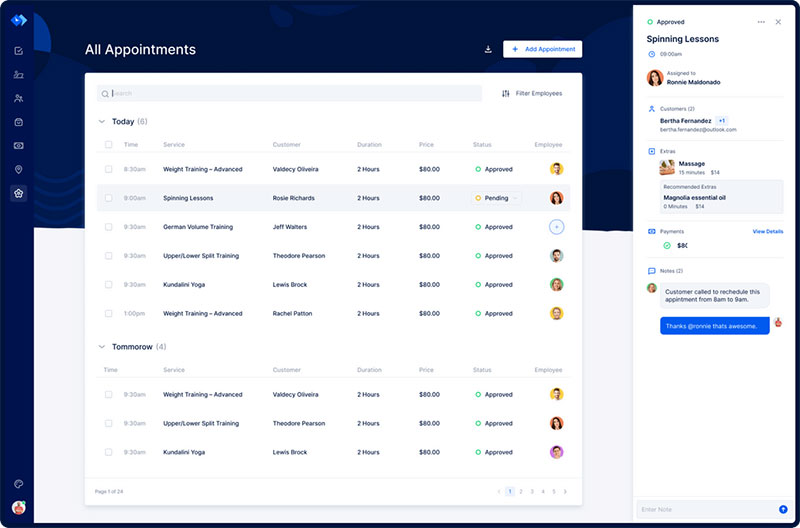
Trafft is the cloud-hosted sibling of Amelia, built by the same company for businesses that want scheduling without touching a plugin or a server.
It fits teams that would rather log into a dashboard than manage WordPress updates. No commission gets added on top of the subscription price either.
Solo professionals and small teams that want a working free plan first tend to get the most out of it. The real edge is skipping per-booking fees entirely, something several marketplace-style competitors simply don’t offer.
Two-way Google and Outlook calendar sync, individual staff calendars, a lightweight client CRM, deposit collection through Stripe or PayPal, and automated SMS and email reminders round out the core feature set.
The free plan covers teams up to 5 with no per-booking fees, and it works well as scheduling software for small businesses testing their first real system. Paid tiers start around $12 to $13 a month (SchedulingKit; Capterra, 2026).
- Free forever plan, not just a trial
- No per-booking or marketplace commission
- 30-day money-back guarantee on paid plans
- Deposits and the deeper automation features sit on the higher tiers
- Payments run through Stripe or PayPal rather than a built-in gateway
- Large platforms connect through Zapier rather than native integrations
It integrates with around 10 third-party tools, including Google Calendar, Zapier, Stripe, PayPal, and Mailchimp (Capterra, 2026), and it doubles as employee scheduling software once staff calendars are added.
Because Trafft and Amelia share a support team and a common admin logic, moving between the two later is a lighter lift than switching to an unrelated vendor.
Mindbody – Best for multi-location fitness and wellness brands chasing class and membership revenue
| Feature | Detail |
|---|---|
| Consumer discovery | Listing inside the Mindbody app, used by 3M+ active users |
| Membership handling | Class packs, drop-ins, and hybrid packages |
| Compliance | Tools built for medically-oriented, HIPAA-adjacent services |
| Support | 24/7 AI assistance plus live onboarding help |
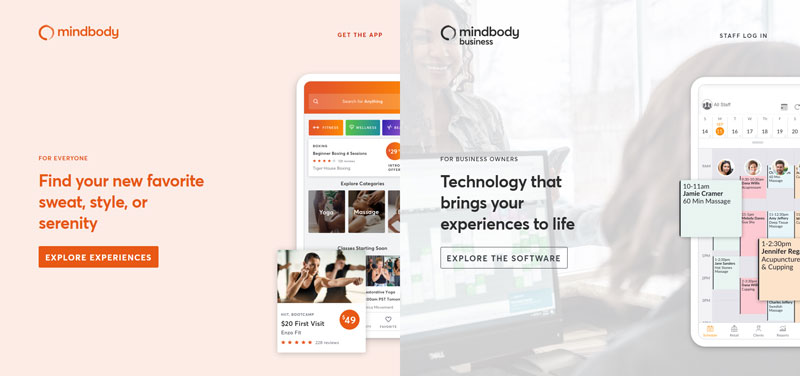
Mindbody handles business management for fitness, wellness, and beauty brands juggling classes, memberships, and schedules across more than one location.
What sets it apart is the consumer-facing marketplace app. It drives new client discovery in a way no plugin-based tool can really replicate on its own, since the app already has millions of people browsing it.
Entry plans start around $79 a month per location, and that number climbs. Once add-ons and payment processing get factored in, the highest tiers scale to roughly $500 to $700-plus a month (Mindbody; industry pricing trackers, 2026).
The membership and class-pack logic runs deep, the marketplace is genuinely large, and multi-location brands get dedicated onboarding support most competitors don’t offer. On the other side, pricing climbs fast once you’re running several locations, and more than a few reviewers say the booking interface feels dated next to newer platforms.
Mindbody reports that businesses grow revenue by an average of 45% in six months after onboarding (Mindbody, 2026), a figure worth weighing against a direct vagaro vs mindbody comparison before committing to the higher price tier.
The marketplace exposure only pays off if your service area actually has real Mindbody app traffic. In smaller markets, that discovery advantage shrinks fast, and you’re left paying enterprise pricing for a feature that isn’t doing much.
Vagaro – Best for solo stylists and small salon teams on a budget
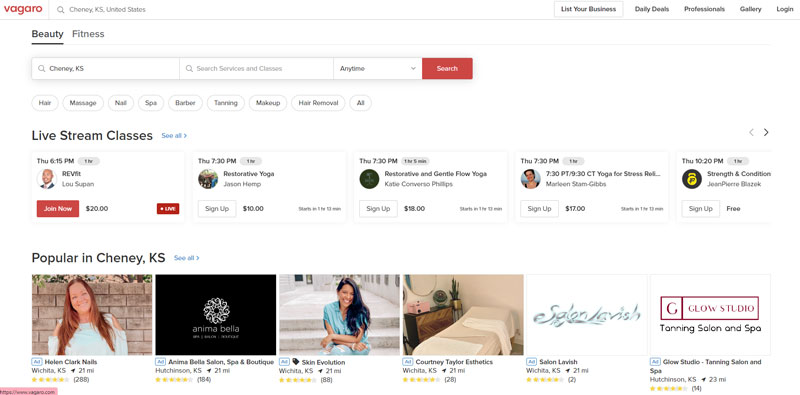
Vagaro works well for independent stylists, massage therapists, and small salon or spa teams under five to seven staff, mainly because it bundles online booking with POS, staff scheduling, and marketing at a lower entry price than most enterprise-grade competitors.
The feature set covers staff calendars, point-of-sale hardware support, email and SMS marketing, waitlist management, and a client marketplace listing built right in.
Entry pricing runs from roughly $23.99 to $90 a month depending on staff count and add-ons (Capterra; G2, 2026).
- Affordable starting price for solo and small-team businesses
- Large self-serve support community
- Text marketing, custom forms, and a branded app cost extra
- Multi-location tools are thinner than Mindbody or Zenoti
Vagaro says it is trusted by over 220,000 beauty and wellness businesses (Vagaro, 2026), and its marketing tools make it easier to upsell salon services right at checkout.
The add-ons that push Vagaro’s real monthly cost higher are easy to miss during signup. Budget for them before comparing the sticker price against Fresha or Booksy.
Fresha – Best for businesses that want a low-cost per-team-member plan instead of a flat fee
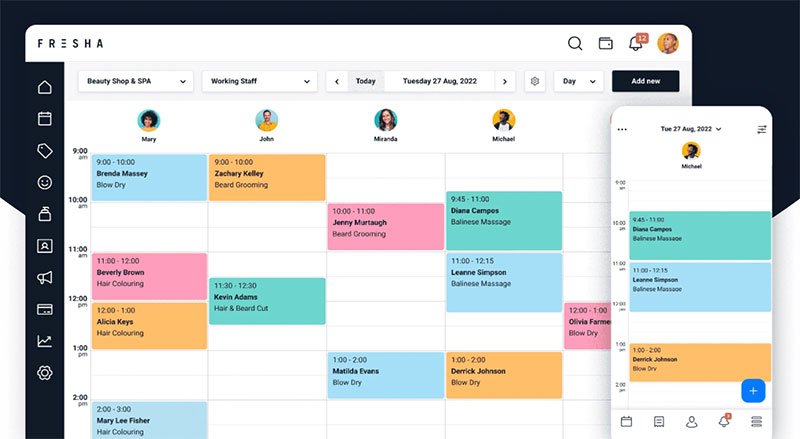
Fresha runs on a different pricing logic than most competitors on this list. It charges per bookable team member rather than one flat rate for the whole business.
It also isn’t free anymore. Fresha retired its fully free model in 2025 and now runs a paid subscription alongside a one-time fee, charged only when the marketplace actually sends a new client, rather than billing every business the same flat rate regardless of volume.
| Feature | Detail |
|---|---|
| Base fee | $19.95/mo for a solo Individual plan, or $14.95/mo per bookable team member on the Team plan |
| New-client marketplace fee | 20% of the client’s first visit, minimum $6 |
| Card processing | Roughly 2.19% to 3.30% + $0.20 per transaction |
The entry price still undercuts most flat-fee competitors, even with the added subscription (Fresha; Pabau, 2026). Extra revenue only gets shared with Fresha when the marketplace actually sends a new client through the door.
| Pros | Cons |
|---|---|
| Lower subscription than most flat-fee competitors for small teams | Booking flow redirects to a Fresha page, not fully embedded |
| Marketplace exposure without extra ad spend | Limited EMR or clinical documentation tools; new-client commission and card fees stack on top of the subscription |
SMS reminders paired with deposit collection are widely reported to cut no-show rates from an 18-22% range down to under 5% across beauty and wellness bookings, per multiple industry no-show studies (2026).
The 20% new-client marketplace fee sounds small on paper. It adds up fast once a business leans heavily on new-client volume, and at scale it can end up costing more than a flat monthly plan would, stacked right on top of the per-team-member subscription.
WellnessLiving – Best for boutique studios built around loyalty and recurring memberships
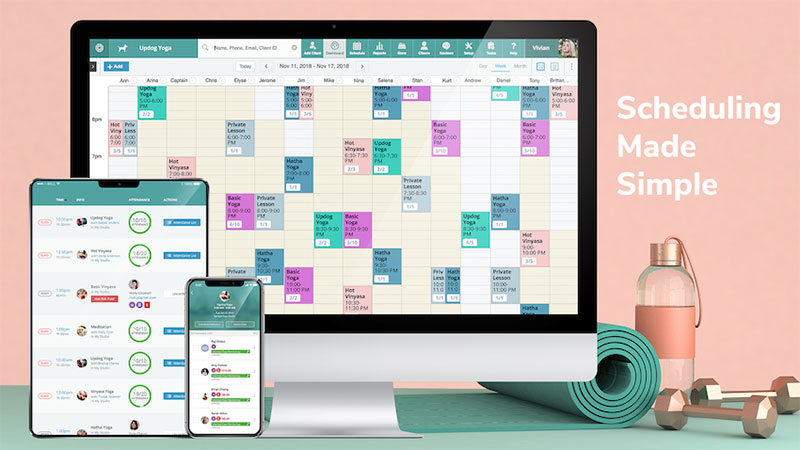
WellnessLiving targets gyms, yoga, pilates, and boutique fitness businesses running classes and memberships, all managed from the cloud.
The feature that stands out here is a native Rocket Rewards loyalty program, something most competitors only sell as a paid add-on.
- Classes and appointments booked from one calendar
- Branded client and staff mobile apps
- Built-in loyalty and rewards program
- Email and text marketing automation
Published pricing runs Starter at $69/month, Business at $199/month, and BusinessPro at $349/month, with custom Enterprise pricing above that (WellnessLiving, 2026). There’s no free plan.
- Transparent, published pricing unlike some competitors’ quote-only model
- Strong fit as studio scheduling software for boutique fitness and yoga brands
- Payments run only through Paragon and Nuvei, no Stripe option
- Steep learning curve given the breadth of features
The mandatory Paragon and Nuvei processors add PCI compliance surcharges and other add-ons that can push the real monthly cost well above the published tier. Operators commonly report paying 2 to 3 times the sticker price, sometimes more, once everything gets added on (Vibefam review, 2026).
Zenoti – Best for large spa and wellness chains running multiple locations
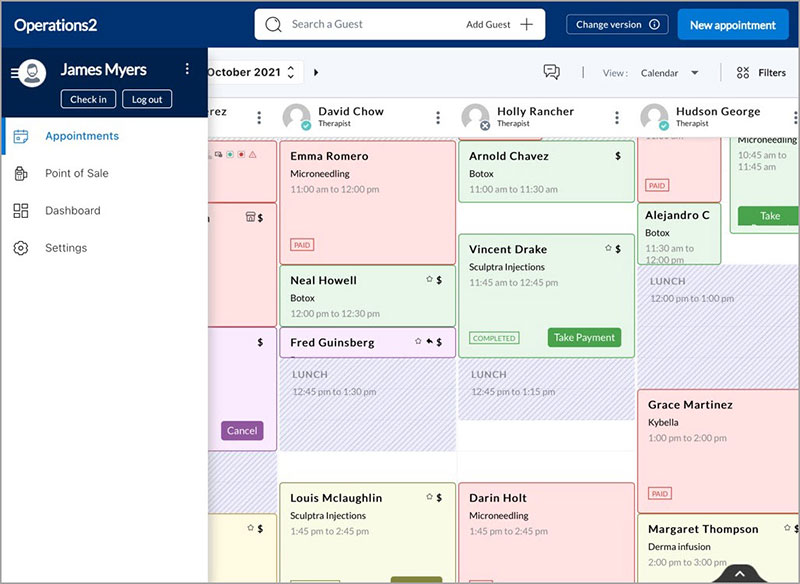
Zenoti is built for chains running several locations under one brand, the kind of enterprise-grade spa and salon management single-location tools weren’t designed to handle.
Multi-location reporting and inventory tracking run from a single dashboard, which is exactly where most single-location tools start to strain once a business grows past one site.
Staff performance tracking runs deep, and the packages are customizable enough that businesses end up paying only for the modules they actually use rather than one fixed bundle.
Pricing starts around $200 to $400 a month per location, scaling toward custom enterprise quotes that can reach five or six figures a month for large multi-location chains (industry pricing trackers, 2026). It also handles shift management across dozens of locations from one login.
| Pros | Cons |
|---|---|
| Detailed multi-location reporting and staff analytics | Entry price is high for a single-location business |
| Modular packages, pay only for needed features | Onboarding runs longer than smaller competitors |
Zenoti earns its place on this list for a reason most reviews skip over: it’s one of the few platforms shipping AI-driven forecasting and no-show prediction at the enterprise tier, rather than selling it as a separate paid bolt-on.
Acuity Scheduling – Best for solo therapists and consultants who need detailed intake forms
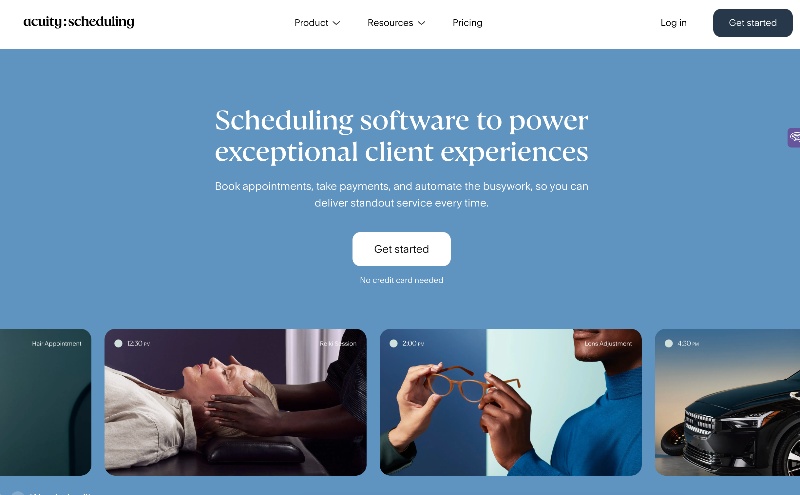
Acuity fits solo therapists, coaches, and consultants who need to collect detailed client information before a session even happens. Squarespace owns and integrates it directly, so it plugs into a Squarespace website without any separate connector.
| Feature | Detail |
|---|---|
| Intake forms | Long-form client questionnaires before booking |
| Calendar sync | Google, Outlook, and iCloud |
| Payments | Stripe, PayPal, and Square |
Pricing runs $20 to $61 a month depending on tier, or $16 to $49 a month with annual billing. There’s no permanent free plan, just a 7-day trial (Squarespace/Acuity, 2026).
- Long intake forms make it a natural fit for therapy scheduling software use cases
- Clean interface with minimal setup time
- Fewer salon-specific features (staff commissions, retail POS) than beauty-first platforms
- Group class tools are thinner than Mindbody or WellnessLiving
Reviewers consistently point to the Squarespace ownership as the reason Acuity wins over solo practitioners who already run their site there. A acuity scheduling vs square appointments comparison is worth a look before choosing between the two at this price point.
SimplyBook.me – Best for businesses that need a highly customizable booking widget
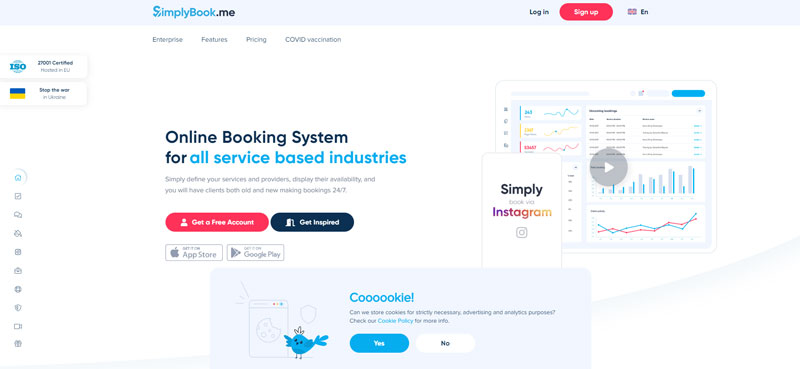
SimplyBook.me builds its whole pricing model around a-la-carte “custom features,” letting businesses pick exactly the modules they need instead of buying one fixed tier. That modular approach is unusual among booking platforms, most of which lock features behind rigid plan names.
The widget itself is customizable, and businesses can add features one at a time: membership and package sales, client notifications, a marketplace directory listing, whatever actually applies to them.
| Pros | Cons |
|---|---|
| Free plan covers 50 bookings and 1 provider | Custom features add up fast on higher tiers |
| Flexible enough for niche verticals beyond wellness | Interface feels less polished than newer competitors |
The free plan includes 50 bookings a month for a single provider, and paid Basic plans start at $13.90/month billed monthly, or around $11.50/month on annual billing (SimplyBook.me; Koalendar, 2026). The same flexibility works well as consultant scheduling software, not just for spas and studios.
Because pricing is modular, two businesses on paper-identical plans can end up paying very different amounts once each picks its own feature set.
Booksy – Best for barbers, stylists, and lash techs who want marketplace discovery
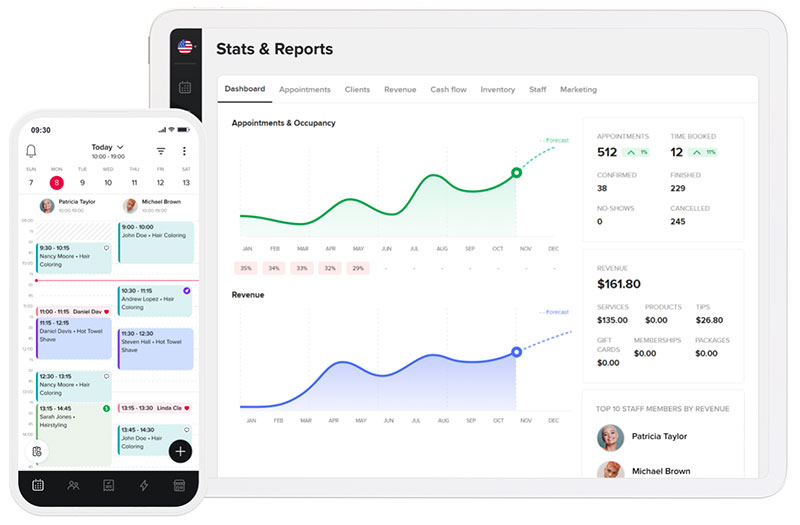
Booksy leans closer to a consumer app than a back-office system. It’s a marketplace booking app built around stylist and barber discovery.
Clients browse and book straight through the Booksy app, which gives independent professionals a built-in source of new bookings without any extra marketing work.
The feature set includes marketplace client discovery, staff calendars, automated reminders, deposit collection, and a client review system, running $29.99 to $79.99 a month plus $20 per additional staff member beyond the first (Booksy; industry pricing trackers, 2026).
- Strong discovery for independent stylists and barbers with no existing client base
- Feels like a beauty salon booking website clients already know from the consumer app
- Per-staff fee scales cost quickly as a team grows
- Less suited to spas or clinics outside the hair and beauty niche
The $20-per-staff add-on is the detail most comparisons leave out. Since the base plan already covers the first team member, a five-person team pays $80 a month in additional staff fees on top of the $29.99 base. That’s about $110 a month in total before tax or card processing.
Whichever platform ends up on the shortlist, run a real week of bookings through the free trial before signing an annual contract. That’s usually where common appointment scheduling mistakes show up first, not in the sales demo.
What Is Wellness Booking Software
Picture a spa running three separate systems: a paper calendar at the front desk, a card reader for payments, and a notebook for tracking who’s coming back next month. Wellness booking software collapses all of that into one place, pairing client-facing online booking with staff calendars, payment collection, and reporting.
It is not a plain calendar app, and it’s not a generic meeting scheduler built for one-on-one calls either.
The category exists mostly because manual booking causes problems that compound on themselves. Double bookings happen. Payments get missed. No-shows go unfollowed, and nobody notices until the slot is already gone.
Adopting one is part of what it takes to take an offline business online, since a spa or studio without self-serve booking is competing against ones that have it.
- Market size: the appointment scheduling software market was valued at roughly $333 million in 2024 and is projected to reach about $891 million by 2032 (Verified Market Research, 2025)
- Adoption impact: businesses see an average 37% increase in bookings within 6 months of adopting online booking (GetApp Scheduling Impact Survey, 2023)
- Repeat behavior: 26% of online bookings come from repeat clients using the booking page as their default way to schedule (SimplyBook.me platform data, 2025)
The category covers both self-hosted WordPress plugins and fully hosted SaaS platforms. The distinction matters more for cost and control than for what a client actually sees on the booking page, and it connects directly to the benefits of scheduling a business gets once it moves off paper books or spreadsheets.
Core Features Every Wellness Booking Software Needs
What actually separates wellness booking software from a plain calendar tool comes down to a handful of things working together: staff calendars that don’t collide with each other, sync that actually goes both ways, a booking channel clients can reach on their own, and permission controls that hold up once a business adds more than one location.
Skip any one of those and the system breaks down the moment a business adds a second staff member or a second location.
Staff And Practitioner Calendars
Working hours, days off, and buffer time sit at the center of any staff calendar.
- Individual working hours per staff member, not one shared schedule
- Days off and holiday blocks that apply automatically
- Buffer time between appointments to prevent back-to-back bookings with no cleanup window
Getting this right starts with the same logic used to create a work schedule for any staff-based business. Appointment software just automates the part that used to live on a whiteboard.
Calendar Sync And Double-Booking Prevention
Two-way sync with Google or Outlook is what actually prevents double bookings, not just a nice extra feature buried in the settings.
One-way sync (calendar events push out, but outside events don’t push back in) leaves a gap where a practitioner’s personal appointment never blocks the booking page.
Two-way sync closes that gap automatically.
Setting this up correctly means scheduling appointments with Google Calendar as the source of truth on both sides, so a blocked slot in either system blocks it everywhere.
Client-Facing Booking Channels
The booking channel is whatever the client actually touches, an embedded widget, a hosted page, or a plugin-based form.
| Channel | Best fit |
|---|---|
| Embedded widget | Existing website with real traffic |
| Hosted booking page | No website yet, or a simple link-in-bio setup |
| WordPress plugin | Site already built on WordPress |
On WordPress specifically, the two common paths are adding a calendar to WordPress directly through a plugin, or routing bookings through WooCommerce Appointments for stores that already sell physical products alongside services.
How Payment Processing And Deposits Work
Payment processing in wellness booking software comes down to two options: take a deposit at booking, or collect full payment when the client arrives.
Deposits protect revenue on high-demand slots, the ones that get booked out fast and hurt the most if someone no-shows. Just collecting full payment on arrival is simpler to set up, though it leaves a business exposed every time someone doesn’t turn up.
Stripe and Square handle card processing for most platforms, and PayPal remains a common secondary option clients expect to see at checkout.
A PayPal booking system setup is usually a toggle inside the payment settings, not a separate integration project.
- Deposit percentage or flat fee, set per service
- Cancellation window that determines whether a deposit is refundable
- Automatic no-show fee charged to the card on file
Some platforms restrict which processor a business can use at all. WellnessLiving, for example, requires Paragon or Nuvei rather than allowing Stripe, which changes the real cost of processing every single transaction.
How Packages, Memberships, And Recurring Bookings Work
Most of what a wellness business sells falls into one of a few buckets: a fixed package, a rolling membership, or a plain single drop-in booking.
A package is a set number of sessions sold upfront. A membership works differently, it’s an ongoing charge that unlocks a set number of visits per period rather than a fixed bundle paid once.
Recurring scheduling logic sits underneath both. A recurring appointment repeats on a daily, weekly, monthly, or yearly pattern without the client having to rebook every time.
Group classes need a different mechanic entirely. Instead of one slot per booking, they run on capacity limits and waitlists.
- Capacity cap per class or session
- Automatic waitlist when a class fills
- Waitlist notification the moment a spot opens
Most of the platforms covered above run this through the same tools other businesses use as group scheduling apps, just applied to a fitness class instead of a meeting.
Gift cards and prepaid credit work as a fourth option here, less common but effective as a retention lever since the balance has to get used somewhere eventually.
How Automated Reminders Reduce No-Shows
Timing decides whether an automated reminder actually gets read, more than the wording ever does.
Most systems send a confirmation right after booking (with the date, time, location, and a reschedule link baked in), then follow up around 24 hours before the appointment, and often once more an hour out. Miss any one of those windows and a client either forgets entirely or scrambles to reschedule at the worst possible moment.
SMS reminders paired with deposit collection are widely reported to cut no-show rates from an 18-22% range down to under 5% across beauty and wellness bookings, per multiple industry no-show studies (2026).
A waitlist flow works differently. It triggers the instant a cancellation opens a slot rather than on a fixed schedule, so timing there is really about speed rather than timing windows.
The wording on that first message still matters more than most businesses assume. An appointment confirmation text that buries the reschedule link at the bottom gets fewer proactive reschedules and more silent no-shows.
WordPress Plugin Or Hosted SaaS, Which Fits Your Business
The choice comes down to who controls the server and who absorbs the update work.
A WordPress plugin runs on infrastructure the business already owns. A hosted SaaS platform runs on the vendor’s infrastructure instead, and bills monthly for it.
| Dimension | WordPress Plugin | Hosted SaaS | Marketplace-Hosted |
|---|---|---|---|
| Cost structure | One-time or annual license | Flat monthly subscription | Commission per new client |
| Maintenance | Site owner updates the plugin | Vendor handles updates | Vendor handles updates |
| Data ownership | Stored on the business’s own server | Stored on vendor’s servers | Stored on vendor’s servers |
| Scalability | Limited by hosting resources | Scales with plan tier | Scales with marketplace traffic |
What A WordPress Plugin Gives You
A plugin keeps booking data on infrastructure the business controls, which matters most for sites that already handle client records under their own privacy policy.
No recurring platform fee is the other draw here, since most plugins charge a license rather than a monthly bill.
Setup usually includes wiring a WordPress booking system with payment gateways already connected to the site’s existing Stripe or PayPal account.
The tradeoff is maintenance. Updates, security patches, and hosting capacity all fall on whoever manages the WordPress install.
What Hosted SaaS Gives You
Hosted SaaS removes the update burden entirely. The vendor patches the platform on their own schedule, not yours.
It also removes the website dependency. A business with no site yet can still run bookings from a standalone hosted page.
- No server management
- Faster initial setup
- Built-in uptime handled by the vendor, not the business
The tradeoff runs the other way here. Monthly cost never stops, and switching vendors later means exporting data out of a system that wasn’t built to make that easy.
For a broader view of how these plugin options differ from each other, a rundown of the best WordPress booking plugins covers the field beyond just the top two.
How Much Does Wellness Booking Software Cost
There’s no single way wellness booking software charges for itself. Some plans are free or freemium, some charge a flat monthly or annual fee, some price per staff member, and a few just take a commission whenever the marketplace sends a new client your way.
Which one costs less depends entirely on booking volume and team size, not on the sticker price alone.
Free And Freemium Plans
Free tiers cap something, usually staff count, monthly booking volume, or how many features actually unlock. A single-provider spa or an operator running free gym software for one location can often stay on a free plan indefinitely.
The moment a second staff member gets added, most free tiers stop being enough.
Flat Monthly Or Annual Fees
Flat fees buy predictability. The bill stays the same whether a business books 20 appointments or 200 that month.
This model rewards high-volume businesses and penalizes low-volume ones paying for capacity they don’t use.
Per-Staff And Commission-Based Fees
Per-staff pricing scales cost directly with team size, which punishes growth exactly when a business needs more staff, not less.
Commission-based marketplace fees work the opposite way. No bill at all until a booking actually happens.
| Pricing model | Pros | Cons |
|---|---|---|
| Free / freemium | No cost while volume is low | Caps hit fast once staff or bookings grow |
| Flat monthly or annual | Predictable, rewards high volume | Wasteful for a slow month |
| Per-staff or commission | Costs scale with actual usage | Can exceed a flat plan fast at scale |
Which Wellness Booking Software Fits Which Business Type
Business type decides which cost model and which feature set actually pay off.
Matching the wrong model to the wrong business is the most common reason owners end up switching platforms within the first year.
Solo Practitioners And Small Teams
A solo massage therapist or single-chair stylist needs staff tools least of all, since there’s only one calendar to manage in the first place.
- Free or low-cost flat plans usually cover everything needed
- Marketplace discovery matters more than back-office depth
- Deposit collection matters more here than almost anywhere else, since one no-show is a bigger percentage hit
Multi-Location Chains
Multi-location businesses need one thing single-location tools rarely handle well: unified reporting across sites.
Book4Time, an Agilysys product, runs spa scheduling for hotel groups including Marriott, Hilton, and Four Seasons across their resort portfolios (Book4Time, 2025).
Coordinating that many calendars works the same way any large operation handles team booking: one dashboard, many staff, one set of rules applied everywhere.
Marketplace-Dependent Salons
Discovery-first businesses (new salons, no existing client list) get more value from marketplace exposure than from deep reporting.
A salon appointment book that plugs into a consumer app brings in bookings a back-office-only tool never would.
The cost of that exposure is usually a per-client commission. Worth it early on, worth reconsidering once repeat clients make up most of the calendar.
When Wellness Booking Software Does Not Make Sense
Not every service business needs a dedicated booking platform.
A business taking fewer than a handful of bookings a week gets more value from a shared calendar than from a paid system with features that never get used.
Practices where every booking requires a phone intake anyway lose the main advantage of self-serve booking: removing the phone call in the first place.
Multi-day, experience-based bookings (retreats, workshops, weekend intensives) rarely fit a per-slot model built around 30- or 60-minute appointments.
- A business still working out how to open a spa often doesn’t have booking volume yet to justify a paid tier
- Commission-based fees can cost more than a flat plan once repeat-client volume climbs
- A practice running mostly insurance-billed, phone-scheduled appointments gains little from a self-serve booking page
None of this means the category doesn’t work. It means the fit depends on booking volume and appointment structure, not on wanting to look modern.
How To Switch Wellness Booking Software Without Losing Your Bookings
Switching platforms fails most often when a business cancels the old system before the new one has actually been tested.
The process runs in a fixed order. Skip a step and that’s usually where lost bookings come from.
- Export existing client and booking records before cancelling the old plan
- Rebuild services, staff schedules, and intake fields inside the new system
- Reconnect the payment gateway and calendar sync
- Run a parallel test week before pointing live booking traffic at the new tool
The parallel test week matters most out of all of this. It catches broken sync, missing services, or a payment gateway that silently failed to reconnect, before a real client ever hits the problem.
Common Setup Mistakes That Cause No-Shows And Double Bookings
Most double-booking and no-show problems trace back to how the software was set up, not to the software itself.
Skipping two-way calendar sync and relying on manual updates instead reopens the exact double-booking risk the software was bought to solve in the first place.
Reminder automation gets left off by default more often than you’d think, usually because a business tests the free trial, gets busy, and never goes back to turn notifications on once the account goes live.
Then there’s buffer time, or the lack of it. Zero buffer between appointments means one late client cascades into delays for everyone booked after them.
A vague cancellation policy causes the last one. Without a clear rule for cancelled appointments, staff end up making exceptions inconsistently, and that inconsistency is what trains clients to cancel late without any real consequence.
Testing the full client-side booking flow before publishing the page catches most of this before an actual client ever runs into it.
FAQ on Wellness Booking Software
Is Wellness Booking Software GDPR And PCI Compliant?
That mostly comes down to which payment gateway sits underneath the software, not the booking software itself. Stripe, PayPal, and Square handle PCI compliance on their end. GDPR is a separate question, and it depends on where client data actually gets stored and whether the vendor will sign a data processing agreement.
Does Wellness Booking Software Integrate With Tools Like Google Calendar, Zoom, Or Mailchimp?
Most platforms plug into Google Calendar and Outlook for two-way sync, Zoom or Google Meet for virtual sessions, and Mailchimp or Zapier for marketing automation. Coverage varies by tier though, some of these integrations sit behind a paid plan rather than showing up on the free version.
Can Clients Book As A Guest, Or Do They Need An Account?
Guest booking is the default on most platforms, and it usually only asks for a name, email, and phone number. An account only becomes necessary for memberships, package tracking, or saved payment methods, things a guest checkout simply can’t support.
Is A Free Plan Enough For A Solo Practitioner?
For most people starting out, yes. Free tiers usually cover one staff member, basic calendar sync, and a capped number of monthly bookings, which is plenty for a solo practitioner in the early stages. It stops being enough the moment deposit collection, SMS reminders, or a second calendar enters the picture.
How Long Does Setup Actually Take?
Under an hour, if it’s a single-provider setup with one service and a calendar already connected, at least on most hosted SaaS platforms. WordPress plugins take longer since hosting, theme compatibility, and payment gateway configuration all add time. Budget half a day for a first build.
What Should You Test First With The Best Wellness Booking Software
None of the rankings above mean much until calendar sync, deposit collection, and reminder timing get tested against a real week of bookings, not a demo account clicking through empty slots.
Start with calendar sync. It’s the hardest failure to catch without a full week of overlapping bookings actually running through the system.
- Two-way calendar sync across a full week
- Deposit collection through the connected payment gateway
- Reminder timing at the 24-hour and 1-hour marks
Choosing Amelia’s licensed WordPress plugin over Trafft’s free hosted plan trades a recurring subscription for ongoing plugin maintenance, a swap that favors sites that already have someone managing WordPress.
Once the booking flow passes that test, the next question is how to get more bookings from the traffic the new system already handles.

Explore topics

Read Inspiring Customer Stories
Check out how our user set Amelia for his business