



For most small businesses, the scheduling system is the owner. Someone answers the phone between appointments, writes it in a book, and untangles the clashes after closing.
That loop is what scheduling software for small businesses replaces. A booking page that runs overnight, reminders that go out on their own, deposits collected before anyone shows up.
One thing to sort out before you start comparing, though. Two different products get sold under this name: client appointment booking and employee shift scheduling. The ten below cover both, and the table says which is which.
Worth saying up front: Amelia publishes this article, and Trafft comes from the same company. The reasoning sits under every pick and both get an honest “where it falls short” list like everything else here. Several tools below beat them outright for specific jobs, including free-tier generosity, where Setmore and Square are both more generous than Trafft, and we’ve said so plainly in each case.
How We Tested These Tools
We set up the same scenario in every appointment tool during July 2026: a service with two staff members, a deposit at booking, a connected calendar, and an automated reminder. For the three shift-scheduling tools we built a week of coverage across five people instead, since they solve a different problem.
Amelia went onto a clean WordPress 6.9 sandbox. The hosted tools were tested on free tiers or trials. Where a feature sits behind a tier we didn’t buy, we’ve said so rather than guessing. Pricing was pulled from each vendor’s own page in July 2026 and moves often, so confirm before you commit.
The 10 best scheduling software picks for small businesses, ranked
Best overall first, weighted for value at small-team scale. Trafft and Amelia lead on cost structure rather than free-tier size: Trafft bundles users into each plan instead of billing per seat, and Amelia sells a one-time license instead of a subscription. If a large free tier is what you’re after, Setmore and Square beat both.
The first seven handle client-facing appointment booking. The last three handle employee shift scheduling.
| Tool | Best For | Entry Price (2026) |
|---|---|---|
| Trafft | Small service teams | Free (1 user); $29/mo Mini |
| Amelia | WordPress site owners | Free Lite; ~$49/yr |
| Calendly | Solos and sales teams | Free; $10/seat/mo annual |
| Acuity | Consultants, salons | No free; ~$16/mo |
| Square Appointments | Physical locations | Free for 1 user |
| SimplyBook.me | Global operations | Free 50 bookings/mo |
| Setmore | Micro-teams | Free 4 users |
| Connecteam | Hourly shift teams | Free up to 10 users |
| Homebase | One-location hourly | Free 1 location |
| When I Work | Shift-based teams | ~$2.50/user/mo |
Trafft: best for small service teams that want bundled users instead of per-seat billing
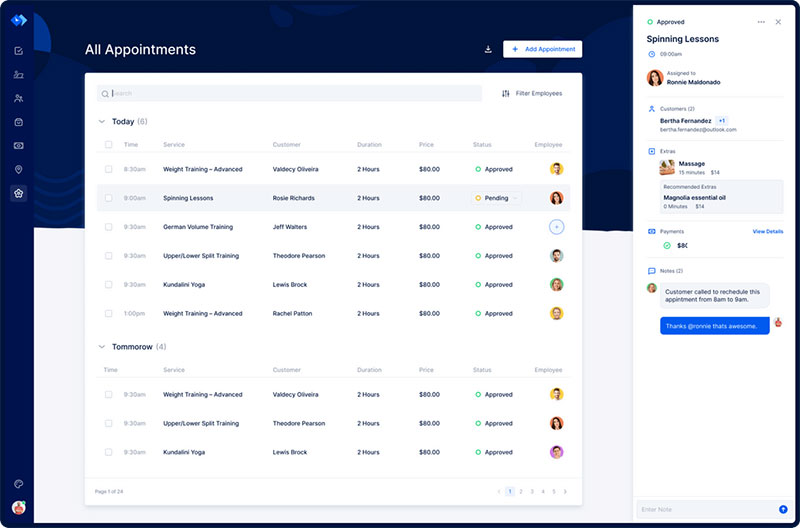
Trafft bundles a block of users into every plan rather than charging per calendar, and it never adds per-booking fees. For a team of five or ten, that’s a structurally different bill from the per-seat tools here.
Best for small service teams running multiple staff or locations who don’t want the cost climbing with every hire.
What you get:
- 24/7 booking page and staff scheduling
- Google and Outlook sync
- Email, SMS, and WhatsApp reminders
- Multi-location management
Pricing: a free forever plan covering 1 user, 1 location, and 100 appointments a month. Paid tiers bundle users: Mini around $29/month for 3 users, Growth around $59/month for 5, Professional around $99/month for 15, and Business around $149/month for 30. No per-booking fees at any tier, with a 30-day money-back guarantee. Check the Trafft pricing page before budgeting, since promotions move these numbers.
Where it wins:
- No per-booking fees at any tier
- Users bundled into each plan rather than billed per seat
- Agency dashboard for running multiple client accounts
Where it falls short:
- The free plan is narrow at one user and 100 appointments a month. Setmore and Square both give more away at $0
- Payments run through Stripe or PayPal rather than a built-in gateway
- The mobile app is lighter than the desktop dashboard
- Deposits and packages start at Professional, a real jump for a two-person studio
What we found testing it: the free tier generated a working booking website in a few minutes with no site of our own and no card required, which is the fastest route to taking a booking of anything here. The bundled-user model is the genuine structural difference: a five-person team sits inside one tier rather than paying five times over, and the gap against per-seat pricing widens as you hire. Two things landed differently than expected. The free plan’s ceiling arrived quickly at one user and 100 appointments a month, so treat it as a trial rather than somewhere to live. And the deposit we wanted for the test scenario required the Professional tier, which is a long way up from Mini.
That agency dashboard quietly turns Trafft into a reseller tool rather than just a booking app. Most “best scheduling” pages miss the angle entirely.
Amelia: best for WordPress owners who want to own booking with a one-time license
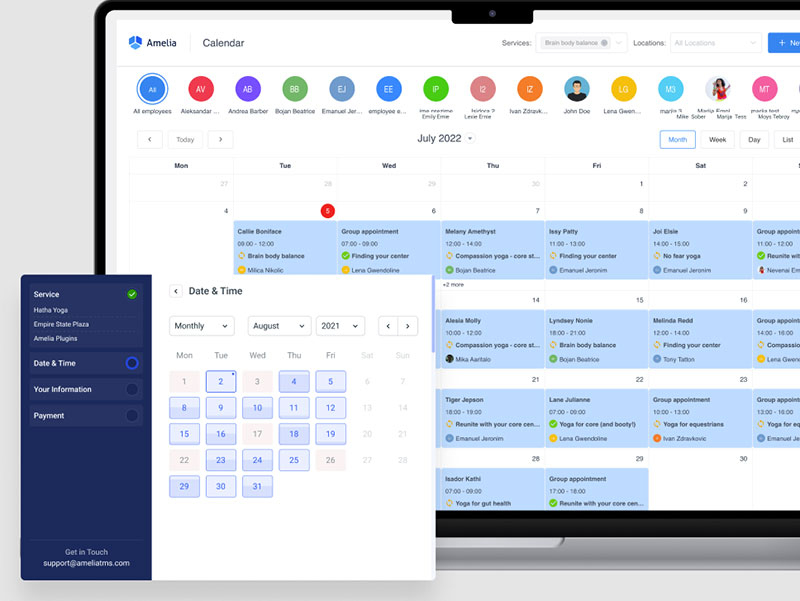
Amelia runs entirely inside your own WordPress site, with lifetime licensing available on most tiers. For owners who want end-to-end control without monthly SaaS lock-in, that’s the pitch.
It ships as a WordPress booking system tied to real payment gateways, handling both appointments and events.
What you get:
- A polished booking wizard
- Events module with QR-coded e-tickets
- Google, Outlook, and Apple sync on higher tiers
- Zoom, plus SMS and email notifications
- Multilingual booking pages and recurring appointments
Pricing: Free Lite on WordPress.org. Paid from ~$49/year (Starter), Standard ~$89/year, Pro ~$149/year, Elite ~$259/year, with lifetime options on most tiers (verified 2026).
Where it wins:
- Lifetime licensing available
- Strong events and ticketing
- Deep documentation
Where it falls short:
- WordPress-native by design, so it suits teams committed to the platform
- Staff manage bookings from the WordPress backend rather than a dedicated mobile app
- Tier-gated gateways: Lite and Starter are Square-only, with Stripe, PayPal, Mollie, and Razorpay arriving at Standard
- Setup takes longer than any hosted tool here, closer to half an hour before the first service is configured
What we found testing it: we ran Amelia v9.4 on a clean WordPress 6.9 install and walked the full booking wizard from date and time through payment, committing a live appointment without errors. The booking records sat in our own database rather than a vendor’s, which is the structural argument for a plugin. We also generated a QR e-ticket from the events module, which nothing else on this list offers natively. Setup ran noticeably longer than the hosted tools, and the free Lite tier caps at one employee with Square-only payments, so the two-staff scenario we tested needed a paid tier. Aggregate ratings: WordPress.org 4.6/5 from 761 reviews, Capterra 4.9/5 from 245.
The QR-ticketed events module makes it double as a lightweight ticketing tool. If you’re weighing it against Bookly, that events layer is the real differentiator.
Calendly – Best for solo professionals and B2B sales teams booking meetings
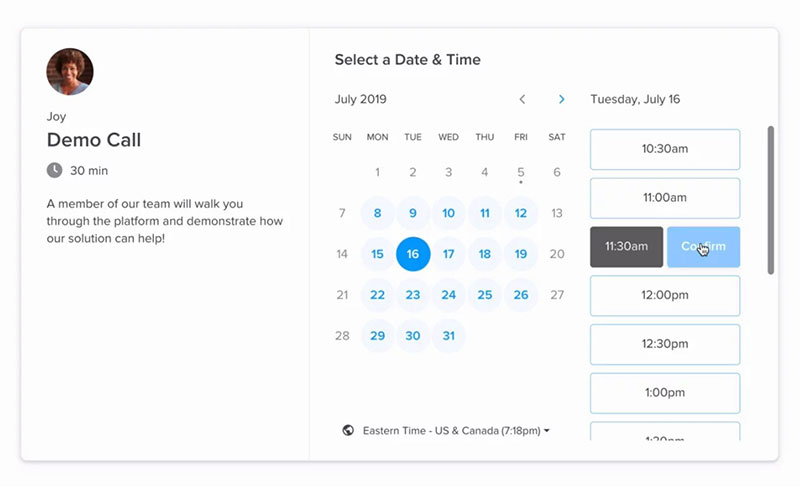
Nothing here sets up faster. Availability links, calendar sync, and one-click booking that kills the back-and-forth email tax.
Best for individuals and sales reps scheduling meetings, not location-based services.
What you get:
- Shareable availability links
- Calendar sync and automated reminders
- Round-robin routing
- Integrations with Zoom, Slack, and Stripe
Pricing: Free plan. Standard $10/seat/month billed annually ($12 monthly). Teams $16/seat annually (verified 2026).
Where it wins:
- Fastest onboarding on this list
- Huge integration library
- Reliable reminders
Where it falls short:
- Per-seat cost climbs fast for teams
- Thin for physical-location booking and POS
- Caps calendar connections at six per user, and no longer accepts new iCloud or Apple Calendar connections
What we found testing it: a booking link was live in under five minutes, faster than anything else here including Trafft, and timezone handling across test invites was flawless. Then we tried to model the two-staff service with a deposit and the tool isn’t shaped for it: no service catalog, no staff roster in the sense a salon needs. On the free tier we confirmed the single-calendar limit, where a busy slot on our second unconnected calendar stayed invisible and Calendly offered that time anyway. We verified the iCloud gap directly too. Capterra logs 4,000+ Calendly reviews at 4.7/5, rated highest for ease of use, which matches what we saw.
Its weak spot is service retail. If you take walk-ins or sell products, the smarter move is checking tools built to handle bookings and payments together.
Acuity Scheduling – Best for consultants and salons that need branded booking
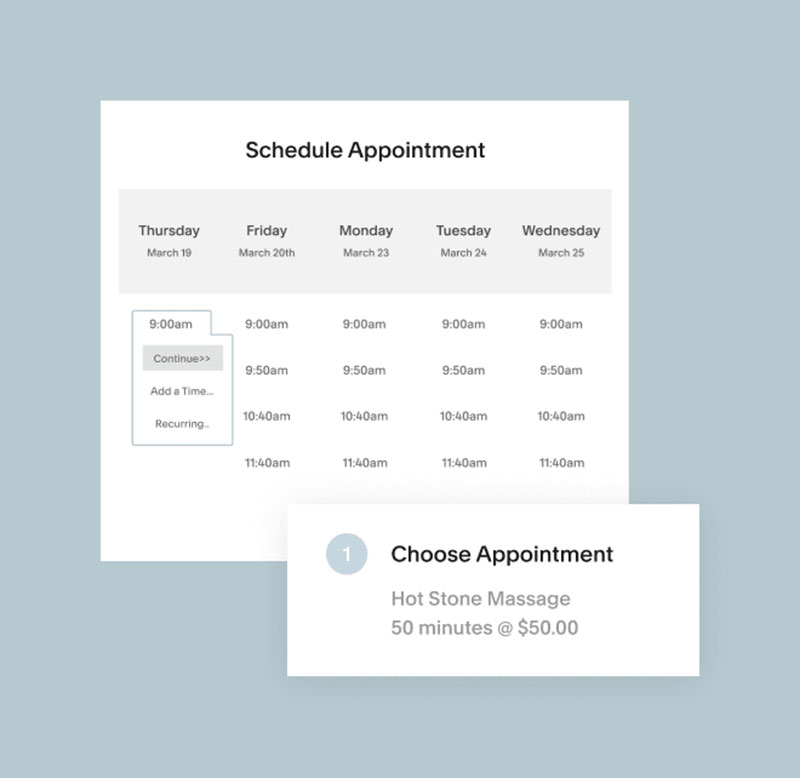
Acuity is the pick when the booking page has to feel like part of your own website. Owned by Squarespace, with deep intake forms and payments underneath.
Best for consultants, coaches, and salons who want branded pages and real client management.
What you get:
- Custom intake forms with conditional logic
- Payment processing and recurring appointments
- HIPAA option on higher tiers
- Native Squarespace integration
Pricing: No free plan, 7-day trial. Entry runs ~$16-20/month, top tier ~$49-61/month with HIPAA and custom branding. Acuity renamed its plans in early 2026, so older guides citing Emerging, Growing, and Powerhouse now map to Starter, Standard, and Premium.
Where it wins:
- Strong client management
- Conditional-logic forms
- Tight Squarespace tie-in
Where it falls short:
- No free tier, so you pay from day one
- Setup runs 30+ minutes
- Team features cost more
What we found testing it: on the 7-day trial we built a paid service with a conditional intake form and required a deposit at booking. The intake builder handled branching questions cleanly, so client context and payment both arrived before the appointment, and that flow is deeper than anything else on this list including our own tools. The cost is setup time: availability rules took the longest of any hosted tool we tried, past the 30-minute mark, and there’s no free tier to practise on before the trial clock starts. Capterra sits at 4.8/5 from 5,700+ reviews.
As scheduling software aimed at consultants, its per-service email sequences are underused. A different follow-up for each appointment type is a real edge for coaching funnels, especially when paired with social media and customized messages that nurture prospects before and after appointments.
Square Appointments – Best for physical locations that also take in-person payments
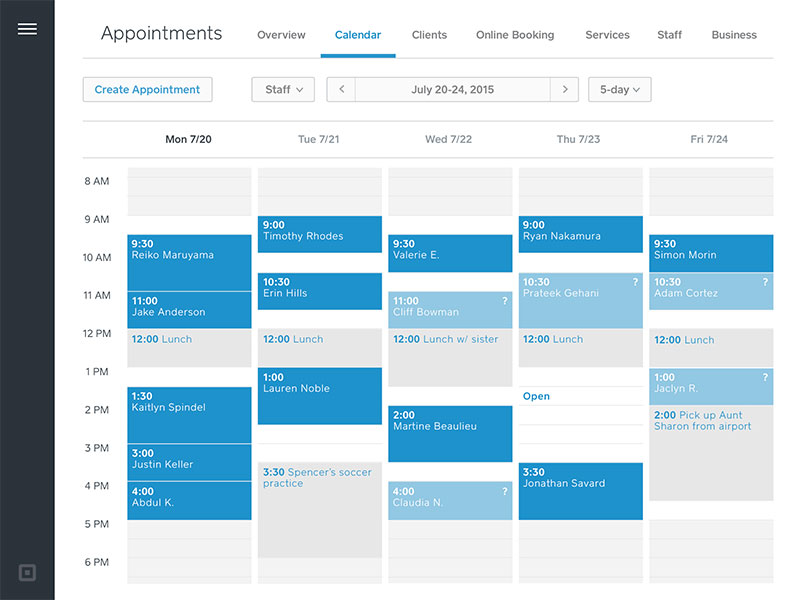
Bookings and checkout share one client record. That native POS link is the whole reason a shop or salon picks Square over anything else here, especially for businesses that also rely on accounting software to keep payments, invoices, and financial records in sync.
Best for single-location businesses that take in-person payments.
What you get:
- Booking page with client profiles and history
- POS and card processing
- Reminders
- Inventory
Pricing: Free for one user and location, with paid tiers for teams. Card processing applies on top, currently 2.6% + 15¢ in person on the free plan after Square’s October 2025 pricing change, dropping to 2.5% on Plus and 2.4% on Premium.
Where it wins:
- Free single-user plan
- Unified payments and calendar
- Solid for retail and salons
Where it falls short:
- Tied to Square’s payment ecosystem
- Weaker cross-platform calendar logic
What we found testing it: we opened the free single-user plan and ran a test card payment, which felt identical to any Square retail transaction and is the smoothest checkout of anything here. Booking and payment genuinely share one client profile, so the history sits in one place. Two limits surfaced. Adding a second staff member pushed us to the Plus plan, and the calendar logic ran out of road as soon as we wanted layered rules across staff. The “free” framing also softens once you count 2.6% + 15¢ on every in-person payment, which scales with revenue rather than headcount.
If you line it up against Acuity, the split is simple. Square wins on in-person checkout, Acuity wins on intake depth.
SimplyBook.me – Best for global or multi-language service operations
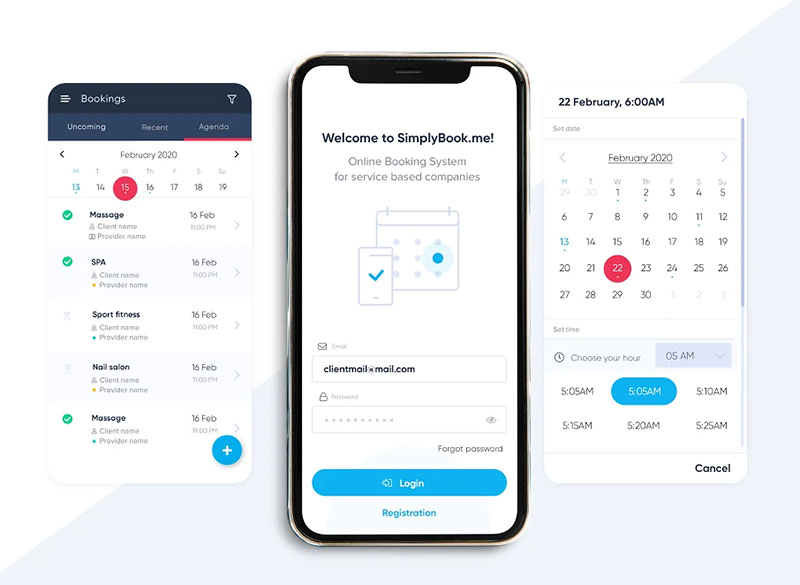
The broadest language and payment-gateway coverage on this list. 30+ languages and 35+ gateways, which is why cross-border businesses land here.
Best for businesses selling across borders.
What you get:
- Custom booking pages
- 30+ languages and 35+ payment gateways
- Reminders
- Classes and memberships
Pricing: Free for 50 bookings/month and 1 provider. Basic ~$11.90/month on annual billing, scaling up (verified 2026).
Where it wins:
- Widest localization
- Modular custom-features model
- Strong for classes and memberships
Where it falls short:
- Free plan capped at 50 bookings and one provider
- Feature-by-feature toggling can feel fiddly
What we found testing it: we set up the free plan with one provider and switched the booking page to a second language, which rendered cleanly and is a real edge no other tool here matches at this price. The modular system is the friction: you toggle each capability on individually, and it took genuine time to work out which combination produced a finished page. The 50-booking free cap bit sooner than the single-provider limit did. Adding a few paid modules also pushed the running total past what a flat-rate competitor charges for the same result.
That custom-features toggle lets you build your own plan, which is powerful. It’s also easy to accidentally cap yourself at 50 bookings on the free tier without noticing.
Setmore – Best for micro-teams that want a live booking page today at no cost
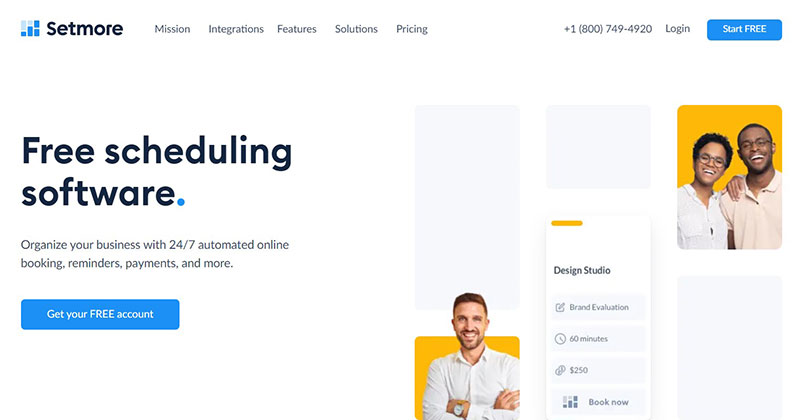
Four free users, 200 bookings, and a custom booking page before you pay a cent. That’s the most generous free tier in this article, ours included.
Best for micro-teams that want a booking page live in minutes.
What you get:
- Custom booking page
- Email reminders
- 4 free users
- Integrations, with recurring appointments on paid
Pricing: Free for 4 users and 200 bookings/month. Pro from ~$5/user/month on annual billing (about $12/user monthly), adding two-way calendar sync, SMS, and video.
Where it wins:
- Most generous free tier on this list
- Fast setup
- Clean booking page
Where it falls short:
- Two-way calendar sync needs a paid plan
- No SMS reminders on free
- No round-robin, so lead-distributing teams outgrow it
What we found testing it: we stood up the free plan with two staff logins and had a customizable booking page live in a few minutes, no card required. Email reminders sent fine. If free-tier generosity is your deciding factor, this beats Trafft outright at $0, and we’d say so plainly. The wall is exactly where reviewers put it: two-way calendar sync and SMS both sit behind Pro, so on free the sync is read-only and reminders are email-only. Per-seat pricing on Pro also means a five-person salon pays five times over, which is where the bundled-user tools pull ahead.
The catch most reviews skip is exactly that sync paywall, so double-bookings creep in until you upgrade. If sync is non-negotiable, scan the alternatives to Setmore first.
Connecteam – Best for hourly and deskless teams managing shifts
A drag-and-drop shift builder that flags conflicts before you publish. Connecteam is a workforce platform for non-desk teams, free for up to 10 users.
Best for hourly and deskless teams building shifts, not booking client appointments.
What you get:
- Shift builder with availability collection
- Time clock
- Team chat
- Tasks and checklists
- Payroll integration and W-2 forms
Pricing: Free for up to 10 users. Paid from ~$29-35/month for the first 30 users (verified 2026).
Where it wins:
- Free for small teams
- Conflict detection
- Strong mobile app
Where it falls short:
- Communications hub can cost extra past 10 users
- Light on POS-based labor forecasting
What we found testing it: we built a week of coverage across five people on the free tier. The conflict flag worked as advertised, catching a double-assignment before we published rather than after staff had already seen it. The mobile app was the strongest of the three shift tools, which matters when the people using it aren’t at a desk. Ten free users is a genuinely useful ceiling for a small hourly team. It books no client appointments at all, which is the point rather than a flaw.
It’s employee scheduling software, not appointment booking. Most “best scheduling” lists blur that distinction, and it matters if your bottleneck is staff coverage rather than client bookings.
Homebase – Best for one-location hourly businesses needing free scheduling
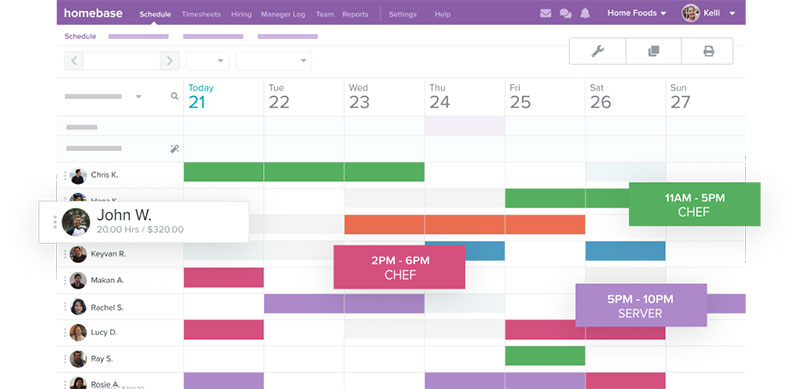
Free for one location with unlimited employees. Homebase pairs scheduling and time tracking with an auto-scheduler that learns your common shifts.
Best for one-location hourly businesses like cafes and shops.
What you get:
- Schedule builder and time clock
- Team messaging
- Hiring tools
- Shift management
Pricing: Free for one location. Essentials ~$20-24/location/month, with higher tiers adding HR (verified 2026).
Where it wins:
- Free for one location
- Easy schedule builder
- Built-in hiring and HR basics
Where it falls short:
- Free tier limited to one location
- Messaging stays limited until paid
What we found testing it: the unlimited-employee free tier is the standout, since a single-location cafe can run its whole rota at no cost where per-user tools would charge. Building the same five-person week took less time than Connecteam, and the auto-scheduler suggested a repeat of our previous pattern after we’d built it once. The ceiling is the location count rather than headcount, so a second site pushes you to paid immediately. Messaging stayed thin until we upgraded.
It quietly does more than shifts. The hiring and basic HR tools make it a starter people-ops hub, and clean shift management keeps hourly coverage gaps visible.
When I Work – Best for shift-based teams wanting scheduling plus messaging in one tier
Scheduling, attendance, and messaging all sit in the same core plan. No add-on hubs, which is the whole reason to pick it over Homebase or Connecteam.
Best for shift-based teams that want coordination tools bundled.
What you get:
- One-click schedules
- Shift swaps and confirmations
- Labor forecasting
- Geofenced time clock and team chat
Pricing: Paid from ~$2.50-5/user/month. Free trial, no permanent free plan (verified 2026).
Where it wins:
- Coordination tools bundled in one plan
- Strong integrations (QuickBooks, Gusto, Square)
- Reliable mobile
Where it falls short:
- No permanent free plan
- Per-user cost scales with team size
What we found testing it: on the trial, shift swaps were the clearest advantage. A staff member requested a swap, another accepted, and the schedule updated without a manager touching it, which neither Connecteam nor Homebase handled as cleanly on their free tiers. Messaging and time clock sat in the same plan rather than behind an add-on, so the quoted price was closer to the real one. The absence of a permanent free tier is the trade: unlike the other two shift tools, there’s nowhere to sit at $0 while you decide.
That bundling is the deciding factor when comparing the top employee scheduling apps on real cost, since you rarely hit an add-on paywall.
What scheduling software does for a small business
Clients self-book online while the owner manages availability, staff, and payments from a single calendar. Phone tag and paper appointment books get swapped for a booking page that runs around the clock.
The core functions stay consistent across every tool:
- Online booking page and embeddable widget
- Calendar sync with Google, Outlook, and Apple
- Automated email and SMS reminders
- Payment capture and deposit collection
- Staff and resource scheduling
Small business owners spend a substantial share of every week on administrative work, and a large minority personally handle schedule management on top of everything else.
That’s the time online booking claws back. SchedulingKit puts the saving near 8 hours a week.
The newest tools even let customers book appointments with AI, describing what they want in a single sentence while the software checks availability and confirms the slot.
Demand is one-sided too. Zippia reports 67% of patients prefer online booking, and 94% are more likely to pick a provider that offers it.
The real benefits of scheduling software show up fast: recovered hours, fewer missed slots, steadier cash flow. Trafft and Amelia both cover this loop, one as hosted SaaS, one as a WordPress plugin.
Appointment booking software vs employee shift scheduling
Both get called “scheduling software,” but they solve different problems. One books clients into slots. The other assigns staff to shifts.
| Type | What It Schedules | Example Tools |
|---|---|---|
| Appointment booking | A client into a time slot | Trafft, Calendly, Acuity |
| Shift scheduling | Staff onto shifts | Connecteam, Homebase, When I Work |
When you need client appointment booking
Client booking fits any business where one customer claims one slot: salons, clinics, coaches, consultants.
A salon swapping its paper appointment book for online slots captures the 40% of bookings Zippia says happen after business hours.
When you need employee shift scheduling
Shift scheduling fits hourly teams where the question is coverage, not client slots. Managers build a staff work schedule, collect availability, and track clocked hours.
- Drag-and-drop shift builder
- Conflict flags before publishing
- Built-in time clock
SchedulingKit pegs revenue lost to scheduling inefficiencies at 35%, and coverage gaps are a big part of that.
How to choose scheduling software for a small business
The choice comes down to a handful of comparable criteria, not brand names:
- Free plan quality: read the actual limits, since they vary sharply (Setmore gives 4 users, Trafft gives 1, Acuity gives none)
- Billing model: per-seat, bundled users, per location, or one-time license. This decides the bill more than the headline price does
- Payment capture: native gateways like Stripe, PayPal, and Razorpay, or a built-in POS
- Calendar sync and reminders: two-way sync plus email, SMS, and WhatsApp channels
- Industry fit: WordPress-native (Amelia), hosted SaaS, or POS-linked (Square Appointments, owned by Block)
SchedulingKit found 48% of consumers have switched providers over a poor booking experience, so the client-facing page matters as much as the back end.
Speed converts too. The faster a booking flow completes, the more likely it is to finish rather than get abandoned.
Weighing these upfront helps you avoid the common scheduling mistakes that force a painful migration later.
Which features reduce no-shows and protect booking revenue
No-shows are the tax on every service calendar.
The average no-show rate across service industries sits near 23% (Dantas review of 105 studies). The cost per missed slot is commonly put at around $200, though that figure circulates widely across the no-show literature without a clear primary source, so treat it as a rough industry estimate rather than a measured number. Either way, a salon running a 20% rate can bleed thousands of dollars a month.
Four levers do the work, and they aren’t equal:
- Deposits at booking are the single most effective one, cutting no-shows by roughly 40% to 55% (SchedulingKit)
- Automated reminders through the right reminder apps drop no-shows by about 29% (Zippia)
- Confirmations and easy rescheduling matter because forgetfulness drives a large share of misses, and a one-tap reschedule recovers most of them
- Conflict detection flags clashes before publishing, preventing double-booked appointments that turn into angry clients
The channel itself helps. Online-booked appointments show a 3.2x higher show-up rate than phone bookings (SchedulingKit).
What scheduling software costs and how pricing models differ
Tools price on five different models, so a straight “per month” comparison misleads.
| Model | Example | Entry Cost |
|---|---|---|
| Free tier | Setmore, Square, Homebase | $0 |
| Per seat | Calendly, Setmore Pro | ~$5-16/user/mo |
| Bundled users | Trafft | ~$29/mo for 3 users |
| Per location | Homebase, Square Plus | ~$20-24/mo |
| Annual or lifetime license | Amelia | ~$49/yr or lifetime |
Free plans and their real limits
Free rarely means unlimited. The cap is usually bookings, users, or calendar sync, and the differences are bigger than the word suggests.
- Setmore: 4 users, 200 bookings/month, the most generous here
- Square Appointments: free for 1 user and location, though processing fees apply per transaction
- SimplyBook.me: 50 bookings/month, 1 provider
- Trafft: 1 user, 1 location, 100 appointments/month, with no per-booking fees at any tier
- Amelia Lite: 1 employee, Square payments only
- Acuity: no free tier at all, just a 7-day trial
Subscription vs one-time license
Most tools bill monthly per seat. Amelia breaks the pattern with a lifetime option on most tiers, and Trafft breaks it differently by bundling users into each plan so the bill doesn’t move when you hire.
Its free WordPress booking plugin (Lite) handles simple bookings, with paid tiers from about $49/year.
Online booking lifts revenue by an average of 27% (Signpost), which reframes the monthly fee as return rather than cost.
How to set up online booking without a developer
You don’t need code to take an offline business online. Three routes cover almost every setup.
- Hosted page: Trafft generates a full booking page even if you have no website
- WordPress plugin: add booking to an existing site with a WordPress booking plugin like Amelia
- Embedded widget: drop a booking form onto any page or link it from social media
Connect Google or Outlook for two-way sync, so booking appointments through Google Calendar stays free of clashes.
A live page earns while you sleep. Zippia reports 40% of appointments are booked after business hours.
Hosted tools go live in under 15 minutes in our testing, with Calendly fastest at under five. Form-heavy setups like Acuity took past 30, and a WordPress plugin like Amelia landed around the half-hour mark.
Common questions about scheduling software for small businesses
Is Trafft good for small business scheduling?
Yes, though read the free plan carefully. Trafft’s free tier covers 1 user, 1 location, and 100 appointments a month, so it works as a trial rather than a permanent home. The real argument is the paid structure: users come bundled into each tier rather than billed per seat, and there are no per-booking fees at any level, which suits small service teams that plan to hire.
What makes Amelia different from other booking tools?
Amelia is a WordPress booking plugin that runs inside your own site, not a hosted service. It offers lifetime licensing on most tiers, an events module with QR e-tickets, and payments through Stripe, PayPal, Mollie, and Razorpay from the Standard tier upward.
What is the best free scheduling software for small businesses?
Setmore has the most generous free tier at 4 users and 200 bookings a month. Square Appointments is free for one user and location, SimplyBook.me allows 50 bookings a month with one provider, and Trafft’s free plan covers 1 user and 100 appointments. For shift scheduling, Connecteam is free up to 10 users and Homebase free for one location.
Do I need a website to use scheduling software?
No. Trafft and most hosted tools generate a standalone booking page with a shareable link. WordPress plugins like Amelia need a site, but hosted platforms let you take bookings without one.
Can scheduling software collect payments?
Yes. Most tools capture payments or deposits at booking through gateways like Stripe, PayPal, and Square. Collecting upfront is the strongest anti-no-show lever available, with published reductions in the 40% to 55% range.
How does scheduling software reduce no-shows?
Through an appointment confirmation text, automated reminders, deposits, and easy rescheduling. Reminders alone cut no-shows around 29% (Zippia), and since forgetfulness causes a large share of misses, a nudge recovers most slots.
What is the difference between appointment and employee scheduling software?
Appointment booking (Trafft, Calendly, Acuity) puts one client into a slot. Employee scheduling (Connecteam, Homebase, When I Work) assigns staff to shifts. Pick by whether your bottleneck is bookings or coverage.
Does scheduling software sync with Google Calendar?
Most do. Trafft, Calendly, and Acuity offer two-way sync with Google and Outlook. On Amelia, Google Calendar integration starts at Standard, with full two-way sync and Apple Calendar arriving on Pro. On Setmore’s free tier the sync is read-only.
How much does scheduling software cost?
It ranges from free to about $150 a month. Per-seat tools like Calendly run $10 to $16 per user, Acuity starts around $16, Homebase charges per location, and Trafft bundles users into tiers from about $29. Amelia offers annual tiers from $49 plus a lifetime license option.
Which scheduling software is best for salons and service businesses?
Square Appointments suits salons that need in-person payments, Acuity fits consultants and coaches who want intake forms and deposits, and Trafft or Amelia work for multi-staff service teams that don’t want per-seat billing. Match the tool to your industry and payment needs.
Conclusion
The best scheduling software for small businesses is the one that fits how you actually work, not the one with the longest feature list.
In general, scheduling software for small businesses focuses on two main services: helping clients book appointments online and scheduling internal meetings with your staff. The best scheduling software helps you do both, while tools like Akiflow also help teams organize tasks and daily priorities more efficiently!
Trafft and Amelia lead because they cover the whole loop: an online booking system, automated reminders, deposit collection, and calendar sync, without heavy setup.
From there, the choice narrows fast.
- Need in-person payments? Square Appointments.
- Run on WordPress? Amelia.
- Managing hourly staff? Connecteam or Homebase.
Match the tool to your industry, your team size, and your budget.
Then let self-service booking and automated appointment management reclaim the hours you’re losing to phone tag and empty slots. Start with a free trial, test one real week, and keep what earns its place.

Explore topics

Read Inspiring Customer Stories
Check out how our user set Amelia for his business