

Explore the full list of features that come with Amelia
Discover what Amelia has to offer for your business, whether it's small or big – it doesn't matter!
Custom Fields
Add checkboxes, text areas or other custom fields to your booking process and collect additional information from your clients during online reservations with Amelia WordPress booking plugin.
Tickets for Events
Create unique or custom prices for event tickets based on the ticket types, capacity, time of the purchase, and more. Encourage customers to buy tickets by setting discounts for early or seasonal purchase.
Online Payments
With online payment integrations like PayPal, Mollie, RazorPay, Stripe, WooCommerce, Square, Barion, and more, your customers can enjoy secure and convenient payment options while shopping online.
E-tickets QR code for Events
Provide every attendee with a unique QR code ticket that can be scanned on-site for quick, secure entry and effortless check-in management.

Pricing by date & time
Set different prices for specific days, dates, or time periods, so your rates automatically match demand throughout the week.

Invoices
Automatically generate invoices for bookings to streamline payments and enhance the client experience.
Apple Calendar Synchronization
Employees can connect their Apple Calendar to sync Amelia appointments and events with their calendar availability.

Automated notifications and reminders
Be in instant touch with your customers and employees - communicate with them through SMS and email text messages.

Google Calendar Synchronization
Google Calendar is a time-management and scheduling calendar service developed by Google. It allows users to create and edit events.

Google Meet integration
Let your customers schedule online virtual meetings and book online events while getting instant confirmation and access links in the notifications for Google meet.

Packages of Services
Encourage your customers to buy more by bundling single or multiple services in a package of appointments. Set the price for the whole package so your customers can have a discount when purchasing the package of services.

WooCommerce integration
Take care of all your payments, taxes and invoices by using native Amelia WooCommerce integration.

Recurring Appointments
Make your customers return by letting them schedule recurring appointments with the Amelia WordPress appointment and event plugin. The recurrence can happen daily, weekly, monthly or yearly.z

Multilingual support
Amelia is currently translated into more than 20 languages, but you can easily translate all the strings into any language in the world and offer your customers booking in multiple languages.

Cart feature
Enabling the Cart feature enables customers to book multiple services within a single booking process. They can modify their selection by deleting or editing services and choose different dates, times, employees, and locations (if available).

Events
Configure one-off or repeating events like conferences, classes, meetups, concerts, or anything else - provide a smooth and easy front-end booking interface and a comprehensive attendance management in the back-end!

Refund
When you collect payments online through payment methods (PayPal, Stripe, Mollie, RazorPay, or WooCommerce), you will be able to refund your customers if they decide to cancel the appointment.

Pay via a Link
Allow customers to conveniently complete transactions through a personalized and secure payment link sent via email or within their customer panel.

Resources
Share resources such as rooms, equipment, cars, chairs, and more among employees efficiently. The Amelia WordPress appointments and events plugin displays available time slots according to resource availability. Once all resources are booked, no further time slots will be available.

WhatsApp integration
Amelia WhatsApp integration allows you to send your customers and employees notifications about upcoming appointments and events through WhatsApp.

Limit appointments, packages and events
If you don’t want to allow customers to book an unlimited number of appointments, you can limit the number of appointments, packages and events per person.

Catalog Booking Form
The new simpler and more intuitive catalog form makes it easier for your customers to search for services within certain categories.
Coupons for packages
Provide your customers with unique discount codes that can be redeemed during the booking process. Boost customer engagement and satisfaction by offering attractive deals!
REST APIs management
Unlock the potential of our REST APIs with a developer license, empowering you to extend integrations and customize the booking process to your unique needs.

Customer Panel
The redesigned customer panel offers easy appointment and event management directly on the website, with enhanced profile features for seamless use.

Built-in popup
Now, you have the ability to choose whether you want your booking forms to appear on a page or in the convenient built-in Amelia popup view, giving you full control over your booking experience.

Employee badge
Enhance your booking experience with customizable badges, adding a professional touch and reinforcing your brand identity. These badges not only showcase your commitment to exceptional service but also provide a quick and easy way for clients to identify and trust your dedicated team.

Taxes
Automatically calculate and apply taxes to your services and events, ensuring compliance and accurate billing without the hassle.
Square Integration
Simplify your transaction management with our Square integration, including Apple Pay and Google Pay.

Stripe Connect
Enjoy seamless payment processing with Stripe Connect, with the ability to define a commission and automatically split payments.

WPFusion Integration
Sync your appointment bookings with over 50 CRMs and marketing platforms using WP Fusion.

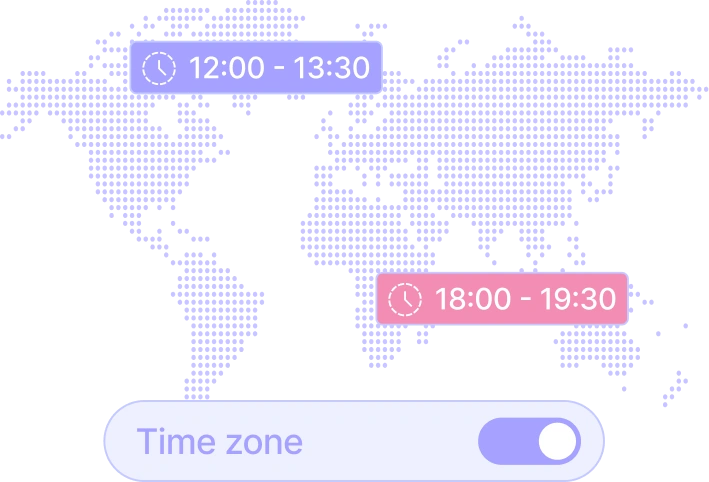
Time zones
Amelia will automatically detect the time zone from your customer’s computer and show slots in their time zone, while you will be able to see the slots in your time zone
Custom services schedule
Take advantage of full scheduling flexibility with the custom services schedule feature - configure the working hours individually per service and employee combinations.

Employee schedule management
Efficiently manage employee schedules, contact information, workloads, and availability with our advanced employee scheduling system, empowering your team to optimize operations and improve productivity.

Step-by-step booking wizard
An alternative way of scheduling appointments by choosing one parameter (service, employee, date) at each step.

Insightful dashboard and reporting
Keep an eye on how your business performs – track the most important financial and conversion-related KPIs through charts in a dashboard.

Calendar and list view
Amelia provides multiple options for managing the workflow, depending on the level you want to track: monthly, weekly, and daily calendar view, or just an interactive list of appointments.

Manage multiple locations
If you have several business locations, you can efficiently manage this with Amelia, storing contact data, address, and geolocation.

Group Bookings
Appointments do not always have to be individual - Amelia supports group bookings as well (e.g., for group excursions). Each service can have minimum and maximum capacity.

Booking Time Limits
Configure minimum time required before booking and before canceling. Depending on your business, configure the periods for bookings and cancellations.

Buffer time
Amelia provides multiple options for managing the workflow, depending on the level you want to track: monthly, weekly, and daily calendar view, or just an interactive list of appointments.

Photo Gallery
Upload multiple images for services and events, displayed on the site’s front end as galleries or slideshows.

Service Extras
Configure extra services, or special treatments provided additionally with a service, which can optionally raise the service price.

Customer Management
Easily view and manage customer profiles, booking history, and contact information in one centralized dashboard.

Full financial details of the payments
A single database of all payments where you can check each payment status (finalized or pending), payment gateway (on site, PayPal, Stripe), total amount, discount, and other information.

Discount Coupons
Create and track usage of discount coupons - for all or some specific services, with a particular usage limit, a fixed amount discount or percentage.

Customizable design
Choose colors and fonts for the front-end elements to make the booking controls match your WordPress theme and corporate brand style.
User Roles and Permissions
Amelia has four built-in user roles: admin, manager, employee, and customer. Each role has its scope of permissions. Adjusting user permissions through WordPress’ native capabilities system is possible.

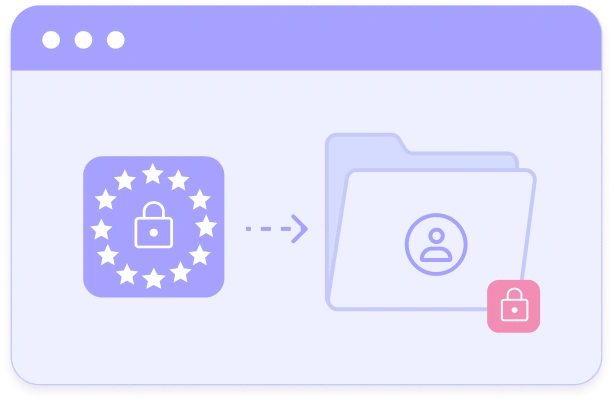
GDPR compliance
Amelia does not store any customers’ data in compliance with GDPR. In Amelia Customer Panel, your customers can access, manage, and delete their personal data at any point in time.
Employee panel
Employees can log in and take control over their appointments and events, manage their schedule, working hours, days off and special days. Employees can manage price for their services, as well as the capacity.

Deposit Payments
When deposit payments are set, customers will be required to pay a certain amount during the booking, while the remaining balance can be paid on the spot or through a personalized payment link sent via email or within their customer panel.
Import customers' data
If you already have a customers database using our Import option you can easily import all data via CSV file.

Custom Service Duration
Create multiple durations and set prices for each service duration with our booking system. When booking appointments, your customers will be able to choose from predefined durations, and see prices and available time slots.

Event Calendar Booking Form
Streamlined event booking experience for your customers by new redesigned Event Calendar.
Waiting List
Allow customers to join a waiting list and hold their spot until openings become available.
Recurring Events
With Amelia, you can organize events that repeat and designate a timeframe for the repetition of single or multiple-day repeating events.

Event calendar view
Show events in a sleek, modern, fully responsive calendar on the page of your website with a shortcode. By clicking on an event, pop up with the details, schedule and images will be shown, and they will be able to book instantly.

Custom Pricing of Events
If you have multiple types of tickets for your Event, you can set that with the option “Custom Pricing”. You can set the name, price and spots capacity for every specific type individually, or maximum capacity of all ticket types.
Native Zoom integration
In a few clicks, you can connect your Zoom account with Amelia. Now your customers can book online appointments and events, and get a link to access them in the notification.

Web Hooks
Connect Amelia with third party applications and send appointments and events data after each booking, canceling and/or rescheduling action.

Outlook Calendar Synchronisation
Employees can connect their Outlook calendar to sync Amelia appointments and events with availability from their calendar.

MyCred Integration
The MyCred integration with Amelia enables customers to use gathered myCred points to book appointments or events, enhancing their booking experience.

Elementor Integration
The "Elementor" integration seamlessly combines Amelia with the popular page builder, allowing users to effortlessly create visually stunning website pages and easily add the Amelia booking form using Elementor's drag-and-drop interface.

Divi Integration
Amelia's integration with Divi enables effortless incorporation of Amelia's booking form using Divi builder modules.

Lessonspace integration
Use Amelia's integration with Lesson space to easily create online classrooms for each booked appointment or created event in Amelia.

BuddyBoss Integration
Integrate Amelia with BuddyBoss for effortless booking and appointment management within BuddyBoss profiles.

Facebook Pixel Integraiton
The Facebook pixel integration in the Amelia plugin allows you to track visitor activity, monitor conversions, and optimize your marketing efforts for enhanced website performance.

Google Analytics Integration
Track visitor activity, monitor conversions, and analyze marketing performance with Google Analytics integration in Amelia, providing valuable insights and data.

Mollie payment gateways
Accept customer payments online at the moment of booking. Choose the payment gateway you wish with our out-of-the-box integrations with Mollie.

PayPal payment system
The most popular payment system in the world supported out-of-the-box.

Stripe payment system
Allow customers to pay for their reservations via Stripe, including support for Apple Pay and Google Pay

Razorpay
By incorporating RazorPay as a payment method in Amelia, you can offer your customers a secure and seamless payment experience.

Microsoft Teams Integration
Enable your customers to schedule online virtual meetings and book events effortlessly, with instant confirmation and access links provided in the notifications for Microsoft Teams.
Bit Integrations
Automate and sync your Amelia bookings with over 200 popular tools and platforms using Bit Integrations.
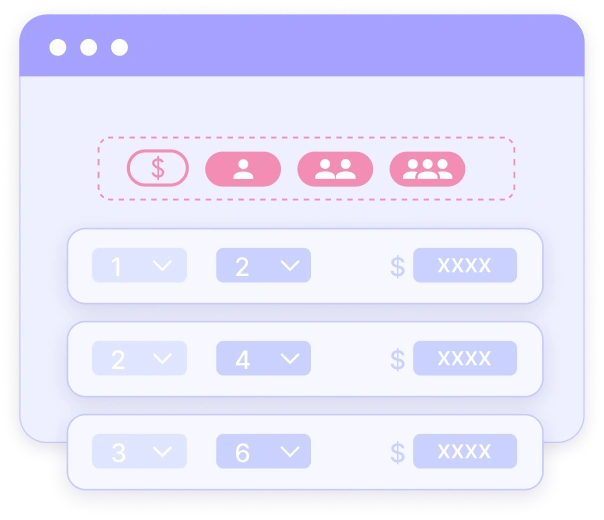
Pricing by the number of people
Offer flexible service pricing that automatically adjusts based on the number of people attending the appointment.
Mailchimp integration
Sync customer details with your Mailchimp lists to run targeted email campaigns and stay connected with your clients effortlessly.

Barion Payment integration
Offer your customers a secure and fast checkout experience with Barion.