



WPAmelia and Trafft top this list, ahead of bigger, more recognizable names like Calendly and Acuity Scheduling. That ranking comes down to payment gateway range, a licensing model that doesn’t repeat every month forever, and staff scheduling depth most competitors treat as an afterthought.
Calendar scheduling software combines calendar availability, a client-facing booking page, and payment collection into one automated workflow. Salons, clinics, consultants, and agencies use it mainly to stop the back-and-forth of matching a client’s text message to whatever slot is actually still open.
Amelia carries a 4.6-star rating across 761 reviews on WordPress.org as of 2026. That’s a review volume most competing booking plugins don’t come close to matching.
The Best Calendar Scheduling Software
This ranking leans toward small service businesses rather than enterprise sales floors, and it runs best option first.
Both come from the same company: Melograno Ventures. WPAmelia is the self-hosted WordPress plugin, Trafft is the separate cloud SaaS product. That’s worth knowing before you assume they’re competitors. They give a full scheduling setup for small businesses without forcing a per-seat subscription forever.
The rest of the list fills in where those two don’t fit: pure meeting links, POS-tied booking, or open-source control.
| Platform | Best for | Starting price |
|---|---|---|
| WPAmelia | WordPress sites that want a one-time purchase | Free Lite version; paid annual licenses from $49/year |
| Trafft | Small teams that want an all-in-one white-label platform | Free plan; Basic $12/month, or lifetime license from $89 (AppSumo) |
| Calendly | Solo professionals who just need a simple meeting link | Free (1 event type); Standard $10/seat/month billed annually |
| Acuity Scheduling | Service businesses that want deep customization | No free plan; Starter $16/month billed annually |
| SimplyBook.me | Businesses that want a functional free plan with payments | Free (1 provider, 50 bookings/month); paid from ~€11.90/month billed annually |
| Setmore | Small teams that need a generous free tier | Free (4 users, 200 bookings/month); Pro ~$5/user/month billed annually |
| Square Appointments | Businesses already running on Square | Free (single location); Plus $49/month per location |
| YouCanBookMe | Freelancers who want a simple branded booking page | Free (1 calendar, 1 booking page); Individual $8.10/month billed annually |
| Zoho Bookings | Teams already inside the Zoho ecosystem | Free (1 staff member); Basic $6/staff member/month billed annually |
| Cal.com | Developers who want a self-hosted scheduler, with a caveat | Free for individuals (managed cloud); Teams ~$12–$15/user/month billed annually |
Amelia: best for WordPress sites
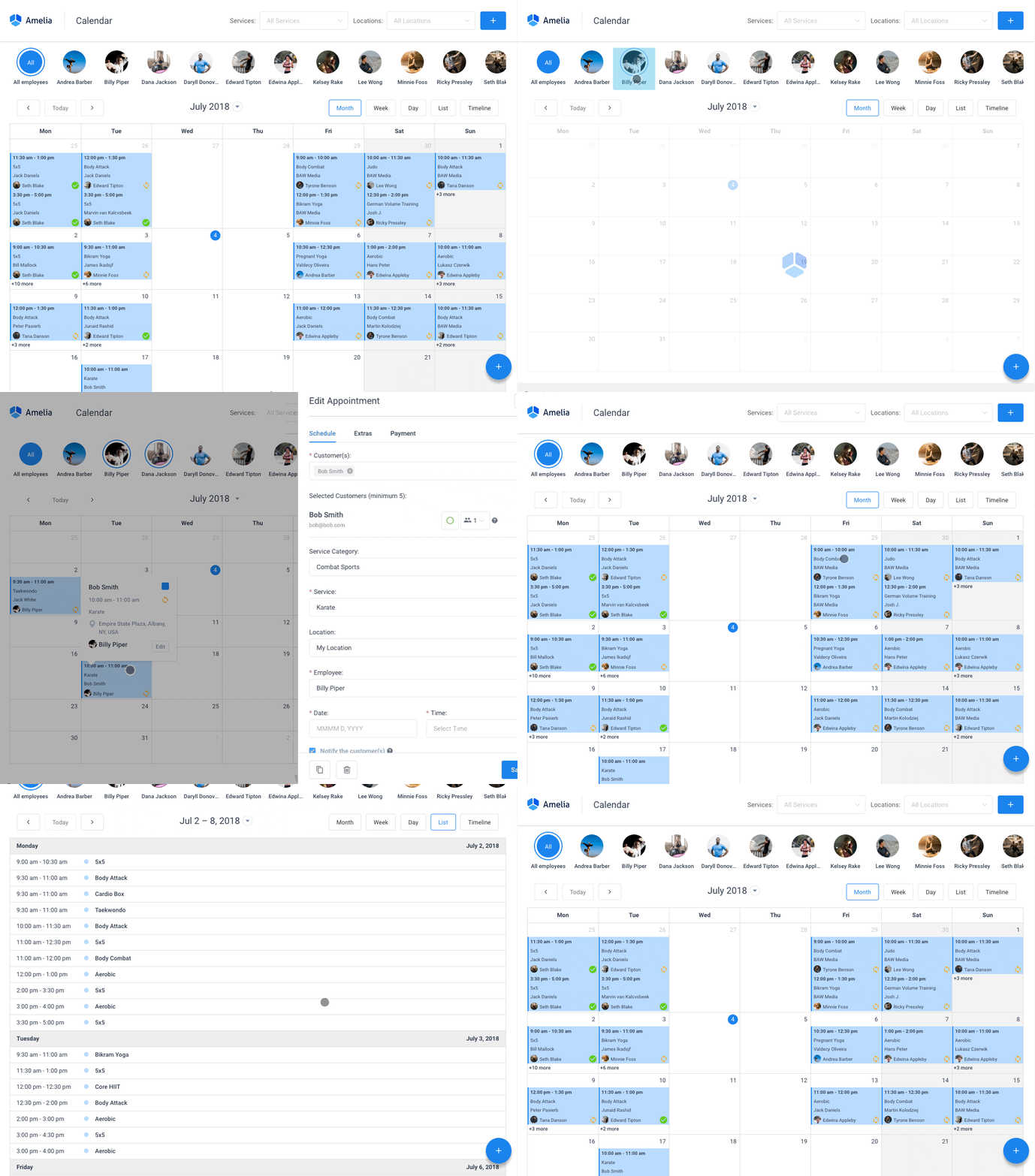
Amelia handles appointments, events, and staff management directly inside the WordPress admin, which is the whole pitch in one sentence. Skip the separate SaaS login. Everything lives where your site already lives.
It sells annual licenses and lifetime licenses, which fits sites that already own their WordPress hosting and don’t want another recurring charge added to the pile.
Employee and service management sit in the same dashboard as the booking calendar. A salon or clinic can run staff hours and client bookings from one screen, without switching tabs or exporting anything.
- Two-way Google Calendar and Apple Calendar sync (Pro tier)
- Stripe, PayPal, Mollie, Razorpay, and WooCommerce payment gateway support (Standard tier and above; Lite and Starter are Square-only)
- Zoom, Google Meet, and Microsoft Teams for online appointments (Pro tier)
- A built-in events module with QR-coded tickets and multiple ticket types (Pro tier)
- Multilingual booking pages if your clients don’t all speak the same language
Pricing: a free Lite version ships on WordPress.org. Four paid tiers sit above it: Starter around $49/year for one domain, Standard around $89/year, Pro around $149/year for five domains, and Elite around $259/year for unlimited domains. Lifetime licenses are available on most tiers, running roughly $229 for Standard up to $799 for Elite. A 15-day money-back guarantee applies, and Paddle handles the transaction.
The booking wizard is polished, the payment gateway range is strong once you’re on the right tier, and the documentation runs deep enough that you’re rarely stuck guessing. The demos cover the client-facing flow if you want to see it first.
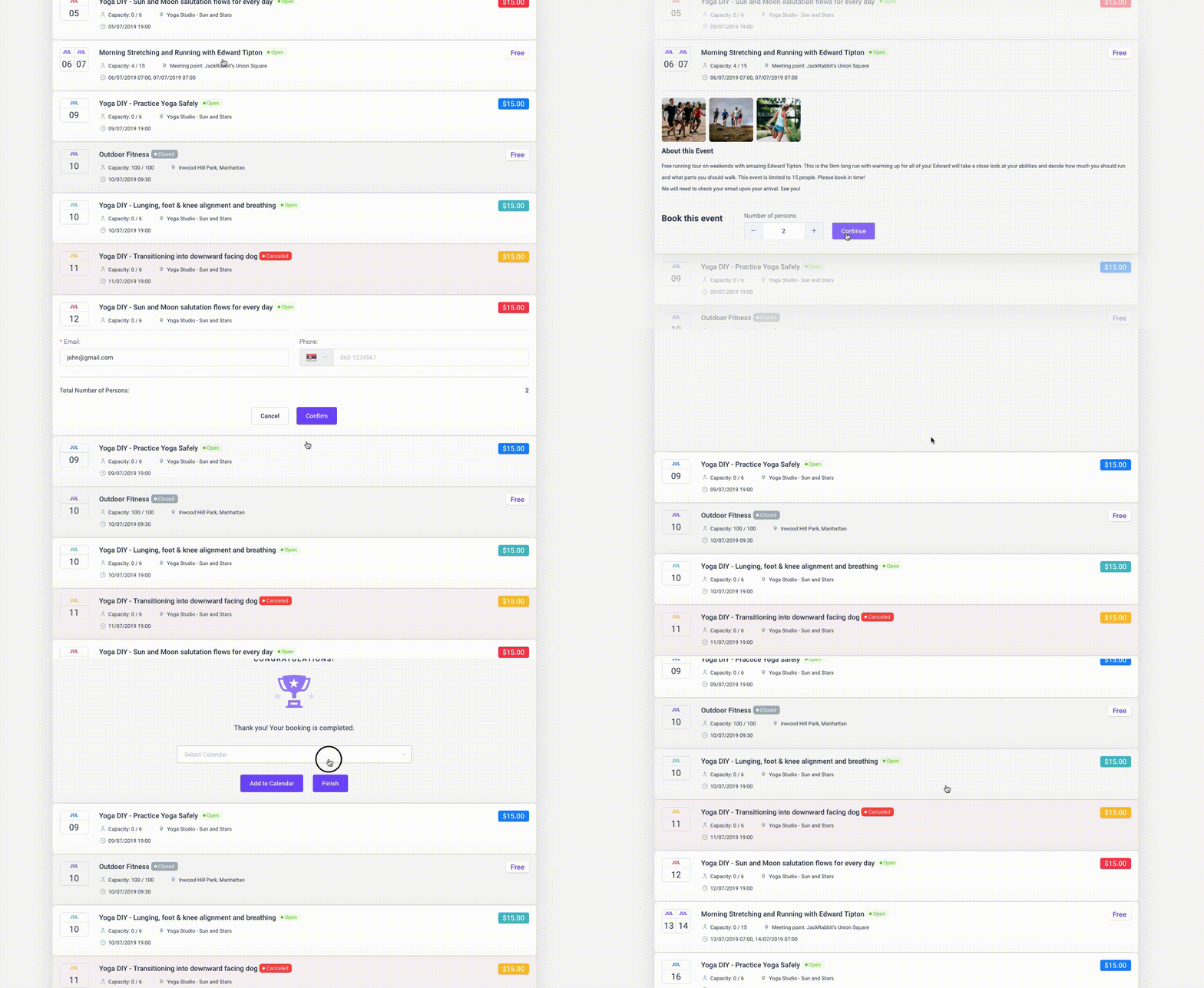
Two things to weigh: it’s WordPress-only, so it fits teams committed to the platform, and staff day-to-day runs through the WordPress backend alongside the business mobile app for the on-the-go view.
Amelia holds a 4.6/5 rating from 761 reviews on WordPress.org and 4.9/5 from 245 reviews on Capterra, with 80,000+ active installations.
The events module with e-ticketing is the reason it earns a spot here. Most calendar tools don’t bundle ticketing at all, and the ones that do usually sell it as a separate add-on. That’s largely why Amelia edges out plugins like Bookly on raw scope. The full Amelia vs Bookly comparison breaks down the feature gap in more detail.
Trafft: best for small teams that want an all-in-one white-label platform
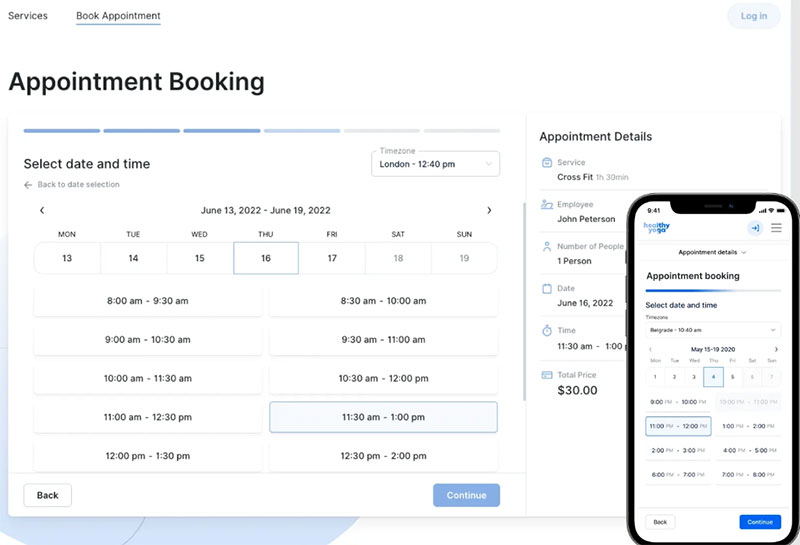
Trafft is a cloud-based booking platform built for teams juggling multiple staff calendars, locations, and client payments at once. Agencies and multi-location service businesses lean toward it for the white-label branding, without paying per seat forever.
Team scaling doesn’t penalize growth the way per-user pricing usually does, and white-label client portals show up at the higher tiers, which agencies reselling booking as a service tend to want. That structure makes team booking across many staff members cheaper than tools charging per seat every single month.
- Google, Outlook, and iCal sync
- SMS and email reminders
- Multi-location support
- Customizable booking forms
- A mobile-friendly admin panel
Pricing: a free plan exists. Basic runs $12/month, Pro reaches $60/month, and a lifetime license on AppSumo runs $89 to $979 depending on tier (AppSumo, 2026). That lifetime option undercuts subscription pricing fast for anyone planning to stick with Trafft long-term. Current tiers sit on the pricing page.
The interface is clean and modern, support responds quickly, and the lifetime tier delivers strong value per location. The demos run through the setup across industries, from barbershops to fitness studios to automotive services.
Worth knowing: the mobile calendar is lighter than the desktop dashboard on a packed day, and larger platforms connect through Zapier rather than native integrations.
Capterra reviewers consistently rate ease of use and support responsiveness high, and more than a few describe the support team as fast to close tickets.
The one-time lifetime license is rare among cloud booking tools, and that alone earns Trafft its spot here. Most competitors lock every feature behind a recurring subscription with no ownership option at all.
Calendly – Best for solo professionals who just need a simple meeting link
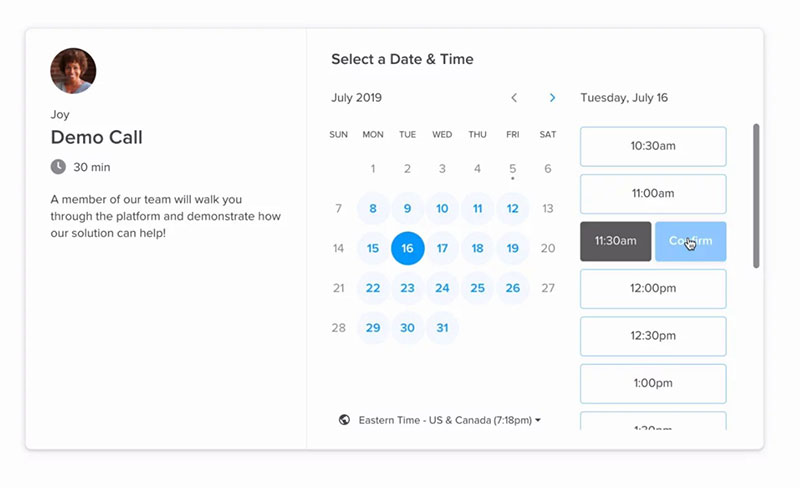
Calendly is the name most people already know in this category, built around a shareable link that syncs to your calendar and lets invitees grab an open slot themselves. Freelancers, recruiters, and sales reps who mostly book one-on-one meetings, not service appointments with payment collection attached, get the most out of it.
Integration depth is where it separates from the pack. Calendly connects to Salesforce, Zoom, Slack, and dozens of CRMs, which matters more for coordinating meetings than for salon-style bookings.
- Unlimited event types on paid tiers
- Round-robin routing for sales and support teams
- Stripe and PayPal payment collection
- Workflow automation covering reminders and follow-ups
Pricing: the free plan caps out at one active event type. Standard runs $10/seat/month billed annually ($12/seat/month billed monthly), Teams runs $16/seat/month billed annually ($20/seat/month billed monthly), and Enterprise begins around $15,000/year (Capterra and G2, 2026).
Reliability at scale is proven, the integration library is wide, and most invitees already recognize the interface before they ever click through.
That single-event-type free plan, though, pushes most real use cases toward a paid tier fast, and there’s no built-in staff management for service businesses running multiple providers.
Free-plan users consistently point to that one-event-type limit as the reason they eventually upgrade, according to G2’s aggregated review data from 2026.
Calendly is the default pick for pure meeting scheduling. It was never built for taking a deposit on a haircut or juggling five stylists’ shifts, though, and anyone who hits that wall usually starts looking at Calendly alternatives built specifically for service businesses.
Acuity Scheduling – Best for service businesses that want deep customization
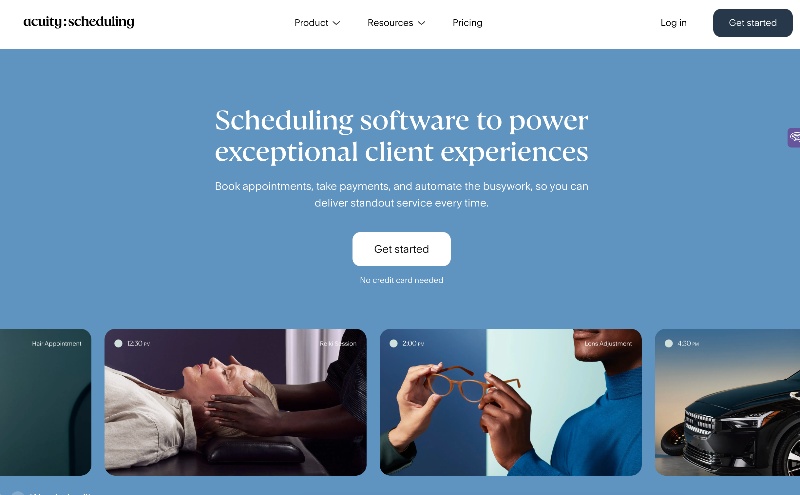
Squarespace owns Acuity Scheduling, and that ownership shows in how polished the booking page builder is and how deep the client-facing customization goes.
| Plan | Price (annual) | Notable gate |
|---|---|---|
| Starter | $16/month | Basic booking, no HIPAA |
| Standard | $27/month | Package pricing, add-ons |
| Premium | $49/month | HIPAA-eligible with BAA |
Therapists, coaches, and consultants who need packages, gift certificates, and intake forms baked directly into the booking flow tend to land here.
- Unlimited bookings on every tier
- Mailchimp and ActiveCampaign integrations for email marketing
- Freely customizable intake forms
- Package or membership pricing for studios selling bundles rather than single sessions
Unlimited bookings regardless of plan is a real advantage, the email marketing integrations run deep, and most tiers don’t penalize you for adding calendars.
There’s no permanent free plan though, only a 7-day trial, and HIPAA compliance sits behind the Premium tier, which prices smaller healthcare practices right out.
Acuity charges by number of calendars rather than booking volume. That’s the opposite pricing logic from SimplyBook.me, which charges by booking count instead (SimplyBook.me, 2026).
The packages-and-memberships system here runs more developed than most competitors manage, which matters for studios selling class bundles instead of single appointments. For a head-to-head on staff-heavy setups, the Acuity vs Setmore comparison goes into more detail on where that gap shows up.
SimplyBook.me – Best for businesses that want a functional free plan with payments
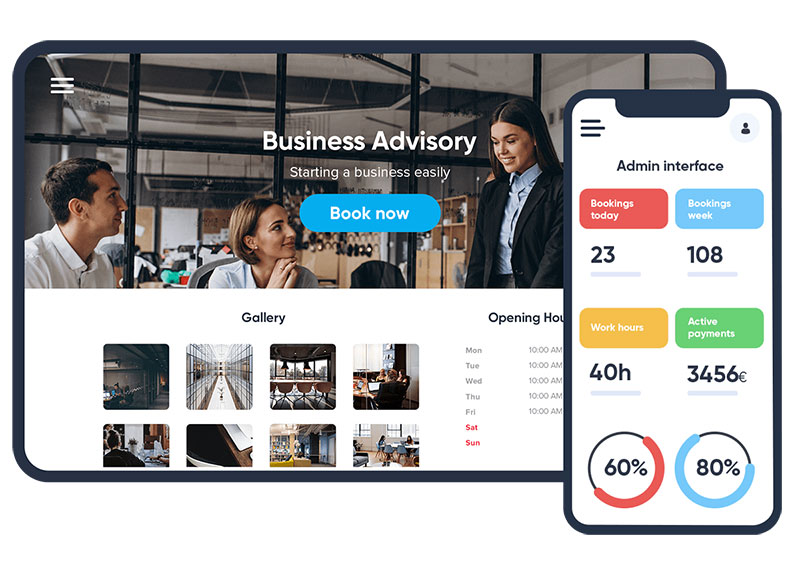
SimplyBook.me built its free tier around something you can actually use, not a stripped-down demo, and it charges by booking volume instead of by seat.
Solo providers and small teams who want a fully branded booking site without paying anything upfront fit here best. The standout is AI voice booking: clients can just talk to an assistant that checks live availability and collects details automatically, whether that’s on the website, WhatsApp, or Facebook Messenger.
- More than 40 payment gateways supported, more than most competitors offer
- Loyalty programs and waiting lists built in
- HIPAA compliance with a signed BAA starting from the Standard plan
- A custom-branded client app
Pricing: the free plan covers 1 provider and 50 bookings a month (SimplyBook.me, 2026). Paid plans run roughly €11.90 to €49.90/month billed annually, depending on booking volume and provider count.
The free tier is genuinely usable, the payment gateway selection is wide, and there’s a HIPAA path available without forcing an upgrade to the top tier.
That 50-booking cap on the free plan gets tight fast for any business seeing daily traffic, though, and booking-volume pricing can end up costing more than seat-based pricing for high-volume, low-staff operations.
Reviewers running cleaning businesses specifically mention that Acuity and Setmore didn’t fit their scheduling model the way SimplyBook.me’s customization did, based on Capterra and Trustpilot review samples.
A real free plan, deep payment gateway support, and automated appointment reminders all in one tier is hard to find anywhere else without paying first, and that combination is why it makes this list.
Setmore – Best for small teams that need a generous free tier
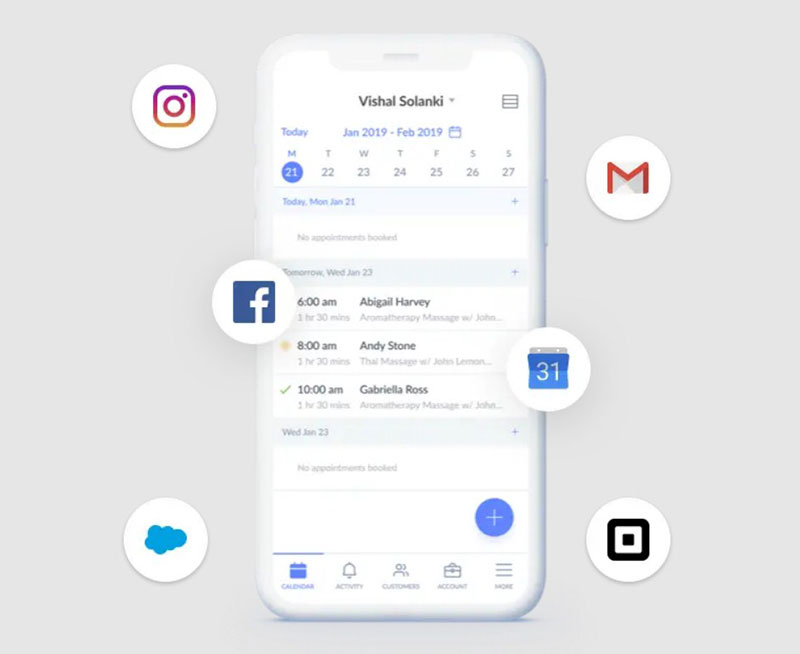
Setmore’s free plan carries the most generous booking-volume allowance on this list among mainstream tools. It covers up to 4 users, 200 bookings per month, and a branded booking page. Two-way calendar sync and SMS reminders aren’t included though; both need a paid upgrade.
Small teams under five staff who want to test scheduling software with zero budget before committing usually start here.
Pricing: free covers the limits above. Pro starts around $5/month per user with annual billing, or about $12/month per user billed monthly.
The free-tier booking cap is the highest among mainstream competitors, Square POS integration is a nice bonus, and support responds reasonably fast.
User management has known friction points according to reviewer feedback, and the missing two-way sync on the free tier creates real double-booking risk for anyone running a busy calendar.
Capterra rates Setmore 4.6/5 across 958 reviews, with ease of use scoring noticeably higher than feature depth.
Setmore suits a business proving out the workflow before spending anything. Teams that outgrow it fast should check the Setmore alternatives built for higher booking volume.
Square Appointments – Best for businesses already running on Square

Square Appointments ties directly into the Square point-of-sale ecosystem, and that matters most if you’re already processing card payments through Square anyway.
Retail-adjacent service businesses, think barbershops and nail salons, want booking and in-person checkout running on the same system. Native Square POS sync means a walk-in sale and an online booking land in the same reporting dashboard. No manual reconciliation needed.
- Free plan for a single location
- Tip management
- Stylist commission tracking
- Integrated card processing
Pricing: plans range from free to $149/month per location. Plus runs $49/month per location, Premium runs $149/month per location, on top of standard payment processing fees (2026 pricing).
Zero extra cost if you already run Square for payments is the whole pitch, and in-person to online booking parity is strong, with no separate merchant account needed.
The value drops fast for businesses not already using Square hardware or payment processing, and customization runs thinner than Acuity’s or SimplyBook.me’s.
Industry comparisons consistently place Square Appointments as the payment-processing leader in this category, specifically because of the built-in POS ecosystem rather than anything scheduling-specific.
For a business already swiping cards through Square, adding Appointments costs nothing extra and removes a second software subscription entirely. The Acuity vs Square Appointments comparison lays out exactly where that trade-off stops making sense.
YouCanBookMe – Best for freelancers who want a simple branded booking page
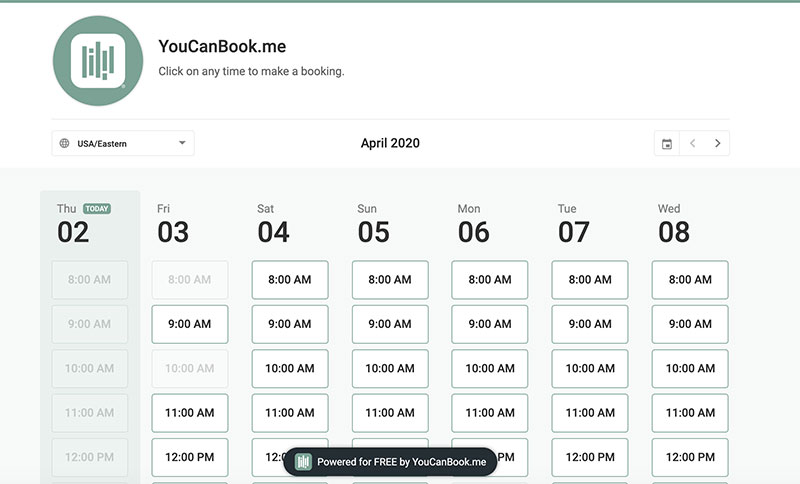
YouCanBookMe keeps its feature set narrow on purpose. Connect a calendar, set availability, share a page. That’s most of it.
Coaches, tutors, and solo consultants who want a branded booking page without a steep setup curve fit best here, and setup itself takes a few minutes end to end, which is really the main selling point over heavier platforms.
- 1 calendar connection and 1 booking page on the free plan
- Stripe for payment collection
- Automatic confirmation and reminder emails
- Custom branding on the booking page
Pricing: free at the entry level. Individual runs $8.10/month billed annually, Professional reaches $11.70/month annually with six calendar connections (2026 pricing).
Setup is fast, the branded pages look clean, and there’s no learning curve for a first-time user.
Team scheduling and routing logic run lighter than Cal.com’s or Calendly’s, though, and there’s no built-in calendar. It depends entirely on syncing an external one.
Reviewers on G2 specifically praise the setup speed but wish for deeper customization once their workflow outgrows a single calendar.
It’s one of the few tools priced per linked calendar rather than per seat, which changes the math for a solo operator juggling two calendars. See the Calendly vs YouCanBook.Me comparison for the direct pricing breakdown.
Zoho Bookings – Best for teams already inside the Zoho ecosystem
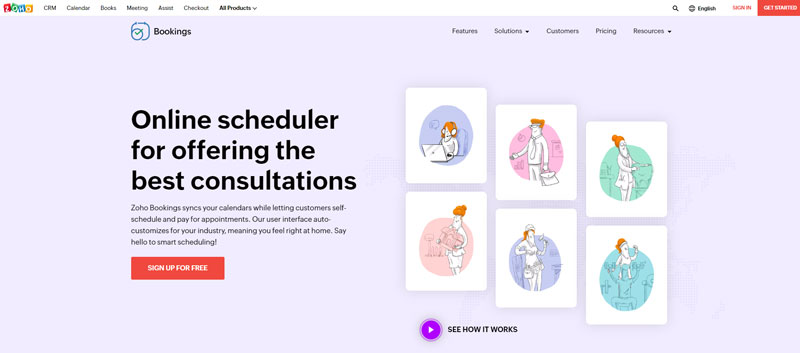
Zoho Bookings works fine as a standalone tool, but its real value only shows up once it’s connected to Zoho CRM, Zoho Meeting, and the rest of the Zoho suite.
Pricing: runs low compared to most of this list. Free covers 1 staff member, Basic runs $6 per staff member monthly billed annually, and Premium runs $9 per staff member monthly billed annually. The free tier caps at a single user, the same ceiling Calendly’s free plan has, but Zoho’s paid tiers undercut Calendly heavily on a per-seat basis once a team grows past one person.
Small teams already paying for Zoho One or Zoho CRM who want scheduling folded into tools they already use get the most out of this.
- Two-way sync across Zoho, Google, and Outlook calendars
- Round-robin distribution for overflow
- Freely customizable booking page colors
- Staff scheduling controls applied per user
Per-seat pricing here is the cheapest on this list, the free tier is genuinely useful, and CRM integration runs tight for sales teams.
Standalone value drops without the broader Zoho ecosystem behind it, group bookings require the Premium tier, and the iOS app lags the web version on features.
A five-person team pays roughly $45/month on Zoho’s Premium plan versus $80/month for Calendly’s Teams plan at the same headcount. That’s a $420 annual gap.
For anyone already inside Zoho’s suite, adding Bookings is close to free incremental cost. Outside that ecosystem, the appeal narrows fast.
Cal.com – Best for developers who want a self-hosted scheduler, with a caveat
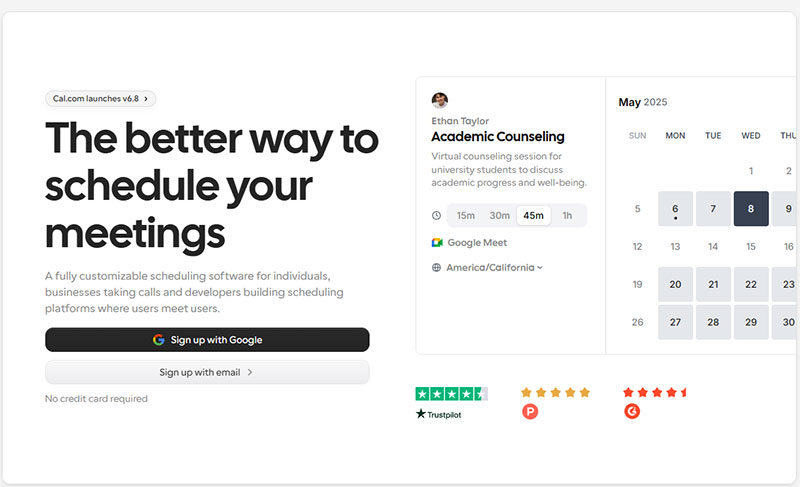
Cal.com built its reputation as the open-source alternative to Calendly, with a public API and a self-hosting option most competitors never offered at any price. That changed in April 2026. Citing AI-driven security risk, Cal.com moved its production codebase from a public repository to a private one, making the flagship managed product closed-source.
The original open-source lineage lives on as Cal.diy, an MIT-licensed community fork that keeps the core scheduling engine but drops some team-level features, round-robin routing and workflows among them, that stayed in the proprietary Cal.com product.
Technical teams wanting an API-driven scheduling platform still fit here, and so do self-hosters comfortable running Cal.diy’s community fork instead of the full commercial product. A robust public API and embeddable widgets let developers build scheduling infrastructure into their own app rather than embedding someone else’s widget. That part of the original pitch hasn’t changed.
- Google Calendar sync
- Round-robin and collective event types
- Webhook support for custom automation
- Through Cal.diy, a genuinely open-source self-hosting path for individuals
Pricing: free for individuals on the managed cloud plan (one user, unlimited event types). Teams runs roughly $12 to $15/user/month billed annually, and Organizations roughly $28 to $37/user/month. Cal.diy remains free to self-host, but it’s aimed at personal, non-production use and skips the Teams-level features.
The API and embed options are strong, per-seat pricing on the hosted plans stays competitive, and the self-hosting path for individuals is still active through Cal.diy.
But the flagship product isn’t open source anymore, which undercuts the own-your-infrastructure pitch for teams that specifically wanted that. Self-hosting Cal.diy takes real technical setup and skips the Teams-level features, and support response times on the hosted plans lag behind paid SaaS competitors.
Cal.com’s own 2026 announcement confirms the shift to closed source. The open-source community pushed back publicly, and Cal.diy has become the reference point for anyone who specifically wants a self-hosted, MIT-licensed scheduler.
It’s still one of the more developer-friendly tools here, with the strongest API in the category. Buyers choosing it specifically for open-source data ownership should just know that guarantee no longer applies to the flagship hosted product.
When calendar scheduling software isn’t the right fit
A single-provider business taking fewer than ten bookings a month doesn’t need automation for it. A shared inbox and a paper calendar move just as fast at that volume.
Teams juggling complex resource booking, rooms, equipment, and staff together, often outgrow appointment-focused tools and need dedicated resource-management software instead.
Healthcare practices handling protected health information should confirm HIPAA and BAA terms directly with the vendor before signing anything. Not every tool on this list offers that path at every tier.
What Is Calendar Scheduling Software
Matching a client’s request to an open slot used to mean phone tag or a string of texts. Calendar scheduling software removes that manual step: it merges calendar availability, a client-facing booking page, and payment collection into one automated workflow.
A plain calendar app like Google Calendar just shows you what’s booked. This goes further. A client picks an open slot themselves, pays a deposit, and gets a reminder before the appointment, all without a staff member ever touching the calendar.
It isn’t a CRM, though it may connect to one. It isn’t a project management tool either, and it isn’t a standalone payment processor; it routes payments through Stripe, PayPal, or a similar gateway rather than processing them itself.
Understanding the benefits of scheduling software clarifies why adoption keeps climbing across service businesses, from salons to consulting firms.
Two broad models cover almost every option on the market: a plugin installed directly on your website, or a cloud account you log into separately.
WordPress Plugin Or Cloud SaaS: Which Deployment Model Fits Your Business
The deployment model decides who hosts your booking data, how you pay for the tool, and how hard it becomes to switch later.
| Factor | WordPress plugin | Cloud SaaS |
|---|---|---|
| Setup | Installed on your existing site | Separate account, embed or link |
| Cost model | Often one-time or annual license | Recurring monthly per-seat fee |
| Data ownership | Lives on your own hosting | Lives on the vendor’s servers |
| Maintenance | You handle updates and hosting | Vendor handles all of it |
WordPress powers 41.2% of all websites as of 2026 (W3Techs, 2026), which is a big part of why plugin-based booking tools like WPAmelia and Trafft’s WordPress integration have such a large base to plug into. WooCommerce alone runs on over 7 million active WordPress installs, giving these tools a built-in checkout system to hook into instead of building payment infrastructure from scratch.
What A WordPress Booking Plugin Gives You
The booking system lives inside the same admin dashboard as the rest of your site. Staff don’t need a separate login to manage anything, your data stays on your own hosting, and licensing is usually a one-time or annual charge instead of a monthly bill per seat.
That setup suits a business already running its site on WordPress and wanting one system instead of two logins to keep track of. Many businesses evaluating this route also look at broader WordPress plugins for business to see what else the platform can handle beyond booking.
Owning the license, the hosting, and the data comes at a cost though. You’re the one responsible for hosting performance and security patches. No vendor is going to do that part for you.
What A Cloud SaaS Platform Gives You
A hosted SaaS account works independently of any website at all. You get a booking link or an embeddable widget, and the vendor deals with servers, backups, and uptime on their end.
Convenience is really the trade here, weighed against control. You’re not responsible for hosting or plugin updates, but you’re renting access rather than owning a license, and switching vendors later means exporting and re-entering client data by hand. Checking a best WordPress calendar plugin roundup is a reasonable next step if this comparison tips you toward staying inside WordPress instead.
Zero maintenance and faster initial setup are the upside. Ongoing per-seat cost and data living outside your own infrastructure are the parts that catch people off guard a few years in.
How Calendar Sync Keeps Google Calendar, Outlook, And iCloud Aligned
Calendar sync is what stops a booking tool from offering a slot that’s already taken somewhere else.
Two-way sync pulls events from your personal calendar into the booking tool and pushes new bookings back out to it. One-way sync only handles half of that job, and that’s exactly where scheduling conflicts creep in.
Most calendar scheduling software connects to Google Calendar and Outlook natively. iCloud Calendar support runs thinner across the category, mostly because Apple doesn’t expose the same open API that Google and Microsoft do.
A business running mixed calendars, say one staff member on Google and another on Outlook, needs to confirm two-way sync actually works across both before committing to a tool. Anyone setting this up for the first time will get more out of a walkthrough on how to sync Google Calendar with Outlook, since that mismatch is the most common source of missed availability.
For teams still relying partly on Apple’s ecosystem, understanding how to share an iCloud calendar matters before assuming full two-way sync will behave the same way it does with Google.
How Payment Processing Works Inside Booking Software
Some tools take a deposit at booking, a partial amount that holds the slot. That’s common for salons and studios fighting no-shows. Others collect the entire service fee upfront, which is more typical for consultants and coaches selling fixed-price sessions.
Named gateways across the category include Stripe, PayPal, Razorpay, and Square, with WooCommerce checkout acting as a common bridge for WordPress-based tools. A PayPal booking system setup differs from a native Stripe integration mainly in checkout flow and the fee charged per transaction.
Cancellation and refund handling varies by tool. Some release the deposit back to the client automatically, others need a staff member to process it manually.
WordPress sites already running WooCommerce for product sales often just extend that same checkout into WooCommerce appointments rather than bolt on a second, unrelated payment system.
How Staff And Resource Scheduling Works Across Multiple Providers
Once a business has more than one person taking appointments, scheduling stops being a single-calendar problem and turns into a resource allocation problem.
Buffer Time And Availability Rules
Buffer time blocks a gap between appointments automatically. Per-staff availability rules let each provider set their own hours. Overlap rules stop two clients from landing on the same provider at the same time.
Without buffer time, back-to-back bookings leave no room for cleanup, setup, or just running five minutes over, which happens more than anyone plans for. Businesses managing shift-based staff often need dedicated shift management features layered on top of basic availability rules.
Multi-Location And Resource Booking
Multi-location scheduling adds another layer: the same service might run at two addresses, each with its own staff and hours. Resource booking goes further still, covering rooms, equipment, or vehicles that need reserving alongside a person’s time.
Once staff count climbs past a handful, per-seat pricing starts to matter more than feature depth. That’s worth comparing directly through the best employee scheduling apps for team size before committing to a plan.
What Calendar Scheduling Software Costs At Each Tier
Pricing splits into three rough bands: free, entry-level paid, and team or enterprise tiers.
A few numbers worth anchoring on:
- WPAmelia Starter: $49/year for a WordPress plugin license
- Trafft lifetime license: $89 to $979 one-time, tier-dependent (AppSumo, 2026)
- Calendly Standard: $10/seat/month billed annually
- Zoho Bookings Basic: $6/staff/month billed annually
Free tiers exist across most of the category, but the limits differ sharply. Some cap booking volume per month, others cap the number of staff seats instead.
Hidden costs tend to show up in three places. SMS reminder fees get charged per message, custom domain requirements sit locked behind a higher tier, and add-on seats get priced separately from the base plan (that last one catches people off guard more than it should).
One-time or lifetime pricing, WPAmelia and Trafft both offer it, breaks even against recurring subscription tools within the first year for most small businesses. A $200 to $600 annual subscription adds up fast against a sub-$400 one-time license.
Which Integrations Matter Most Before You Buy
Integrations decide whether the booking tool fits into a business’s existing workflow, or turns into a fourth login nobody actually checks.
Zoom and Google Meet are the two most commonly supported options for online appointments. Deciding between Google Meet vs Zoom usually comes down to which one your clients already have installed, not which one the booking software happens to support better.
Zapier access lets a booking event trigger actions in other apps, everything from adding a row in a spreadsheet to firing off a Slack message. Checking the specific list of Zoom integrations a tool supports matters more than assuming “Zoom support” automatically means full calendar-to-meeting automation, because it often doesn’t.
CRM connections matter for sales-focused scheduling, Calendly and Zoho Bookings both lean on this, and matter less for service businesses that just need the appointment booked and paid for.
A missing integration only becomes a dealbreaker when it replaces a manual step your team already relies on daily. A missing Slack notification is a minor gap. A missing payment gateway is not.
How To Set Up Calendar Scheduling Software Step By Step
The setup order stays consistent across almost every tool in this category, whether it’s a WordPress plugin or a cloud account.
Setting Up A WordPress Booking Plugin
- Install and activate the plugin from your WordPress dashboard
- Connect Google Calendar or Outlook for two-way sync
- Add services, staff members, and their individual availability
- Connect a payment gateway (Stripe, PayPal, or WooCommerce checkout)
- Embed the booking widget on a page using a shortcode or block
- Run a test booking end to end before going live
Getting this sequence right the first time avoids the most common setup mistake out there: publishing a booking page before the payment gateway is actually connected.
Setting Up A Cloud SaaS Booking Page
A cloud account follows nearly the same order, minus the plugin installation step.
- Create an account and connect your primary calendar
- Set your availability windows and time zone
- Add services or event types and their durations
- Connect payment and video conferencing integrations
- Share the booking link or embed the widget on your existing site
Anyone new to this benefits from a plain walkthrough on how to effectively schedule appointments before layering on integrations and automation.
What Causes Double Bookings And Missed Appointments, And How To Prevent Them
Double bookings and no-shows share a root cause more often than businesses expect: broken or missing automation, not bad luck.
Common Causes
One-way calendar sync is the single biggest cause of double bookings, since the booking tool never sees events added directly to the connected calendar. Missing buffer time between back-to-back appointments doesn’t help either, and manual overrides that bypass the system’s own conflict checks cause their own share of problems. So does staff booking appointments outside the tool entirely, by phone or text, which happens more often than most owners realize.
Reviewing common appointment scheduling mistakes before launch catches most of these before they cost a client’s trust.
Prevention Steps
Adelante Healthcare cut its no-show rate by 35%, from a range of 18 to 20% down to 13%, after putting automated appointment reminders in place across its practices. That kind of result isn’t unique to healthcare either. Any appointment-based business tends to see a similar pattern once reminders replace silence as the default.
Confirm two-way sync is active on every connected calendar, not just the primary one. Set buffer time between appointments as a default instead of an afterthought. Turn on both SMS and email reminders, since the two channels catch different people.
Preventing double booking appointments really comes down to trusting the software’s conflict detection instead of overriding it manually under pressure.
Which Businesses Get The Most Value From Calendar Scheduling Software
Solo providers get the most value out of simplicity: one calendar, one payment gateway, minimal setup. Multi-staff teams need something else entirely, tools that handle buffer time, per-staff availability, and role-based access without tacking on extra cost per person.
WordPress-based tools fit best for a business that already owns and maintains a WordPress site, for owners who’d rather pay once than deal with a recurring bill, and for sites already running WooCommerce for other sales.
Cloud SaaS fits better for a business with no existing website infrastructure, for teams that want zero server maintenance responsibility, and for fast-growing teams adding staff seats frequently.
Industry weight matters too. A therapy scheduling software setup carries HIPAA and compliance requirements a barbershop booking page never has to think about. A consultant scheduling software setup, by contrast, usually prioritizes calendar sync and payment collection over compliance paperwork.
When Calendar Scheduling Software Isn’t Worth Adding
A single-provider business taking fewer than ten bookings a month rarely needs software to manage it. A shared inbox and a paper calendar move just as fast at that volume, and the monthly subscription ends up costing more than the time it saves.
A few other cases where none of this applies: complex resource booking involving rooms, equipment, and staff together tends to outgrow appointment-focused tools and needs dedicated resource-management software instead. Healthcare practices handling protected health information need to confirm HIPAA and BAA terms directly with the vendor, since not every tool on this list offers that path at every pricing tier. And businesses with highly irregular, one-off bookings, a single annual event, say, rarely recoup the setup time against just doing it manually.
The honest test is simple. If a phone call and a shared calendar already handle your booking volume without conflicts, the software is solving a problem you don’t actually have yet.
FAQ on Calendar Scheduling Software
What Features Come Standard In Calendar Scheduling Software?
Two-way calendar sync, a client-facing booking page, automated email and SMS reminders, and basic payment collection show up in most calendar scheduling software by default. Staff availability and buffer time usually sit on paid tiers, while loyalty programs or AI voice booking stay specific to a handful of vendors.
Can Calendar Scheduling Software Sync With iCloud Calendar?
iCloud Calendar support exists across the category, but it runs thinner than Google Calendar or Outlook sync. Apple doesn’t expose the same open API, so some tools only manage one-way sync or need a manual .ics import instead of full two-way sync.
Is A Free Plan Enough, Or Do You Need A Paid Tier?
A free plan works fine for a single provider under the booking cap, typically 50 to 200 bookings monthly. Adding staff, SMS reminders, or a payment gateway usually forces an upgrade, since those features sit behind paid tiers on nearly every platform.
How Do You Migrate Bookings From One Scheduling Tool To Another?
Migration means exporting client and appointment data, usually as a CSV or .ics file, then importing it into the new platform’s booking system. Staff calendars need reconnecting one by one, and payment gateway credentials have to be re-entered, since most tools don’t carry that over automatically. Anyone moving between Google-based systems can start with a guide on importing iCal into Google Calendar.
What Should You Check First Before Choosing Calendar Scheduling Software
Sequencing this decision by deployment model, then payment fit, then staff scaling, narrows things down faster than starting with a feature checklist.
- Deployment model: WordPress plugin versus cloud SaaS
- Payment gateway fit: deposit collection versus full payment at booking
- Staff and buffer time scaling: per-seat cost versus flat license
WPAmelia’s $49 annual license costs less than half of Calendly’s $120 annual per-seat rate for a single provider, and that gap only widens once staff count passes two or three seats.
Locking into a one-time license trades slower feature rollouts for lower long-term cost, a trade a growing agency won’t always want to make.
Once the software is live, the next constraint is filling the calendar it now manages, which is where a focused approach to getting more bookings takes over.

Explore topics

Read Inspiring Customer Stories
Check out how our user set Amelia for his business