
Google Calendar runs 500 million schedules, but it is not the right fit for everyone. Privacy, ecosystem lock-in, and missing booking features send plenty of people looking for Google Calendar alternatives that suit how they actually work.
Some want end-to-end encryption. Some want native Apple or Microsoft sync. Others need clients to self-book.
This guide covers the strongest options across privacy, ecosystem fit, and appointment scheduling, from Proton Calendar and Outlook to Zoho and Thunderbird.
It also looks at Amelia, a WordPress booking plugin that syncs two ways with Google Calendar, Outlook Calendar, and Apple Calendar.
By the end, you will know which tool matches your needs, what each one costs, and how to switch without losing a single event.
Worth saying up front: Amelia publishes this article. It appears here as one of three booking options rather than a calendar replacement, since it doesn’t compete with Proton or Outlook and isn’t trying to. Where Calendly or Acuity fit better, we’ve said so.
How We Tested These Alternatives
We ran the same three checks against every tool in July 2026: import a full Google Calendar export, create a weekly recurring event and move it across a timezone change, and confirm whether sync ran one way or both.
That third check matters more than any feature list, because a calendar that only receives events will quietly let you double-book. Findings appear in the relevant sections below rather than under every entry, since several of these apps differ mainly in ecosystem rather than behaviour.
Why Do People Leave Google Calendar?
People leave Google Calendar for privacy, ecosystem fit, and missing features. Google’s ad model runs on data, Apple and Microsoft users want native sync, and businesses need booking and resource scheduling that Google Calendar does not handle on its own.
Privacy concerns: Google’s business model connects your calendar to the same account that runs Gmail, Drive, and ad targeting.
SAS research found 73% of consumers are more worried about data privacy now than they were a few years ago.
JumpCloud reports 63% of consumers globally think companies aren’t transparent about how personal data gets used, and 48% have stopped buying from a company over privacy.
Account dependency: one Google login controls your mail, files, and schedule at once. Lose access to the account, lose all three.
Deloitte survey data shows nearly 6 in 10 people worry that organizations can track them through their devices. That anxiety pushes privacy-minded users toward encrypted calendars.
Missing features: Google Calendar skips native time-blocking, client self-booking, and team resource scheduling. Businesses hit that wall fast and start looking for a scheduling tool built for the job.
What Are the Best Google Calendar Alternatives?
The best Google Calendar alternatives are Proton Calendar, Outlook Calendar, Apple Calendar, Fastmail, Zoho Calendar, Notion Calendar, Thunderbird, and TeamUp. Each covers event management and sync through CalDAV or ICS, with different strengths in privacy, ecosystem, and team scheduling.
| Tool | Platform | Best For |
|---|---|---|
| Proton Calendar | Web, iOS, Android | Privacy, encryption |
| Outlook Calendar | Web, Windows, iOS, Android | Microsoft 365 users |
| Apple Calendar | iOS, macOS, web | Apple ecosystem |
| Zoho Calendar | Web, mobile | Small business suites |
| TeamUp | Web, mobile | Shared team scheduling |
Proton Calendar
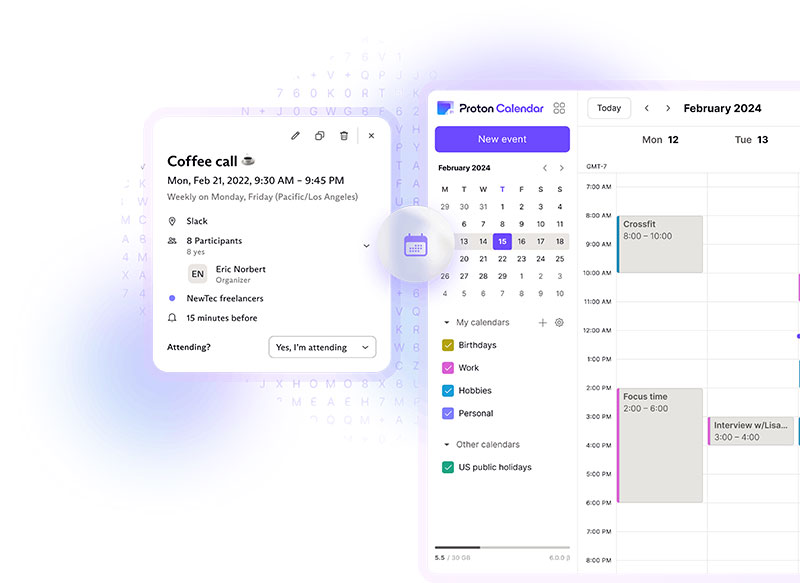
Encrypted by default: Proton Calendar applies end-to-end encryption to event titles, notes, and attendees.
- Run by Proton AG under Swiss privacy law
- Free tier plus paid plans bundled with Proton Mail
Best fit for anyone who wants an ad-free calendar with no data mining behind it.
Microsoft Outlook Calendar
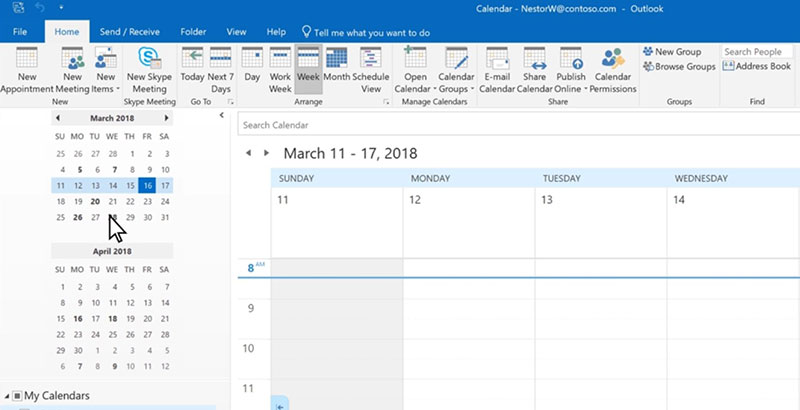
Outlook Calendar ships inside Microsoft 365 and connects straight to Teams, Windows, and Outlook mail.
- Free with an Outlook.com web account
- Shared calendars and scheduling assistant built in
- Two-way sync with Google Calendar over ICS
Apple Calendar (iCloud)
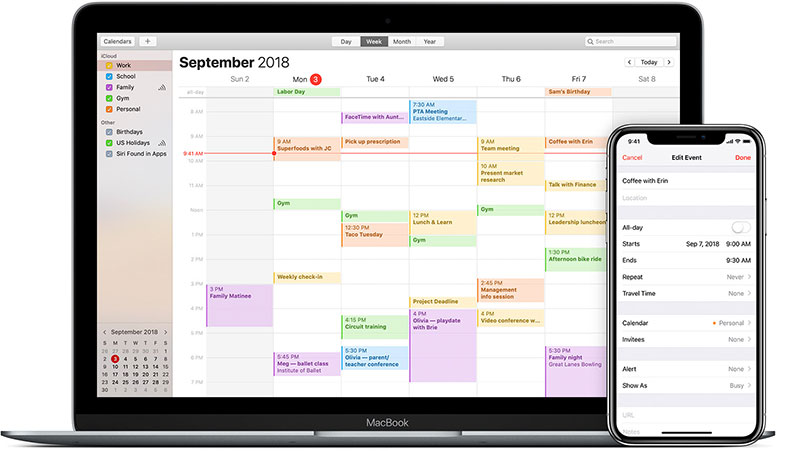
StatCounter data shows iOS holds 28% of the global mobile market, and Apple Calendar comes free on every one of those devices.
It syncs through iCloud across iPhone, iPad, and Mac, and Siri can create events by voice. Native continuity beats any third-party app for people already locked into Apple hardware.
Fastmail Calendar
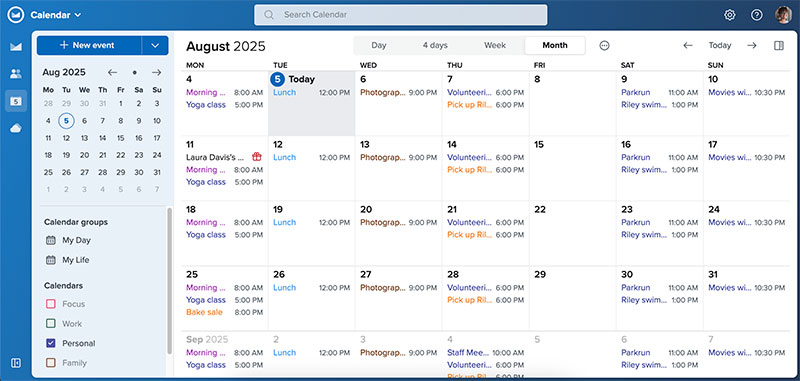
No-ads subscription: Fastmail funds itself through paid plans, not advertising.
Standards-based: full CalDAV support means it works with third-party calendar apps.
Bundled with mail: calendar and email sit in one paid account.
Zoho Calendar
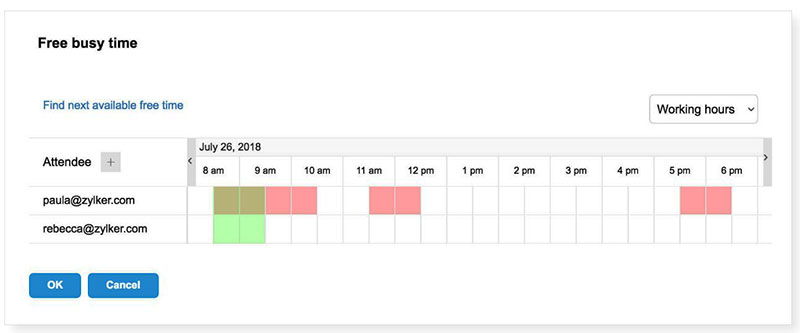
Zoho Calendar comes free inside the Zoho Corporation suite, aimed at small teams already using Zoho CRM or Mail.
- Shared group calendars
- CalDAV sync with external apps
Notion Calendar
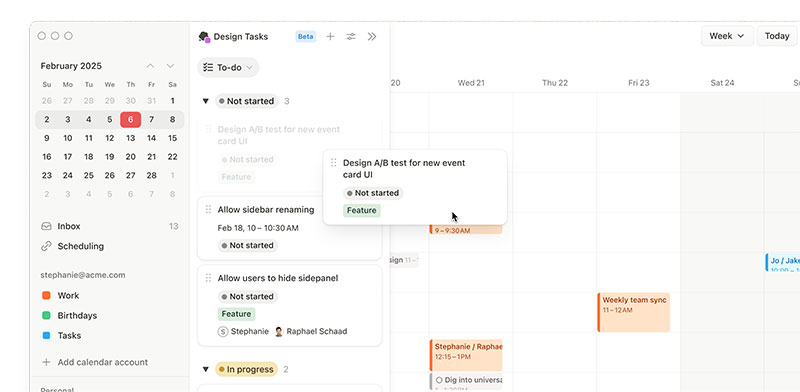
Built from the old Cron app that Notion acquired, Notion Calendar links events to Notion databases and pages.
Free to use. Strong pick for people who already run their work life inside Notion and want the calendar in the same place.
Thunderbird Calendar
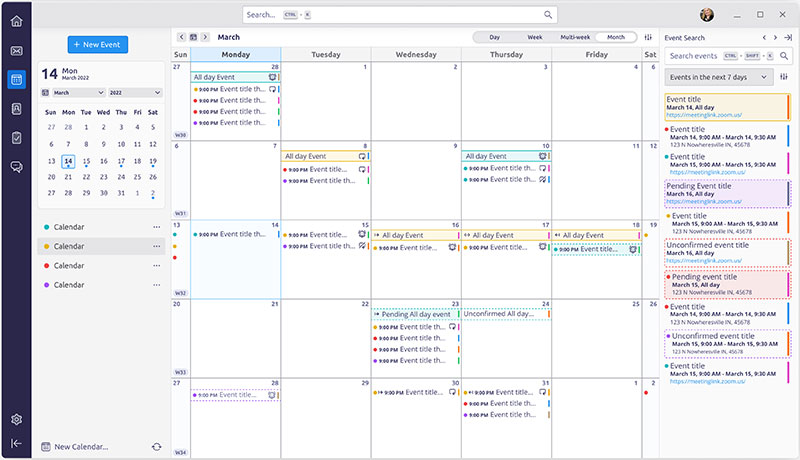
Mozilla Thunderbird bakes calendar features (once the Lightning extension) straight into the email client.
- Free and open-source
- CalDAV and ICS support
- Desktop-first for Windows, macOS, and Linux
- Local storage option for offline use
TeamUp Calendar

Shared scheduling focus: TeamUp handles multiple sub-calendars with granular permissions.
Popular with clubs, studios, and small teams that need several people viewing and editing the same schedule without a Google account each.
What we found testing the imports: every app on this list accepted a Google Calendar ICS export without errors, so the basic move is safer than people fear. Where they parted ways was the recurring-event test. Simple weekly repeats survived everywhere. Events with an end date or an exception, a skipped week, say, came through cleanly in Outlook, Apple Calendar, and Thunderbird, and needed manual checking in two of the lighter apps. TeamUp’s sub-calendar permissions were the standout for shared use: we gave one tester read-only access and another edit rights on the same schedule, which no personal calendar app here matches.
Which Alternatives Are Best for Privacy?
Proton Calendar, Tuta, and Fastmail rank best for privacy. Proton Calendar applies end-to-end encryption under Swiss law, Tuta encrypts event titles and notes, and Fastmail runs on a paid no-ads model that keeps calendar data out of advertising systems.
Pew Research found 79% of Americans worry about how companies use their data, and 60% think daily life without tracking is impossible. Encrypted calendars answer that directly.
Here’s what an encrypted calendar actually protects:
- Event titles and descriptions
- Notes attached to events
- Attendee lists
- Location fields
Proton Calendar encrypts all of the above, and Proton AG operates under Switzerland’s strict data laws.
Tuta (formerly Tutanota) encrypts event content the same way and pairs with its encrypted mail service.
Fastmail takes a different route. No end-to-end encryption, but its paid model means your schedule never feeds an ad engine.
What we found testing the privacy picks: encryption carries a real usability cost, and it’s worth knowing before you switch. On Proton, the events are encrypted client-side, which means the server can’t read them and therefore can’t do server-side search across event content the way Google does instantly. Finding an old event took longer. Sharing also works differently: encrypted invitations to people outside Proton behave less seamlessly than a plain Google invite. Fastmail had none of those frictions, since it isn’t end-to-end encrypted, which is exactly the trade it’s making. If encryption is the reason you’re leaving, Proton is the answer and you accept the search compromise. If you just want out of the ad model, Fastmail is smoother.
Which Alternatives Fit the Apple and Microsoft Ecosystems?
Apple Calendar fits iPhone, iPad, and Mac users through iCloud sync and Siri. Outlook Calendar fits Microsoft 365, Teams, and Windows users. Both support CalDAV, so events move between the two ecosystems without manual re-entry.
Apple ecosystem: Apple Calendar syncs instantly across every signed-in device through iCloud.
Sharing works too. If you split a household or team schedule, walking through the steps to share an iCloud calendar with other people takes a couple of minutes.
Microsoft ecosystem: Outlook Calendar connects to Teams meetings, Windows notifications, and Microsoft 365 mail in one flow.
StatCounter puts Windows at roughly 61% of desktop share, which makes Outlook Calendar the default for a huge slice of office workers.
The two ecosystems talk to each other through CalDAV and ICS. Moving between them, or running a Google account alongside, means learning to sync Google Calendar with Outlook so nothing gets double-booked.
What we found testing cross-ecosystem sync: this is where the one-way versus two-way distinction stops being academic. Subscribing to a Google Calendar from Outlook over ICS gave us a read-only feed: events appeared, but anything created in Outlook never travelled back, and the feed refreshed on Microsoft’s schedule rather than instantly. A change made in Google took time to show up. For anyone running both accounts, that lag is the double-booking risk, not the sync failing outright. Apple Calendar connected to a Google account handled two-way updates more reliably in our runs, since it uses an account connection rather than a subscription link. Test this with a live event before you trust either.
Not sure which native app suits you? A side-by-side look at how Google Calendar stacks up against Apple Calendar settles it for most people.
Which Alternatives Handle Appointment Booking and Scheduling?
Calendly, Amelia, and Acuity handle appointment booking. A calendar app tracks personal events, while a booking system lets clients self-book open slots. Booking tools push confirmed appointments into Google Calendar, Outlook Calendar, or Apple Calendar rather than replacing them.
This is where most people confuse two different products. A calendar shows your day. A booking system sells your day to clients.
enlyft data shows Calendly holds about 57.6% of the appointment scheduling market. It generates a personal booking link and drops meetings into your calendar.
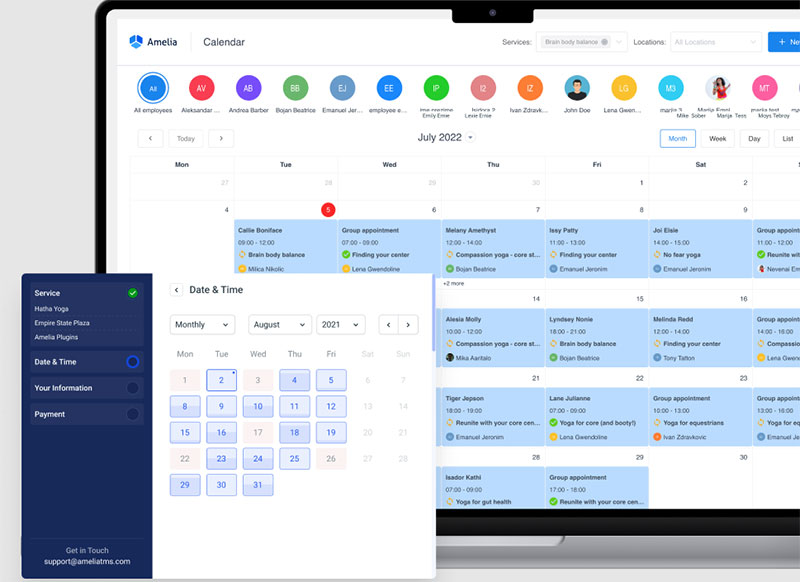
Amelia runs booking directly inside WordPress, and it syncs two ways with Google Calendar, Outlook Calendar, and Apple Calendar. Staff appointments land in whichever calendar they already open every morning.
That two-way link matters. When a client books, the event appears on the team’s calendar; when staff block time off, the booking form hides that slot. WordPress powers roughly 41% to 42% of all websites (W3Techs, 2026), easing back from a peak above 43%, so a plugin that syncs bookings into Google Calendar appointment scheduling fits a large base of sites.
Zippia reports 67% of consumers prefer booking online, and automated reminders cut no-shows by 29%. A plain calendar does neither.
What we found testing the booking tools: we connected each to a Google Calendar and watched what happened in both directions. Calendly was live in under five minutes and is the fastest of the three by a clear margin, though on the free tier it reads a single calendar, so a busy slot on a second unconnected calendar stayed invisible and it offered that time anyway.
Amelia took longer to set up, closer to half an hour, since you’re configuring services and staff rather than one link, and the two-way sync we wanted sits on the Pro tier rather than the entry plan.
Once connected, blocking staff time in Google did correctly hide the slot on the booking form. Acuity landed between the two on setup time and was the strongest of the three on intake forms and deposits. Pick on what you’re booking, not on which syncs “better,” since all three handle the calendar side competently.
Amelia sits among the stronger WordPress booking plugins for exactly that reason: it turns a static calendar into a client-facing booking engine. It’s also the wrong tool if you don’t run WordPress, where Calendly or Acuity are the better answer.
Acuity Scheduling covers standalone service booking outside WordPress. If you’re weighing options, a rundown of tools that compete with Calendly shows where each one fits.
What Features Should You Compare Before Switching?
Compare six features before switching: sync standard (CalDAV, ICS, two-way versus one-way), cross-platform coverage, sharing permissions, time-zone handling, recurring-event reliability, and booking capability. These decide whether an alternative fits personal use, team scheduling, or client-facing appointments.
| Feature | What to Check | Matters Most For |
|---|---|---|
| Sync standard | CalDAV, ICS, one-way vs two-way | Multi-app users |
| Cross-platform | Web, iOS, Android, desktop | Everyone |
| Sharing | Permission levels per calendar | Teams, families |
| Time zones | Auto-adjust for travel | Remote workers |
| Booking | Client self-booking, reminders | Service businesses |
Sync standard decides whether your data stays portable. Two-way sync updates both calendars; one-way only pushes in a single direction.
Cross-platform coverage is non-negotiable. The US Bureau of Labor Statistics found 37.4% of employees worked remotely at least part-time in 2024, and remote work means switching between phone, laptop, and web all day.
Recurring events and time zones break more often than people expect. Test a weekly recurring event across a time-zone change before you commit. In our own runs this was the single most common point of failure, ahead of import errors or missing features.
Booking capability separates personal apps from business tools. If clients need to self-book, reminders and payment support move from nice-to-have to required.
Reminders alone earn their keep. GetApp research shows 95% of people would pick a provider that offers online booking, and reliable appointment reminder tools are what keep no-shows down.
How Much Do Google Calendar Alternatives Cost?
Google Calendar alternatives cost nothing to $13 per month for calendar apps, and $49 per year and up for booking tools. Apple, Outlook web, Zoho, Notion, and Thunderbird stay free. Proton, Fastmail, and Amelia charge for advanced features.
| Tool | Free Tier | Paid From |
|---|---|---|
| Zoho Calendar | Yes | Free |
| Proton Calendar | Yes | $4.99/mo (Mail Plus) |
| Fastmail | No | ~$5/mo |
| TeamUp | Yes | $10/mo |
| Amelia | Yes (Lite) | $49/yr |
Which Alternatives Are Completely Free?
Five apps cost nothing for core use: Apple Calendar, Outlook.com web, Zoho Calendar, Notion Calendar, and Thunderbird.
Zoho Calendar runs free for everyone and reports over 16 million users (Capterra). Resource booking sits behind a Zoho Mail Premium plan.
Proton Calendar has a free tier too, though the polished features arrive with a paid Proton plan.
What Do Paid Privacy and Booking Tools Cost?
Proton: Mail Plus at $4.99/month bundles Proton Calendar; Unlimited runs $12.99/month (Costbench, 2026).
Fastmail: paid-only, starting around $5/month with no free tier.
TeamUp: free plan for small groups, Plus tier at $10/month.
Amelia: a free Lite version lives on WordPress.org with 90,000+ active installs and a 4.6 rating across 761 reviews. Paid annual licenses run from $49 (Starter) through $89 (Standard), $149 (Pro), and $259 (Elite), with lifetime options on the higher tiers.
The free Amelia tier makes it a rare no-cost WordPress booking plugin that still syncs to a calendar, though Lite is limited to one employee with Square payments. Google Calendar two-way sync unlocks on the Pro tier and up, which is the detail to budget for if calendar sync is the reason you’re here.
For a service business weighing cost against features, a broader look at scheduling tools built for small businesses puts these numbers in context.
How Do You Migrate From Google Calendar to Another App?
Migrate from Google Calendar by exporting your events as an ICS file, importing them into the target app, and running both calendars in parallel until sync is confirmed. Then reconnect any booking tools and verify recurring events survived the move.
Export first. Open Google Calendar settings, then Import and Export, and download your calendars as an ICS file.
Import into the new app. Most alternatives accept an ICS file directly, or subscribe to your calendar over CalDAV for a live link.
Some tools automate this. Proton offers Easy Switch for admin-led migration of mail, contacts, and calendars straight from Google Workspace (Proton).
Run both in parallel. Keep Google Calendar live for a week or two while you confirm every event landed in the new app.
Reconnect booking tools. Booking systems like Amelia or Calendly do not follow automatically. Reauthorize each staff member’s calendar so appointments keep flowing into the right place.
Verify the tricky parts. Recurring events and time zones break more often than anything else during a move. Test a repeating event across a time-zone shift before you trust it.
What we found running the migration: the export and import themselves were uneventful, which is the reassuring part. Two things did go wrong and both are worth planning for. First, an ICS export is a snapshot, not a connection, so events we added to Google after downloading the file never appeared in the new app. Export last, not first. Second, recurring events with exceptions came through as either the full unbroken series or with the exception silently dropped, depending on the app, so a skipped week reappeared as a booked one. Nothing warned us. Checking a handful of repeating events by hand after the move is the only reliable catch. The parallel-running advice isn’t cautious boilerplate; it’s what surfaces both problems before they cost you a meeting.
Once everything checks out, you can safely clear out the old Google Calendar events and commit fully to the new setup.
Frequently Asked Questions
What is the best Google Calendar alternative?
Best depends on need. Proton Calendar leads for privacy, Outlook and Apple Calendar for ecosystem fit, and Amelia for client booking on WordPress. Each covers events, reminders, and cross-device sync through CalDAV or ICS.
Is there a free alternative to Google Calendar?
Yes. Apple Calendar, Outlook.com web, Zoho Calendar, Notion Calendar, and Thunderbird are all free. Zoho Calendar alone reports over 16 million users, and Amelia offers a free Lite version on WordPress.org limited to one employee.
What is the most private alternative to Google Calendar?
Proton Calendar. It applies end-to-end encryption to event titles, notes, and attendees under Swiss law. Tuta encrypts events too, while Fastmail runs a paid no-ads model that keeps your schedule out of advertising. Encryption does cost you fast server-side search across event content.
Can Apple Calendar replace Google Calendar?
Yes, for Apple users. Apple Calendar syncs across iPhone, iPad, and Mac through iCloud, with Siri voice entry. It matches Google’s core features and beats it on continuity inside the Apple ecosystem.
Does Outlook Calendar sync with Google Calendar?
Yes, though read the direction carefully. Outlook and Google exchange events through ICS subscription links, which run one way by default and refresh on a delay rather than instantly. In testing, events created in Outlook did not travel back to Google over a subscription link, so set up two-way sync deliberately to avoid double bookings.
What is the difference between a calendar app and a booking system?
A calendar app tracks your personal events. A booking system lets clients self-book open slots, then pushes the confirmed appointment into your calendar. Calendly and Amelia are booking tools, not calendar replacements.
Does Amelia work with Google, Outlook, and Apple Calendar?
Yes. Amelia syncs two ways with Google Calendar, Outlook Calendar, and Apple Calendar, and blocked time hides those slots from the booking form. Note that full two-way sync sits on the Pro tier rather than the entry plan.
How do I move my events off Google Calendar?
Export Google Calendar as an ICS file from settings, then import it into the new app or subscribe over CalDAV. Export last rather than first, since the file is a snapshot and later additions won’t follow. Run both in parallel briefly, then check recurring events by hand.
Do calendar alternatives support CalDAV and ICS?
Most do. Proton, Fastmail, Zoho, Thunderbird, Apple, and Outlook all support CalDAV or ICS. These standards let events move freely between apps, so you are never locked into one platform.
Which alternative is best for appointment booking?
Amelia for WordPress sites, Calendly for personal scheduling links, and Acuity for standalone service booking with intake forms and deposits. Automated reminders cut no-shows by 29% (Zippia), something a plain calendar cannot do.
Conclusion
The right pick among Google Calendar alternatives comes down to what you value most: privacy, ecosystem fit, or client-facing appointment booking.
Proton and Fastmail guard your data with encrypted calendars. Apple Calendar and Outlook win on native cross-device sync across iCloud and Microsoft 365.
For service businesses, Amelia turns a WordPress site into a booking engine, with two-way sync to the calendars your staff already run.
Whatever you choose, CalDAV and ICS support keeps your events portable, so migration never traps you on one platform.
Export your schedule, test recurring events, reconnect your booking tools, and you are set.
The best calendar is the one that matches how you work, not the one with the biggest name.

Explore topics

Read Inspiring Customer Stories
Check out how our user set Amelia for his business