




Planning an event is hard enough without fighting your website. You might have the perfect venue, the right speakers, or a great workshop idea, but if your booking process is clunky, people simply won’t sign up. That’s why picking the right plugin matters.
A smooth booking experience can make the difference between a full house and empty seats. And honestly, a good event plugin should do more than display dates on a calendar. It should make registration simple, handle payments without friction, support recurring events, and so much more.
That’s exactly why the conversation around Amelia vs The Events Calendar keeps coming up. Both tools promise to simplify event management on WordPress, but they’re built with different priorities in mind. In this comparison, we’ll look at how each plugin handles the most important aspects of running events, from booking and payments to automation and overall ease of use.
Quick Overview of Both Plugins
Amelia
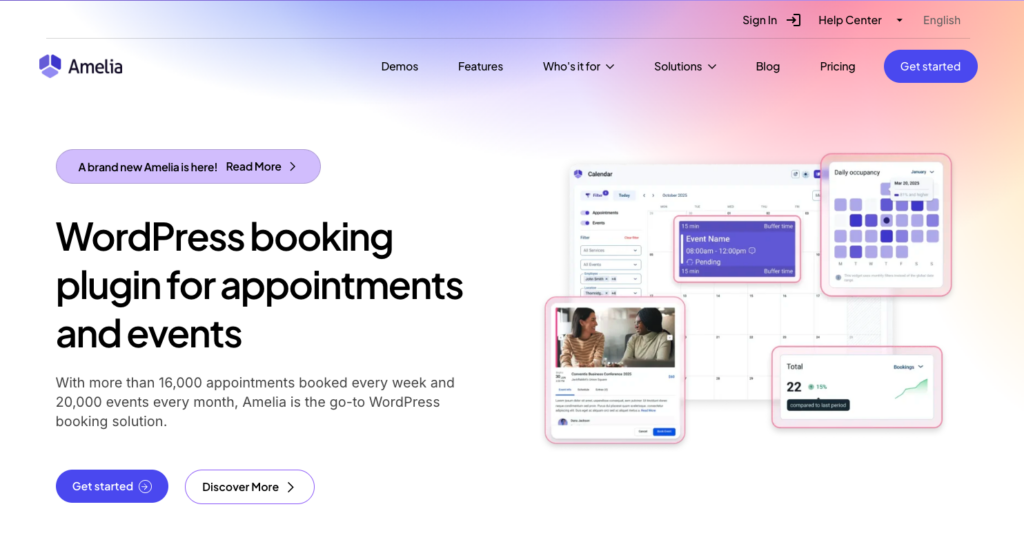
Amelia is an all-in-one WordPress event and appointment booking plugin designed to simplify event management. Whether you’re hosting a workshop, seminar, or a recurring event, Amelia helps you handle bookings, ticketing, payments, and notifications, all from one platform.
It’s a perfect option for businesses that are looking for a solution that can grow with them. As your events expand in size or frequency, Amelia scales effortlessly, handling more bookings, multiple event types, and recurring sessions without adding complexity.
Its automation features, payment integrations, and centralized management make it easier to stay organized, even as your business and events become more demanding.
The Events Calendar
The Events Calendar is a WordPress event calendar plugin designed to display your events and allow users to book. It’s fairly customizable and works well if your main goal is to showcase events in a clean, organized calendar. You can adjust views, categories, and layouts to match your site’s design, which makes it a solid choice for sites that prioritize presentation.
However, while the plugin includes basic booking features, more advanced functionality — like ticket sales, waitlists, or schedule management — often requires additional add-ons or a premium price tag. For businesses that are growing or planning recurring events, this modular setup can mean more work managing multiple tools instead of having a single, centralized system.
Overview snapshot:
| Feature | Amelia | WP Event Booking Plugin |
| Event Display & Calendar | Built‑in modern event calendar | Built‑in event calendar (month, list, day) |
| Booking & Ticketing | All‑in‑one booking and ticket sales | Ticket sales via the Event Tickets plugin |
| Payments | Native payment support (PayPal, Stripe, Square, etc.) | Payments via Event Tickets with Stripe/PayPal support |
| Recurring Events | Fully supported | Recurring events available with the Events Calendar Pro |
| Notifications & Emails | Automated confirmations and reminders | Basic confirmation emails via Event Tickets |
| Best For | End‑to‑end event booking & management | Flexible calendar with ticketing via extensions |
Feature Comparison: Amelia vs The Events Calendar
Now that we’ve seen how Amelia and The Events Calendar stack up at a glance, it’s time to dig deeper. We’ll take a closer look at the main features that really affect event management, so you can see how each plugin performs in practice and which one fits your workflow best.
Booking & ticketing
Booking and ticketing are at the heart of any event plugin. If this part doesn’t work smoothly, nothing else really matters.
Amelia makes the whole process seamless. You can create events, set multiple ticket types, define capacity limits, and even allow group bookings, all within a few clicks. The booking forms are modern, user-friendly, and fully customizable, so attendees can register quickly without confusion. On top of that, automated confirmations and reminders reduce the risk of no-shows.
The Events Calendar also lets users book tickets, but the workflow is a bit more fragmented. You’ll rely on the Event Tickets plugin to handle ticket sales and on Events Calendar to display them, and while this works fine, it obviously requires more setup. The booking forms are functional, but they aren’t as polished or streamlined as Amelia’s, and advanced features like adding photos to showcase your events will require more add-ons.
Key takeaway: For businesses that value a smooth, all-in-one booking experience, Amelia has a clear edge. The Events Calendar works well for simpler setups or if you’re comfortable managing multiple plugins.
Recurring events
Recurring events can be a challenge, especially for businesses running weekly classes, workshops, or multi-day conferences. Amelia makes this surprisingly easy. You can set events to repeat daily, weekly, monthly, or even on custom schedules, all from a single event creation screen.
And the best part? Each occurrence is treated as its own event with its own attendee list, which gives you flexibility to manage bookings individually after they’re created. This means you don’t have to manually create each session, saving time and reducing the chance of errors.
On the other hand, The Events Calendar can handle recurring events too, but the process looks a bit different. You can set up events to repeat on patterns like weekly or monthly, and the plugin lets you decide whether edits apply to a single date, the entire series, or only upcoming occurrences. This gives you control over the schedule, but the system is more focused on organizing events in the calendar, rather than providing a smooth, end-to-end booking experience like Amelia.
Automation & integrations
It’s no secret that automation can save you a ton of time when managing events, and this is another area where Amelia stands out. It takes care of many of the repetitive tasks that usually eat up your time. Too busy to check up on every guest after the conference? No worries, Amelia will handle it. Worried about events selling out? Amelia can automatically manage waitlists, letting new attendees sign up for spots if someone cancels.
Plus, Amelia includes several integrations that streamline event management:
- Calendar sync: Amelia connects seamlessly with Google Calendar, Outlook, or Apple Calendar, so your schedule is always up-to-date, no matter which device you use.
- Online platforms: Hosting a virtual workshop or seminar? Amelia integrates with Zoom, Google Meet, and Microsoft Teams, so you can freely choose the one you prefer.
- Analytics & tracking: Integrations with Google Analytics and Facebook Pixel help you monitor conversions, track visitor behavior, and optimize your event pages.
- Payment gateways: Amelia supports Stripe, PayPal, Square, Razorpay, Mollie, Barion, and other payment providers, giving you reliable options for collecting payments without needing external plugins.
- WhatsApp notifications: Amelia can send confirmations and reminders through WhatsApp Business, giving you another channel to reach customers.
As for The Events Calendar, it offers useful automation and integrations that help keep your events organized and running smoothly. The system is flexible enough to work within the broader Events Calendar ecosystem, but keep in mind that you also need the Event Tickets plugin to make some of these integrations work:
- Online platforms: Supports Zoom, Teams, Google Meet, and WebEx for hosting online events.
- Live streams: Embed YouTube and Facebook streams to extend reach beyond the core event page, ideal for hybrid sessions or broad audience engagement.
- Zapier: Connect thousands of apps to automate workflows and data transfers.
- Payments: Choose between PayPal and Stripe and accept payments at the time of booking.
Notifications & reminders
Notifying attendees on time is key to reducing no-shows and keeping events on schedule. Amelia builds this into the core workflow with automated confirmations and reminders. Plus, customizable templates for emails and SMS are available, so you can tailor messages to fit your brand and event type. Amelia’s built‑in system also handles updates automatically if event details change, so attendees stay informed without extra effort.
The Events Calendar offers notifications, too, but richer messaging often depends on pairing with the broader Events Calendar ecosystem, which can require a bit more setup.
Event management & backend experience
As an event organizer, you probably already know that the admin side matters as much as the attendee experience. And Amelia lets you see everything at a glance: a centralized cockpit that surfaces bookings, revenue, and trends across a chosen date range, with two tabs (Appointments and Events) so you understand activity at a glance for each booking type. Easily compare performance over time, spot bottlenecks, forecast demand, and make smarter decisions without wading through pages of data.
Managing events from the backend is straightforward. You can create events, update capacity, manage attendees, or even approve bookings and see payment status. The system also lets admins manage locations, employees, customers, and services within the same environment, so everything stays organized in one centralized panel.
The Events Calendar, on the other hand, focuses primarily on event organization and calendar display. In the backend, events are managed through a dedicated Events menu where you can create events, assign venues and organizers, manage categories, and configure calendar settings.
However, many operational features, such as ticket management, advanced reporting, or attendee data, are handled through additional plugins like Event Tickets or other add-ons. This modular structure gives you flexibility, but it can also mean jumping between different sections of the dashboard to manage bookings, payments, and event settings.
Set Up & Ease of Use
Even the most feature-rich event plugin won’t help much if it’s difficult to set up or confusing to use. Whether you’re launching your first workshop or managing a full event calendar, the onboarding experience matters.

Amelia
Amelia is designed to get you up and running quickly with a guided setup approach. After installing the plugin, most of the configuration happens inside a dedicated Amelia dashboard where you can define services or events, set employees or organizers, add locations, and configure booking settings in one place.
The interface is built around a structured workflow. For example, you typically start by adding services or events, connecting them to staff or locations, and then publishing a booking form or event listing on your site. This logical setup helps new users understand how everything fits together.
From the attendee side, Amelia also focuses on simplicity. Its step-by-step booking wizard guides visitors through selecting the service or event, choosing a date and time, and completing payment in a clean, modern interface.
The Events Calendar
The Events Calendar follows a more traditional WordPress approach. After installation, you can start creating events directly from the admin panel, much like you would create a blog post.
The setup is straightforward if your goal is simply to publish events and display them in a calendar view. You install the plugin, configure basic settings like time zones and permalinks, create venues or organizers, and then start publishing events.
Where things can become slightly more complex is when you want to expand functionality. Features like ticket sales, advanced event management, or additional integrations often rely on companion plugins or other extensions.
Ultimately, the setup isn’t overly complex, but it may require a bit more effort than Amelia, especially for beginners.
The Events Calendar vs. Amelia: Pricing & Overall Value
At first glance, both Amelia and The Events Calendar offer flexible pricing options. But the way their pricing works is quite different. Amelia offers a few different tiers, while The Events Calendar takes a different route. The core calendar plugin has a free plan, but it’s too limited, so you will likely need a paid licence and a few additional add-ons.
Amelia pricing
In addition to a free version, Amelia also offers several paid plans depending on the number of sites you use and the amount of advanced features you need. Plans typically include support, updates, automation features, payment integrations, and the full booking system inside one plugin.
| Plan | Price | Sites | Key Features |
| Starter | $49 / year | 1 site | Core booking system, event creation, automated notifications |
| Standard | $89 / year | 1 site | Payment integrations, calendar sync, and advanced booking features |
| Pro | $199 / year | 1 or 5 sites | Payment integrations, advanced booking features, cart option, packages of services |
| Elite | $339 / year | Unlimited sites | Full feature set, integrations, API access, advanced automation |
| Lifetime licenses | One-time purchase options | varies | Use the plugin permanently without annual renewal |
The Events Calendar pricing
The Events Calendar plugin itself is free and provides a solid foundation for publishing and organizing events on your website. It includes the basic calendar display and event creation tools.
However, many advanced features are only available through paid plans. The Events Calendar Pro add-on ranges from $149 to $999 per year, depending on the number of sites you want to use it on. This upgrade unlocks features like recurring events, additional calendar views, and more advanced scheduling options.
Even with the Pro plan, ticket sales and attendee management are not included. If you want to sell tickets or collect payments for events, you’ll need Event Tickets Plus, which also ranges from $149 to $999 per year, again depending on the number of sites.
In practice, this means that running a fully featured event booking system with ticket sales can require multiple premium add-ons, which increases the overall cost as your needs grow.
Final Verdict: Amelia vs The Events Calendar
Choosing between Amelia and The Events Calendar ultimately comes down to how you plan to run your events.
The Events Calendar works well if your main goal is to display events in a clear, organized calendar. It’s flexible, familiar to WordPress users, and a good fit for websites that mainly need to publish event information and let visitors browse upcoming dates.
Amelia, on the other hand, focuses more on simplifying the entire booking process. From registrations and payments to reminders and attendee management, it brings everything into one system so you don’t have to rely on multiple tools to run your events smoothly.
Lastly, while both can support successful events, they solve slightly different problems, so make sure to pick one that suits your needs.

Explore topics

Read Inspiring Customer Stories
Check out how our user set Amelia for his business