



Every consultant has sent that email. “Does Tuesday at 2 work?” Then the reply asking for Wednesday instead. Then a calendar that’s already double booked, and starting the whole thing over.
None of that time gets billed.
Amelia and Trafft lead this ranking of consultant scheduling software for a specific reason. Both come from the same development team, and that team builds booking tools for service businesses instead of retrofitting a generic calendar link. Amelia runs as a WordPress plugin.
Trafft runs as its hosted SaaS counterpart. That shared foundation sets the bar the rest of this list gets measured against.
Amelia’s WordPress.org listing shows 90,000 active installations as of August 2026, a scale no other plugin-based option on this list has reached (WordPress.org, 2026).
The Best Consultant Scheduling Software
Independent consultants lose close to 4.2 hours a week to scheduling back and forth, which adds up to roughly $31,500 in lost billable revenue a year for someone billing $150 an hour (Simply Set, 2026).
Consultants sell hours. Every minute spent chasing a meeting time is a minute nobody pays for, and a tighter appointment scheduling process closes most of that gap without changing anything else about how the work actually gets done.
Ranking here goes by fit for a consulting workflow, not name recognition, which is why Amelia and Trafft sit at the top. Everything below serves a different kind of practice. A solo coach and a five person firm running CRM routed leads are not choosing between the same two tools, so treat this less like a leaderboard and more like a set of separate shortlists stitched together.
| Platform | Best for | Standout capability | Starting price |
|---|---|---|---|
| Amelia (WPAmelia) | Consultants already running their business on WordPress | Booking lives on your own domain, six payment gateways built in | Free Lite; paid tiers from $49/year |
| Trafft | Consultants who want a hosted booking page without touching WordPress | White-label reselling for agencies | Free plan (up to 5 users); paid from ~$8/month |
| Calendly | Consultants who want the most recognized scheduling link with minimal setup | Fastest setup on this list, instant client trust | Free (1 event type); Standard $10/seat/month |
| Acuity Scheduling | Consultants selling packages or needing compliance-grade booking | HIPAA-compliant booking and native package/membership sales | No free plan; Emerging tier ~$16/month |
| SavvyCal | Consultants pitching high-value engagements where the booking page signals quality | Overlay view showing mutual availability instead of a slot grid | ~$10/seat/month, no permanent free tier for teams |
| Cal.com | Technical consultants who want an open-source, API-first scheduling layer | Self-hosted option; free tier includes paid Stripe bookings | Free forever plan; Teams from ~$15/seat/month |
| OnceHub | Consulting firms that need CRM-routed team scheduling | Lead qualification and round-robin routing tied to Salesforce/HubSpot | Schedule plan from $12/user/month |
| YouCanBook.me | Consultants who need heavily customized intake forms without writing code | Conditional custom fields that change per service | ~$9/month (Individual); no permanent free plan |
| HubSpot Meetings | Consultants already running their pipeline inside HubSpot CRM | Bookings log automatically against the right contact and deal | Free with a HubSpot CRM account |
| Setmore | Solo consultants who want a real free plan, not a time-limited trial | Built-in Teleport video calls, free plan stays free permanently | Free (4 users, 200 appointments/month); Pro from $5/user/month |
Amelia: best for consultants already running their business on WordPress
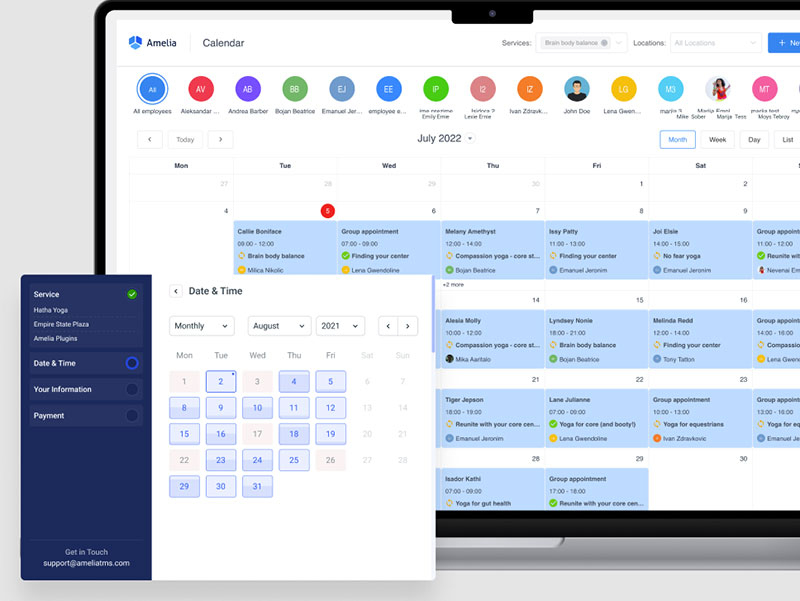
Amelia turns an existing WordPress site into a full booking system. Not a plugin bolted onto the side of things, but services, staff, packages, and events all managed from the same admin dashboard a consultant already logs into every day.
Solo consultants and small firms already running their website on WordPress get the most out of it, mainly because bookings never leave the site for a separate login or subdomain. Clients book, pay, and get a confirmation without ever noticing they left the homepage.
- Step by step or catalog style booking widget added by shortcode
- Recurring appointments and service packages
- Custom intake fields on the booking form
- Two way sync with Google Calendar, Outlook, and Apple Calendar
- Native Zoom integration, plus Google Meet and Microsoft Teams
The Lite version is free on WordPress.org and covers basic bookings.
Paid annual tiers run Starter at $49, Standard at $89, Pro at $149, and Elite at $259, plus lifetime license options (Capterra, 2026).
Pros:
- Booking lives on the consultant’s own domain, no third party branding involved
- A one time or annual license instead of a per seat subscription
- Six payment gateways built in, including WooCommerce compatibility
Cons:
- WordPress only, so it suits consultants committed to staying on the platform
- Calendar sync, video integrations, and packages sit on the higher plan tiers
- Staff manage bookings through the WordPress backend rather than a dedicated mobile app
TMS launched Amelia at WordCamp Europe in Belgrade back in June 2018 and has kept it in active development ever since. It now holds a 4.9 out of 5 rating across 245 Capterra reviews (Capterra, 2026).
Most roundups file it under a general list of WordPress booking plugins and leave it there. That skips over the dedicated Coaching and Consulting page built directly into Amelia’s own site, which is a fair signal the team shapes features around this exact use case instead of treating consultants as an afterthought.
Bookly is the closest structural rival on WordPress. The full comparison between the two gets into where each one actually wins.
Trafft: best for consultants who want a hosted booking page without touching WordPress
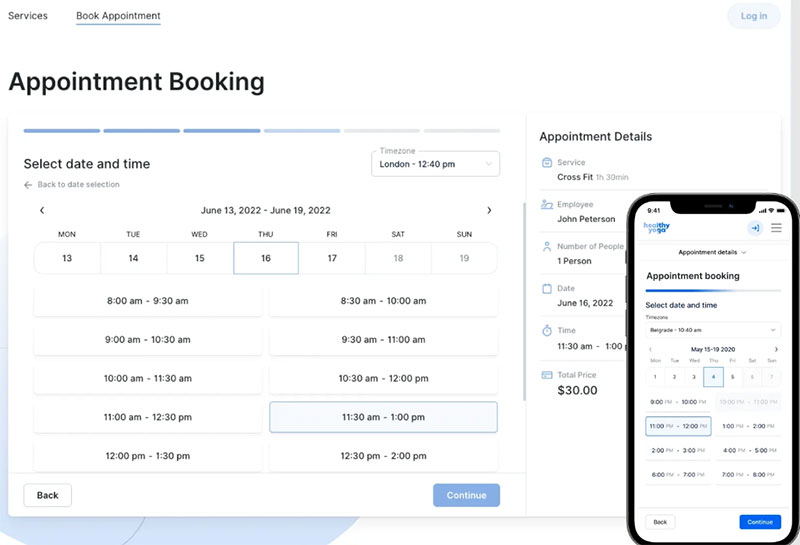
Consultants and small agencies who want a standalone booking page live within minutes, without touching a website at all, end up here. So do the ones planning to resell scheduling under their own brand.
Trafft is built by the same team behind Amelia, just hosted in the cloud instead of installed as a plugin. White label reselling for agencies is the feature that actually separates it from a plain booking page: an agency sets up and manages booking pages for its own clients, under its own name.
- Employee stats showing workload, booked hours, and revenue per staff member
- Up to 6 connected calendar accounts, including keeping Google Calendar and Outlook in sync
- Custom cancellation and privacy policy pages generated automatically
- SMS and email reminders with a custom SMTP sender address
- Client CRM with custom fields on each customer profile
A free forever plan covers up to 5 users.
Paid plans scale from roughly $8 to $60 a month depending on team size, with no per booking fees and a 30 day money back guarantee (SchedulingKit, 2026).
Pros:
- No WordPress dependency. It works as a fully standalone booking site
- A real free tier for small teams, not a time limited trial
- Cancellation and privacy policy pages generate automatically, no custom build needed
Cons:
- Fewer native payment gateways than Amelia, mainly Stripe and PayPal
- Custom domains and Zapier sit on the higher tiers
More than 30,000 businesses have used Trafft to manage over 5 million appointments and events, with over $1 million in payments processed through it on a regular basis, according to the company (SaaSworthy, 2025).
Feature parity between Trafft and Amelia moves fast, since one team builds both. Most comparison pages miss that entirely and lump Trafft in with Calendly as a random competitor. It reads more accurately as Amelia’s SaaS counterpart, built for consultants who want nothing to do with WordPress.
Calendly – Best for consultants who want the most recognized scheduling link with minimal setup
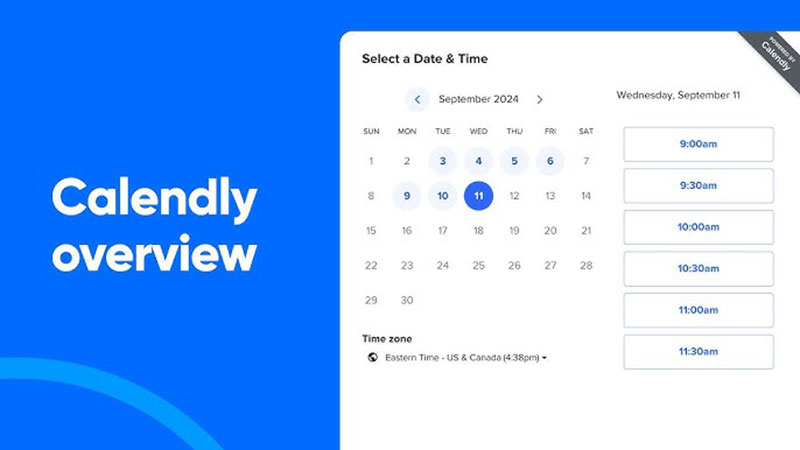
Nearly every prospect a consultant emails has booked through Calendly before. That familiarity, more than any single feature, is why it remains the most recognized scheduling link in the category.
Calendly builds around one on one and group meeting booking, and setup takes minutes rather than hours. It suits consultants running mostly discovery calls or standard one off sessions who don’t need packages or a heavy intake form to screen anyone. Paste a link into an email, done.
- Free plan with one active event type
- Automatic time zone detection for the invitee
- Round robin routing and Salesforce sync on the Teams plan
- Automated meeting reminders and pre call follow up emails
- Meeting links that add a Google Meet link automatically, alongside Zoom
The Free plan covers a single event type at no cost.
Standard runs $10 per seat a month billed annually, Teams runs $16 per seat a month annually, and Enterprise starts around $15,000 a year (Calendly, 2026).
Pros:
- The fastest setup of any tool on this list
- Instant client trust, since most people have used the booking page before
- Solid calendar and video integrations out of the box
Cons:
- Every seat costs money past the single free event type
- Intake forms stay thinner than Acuity’s or YouCanBook.me’s
- Booking pages carry Calendly branding until you upgrade
Reviewers keep pointing to setup speed over feature depth. A link goes live before most competitors finish onboarding, which is a real advantage on day one and a shrinking one after that.
Think of it as a starting point rather than a destination. Consultants who outgrow the free event limit or need real intake screening tend to move toward the wider field of Calendly alternatives inside a year, and Acuity or YouCanBook.me usually catch them on the way out.
Those running a WordPress site often skip the migration question entirely and embed Calendly directly into a page instead of sending clients somewhere else.
Acuity Scheduling – Best for consultants selling packages or needing compliance grade booking
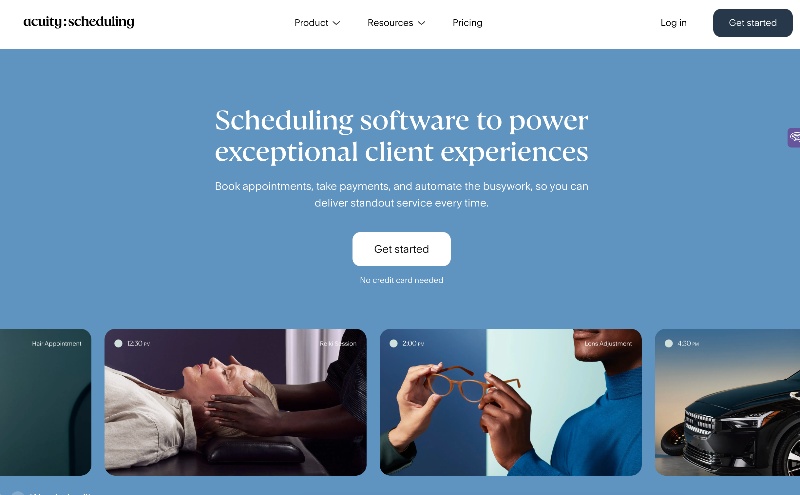
A five session engagement gets sold and booked in a single flow here, no separate cart tool required. That fact alone explains most of who ends up on Acuity.
Owned by Squarespace, Acuity Scheduling handles paid packages, memberships, and HIPAA compliant booking better than anything else on this list. Consultants selling bundled sessions gravitate toward it, and so do healthcare adjacent advisors who need compliant booking rather than a workaround.
- Custom intake forms attached to each service
- Text message reminders on the Growing tier and above
- Group classes and workshop style bookings
- Multiple time zone support for international clients
- HIPAA compliant booking on the top tier
There is no free plan, only a 7 day trial.
The entry Emerging tier runs about $16 a month billed annually, Growing runs around $27, and the Powerhouse tier with HIPAA compliance runs $49 to $61 a month (ITQlick, 2026).
Pros:
- Best in class intake forms among mainstream SaaS schedulers
- Package and membership sales handled without a separate cart tool
- Flat per account pricing, not per seat
Cons:
- No free plan at all, unusual for this category
- HIPAA compliance only exists on the priciest tier
- SMS reminders require upgrading past the entry plan
Healthcare adjacent consultants handling protected health information have no cheaper path around it. The Powerhouse plan, roughly $61 a month billed monthly or $49 billed annually, is the minimum tier once HIPAA enters the picture, regardless of how small the team is (CheckThat.ai, 2026).
Most comparisons treat Acuity as a Calendly substitute. The sharper distinction is packages, honestly. A five session retainer needs a Zapier workaround to bill and book on Calendly. Here it just happens.
SavvyCal – Best for consultants pitching high value engagements where the booking page itself signals quality
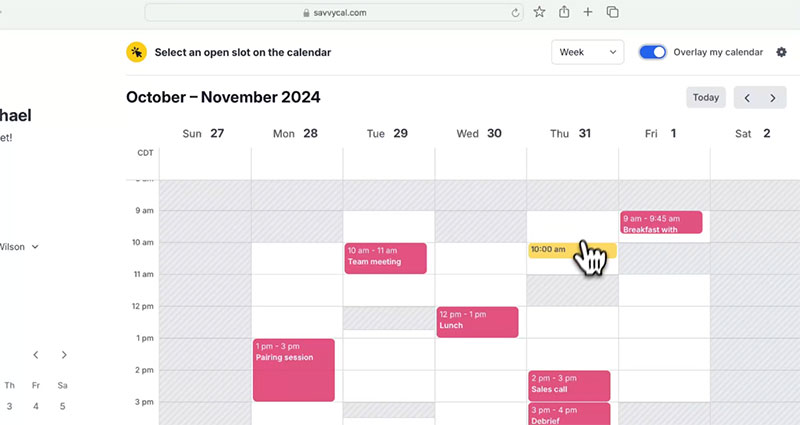
SavvyCal drops the usual grid of open slots and replaces it with an overlay. A prospect connects their own calendar and sees mutual availability laid directly over yours, in one view, instead of flipping between two browser tabs guessing.
That’s a small mechanical difference that ends up mattering more than it should. Consultants pitching senior stakeholders or high ticket retainers use it because the booking step itself needs to feel considered rather than generic, and a slick overlay is a strange but real signal of that.
- Ranked time preferences that nudge prospects toward your preferred slots
- One click Google Calendar connection for the invitee, no account required
- Custom booking link personalization per recipient
- Team scheduling with shared availability pools
Paid plans start around $10 per seat a month billed annually (about $12 monthly), with no permanent free tier for teams (SavvyCal, 2026).
Pros:
- Booking experience feels distinct rather than templated
- Overlay view removes the back and forth of comparing two calendars by hand
- Preference ranking protects focus time without hiding other slots
Cons:
- Intake form depth does not match Acuity or YouCanBook.me
- Smaller integration ecosystem than Calendly or Cal.com
Reviewers point to the overlay view specifically as the reason they moved off Calendly, even paying more per seat than Calendly Standard to get it.
On a five figure retainer pitch, the booking page really is a small signal, but it’s a real one. SavvyCal is built around that signal on purpose. Not booking volume, not team routing. Just the first impression.
Cal.com – Best for technical consultants who want an open source, API first scheduling layer
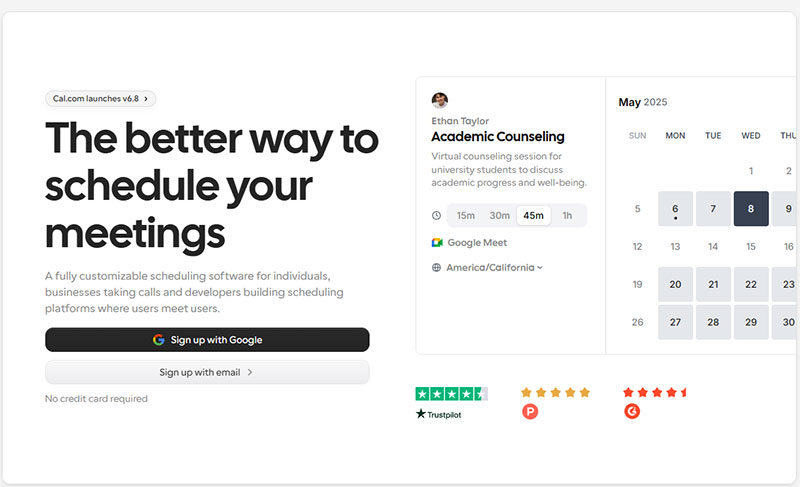
Technical consultants, dev shops, and agencies that want to embed or automate booking rather than accept a fixed template land on Cal.com. Everyone else probably shouldn’t bother.
It’s open source and runs the entire booking workflow through an API, scaling from a solo discovery page up to a routed multi consultant pipeline. The free forever plan is the real hook: paid bookings through Stripe, unlimited event types, and calendar sync, none of it gated behind a paywall the way it is almost everywhere else on this list.
- Open source core, with a self hosted community edition available
- Native sync with Google, Outlook, and Apple calendars
- Salesforce and HubSpot routing on paid tiers
- Workflow layer connecting to thousands of other apps
The free forever plan covers individual bookings at no cost.
Paid Teams plans start around $15 per seat a month billed annually (Cal.com, 2026).
Pros:
- Only tool on this list with a self hosted, open source option
- Free tier includes paid Stripe bookings, unlike most competitors’ free tiers
- Billed only for users who actually take bookings, not every seat
Cons:
- Self hosting requires real technical setup, not a plug and play install
- Interface leans utilitarian next to SavvyCal or Acuity
It prices itself directly against per seat competitors, billing only users who actually take bookings rather than every team member holding a login.
Every other tool on this list is closed. Cal.com is the one where a firm’s own engineering team could fork the scheduling logic entirely, if the built in workflows ever stop matching how the firm actually books work.
OnceHub – Best for consulting firms that need CRM routed team scheduling
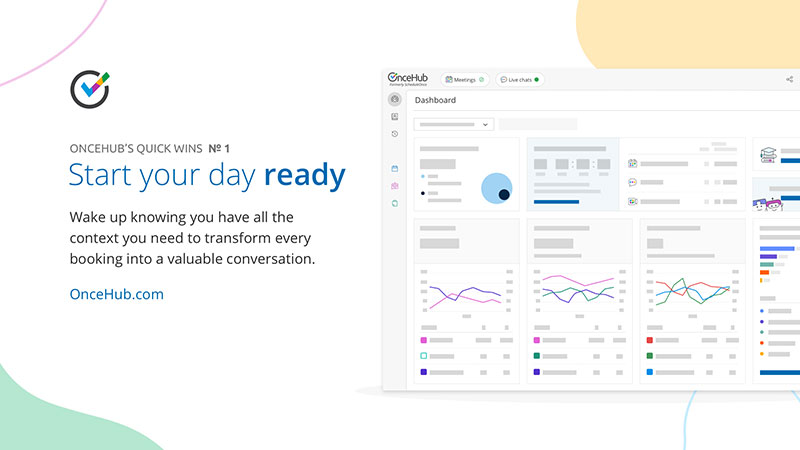
A lead fills out a form, gets qualified by the answers, and lands on the right consultant’s calendar automatically. Nobody manually forwards an email to figure out who should take the call.
That routing logic, on top of standard booking, is what OnceHub actually sells, and it only makes sense for a firm with several consultants rather than a solo practice. Consulting firms and agencies needing CRM integrated team booking and lead routing, not just a personal calendar link, are the real audience, with deep Salesforce and HubSpot sync tying it together.
- Round robin and group scheduling for multi consultant teams
- Lead qualification forms with branching logic before a slot even shows
- Zoom, calendar, and CRM integrations in one workflow
- Advanced admin controls for larger firms
The Schedule plan starts at $12 per user a month, Route runs $23, and Engage runs $47 per user a month, all with a 14 day free trial (OnceHub, 2026).
Pros:
- Routing logic most competitors on this list simply do not have
- Deep CRM integration, not a shallow Zapier bridge
- Handles complex, multi person scheduling scenarios cleanly
Cons:
- Overbuilt and overpriced for a solo consultant
- Full feature set requires the higher tiers
Going from Schedule to Engage costs close to four times as much per seat, and it only makes sense once a firm actually needs the routing and workflow layer underneath it.
Solo focused roundups skip OnceHub entirely, and fairly so. It’s overbuilt for one person. Hand it to a five consultant firm juggling inbound leads across specialties, though, and that same complexity stops being a downside.
YouCanBook.me – Best for consultants who need heavily customized intake forms without writing code
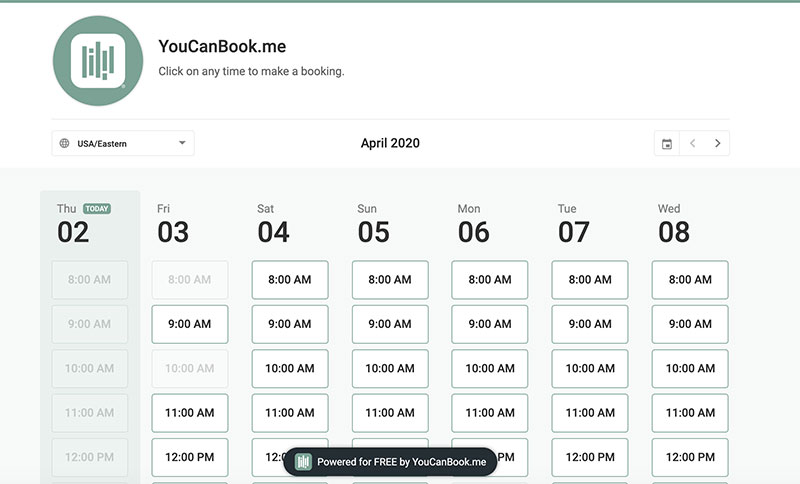
Different services can trigger entirely different intake questions here, because the custom fields on the booking form are conditional rather than fixed. That’s the whole pitch, really.
YouCanBook.me is built around form customization, collecting real context from a prospect before a call ever gets confirmed. Consultants who screen every lead through a detailed questionnaire first end up here, especially the ones who want Acuity level intake depth without Acuity’s focus on selling packages.
- Team calendars with shared availability
- Custom booking page branding
- Calendar sync across Google, Outlook, and iCloud
- Automated confirmation and reminder emails
Paid plans run from about $9 a month for a solo Individual tier up to around $18 per seat a month for the Teams tier, with no permanent free plan for ongoing use (YouCanBook.me, 2026).
Pros:
- Deepest form customization on this list besides Acuity
- Team calendar sharing included at the base tier
- Setup stays straightforward without a steep learning curve
Cons:
- No true free tier for ongoing use
- Fewer payment and package features than Acuity
Comparison guides rank its custom forms above Calendly’s pretty consistently, since Calendly’s built in questionnaire options stay thin even on paid plans. Consultants leaving Calendly for exactly that reason, forms too shallow to screen anyone properly, tend to land here first. The direct comparison between Calendly and YouCanBook.me gets into the gap on form logic specifically, not price.
A well built booking form template can screen out a bad fit prospect before they ever touch your actual calendar.
HubSpot Meetings – Best for consultants already running their pipeline inside HubSpot CRM
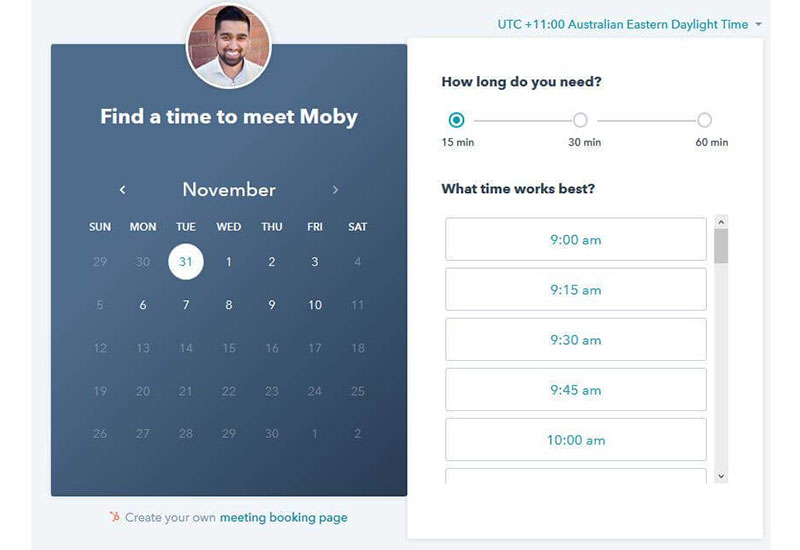
Every booking logs itself against the right contact and deal automatically, no export step, no manual entry. That’s included free with HubSpot’s free CRM tier, which is a strange thing to give away for nothing but there it is.
HubSpot Meetings is the native scheduling tool built into HubSpot CRM. It fits consultants and small agencies already running sales pipelines through HubSpot who just want booking data to land where the rest of their pipeline already lives.
- Meeting links tied directly to contact and deal records
- Group and round robin meeting links for small teams
- Calendar sync with Google and Outlook
- No separate scheduling subscription required
Meetings is included free with a HubSpot CRM account, since the scheduling tool carries no standalone fee.
Pros:
- Zero extra cost on top of a HubSpot CRM account
- Booking activity feeds directly into pipeline reporting
- No manual data entry between scheduler and CRM
Cons:
- Only worth it if you are already committed to HubSpot as your CRM
- Thinner intake form customization than Acuity or YouCanBook.me
The real advantage shows up in reporting, honestly, not in the booking page itself. A missed follow up gets a lot less likely once a booked B2B meeting already sits inside the same system tracking the deal.
Most scheduling roundups judge this purely on the booking page, which misses the point. The value is a manual CRM entry step disappearing, one most consultants don’t notice they were doing until it’s gone.
Setmore – Best for solo consultants who want a real free plan, not a time limited trial
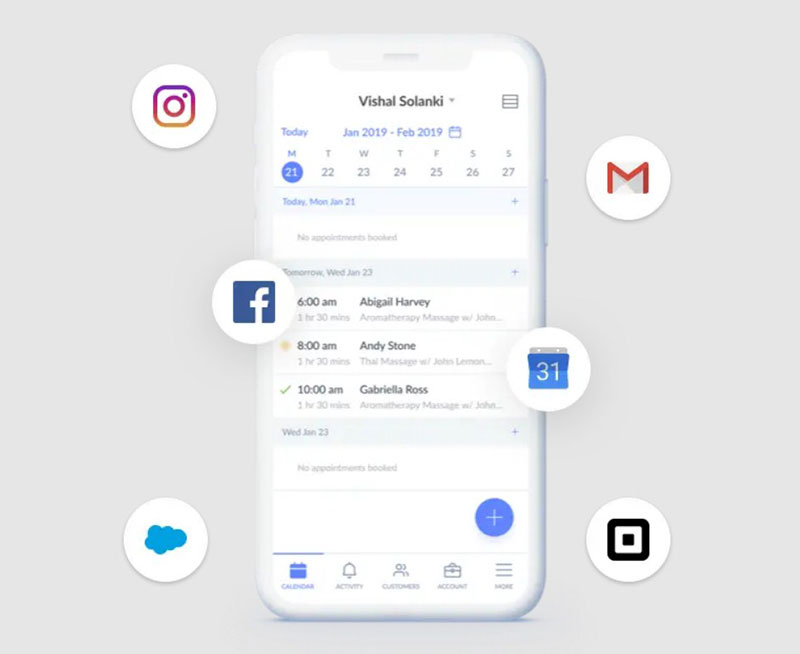
The free plan stays free. Permanently, not a 14 day trial wearing a free badge. That alone puts Setmore ahead of a lot of this list for anyone just starting out.
It covers payments, a branded booking page, and reminders without asking for a credit card, which fits solo consultants and coaches on a tight budget who still need something that looks professional to clients.
- Payment acceptance included even on the free plan
- Built in Teleport video calls, no separate Zoom subscription needed
- Branded booking page and email confirmations at no cost
- Two way calendar sync and SMS reminders on the Pro tier
Free covers up to 4 users and 200 appointments a month.
Pro starts at $5 per user a month billed annually, or $12 monthly (Setmore, 2026).
Pros:
- Genuinely free tier, not a stripped down trial
- Built in video calling removes a separate tool from the stack
- Cheapest paid tier on this list
Cons:
- Free plan caps out fast for anyone booking daily
- No CRM depth or routing logic for growing teams
- Free tier syncs only one way, not calendar back to Setmore
Do the math on that cap and it gets tight fast. A 4 person team averaging 8 appointments a day across 5 days a week hits 160 bookings a month, already close to the 200 appointment ceiling.
Setmore earns its spot at the pre revenue stage of a practice, a gap most premium tools just ignore. Once volume actually grows past that, the natural next step is a package focused tool like Acuity Scheduling, not a sideways move to another free plan.
What Is Consultant Scheduling Software
A client picks an open slot, answers a couple of screening questions, and pays for the session, all before the consultant writes a single email. That sequence, start to finish without a human touching it, is what separates this category from a bare calendar link.
Real time availability, paid checkout, and intake screening running together in one flow is the actual differentiator. A shared calendar link handles maybe one of those three on its own.
- Not a full practice management suite covering invoicing, contracts, and project tracking
- Not a CRM, though many tools sync booking data into one
- Not the same category as salon, gym, or clinic booking tools, which optimize for walk-in volume rather than screened, paid consultations
Most of the time it sits directly on a consultant’s own website, or on a hosted page linked from it. That single choice, own site or hosted page, runs through most of the decisions in this guide. Understanding why structured scheduling matters in the first place is really the answer to why this category exists at all, separate from a bare calendar app.
WordPress Plugin Vs Hosted SaaS Scheduling Software
Deployment comes before any feature comparison, because it decides where a consultant’s booking data actually lives. A WordPress plugin installs directly on a site that already exists. A hosted SaaS platform runs on the vendor’s servers instead, and gets linked to or embedded from anywhere.
| Factor | WordPress Plugin | Hosted SaaS |
|---|---|---|
| Requires an existing site | Yes | No |
| Data ownership | Consultant’s own hosting | Vendor’s servers |
| Maintenance | Consultant updates the plugin | Vendor handles updates |
| Typical cost model | One-time or annual license | Monthly or per-seat subscription |
TMS happens to be the clearest real world case of both paths under one team. Amelia is the WordPress plugin, Trafft is the hosted SaaS platform, and both run roughly the same booking logic two different ways.
WordPress Plugin Deployment
This path runs inside a WordPress site that’s already live.
- Requires a WordPress installation before the plugin can do anything
- Booking data stays on the consultant’s own hosting account
- Design usually matches the site’s existing theme automatically
WordPress powers just over 41% of all websites (41.2% as of late July 2026, continuing a gradual decline from 43.2% in December 2025), according to W3Techs. That’s the entire reason a plugin based option exists in this category at all.
Checking plugin conflicts before committing matters more than most consultants expect, since booking plugins interact directly with whatever page builders and forms are already installed. A consultant comparing this path against the wider set of WordPress plugins built for consulting practices should test that first, not last.
Hosted SaaS Deployment
No WordPress site required, full stop. An account gets created, a booking page publishes, and a link goes out to clients inside the same sitting.
The catch is that booking data now lives on someone else’s infrastructure, and export terms vary by vendor, so it’s worth reading those before signing up rather than after. This path fits a consultant without a WordPress site to begin with, or one who just doesn’t want plugin maintenance added to an already full workload.
How Calendar And Video Conferencing Integrations Work
Calendar sync and video link generation sit underneath every booking, running automatically once configured. They solve two different problems though, and it’s worth keeping them separate in your head.
Calendar Sync
Two way sync pulls busy blocks from an external calendar into the booking tool, and pushes new bookings back out the other direction. One way sync only does half of that job, and that half is usually where double booking starts.
- Google Calendar, the most commonly connected platform
- Outlook Calendar, standard for firms already on Microsoft 365
- Apple Calendar, less common but supported by several tools on this list
Confirm sync direction before publishing a booking page if you’re juggling a personal calendar alongside a business one. A one way setup can happily show a slot as open when it’s already taken, and you won’t find out until a client does.
Tools built as a WordPress calendar plugin sync roughly the same way a standalone SaaS tool does. The real difference is just where the plugin lives.
Video Conferencing Links
A video link attaches to a booking the moment a meeting type gets set up to use one. The tool generates a unique link per booking and drops it straight into the confirmation email. No manual link creation, no copying a personal meeting room URL into every single confirmation by hand.
Mechanics shift slightly depending on which video platform a consultant standardizes on, since API permissions and waiting room defaults vary by provider. And if you’re syncing a separate personal calendar, say an iCloud calendar shared with a spouse or assistant, confirm that calendar also feeds into the two way sync covered above. It’s an easy thing to miss.
How Payment Collection Works In Consultant Booking Software
A payment gateway attaches to a service or package right at checkout, the moment after a time slot gets picked. Two ways that plays out in practice: a partial deposit charged at booking and refundable under whatever policy the consultant set, or the full session fee charged upfront before the slot even confirms.
Single paid strategy calls tend to use full payment. Multi session packages lean toward a deposit against just the first session instead.
- Stripe, the most widely supported gateway across this category
- PayPal, still common for solo consultants without a merchant account
- WooCommerce-based processing, used by WordPress plugins that route payment through an existing store setup
A PayPal-based booking system mostly differs from a Stripe only setup in how refunds route back to the client. Refund handling on a cancelled booking follows whatever policy got set at the service level, not some platform wide default sitting in the background. Plugins leaning on WooCommerce for appointment payments inherit WooCommerce’s own refund and tax handling rather than building any of that from scratch.
How Intake Forms Screen Consulting Clients Before A Call
A weak intake form asks for a name and an email address, nothing more. A strong one asks what the prospect is actually trying to solve, what they’ve already tried, and roughly what budget they’re working with.
Conditional fields change the question set depending on which service gets picked, so a strategy call form and a workshop booking form on the exact same site can ask completely different things. That flexibility is the main reason consultants outgrow a bare scheduling link inside the first year of using one.
It cuts both ways, though. Every extra question drops booking completion somewhat, so form length ends up being a real design decision and not just a data collection one.
- Budget range or engagement size
- Timeline or urgency
- Prior work with a consultant on the same problem
- Decision-making authority, for B2B engagements with multiple stakeholders
Building a form from scratch on a Gravity Forms based booking calendar hands over more layout control than most built in form editors allow, at the cost of extra setup time up front. A booking form that filters out a bad fit prospect before a call happens saves more time, honestly, than any reminder system saves afterward.
How Team And Round-Robin Scheduling Works For Multi-Consultant Firms
Round robin assignment rotates incoming bookings across a team by rule, not by a client picking whoever they’ve heard of.
- Even rotation, spreading leads equally across every available consultant
- Specialty-based routing, matching a prospect’s stated need to the right consultant
- Region or time zone based routing, for firms operating across multiple markets
A lead qualification form usually runs before the routing decision, not after it. The prospect answers a few questions, the system reads them, and only then does an actual consultant’s calendar show up. No calendar gets shown until the system has already decided who should take the meeting, which is the real difference between a shared availability pool and a plain individual link.
This overlaps with general employee scheduling software in spirit, though the routing logic here optimizes for lead quality rather than shift coverage. A firm running shift-based scheduling for support staff alongside consultant facing booking usually needs both running side by side. Neither replaces the other.
None of this does anything useful for a one person practice, by the way. Routing logic exists specifically for teams. Solo practices don’t need any of it.
How Reminders And Notifications Reduce No-Shows
Timing matters more than channel, in the end.
A Polish mental health outpatient clinic in Gdańsk cut its missed appointment rate from 18.55% in 2019 to 7.01% in 2023 after switching to an automated confirmation system with reminders and follow up calls (MDPI, 2025). A reminder sent the moment someone books, then again 24 hours before the call, catches more no-shows than a single reminder ever does.
- Email reminders, included on nearly every free plan in this category
- SMS reminders, usually gated behind a paid tier
- Confirmation-required bookings, where a slot only locks in once the client responds
No-show tagging flags a client’s history automatically, so a pattern gets caught before it repeats a third time. Email reminders cost a vendor nothing extra to send, which is exactly why SMS, carrying a real per message cost, sits behind a paywall on almost every tool in this category. Some consultants stack a dedicated appointment reminder app on top of their scheduler once the built in timing control stops being enough.
Solo Consultant Or Multi-Consultant Firm: Which Setup Fits
How many people actually take bookings decides both the deployment model and the routing needs. Everything else follows from that one number.
Solo Consultant Fit
One calendar, one service list, no routing logic needed at all.
- WordPress plugin or a solo-tier SaaS account, either works fine
- Intake form depth matters more than team features
- Free or low-cost tiers usually cover everything needed
The moment a solo consultant brings on a subcontractor for overflow work, even part time, the routing question comes back and the tooling has to change with it. Tools positioned as scheduling software for small businesses generally cover this stage well, without dumping a pile of unused team features on someone who doesn’t need them yet.
Multi-Consultant Firm Fit
Routing, shared availability, and CRM depth integration all become necessary once more than one consultant takes client facing bookings.
Overbuilt tooling shows up here too, just pointed the other direction. A five person firm paying for enterprise routing logic it barely touches wastes budget in the same way a solo consultant wastes money on a team plan sized for headcount they don’t actually have. Fit follows headcount. Not ambition, not how big the firm hopes to get someday.
The right tier only improves coordination and overall team efficiency once there are enough people actually booking client time to need coordinating in the first place.
How Much Consultant Scheduling Software Costs
Pricing in this category splits a few different ways, and the models are not interchangeable even when the sticker price looks similar. Per seat pricing scales with headcount, plain and simple. Flat-rate pricing scales with feature tier instead, which sounds similar but plays out very differently on a growing team. Then there’s one-time licensing, which skips the subscription model entirely in exchange for a bigger bill up front.
Per-Seat Pricing
Cost multiplies by the number of people actually taking bookings, not by how much of the software gets used.
Pros:
- Cheap for a solo consultant, since there is only one seat to pay for
- Scales predictably as a firm adds consultants one at a time
Cons:
- Gets expensive fast for a growing team
- Encourages under-provisioning seats to save money, which then blocks legitimate team members from booking access
Flat-Rate Pricing
One price covers a fixed number of calendars or staff members regardless of how many bookings run through them.
Pros:
- Predictable cost for a firm of stable size
- No penalty for booking volume, only for headcount past the plan’s cap
Cons:
- Overpaying is common if the plan’s staff cap sits well above actual headcount
- Upgrading tiers can jump in large steps rather than smoothly
One-Time License Pricing
A single upfront payment replaces the subscription entirely, common among WordPress plugins in this category.
Pros:
- No recurring bill once purchased
- Cheaper over a multi-year horizon for a stable solo practice
Cons:
- Updates and support often require a separate annual renewal even on a lifetime license
- Higher upfront cost than a monthly plan, which matters for a consultant just starting out
Gated features end up being the real cost driver no matter which model gets picked. SMS reminders, video integrations, and packages sit behind higher tiers across nearly every tool in this category, whether the base model is per seat, flat rate, or one time.
What To Check Before Choosing Consultant Scheduling Software
Four things are worth confirming before signing up for anything on this list.
- Two way sync, confirmed explicitly rather than taken on faith from a marketing page that just says “calendar integration”
- Gateway support for the specific payment processor already in use, not just a payment gateway in general terms
- Conditional fields on the intake form, versus every prospect seeing the exact same static form regardless of service
- Whether round-robin routing is even relevant, since paying for it as a solo consultant is money down the drain
Testing the booking flow as a prospective client would, start to finish, catches problems no features list ever shows. Book a real test appointment. Pay a real refundable test amount if payments are involved. Confirm the confirmation email actually shows up in an inbox.
Contract terms deserve the same scrutiny as features do: annual lock in length, refund window, and what happens to seat pricing if the team shrinks partway through a contract. Most buyers skip the one that matters most, which is what happens to existing bookings during a trial to paid conversion. A botched conversion can quietly drop appointments already sitting on the calendar, and nobody notices until a client shows up to an empty confirmation.
Working from a fixed meeting checklist during evaluation keeps the comparison consistent across every tool under consideration, instead of judging each one against a slightly different set of criteria.
GDPR And HIPAA Compliance In Consultant Scheduling Software
A booking form collects a name, an email, and often a paragraph of real context about a prospect’s business problem. That paragraph alone can count as personal data under privacy law, which is exactly why compliance belongs inside the scheduling decision itself rather than off to the side of it.
- GDPR’s upper tier fines run up to 20 million euros or 4% of global annual turnover, whichever is higher (GDPR Article 83)
- The lower tier caps at 10 million euros or 2% of global annual turnover (GDPR Article 83)
- HIPAA penalties range from $145 to $2,190,294 per violation category, per year, effective January 28, 2026 (HHS Office for Civil Rights, 2026)
- The largest GDPR fine on record is 1.2 billion euros, issued against Meta in May 2023, still standing as of 2026
GDPR
Any EU-facing consultant collecting intake data through a booking form falls under GDPR, no matter where that consultant happens to be physically based.
- Consent language on the intake form itself
- A stated data retention period
- A real, working deletion process on request
Marketing copy claiming a tool is “GDPR-friendly” is not the same thing as an actually compliant configuration. Most of the real compliance work happens in how the consultant sets up forms and retention, not in the software sitting underneath it.
HIPAA
HIPAA applies specifically to healthcare adjacent consulting, not to consulting in general.
A signed Business Associate Agreement is the actual gate here, and it typically only shows up on a vendor’s top tier plan. Paying for a cheaper tier and handling protected health information anyway is the single most common compliance mistake in this whole category. Consultants working near therapy scheduling software requirements specifically should treat the BAA question as a hard filter during evaluation, not a nice-to-have they’ll get to later.
When Consultant Scheduling Software Does Not Work
Six calendars across three time zones, coordinated by an executive assistant before a single call even happens, is not a job any booking page handles well. Self-service booking breaks down for highly bespoke, multi party enterprise engagements like that, and forcing it into one usually creates more email than it saves rather than less.
- Bespoke multi-stakeholder deals requiring manual, human coordination
- No existing WordPress site and no appetite for plugin maintenance
- Appointment volume that regularly exceeds a free plan’s monthly cap
- A pipeline that needs a real CRM, not just a booking tool’s contact list
Scheduling software cannot substitute for a CRM, and that’s really the core failure point. Firms that try to run an entire pipeline through a booking tool’s basic contact list end up buying a real CRM eventually anyway, stacked on top of whatever they’re already paying for scheduling.
A double booking that happens because two calendars were never actually synced is about the clearest sign there is that the deployment choice, not the software brand, went wrong from the start.
How To Set Up Consultant Scheduling Software Step By Step
The order below matters more than it looks like it should. Skipping ahead is where most setup mistakes happen.
- Connect the calendar first. Confirm two-way sync is active before doing anything else, since every later step depends on accurate availability.
- Define services and pricing. Set duration, price, and buffer time for each service before building the booking page around it.
- Build the intake form. Add conditional fields per service, not one generic form for everything.
- Connect the payment gateway. Test a real transaction, including a refund, before going live.
- Publish the booking page. Confirm working hours and buffer times are set before sharing the link publicly.
- Book a test appointment. Go through the flow as a client would, end to end, before sending the link to a single real prospect.
Step one is where most setup mistakes actually happen, specifically testing the booking flow before calendar sync gets fully confirmed. That produces a slot that looks open and isn’t.
Step five causes the second most common mistake, publishing before buffer times get set, which stacks back-to-back calls with zero recovery time in between them.
A documented walkthrough of common appointment scheduling mistakes covers a wider set of failure points beyond just these two, worth reading before the page goes live.
Booking the test appointment as an actual client, not as an admin sitting inside the dashboard, is the one step most consultants skip. It’s also the one that catches the most problems.
Ten tools, one underlying question each time: does this fit how a specific kind of consultant actually books time. WPAmelia and Trafft keep the top two spots because the same team built both around service business booking specifically, not a generic calendar link wearing a consultant hat.
That shared foundation, plus Amelia’s 90,000 active installations on WordPress.org as of August 2026 (WordPress.org, 2026), is what the rest of this list gets measured against, whether or not any given tool ever mentions Amelia by name.
Where Should You Start With Consultant Scheduling Software
Start with deployment model, not features. Every later decision, from payment gateway to compliance tier, depends on whether the booking flow ends up living on WordPress or a hosted platform, so getting that one choice right first saves rebuilding everything else around it later.
- Deployment model: WordPress plugin or hosted SaaS
- Budget ceiling: per-seat, flat-rate, or one-time license
- Compliance need: a GDPR baseline or a HIPAA-gated tier
Reversing that order, picking features before a deployment path, is the single most common reason a booking page ends up getting rebuilt inside the first year. It trades a little early feature excitement for a real reduction in switching cost down the line, since a plugin locks data to one hosting account while a hosted platform locks it to one vendor’s export terms instead.
Once the booking flow actually goes live, demand becomes the real constraint. Not the software. Which makes growing booking volume from existing site traffic the next real problem worth solving.

Explore topics

Read Inspiring Customer Stories
Check out how our user set Amelia for his business