



A yoga teacher is launching her studio website on a Sunday evening. She has no budget for software yet. She wants clients to pick a class or a private session, and ideally pay when they book. She installs a free WordPress booking plugin, and it works. Three weeks later she hires a second teacher, and the plugin asks for a licence before it will add another staff member.
That moment is what this guide is about. Every free booking plugin has a ceiling: the first thing that makes you pay. For some it is a second staff member. For others it is taking a card payment, syncing Google Calendar or sending a reminder the day before. Knowing where the ceiling sits before you install saves you a migration later.
We downloaded the free version of 10 plugins in October 2026 and read their code where the documentation was unclear, so every limit below is what the free version actually does. Amelia Lite is our own plugin and our first pick. After it, the list is grouped by the kind of business each free version suits, not ranked by score. Prices for the first paid step are in USD from each vendor’s pricing page, with sale prices labelled. If you already know you will pay, our ranking of WordPress scheduling plugins compares the paid plans instead.
The short answer
- Our pick: Amelia Lite. It is the only free plugin here that combines appointments and events, card payments through Square with no plugin fee on top, and a Model Context Protocol (MCP) server built in, so Claude or ChatGPT can take bookings without a second plugin. The trade-off: one employee, and no buffers, reminders or calendar sync until you upgrade ($49/year for a second employee).
- Several staff and payment in person: Easy Appointments. Unlimited workers, services and locations at $0, but no online payments.
- Solo meetings: FluentBooking. Scheduled reminder emails at $0, but no payments at all.
- Rentals by the day: WP Booking Calendar. Time slots and date ranges for one calendar.
- Evidence checked on 13 October 2026.
The ceiling map: the first thing each free plugin makes you pay for
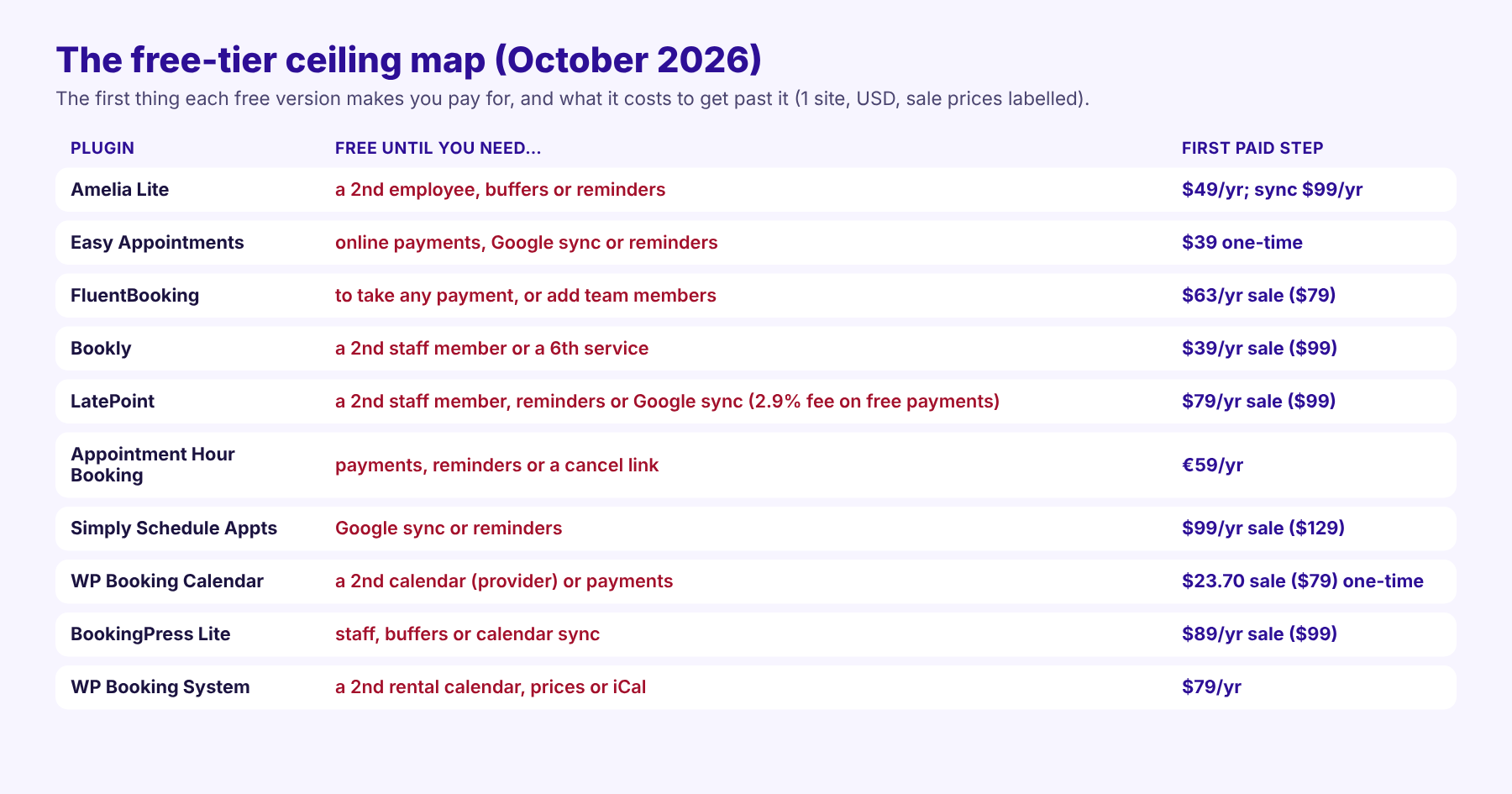
Free plugins are not all limited in the same way. Some cap how many people you can book (Amelia Lite, Bookly, LatePoint, WP Booking Calendar), and Amelia Lite makes up for it with events, Square payments and AI. Others take no money at all (Easy Appointments, FluentBooking, Simply Schedule Appointments and more); of these, only Easy Appointments is generous on staff. Two offer few staff or scheduling features at $0 (WP Booking System, BookingPress Lite). The table below shows what each one includes at $0, checked in the plugin itself where the vendor’s page was vague.
| Free version | Staff at $0 | Online payments at $0 | Buffers and minimum notice | Google Calendar sync | Reminders and client cancel | AI (MCP) at $0 |
|---|---|---|---|---|---|---|
| Amelia Lite | 1 employee | Square (and pay on site) | No / No | No (ICS file) | Confirmation email; no reminders or cancel link | Yes, 12 abilities; no extra plugin |
| Easy Appointments | Unlimited workers and locations | None | Yes / Yes | No (“Add to Google Calendar” button) | Confirm and cancel links; no reminders | No |
| FluentBooking | Host calendars; no team members | None | Yes / Yes | No (ICS file) | Reminders, cancel and reschedule links | Yes, off by default; needs adapter |
| Bookly | 1 staff, 5 services | Pay on site; Stripe via Bookly Cloud (0.9% fee, not confirmed) | No / No | No | Cancel link; reminders only by paid SMS | No MCP; AI chat form via Bookly Cloud |
| LatePoint | 1 agent, 1 location | Stripe, PayPal, Razorpay (2.9% fee confirmed on Stripe) | Yes / Yes | No (add-to-calendar file only) | No reminders; client can cancel | Yes, 83 abilities; needs MCP Adapter |
| Appointment Hour Booking | One calendar per person (no staff entity) | None | Yes / Yes (min date) | No (iCal export) | Confirmation email only | No |
| Simply Schedule Appointments | Site owner only | None | Yes / Yes | No | Confirmation; client edit/cancel page; no reminders | No |
| WP Booking Calendar | 1 resource | None | Per-service buffers / day-level notice | Import and .ics | Emails; no client cancel | No |
| BookingPress Lite | No staff | PayPal (and pay on site) | No / not found | No | Email with cancel link; no reminders | No |
| WP Booking System | 1 rental calendar | None (no prices at all) | n/a (per-day bookings) | No (iCal is premium) | Admin and guest emails | No |
Checked in each plugin’s current free download on 13 October 2026. “Not confirmed” means the code and the vendor’s readme disagree.
How we checked the free versions
We looked only at what each plugin gives you for $0, and at what the first upgrade costs. For every plugin we checked the same six things:
| What we checked | What we looked for in the free version | Evidence |
|---|---|---|
| Booking what you sell | Staff and service limits, per-staff hours, days off, buffers, group bookings and events | Plugin code, readme |
| Getting paid | Card payments through Stripe, PayPal or Square, and deposits | Plugin code, vendor comparison pages |
| Keeping the calendar honest | Google Calendar sync and slots in the client’s time zone | Plugin code, docs |
| Cutting no-shows | Confirmation emails, scheduled reminders, and client cancel or reschedule links | Plugin code, default email templates |
| Working with your AI | An MCP server in the free plugin, and whether it needs another plugin | Changelogs and code |
| Upgrade path and trust | WordPress.org listing, maintenance, review base, and the price of the first paid step | WordPress.org data, pricing pages |
Where the code and the vendor’s pages disagreed, we say so in the entry. We report ratings per platform with their review counts and never average them. This is the Amelia blog, so Amelia Lite is our first pick; we have kept its limits in plain view so you can judge for yourself.
The ten free plugins at a glance
| # | Free plugin | Best free use | WordPress.org rating (count) | Active installs | First paid step |
|---|---|---|---|---|---|
| 1 | Amelia Lite | Appointments and events with Square payments, run by your AI | 4.6★ (790) | 90,000+ | $49/yr (Starter) |
| 2 | Easy Appointments | Several staff, payment in person | 4.3★ (131) | 10,000+ | $39 one-time |
| 3 | FluentBooking | Solo meetings with reminders | 4.7★ (46) | 20,000+ | $63/yr sale ($79) |
| 4 | Bookly | Trying a mature plugin before upgrading | 4.4★ (585) | 60,000+ | $39/yr sale ($99) |
| 5 | LatePoint | One provider taking Stripe or PayPal (2.9% fee) | 4.9★ (104) | 100,000+ | $79/yr sale ($99) |
| 6 | Appointment Hour Booking | Classes or rooms with capacity | 4.9★ (524) | 10,000+ | €59/yr |
| 7 | Simply Schedule Appointments | A solo consultant on a budget | 5.0★ (155) | 50,000+ | $99/yr sale ($129) |
| 8 | WP Booking Calendar | One calendar, slots or date ranges | 4.8★ (657) | 40,000+ | $23.70 sale ($79), one-time |
| 9 | BookingPress Lite | Services with PayPal, no staff | Closed on WordPress.org (frozen 4.6★, 175) | n/a | $89/yr sale ($99) |
| 10 | WP Booking System | One rental by the day | 4.9★ (344) | 10,000+ | $79/yr |
Amelia Lite is our pick. The other nine are ordered by the kind of business they suit, from teams and solo professionals to rentals.
1. Amelia Lite: events, Square payments and an AI connection in the free version
Amelia Lite is our plugin and our first pick, so here are its limits up front, straight from the code. Lite allows one employee. It sets every service’s buffer time and minimum notice to zero and group capacity to one. It has no scheduled reminders, no calendar sync and no cancel link in customer emails. If you need buffers and minimum notice at $0, LatePoint or Easy Appointments will serve you better; for free reminders, FluentBooking.
What makes it our pick is that it combines three things no other free plugin here offers together without a per-transaction fee or a second plugin. You can sell appointments and events (one-day or multi-day) from the same plugin. Clients can pay by card through Square with no Amelia fee on top of Square’s own processing fees. And your AI assistant can run it without installing anything else. Slots also show in the client’s time zone, and there is no cap on services.
Let your AI assistant take bookings (MCP, free)
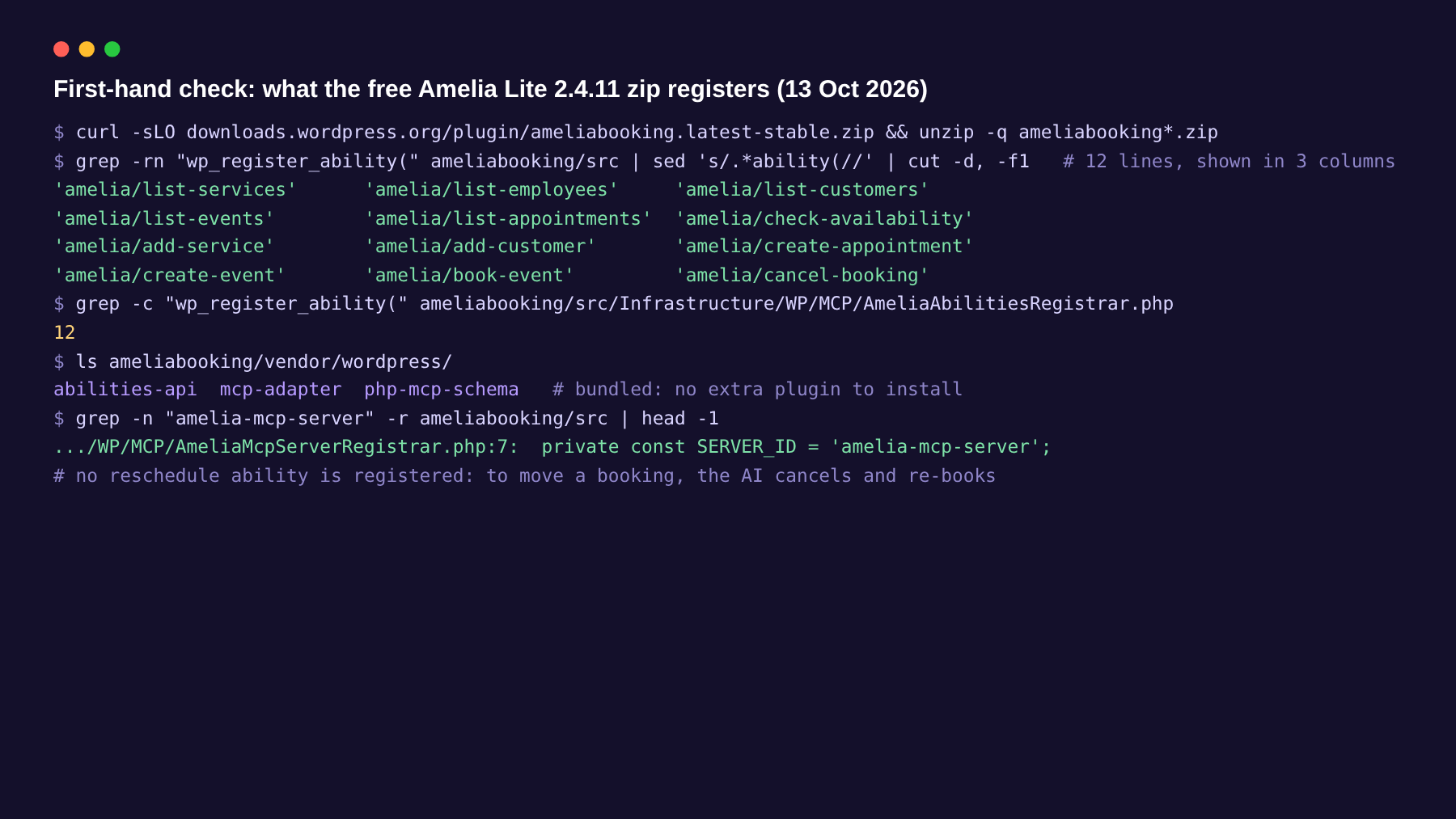
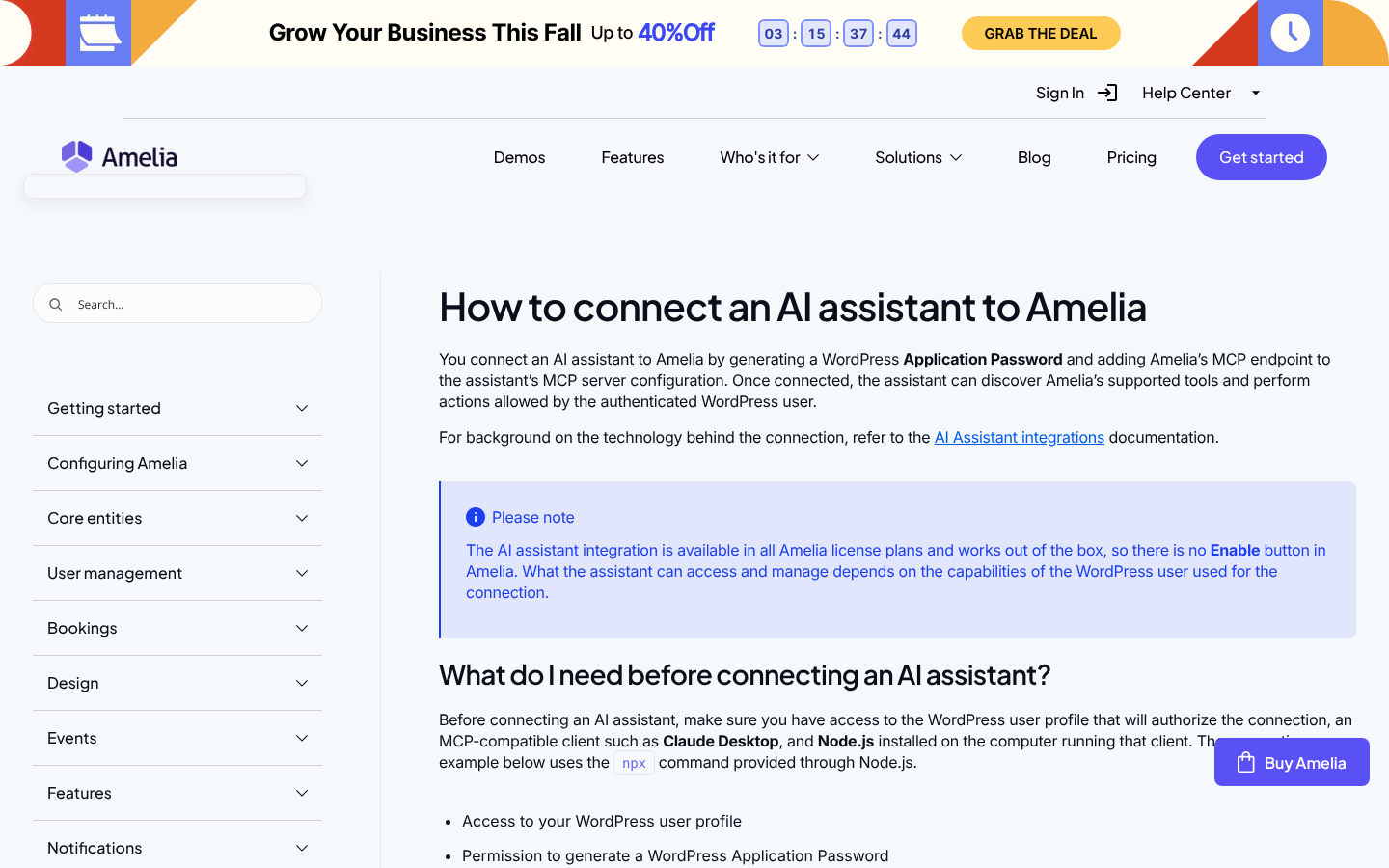
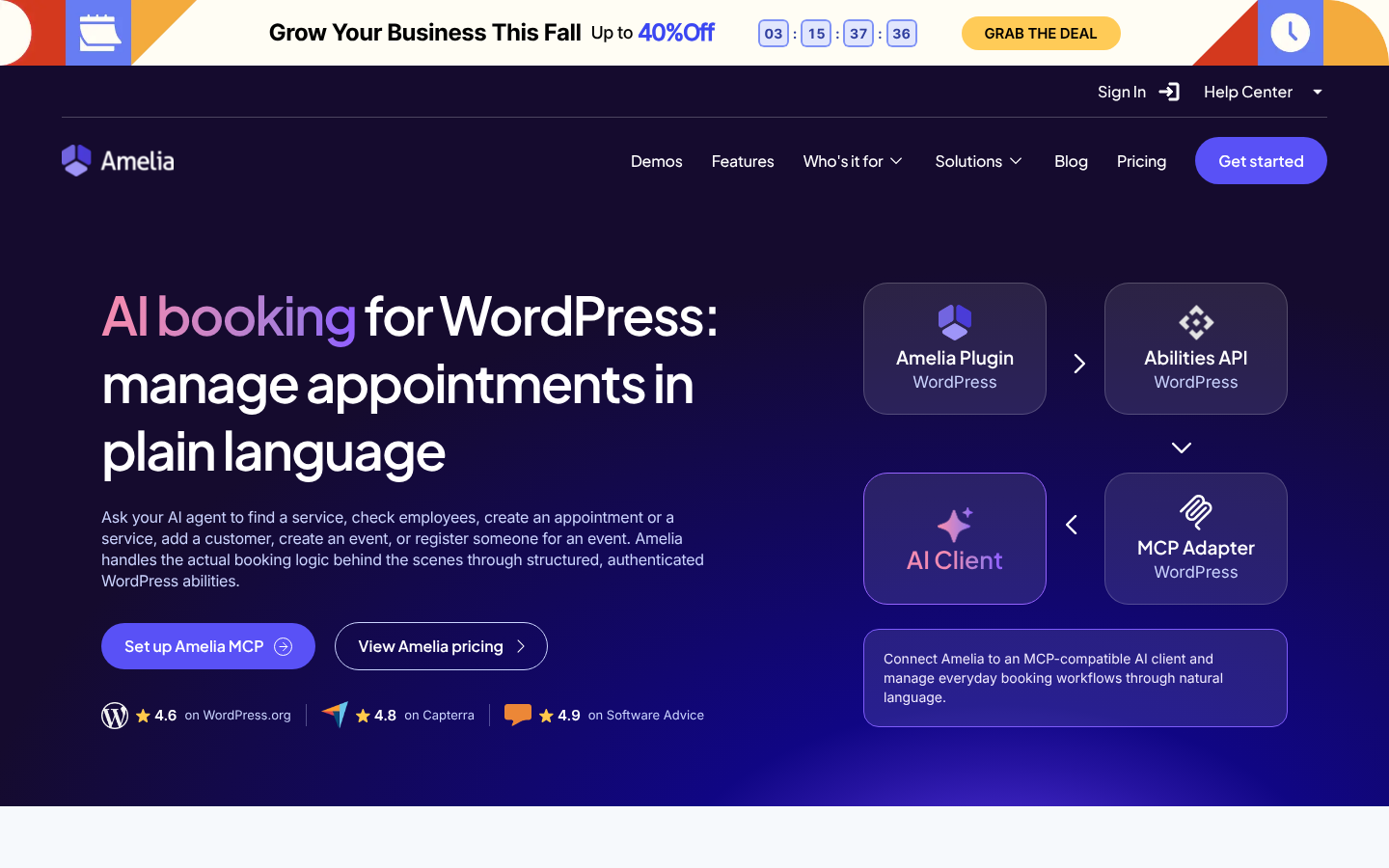
Amelia Lite 2.4.11 bundles the WordPress Abilities API and the MCP Adapter inside the plugin. Claude Desktop or any MCP client can connect with a WordPress Application Password and work with 12 tools. It can list services, customers, appointments and events, check availability, book appointments and events, add services and customers, and cancel bookings. We checked this in the free download ourselves:
| You type to your AI assistant | What happens in Amelia Lite |
|---|---|
| “What is free on Thursday afternoon for a 60-minute session?” | check-availability returns open slots, shown in your time zone |
| “Book Ana Kovač in at 15:00 and add her as a new client.” | add-customer, then create-appointment |
| “Set up a Saturday workshop, 12 places, €30.” | create-event |
| “Who is booked next week?” | list-appointments |
Where it stops today
- There is no reschedule tool: the AI cancels and re-books.
- Clients are not notified about bookings the AI creates.
- Setup needs Node.js on your computer and an Application Password. The connection guide covers it step by step.
- Some older Amelia pages say to install the MCP Adapter separately. Lite 2.4.11 bundles it.
No site yet? Generate one with the free plan included
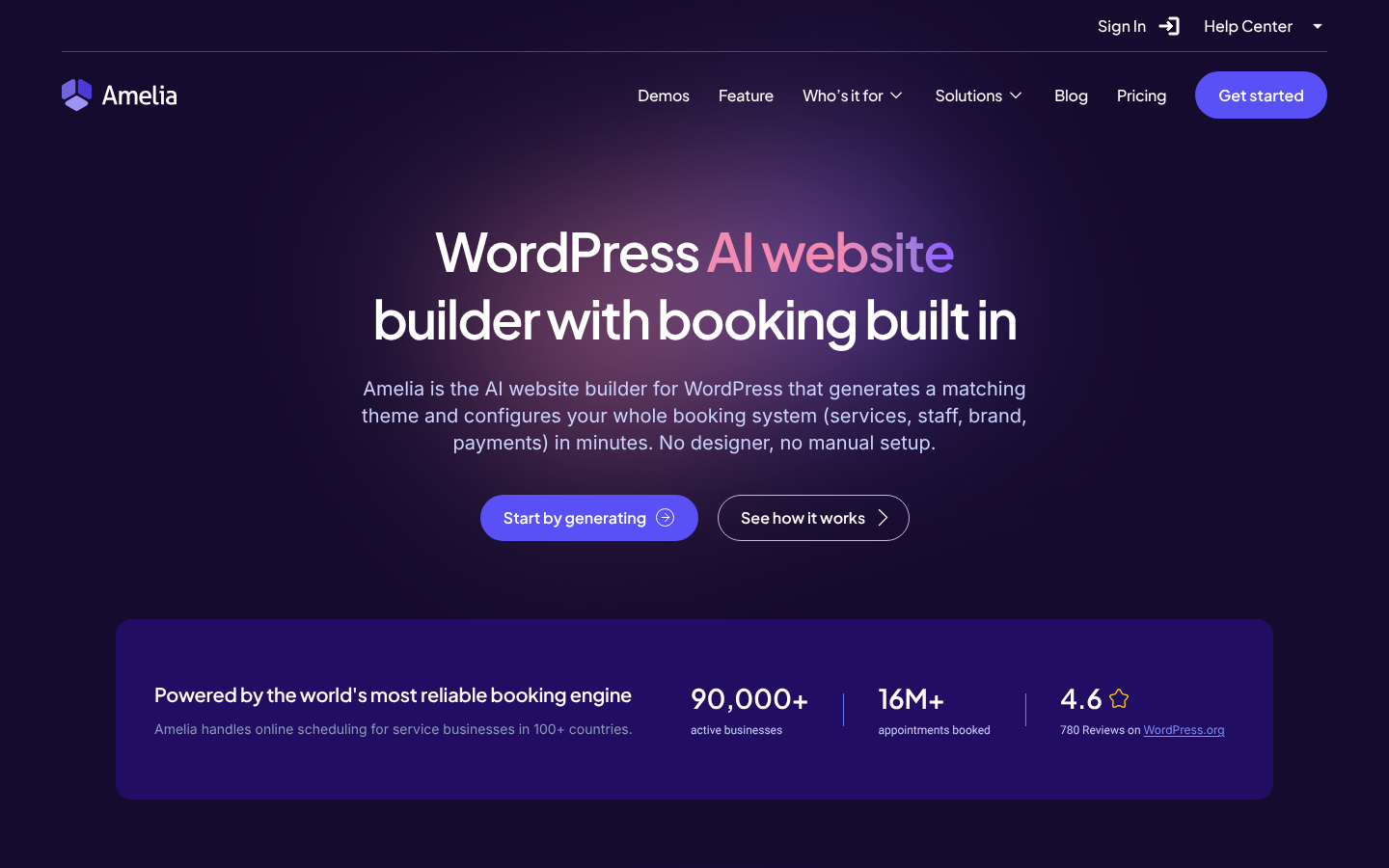
If you are starting from nothing, Amelia’s AI website builder generates a WordPress theme for your business and pre-fills Amelia with your services, staff and branding. You describe the industry, name and colours, and optionally your services with prices. It is a one-time €2.99 purchase that includes the free Amelia plan. Its landing page went live in September 2026, with demos for healthcare, beauty, barbershops, real estate, fitness, consulting, home services and classes. We found no documented limits, such as how many times you can regenerate.
What it costs to raise the ceiling
| You need | Plan | Price, 1 site (13 Oct 2026) |
|---|---|---|
| A second employee, buffers, group bookings, customer panel, coupons | Starter | $49/yr (no sale) |
| Two-way Google and Outlook sync, PayPal and Stripe, deposits, recurring, locations | Standard | $99/yr (no sale), or $249 lifetime (sale; $299 regular) |
| Packages, WhatsApp, resources, waiting list | Pro | $179/yr (sale; $199 regular) |
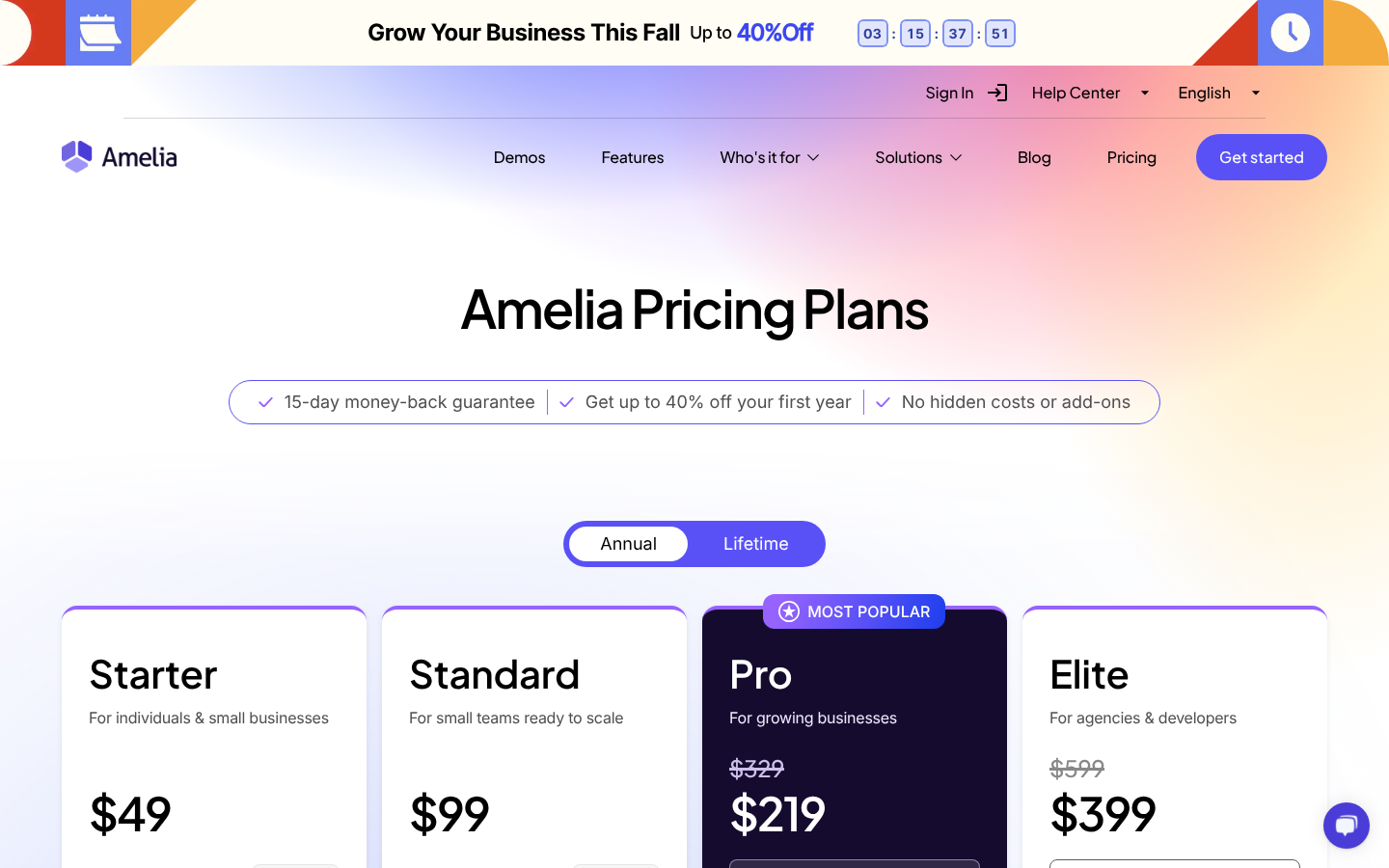
Scheduled email and SMS reminders are listed as premium in the Lite readme, but the pricing table does not say which plan first includes them, so check before you buy. Lite also turns on a small “Powered by Amelia” link by default; you can switch it off in settings.
| Pick it if | Skip it if |
|---|---|
| You are one provider and want to sell both appointments and events | You need buffers or minimum notice for free. LatePoint, Easy Appointments and FluentBooking include them. |
| You want card payments at $0 with no plugin fee on top (Square’s own processing fees still apply) | You need reminders for free. FluentBooking is the only one with scheduled email reminders. |
| You want Claude or ChatGPT to check availability and book, without installing a second plugin | Two or more people take bookings and you cannot pay yet. Easy Appointments allows unlimited workers. |
| You expect to grow into calendar sync, deposits and packages later | You use Stripe or PayPal rather than Square. |
Verdict: The free choice for a single provider who sells events as well as appointments, or who wants an AI assistant on the front desk from day one. Upgrade to Starter for a second employee, or to Standard for calendar sync. Try the demos first.
Install Amelia Lite from WordPress.org, publish your first service and event, and connect your AI assistant. No licence fee until you add a second employee.
2. Easy Appointments: the most generous free version for a team
No other free plugin in this guide lets you add unlimited workers, services and locations. Easy Appointments builds availability from “connections” (location + service + worker + time), and each connection can have several slots, which gives you simple capacity. Per-service buffers, a global minimum notice, worker vacations and a per-customer booking cap are all free. Emails include confirm and cancel links, with a cancellation cut-off in hours.
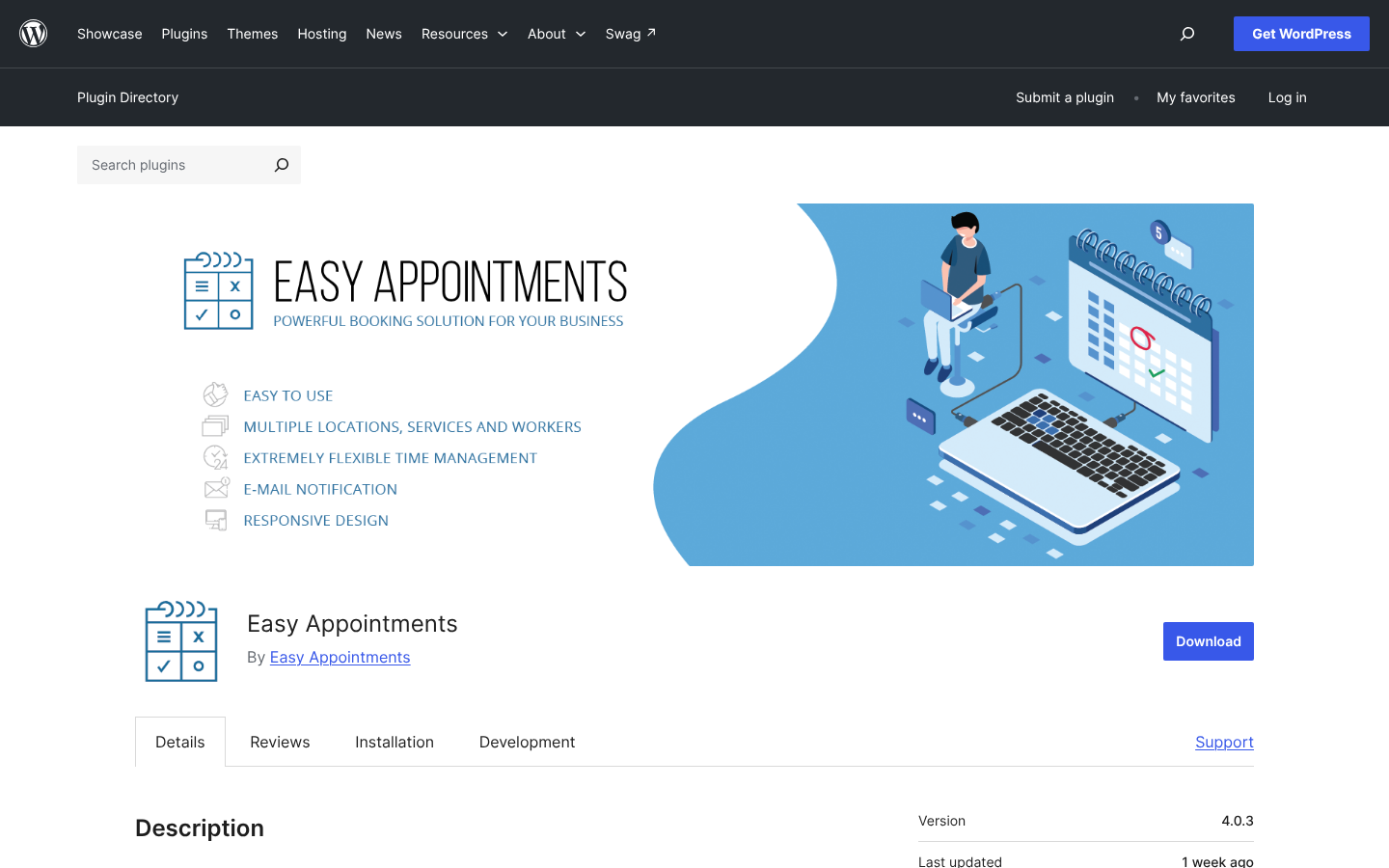
Two caveats. The readme mentions “trigger reminders”, but the only scheduled job in the free code is a privacy clean-up, so do not count on reminders. And there is no customer time-zone display. The $39 one-time Pro extension adds payments, two-way Google sync (some reviewers report sync bugs), Twilio SMS, WhatsApp and an AI chatbot. That price is labelled a “beta” price.
Verdict: The pick for a small team that takes payment in person and needs everyone bookable at $0.
3. FluentBooking: reminders and reschedule links for free, but no way to get paid
If you take calls, consultations or coaching sessions and get paid some other way, FluentBooking’s free version is the most complete. You get unlimited calendars and event types, buffers, minimum notice, booking frequency and duration limits, date overrides and time-zone conversion. It is also the only free plugin in this guide that queues scheduled email reminders to both attendee and host. Its default emails include “Reschedule or Cancel” links.
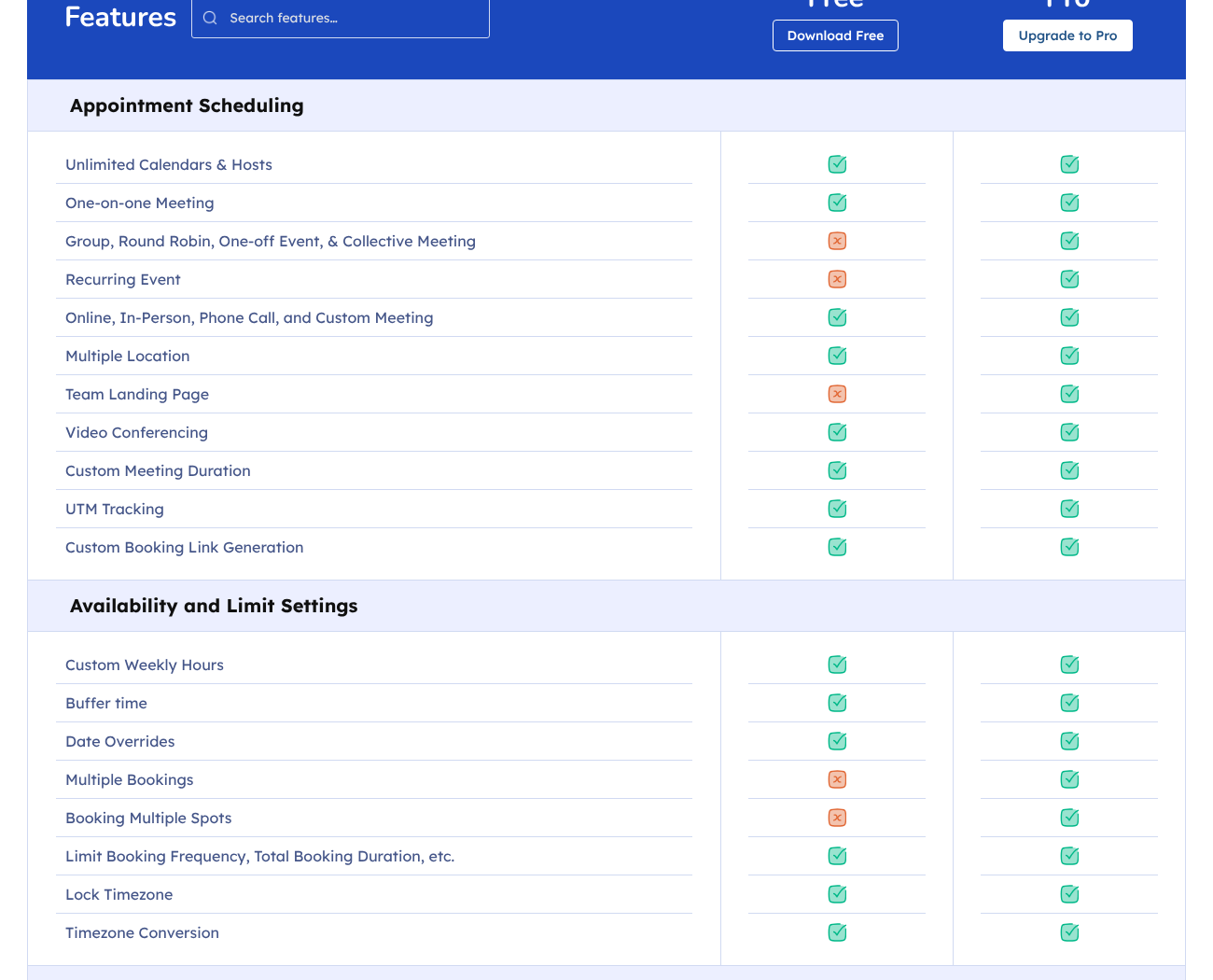
| Free covers you if | You will need Pro ($63 first year, $79 regular) if |
|---|---|
| You are one person taking one-on-one meetings | You want clients to pay when they book (Stripe, PayPal, even “pay later”) |
| You invoice clients elsewhere | You need Google, Outlook or Apple Calendar sync |
| You want reminders without SMS | You run group sessions, round-robin or a team |
Verdict: The best free plugin for a solo professional who does not take payments online. Its MCP server (since 2.4.0, September 2026) is free too.
4. Bookly: a respected plugin with a deliberately small free version
Bookly’s free version is the “try before you buy” kind. Adding a second staff member or a sixth service is blocked in the code, and padding time and minimum notice appear only once Pro is active. What you do get is working hours and days off for that one person, a booking horizon, slots in the client’s time zone, and a cancel link in emails. Reminders exist only as pay-per-message SMS or WhatsApp through Bookly Cloud (about $0.10 per US text). That still puts Bookly ahead of most free versions on no-shows, because scheduled reminders are possible at all.
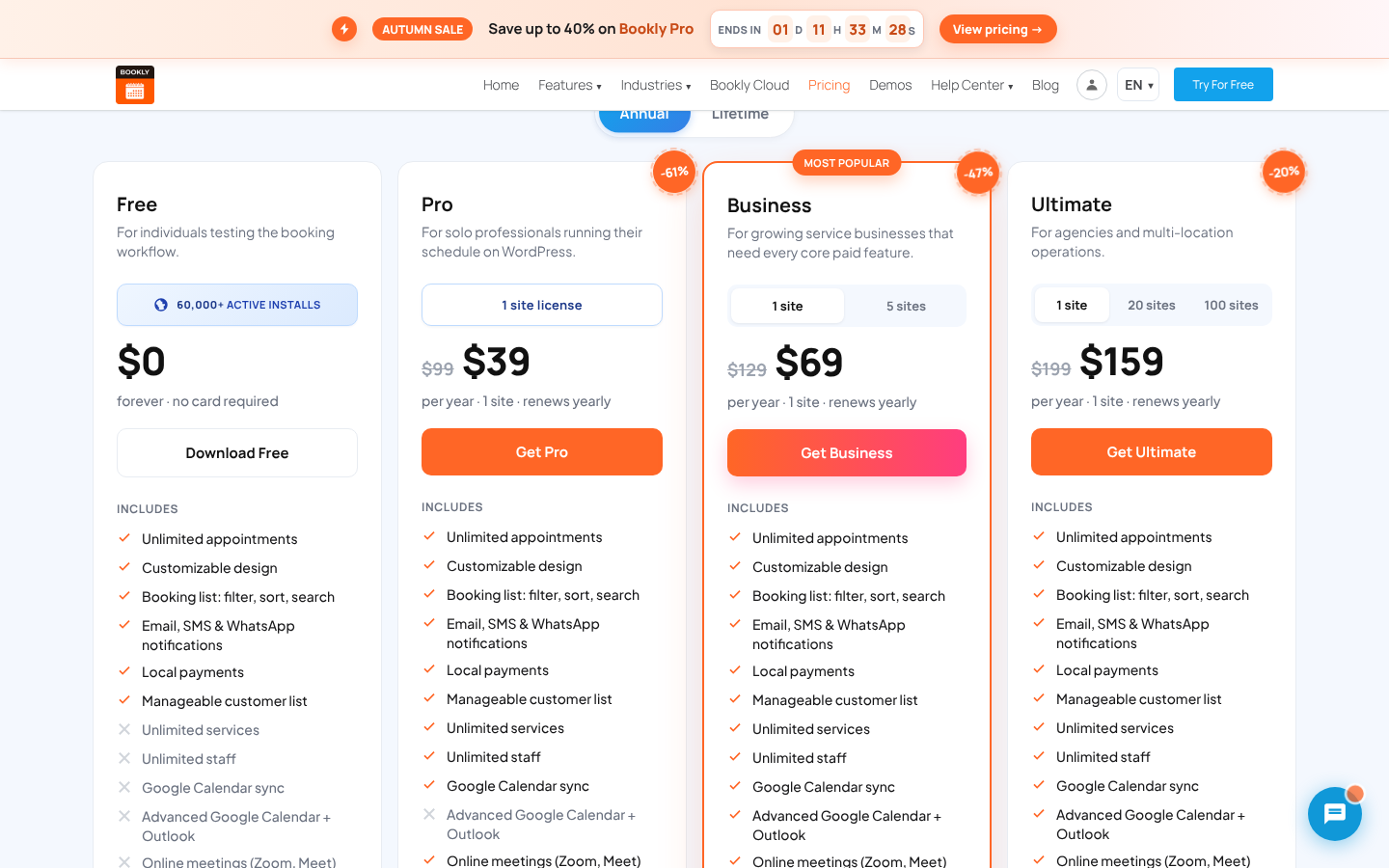
The upgrade is cheap at sale prices: Pro is $39 for the first year ($99 regular), or $99 lifetime ($129 regular). But card gateways without WooCommerce, two-way Google sync, group bookings and deposits sit on Business, at $69 now and $129 regular. Older 1★ reviews call the free version “crippleware”, mostly from 2016 to 2021, and the admin shows upgrade banners in service and staff dialogs.
Verdict: Install it to test-drive Bookly before buying, not to run a business for free. See Amelia vs Bookly.
5. LatePoint: card payments at $0, with a 2.9% fee attached
LatePoint’s free version covers one provider. Each service gets buffers before and after, an “earliest possible booking” and “latest possible booking” window, and its own working hours. Holidays and custom days work too. Events with capacity and registrations are free, and so is a customer dashboard where clients can cancel. You can take card payments from day one through Stripe, PayPal or Razorpay. The free service form even has a deposit amount field, although LatePoint’s own free-vs-pro page does not list deposits, so test it before you rely on it.
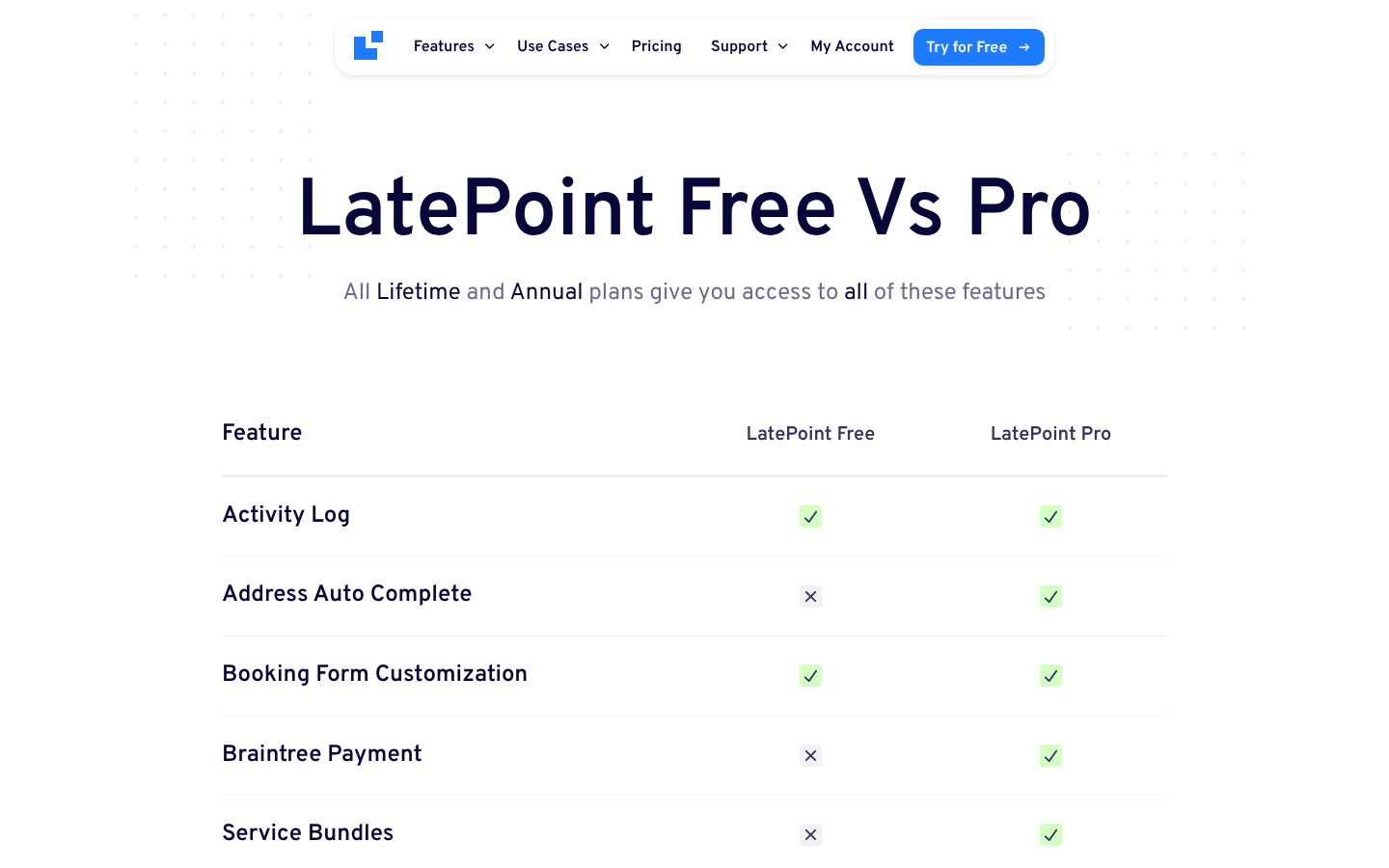
The catch is in two places. First, LatePoint adds a 2.9% fee per transaction to payments on the free plan, according to its own documentation (confirmed for Stripe; unclear for PayPal and Razorpay). On $2,000 of monthly bookings that is $58 a month, so the fee passes Starter’s $79 sale price within two months. Second, the free version has one agent and one location, with no reminder emails, no customer rescheduling and no Google Calendar sync. One of its two 1★ reviews is from someone who expected Google sync in the free version.
Removing those limits means Starter at $79 for the first year ($99 regular, renewing at full price). On AI, the free plugin exposes 83 abilities through MCP, with edit and delete switched off until you enable them. You will need WordPress 6.9 or later and the separate MCP Adapter plugin.
Verdict: Workable for one provider taking Stripe or PayPal, as long as you budget for the 2.9% fee: at about $230 a month in card payments it already costs roughly $80 a year. If you would rather pay no plugin fee on card payments, Amelia Lite with Square avoids it. See Amelia vs LatePoint.
6. Appointment Hour Booking: capacity and buffers in a form-first plugin
Appointment Hour Booking earns its 4.9★ from a free version that does the core job properly. You can create several calendars, give each service its own duration, price and capacity (a class with 10 places works at $0), and add padding time before and after. Minimum and maximum booking dates, holidays and special dates per calendar are all free. An iCal export link and an .ics file attached to emails keep your own calendar roughly in step.
Look closely at the add-ons list, though. The free download ships files named after payment, reminder, cancellation, Google Calendar and time-zone add-ons. They are placeholders that do nothing until you buy a licence (€59 a year, in euros only). There is also no staff entity: you make one calendar per person.
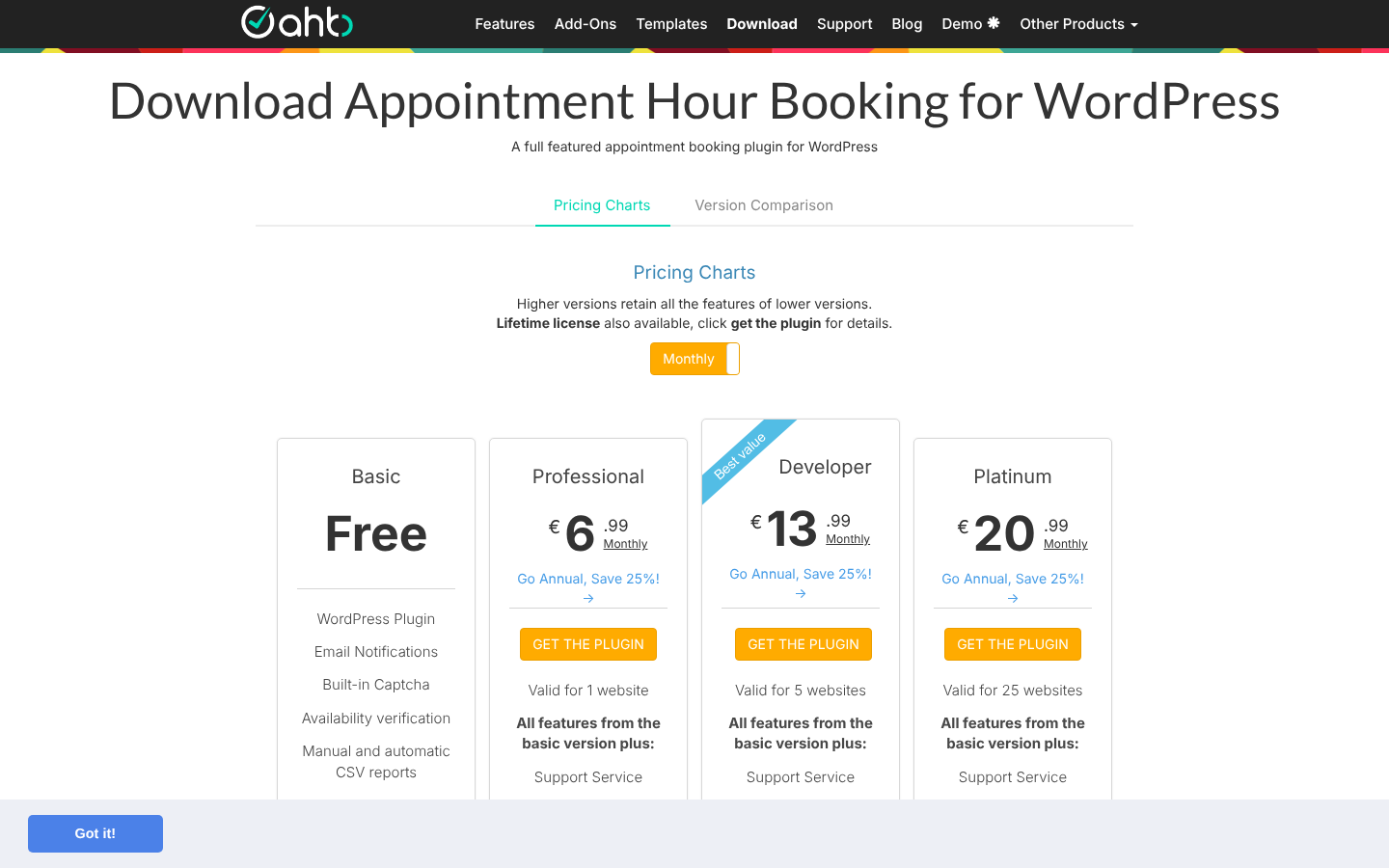
Verdict: A solid free pick for classes, rooms or a single practitioner who handles payment and reminders themselves.
7. Simply Schedule Appointments: a calm, well-reviewed free tier for one person
Simply Schedule Appointments (SSA) has the best reviews on this list, with no 1★ or 2★ ratings at all. Its free Basic edition offers unlimited appointment types, buffers, notice required, blackout dates, slots in the visitor’s time zone, customizable confirmation emails and a page where clients can edit or cancel. SSA’s Basic guide lists an ICS subscription feed as free, but its readme lists it as premium. It integrates with The Events Calendar for one-off events.
Its free version stops early on the jobs that cut no-shows and bring in money. Google Calendar sync and reminders need Plus ($99 for the first year, renewing at $129). Payments need Professional ($199, renewing at $249). Team scheduling needs Business ($399, renewing at $499).
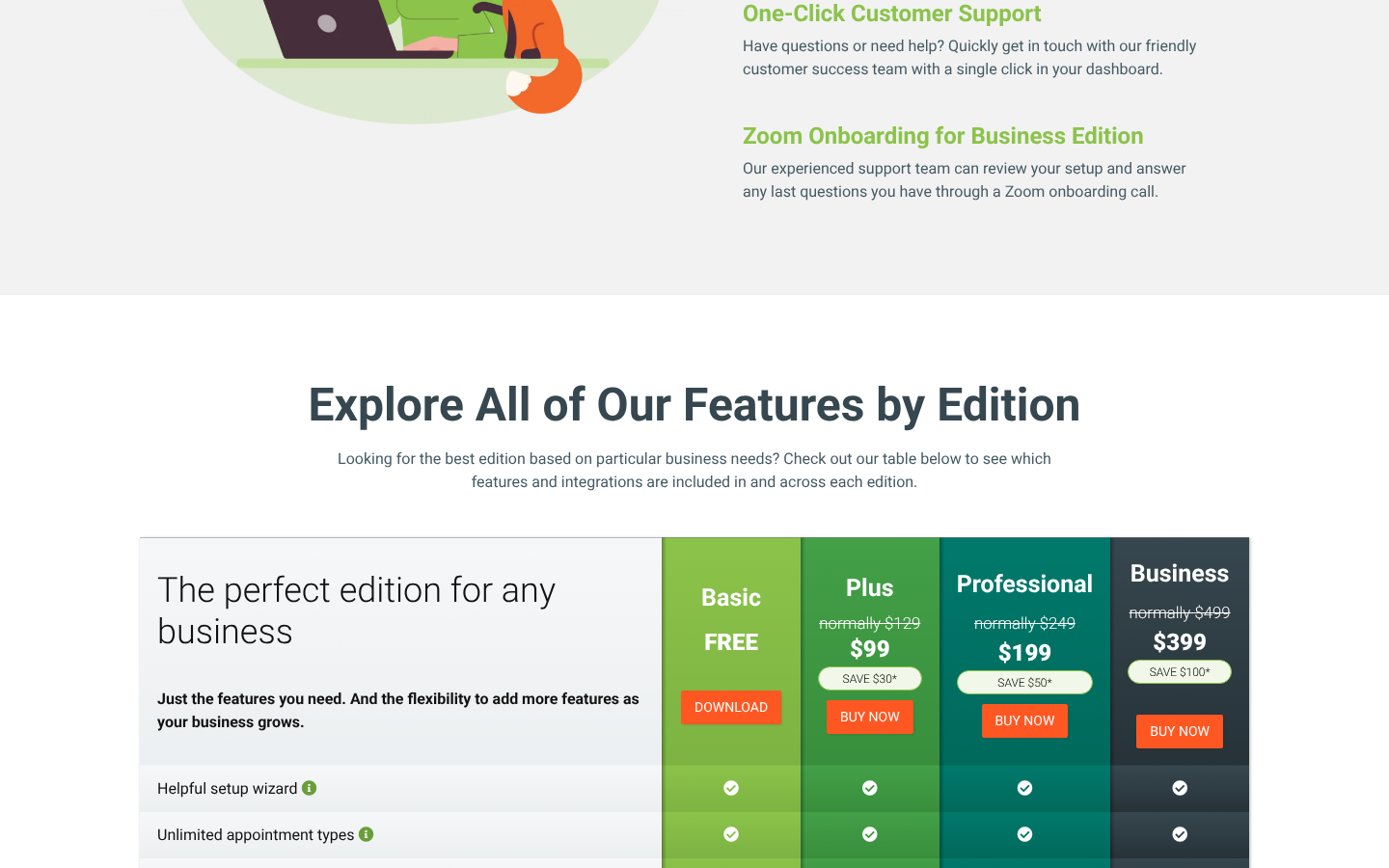
Verdict: Pleasant and reliable for one person, but plan your upgrade path before you rely on it. See Amelia vs SSA.
8. WP Booking Calendar: one calendar, time slots or date ranges
WP Booking Calendar has been on WordPress.org since 2009, and its free version handles both time slots and multi-day ranges. That makes it the only free plugin in this guide that suits a small guesthouse and a single therapist equally well. Since version 11.5 (August 2026) it also has services with per-service buffers before and after. You can block dates and weekdays, set how many days from today stay unavailable, and import Google Calendar events or .ics feeds.
Its code says it plainly: the free edition has “exactly one” booking resource. A second provider or room needs Personal ($23.70 one-time on sale, $79 regular, with 6 months of updates). Taking payments needs Business Small ($44.70 sale, $149 regular). Visitors cannot cancel their own bookings in the free version.
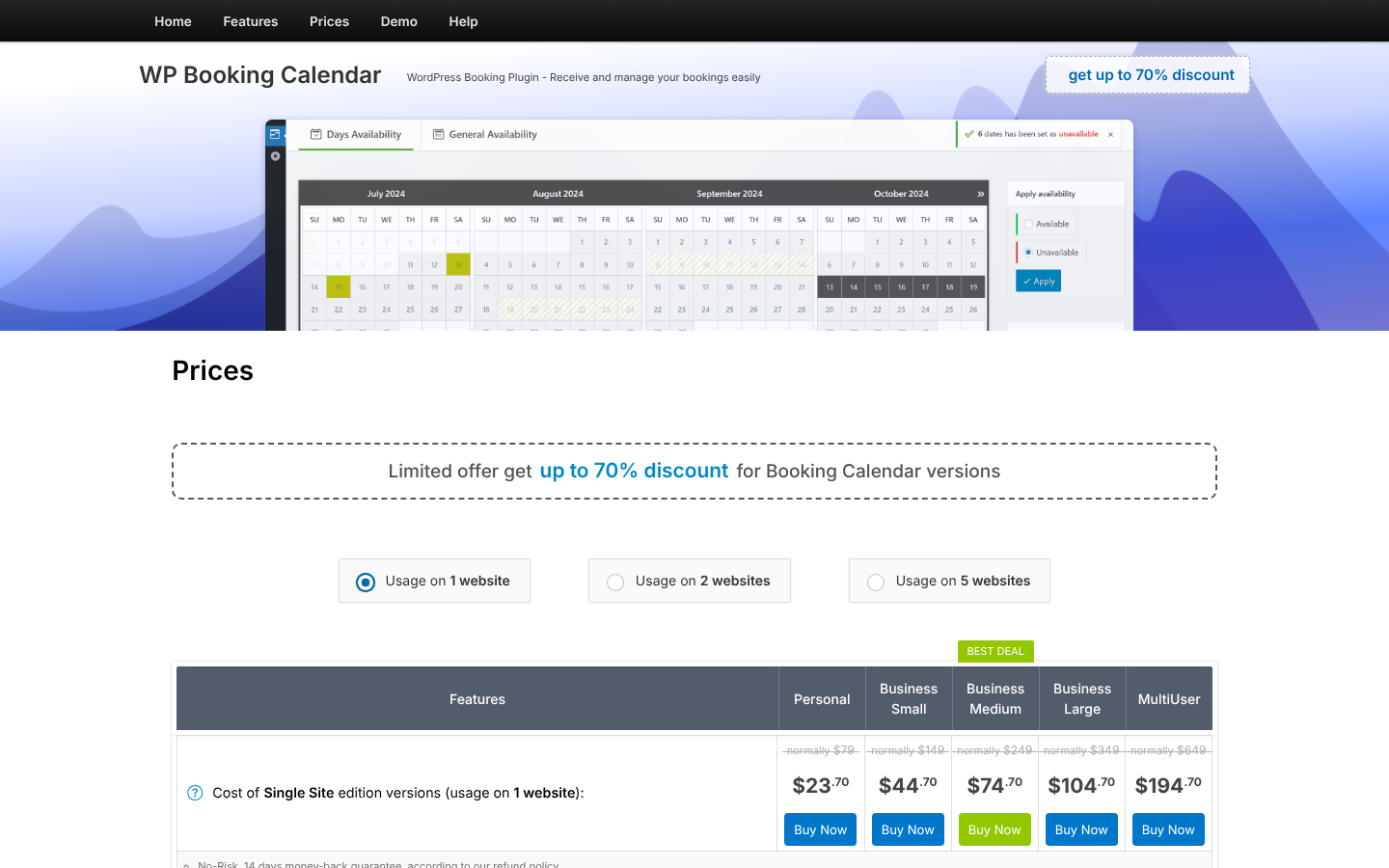
Verdict: The flexible free choice for one calendar, whether it is booked by the hour or by the night.
9. BookingPress Lite: PayPal at $0, but no staff and no WordPress.org listing
BookingPress Lite offers unlimited services and bookings, a step-by-step booking wizard, an admin calendar, holidays and breaks, PayPal payments and a client cancel link in emails. Staff management, buffer time, group and recurring appointments, calendar sync and SMS are all Premium, starting at $89 for the first year ($99 regular).
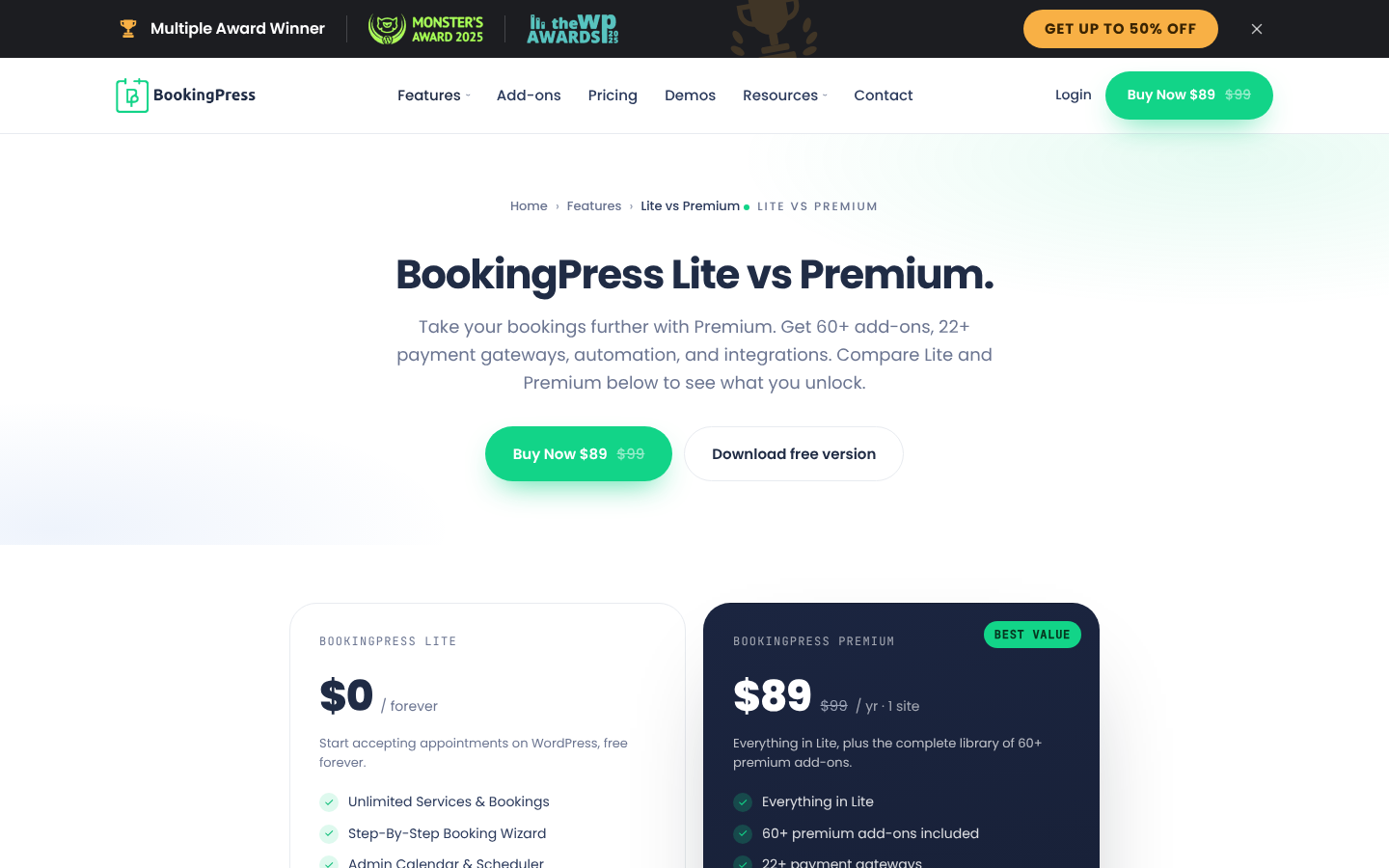
The bigger issue is trust. WordPress.org closed BookingPress on 1 February 2025 for a guideline violation. The free version now downloads as a zip from the vendor’s site, so it does not update through the WordPress.org directory, and its public reviews are frozen. See Amelia vs BookingPress for the paid comparison.
Verdict: Usable for a one-person service business that wants PayPal, if you are comfortable updating manually.
10. WP Booking System: a free availability calendar for rentals
WP Booking System ranks near the top of Google for “free WordPress booking plugin” (Ahrefs, October 2026), but it answers a different question. Its own FAQ asks “Does WP Booking System support hourly appointments?” and answers “No.” It is a per-day availability calendar for holiday homes, cabins, boats and equipment. The free version gives you one calendar and one booking form, minimum and maximum stay rules, split arrival and departure days, and booking emails.
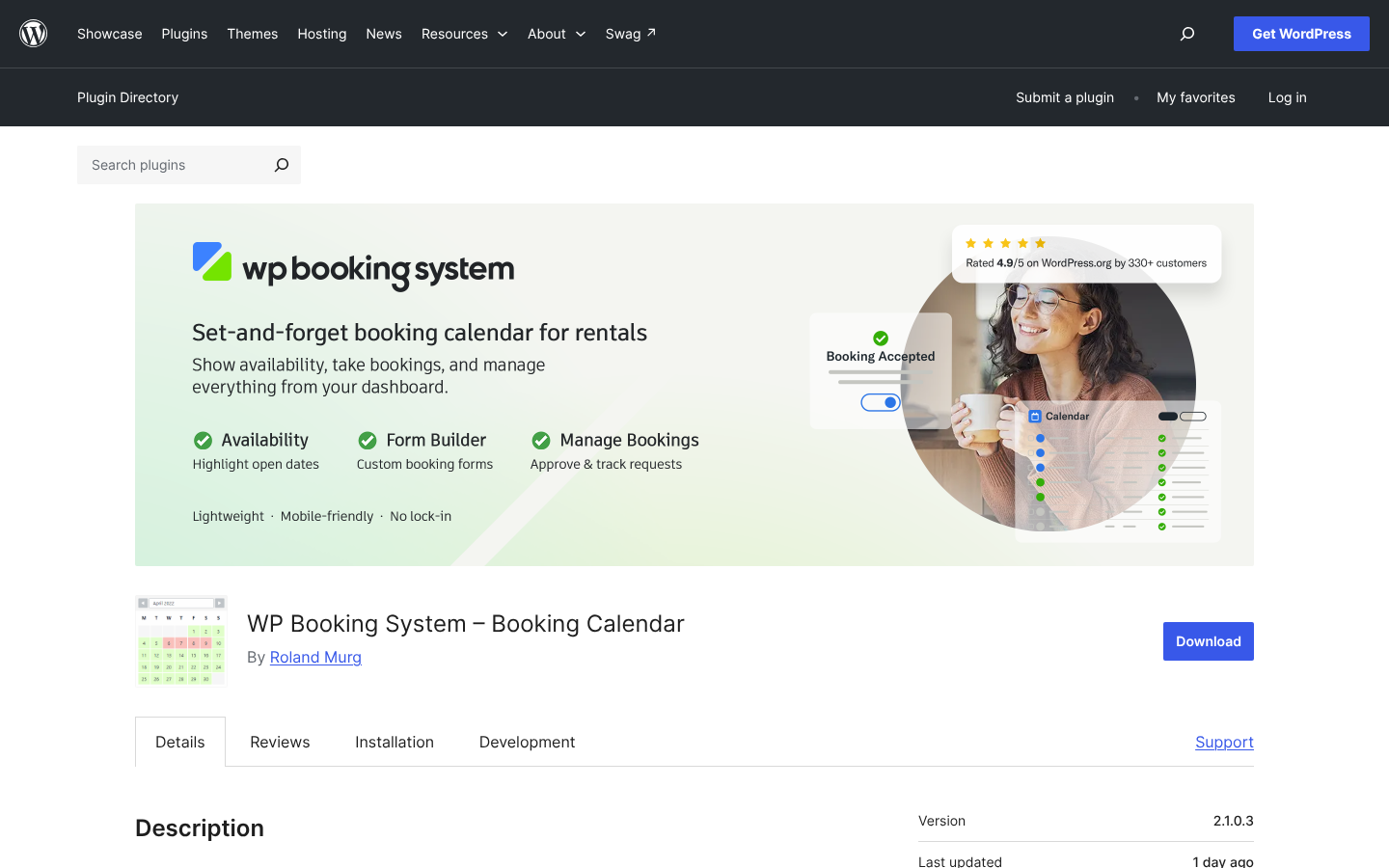
There are no prices, payments or iCal sync in free. The $79/year Personal plan adds a second calendar and pricing, but only offline payments. Online card payments start at Business, $149/year.
Verdict: Choose it to show availability for one rental for free. It is not for appointments.
Also considered: Webba Booking Lite (2,000+ installs, 4.9★ from 156) is unusual in including Google Calendar sync in its free version, but it has a small install base. Timetics (2,000+, 4.6★ from 36) says it offers Stripe and unlimited team members free. Salon Booking System (2,000+, 4.4★ from 187) is salon-only. Booking Package (10,000+, 4.0★ from 15) has a thin review base. MotoPress Hotel Booking Lite (10,000+, 3.7★ from 65) is for hotels.
Not a plugin, but free: Trafft
- Trafft is a hosted booking platform from the same company as Amelia. It is not a WordPress plugin; its WordPress plugin only embeds the Trafft booking form on your pages.
- The free plan allows 1 user, 1 location and 100 appointments a month. It includes Square payments and client time zones, but not calendar sync or buffers.
- It suits you if you would rather not host booking data in WordPress at all. The first paid plan, Mini, is $5.99 a month billed annually on sale ($7.99 regular).
The hidden costs of “free”
A $0 licence does not always mean $0 a month. Some free plugins make money per booking or per message instead of per licence. Here is where the money goes before you ever upgrade.
| Plugin | What you pay while staying free | When it is worth upgrading instead |
|---|---|---|
| Amelia Lite | SMS per message segment via Amelia SMS; Square processing fees | When you need a second employee ($49 Starter) or calendar sync ($99 Standard) |
| LatePoint | 2.9% per transaction on free-plan payments, on top of Stripe or PayPal fees | From about $230 a month in card payments, the fee costs more than Starter ($79 sale, $99 regular) |
| Bookly | Stripe through Bookly Cloud at 0.9% (code only, not confirmed); SMS and WhatsApp reminders per message, about $0.10 per US text | When you send more than a few hundred texts a year, or need a second staff member |
| Every plugin | Your time: manual reminders, phone rescheduling and double-checking calendars | When chasing no-shows takes more than an hour a week |
Reminders matter here. A Cochrane review found that text reminders raised attendance from 67.8% with no reminder to 78.6% (Gurol-Urganci et al., 2013). FluentBooking is the only free plugin in this guide that sends scheduled reminder emails at no cost.
Four businesses that can run on $0, and how
Free plugins work best when the setup matches the ceiling. Here are four real-world shapes that fit inside a free version today, using only features we confirmed in the free code.
| Business | Free plugin | How it runs at $0 | What you do by hand |
|---|---|---|---|
| A yoga teacher with 1:1 sessions and a monthly workshop | Amelia Lite | Private sessions as services, the workshop as an event, clients pay by card through Square, Claude checks the week ahead | Send reminders, and leave gaps between sessions yourself (no buffers) |
| A business coach taking discovery and strategy calls | FluentBooking | Two event types with buffers and minimum notice, automatic reminder emails, clients reschedule from the email | Invoice clients outside the plugin |
| A three-chair barbershop that takes payment in the shop | Easy Appointments | One worker per barber, per-service buffers, confirm and cancel links in emails | Remind clients and keep personal calendars in step |
| A solo massage therapist who wants deposits | LatePoint | Services with buffers, card payments with a deposit field, client cancel from the dashboard | Reminders, and accept the 2.9% fee until upgrading |
In each case the first upgrade is obvious in advance. The yoga teacher upgrades when she hires a second teacher (Amelia Starter, $49). The coach upgrades when clients should pay at booking (FluentBooking Solo, $63). The barbershop upgrades for online payments ($39 one-time). The therapist upgrades when the fee passes the licence cost (LatePoint Starter, $79).
The first paid step, side by side
| Plugin | First paid step removes | Price (1 site) | Card payments and Google sync from |
|---|---|---|---|
| Amelia | 1-employee limit, buffers, group bookings | $49/yr Starter | $99/yr Standard, or $249 lifetime (sale) |
| LatePoint | Everything: all features in one plan | $79/yr sale ($99 regular) or $199 lifetime sale | Same plan |
| FluentBooking | Everything: payments, team, sync | $63/yr sale ($79 regular) or $199 lifetime sale | Same plan |
| Bookly | 1 staff and 5 service limits, buffers, notice, basic Google sync | $39/yr sale ($99 regular) or $99 lifetime sale | Two-way Google sync and card gateways: $69/yr Business sale ($129 regular) |
| Easy Appointments | Payments, Google sync, SMS | $39 one-time (“beta” price, 1 year of updates) | Same purchase |
| Appointment Hour Booking | Payments, reminders, Google sync | €59/yr | Same plan |
| WP Booking Calendar | Single-resource limit | $23.70 one-time sale ($79 regular) | $44.70 sale ($149 regular) for payments; no native two-way Google sync |
| Simply Schedule Appointments | Google sync, reminders, group capacity | $99/yr sale (renews $129) | Payments $199 sale (renews $249) |
| BookingPress | Staff, buffers, sync, SMS | $89/yr sale ($99 regular) | Same plan |
| WP Booking System | Single calendar, prices | $79/yr | Online payments $149/yr |
Prices from each vendor’s pricing page on 13 October 2026. Sale prices usually apply to the first year only.
Free plugins your AI assistant can use
Three free plugins now let Claude, ChatGPT or another assistant that supports the Model Context Protocol (MCP) work with your bookings. They build on the Abilities API that WordPress 6.9 introduced in December 2025 and on the official MCP Adapter.
| Amelia Lite | LatePoint (free) | FluentBooking (free) | |
|---|---|---|---|
| Tools | 12 (6 read, 6 write) | 83 abilities | 13 in the free code (14 with Pro), plus 3 prompts |
| Extra plugin needed | No, bundled | MCP Adapter, WordPress 6.9+ | MCP Adapter or Fluent toolkit, WordPress 6.9+ |
| Switched on | Out of the box | Toggle in settings; edit and delete off by default | Off by default |
| Good at | Booking appointments and events, checking availability | Broad access, including orders and analytics | Meeting bookings, daily briefing prompt |
Bookly’s AI Assistant and the Easy Appointments chatbot work differently: they are chat widgets for your visitors, not connections for your own assistant. Easy Appointments’ chatbot is a paid Pro feature.
Where free versions frustrate people
| Plugin | Recurring complaint about the free version | Still true? |
|---|---|---|
| Amelia Lite | “Basically just an advertisement for the paid version”; locked options shown everywhere (2022–2023) | Partly. Locked features are still shown, but Lite now has events, Square and MCP. |
| Bookly | “Can only have 1 member of staff”; pop-ups on locked options (2016–2021) | Yes: 1 staff and 5 services |
| LatePoint | “Google integration is missing in free version” (February 2026) | Yes |
| WP Booking Calendar | “Free version useless”; time slots hard to find (2020–2024) | Better: time slots and services are now free |
| WP Booking System | “Pay for usability”; “too simple” (2018–2020) | Yes, by design |
| Appointment Hour Booking | Base version “too limited”; nag screens (2019–2023) | Yes, add-ons are placeholders |
| FluentBooking | One 1★ review about the missing in-app calendar view (2025) | Yes: calendar view is Pro |
| SSA, Easy Appointments | No 1★ or 2★ complaints about free limits | — |
Frequently asked questions
What is the best free WordPress booking plugin?
Our pick is Amelia Lite. It is the only free plugin that combines appointments and events, card payments through Square with no plugin fee on top, and a built-in MCP server for AI assistants. It allows one employee and has no buffers or reminders, so a team that pays in person may prefer Easy Appointments, and a solo professional who needs reminders may prefer FluentBooking.
Does WordPress have a free booking system built in?
No. WordPress core has no appointment booking. You add one with a plugin, and most have a free version on WordPress.org, such as LatePoint, Amelia Lite, Bookly or Easy Appointments.
Which free WordPress booking plugin lets clients pay online?
LatePoint (Stripe, PayPal or Razorpay, with a 2.9% fee on free-plan Stripe payments), Amelia Lite (Square) and BookingPress Lite (PayPal) take online payments for free. Bookly’s free code includes Stripe through Bookly Cloud at a 0.9% fee, but its readme says online payments are not free. FluentBooking, Simply Schedule Appointments, Easy Appointments, Appointment Hour Booking, WP Booking Calendar and WP Booking System take no payments for free.
Is there a free WordPress booking plugin with Google Calendar sync?
None of the ten free versions in this guide syncs Google Calendar both ways. Webba Booking Lite and Salon Booking System say they include Google Calendar sync in their free versions. WP Booking Calendar can import Google events, and Easy Appointments shows clients an “Add to Google Calendar” button.
Which free booking plugin allows more than one staff member?
Easy Appointments allows unlimited workers, services and locations for free. Appointment Hour Booking lets you create one calendar per person. Amelia Lite, Bookly, LatePoint and WP Booking Calendar are limited to one staff member or resource, Simply Schedule Appointments to the site owner, and WP Booking System to one calendar. FluentBooking cannot add team members for free, and BookingPress Lite has no staff at all. Outside this guide, Timetics and Salon Booking System say their free versions allow unlimited staff.
Which free booking plugin sends appointment reminders?
FluentBooking is the only plugin in this guide that sends scheduled reminder emails in its free version. Bookly can send SMS or WhatsApp reminders for free only if you pay per message through Bookly Cloud.
Can I use a free booking plugin with an AI assistant like Claude or ChatGPT?
Yes. Amelia Lite, LatePoint and FluentBooking all include an MCP server in their free versions. Amelia Lite bundles everything it needs. LatePoint and FluentBooking require WordPress 6.9 or later and the MCP Adapter plugin.
What is the best free plugin for classes or events?
Amelia Lite and LatePoint both let you create events for free. Appointment Hour Booking lets a service have capacity, such as a class of 10. Easy Appointments supports several slots per time, and Simply Schedule Appointments works with The Events Calendar for one-off events. Ticket types and recurring events need a paid plan in Amelia and LatePoint.
What is the best free plugin for rentals or reservations by the day?
WP Booking Calendar handles both date ranges and time slots for one calendar for free. WP Booking System is built only for per-day rentals, with one calendar and one form for free. Neither takes payments in its free version.
Is BookingPress still free on WordPress.org?
No. WordPress.org closed BookingPress on 1 February 2025 for a guideline violation. The free Lite version now downloads from the vendor’s own website.
How much does it cost to upgrade a free booking plugin?
For one site, first paid steps range from $23.70 one-time (WP Booking Calendar, sale price) and $39 one-time (Easy Appointments) to $99 a year (Simply Schedule Appointments, sale price). LatePoint is $79, FluentBooking $63 and Amelia Starter $49 for the first year. Regular renewal prices are usually higher.
Our verdict
Start with Amelia Lite if you are one provider: it takes card payments through Square with no plugin fee on top, sells events as well as appointments, and lets your AI assistant take bookings with no extra setup. Upgrade to Starter ($49) when you add a second employee. For a team that cannot pay yet, Easy Appointments is the most generous. If you are a solo professional who invoices separately, FluentBooking is the only plugin here that sends scheduled email reminders at no cost.
| Your situation | Start with | Also good |
|---|---|---|
| One provider, clients pay online | Amelia Lite | LatePoint (2.9% fee) |
| Solo meetings, no online payment | FluentBooking | Simply Schedule Appointments |
| Appointments and events, or AI on the front desk | Amelia Lite | FluentBooking (meetings only) |
| Several staff, pay in person | Easy Appointments | Appointment Hour Booking |
| Classes with a fixed number of places | Appointment Hour Booking | Easy Appointments |
| One rental by the night | WP Booking Calendar | WP Booking System |
| Trying before buying a paid plugin | Bookly | Amelia Lite |
What this guide can’t tell you
- We checked free versions and prices on 13 October 2026. Free tiers change with updates, and sale prices end.
- Code and documentation disagreed in a few places, and we say so in each entry: Bookly’s free Stripe option, LatePoint’s free deposit field, and Simply Schedule Appointments’ ICS feed. We could not confirm whether Amelia Lite enforces a capacity on events, or exactly where it offers clients the .ics file.
- We did not run every plugin on a live site with real payments. Our findings reflect the free code, the vendors’ own comparison pages and WordPress.org data.
- We publish Amelia, and Amelia Lite is our first pick. The other nine are ordered by use case, not by a score.
- This guide is for small service businesses starting at $0. If you will pay from day one, see our paid scheduling plugin ranking or our WordPress booking plugins guide.
Appointments, events, Square payments and an AI connection in one free plugin. Upgrade only when you add a second employee.

Explore topics

Read Inspiring Customer Stories
Check out how our user set Amelia for his business