



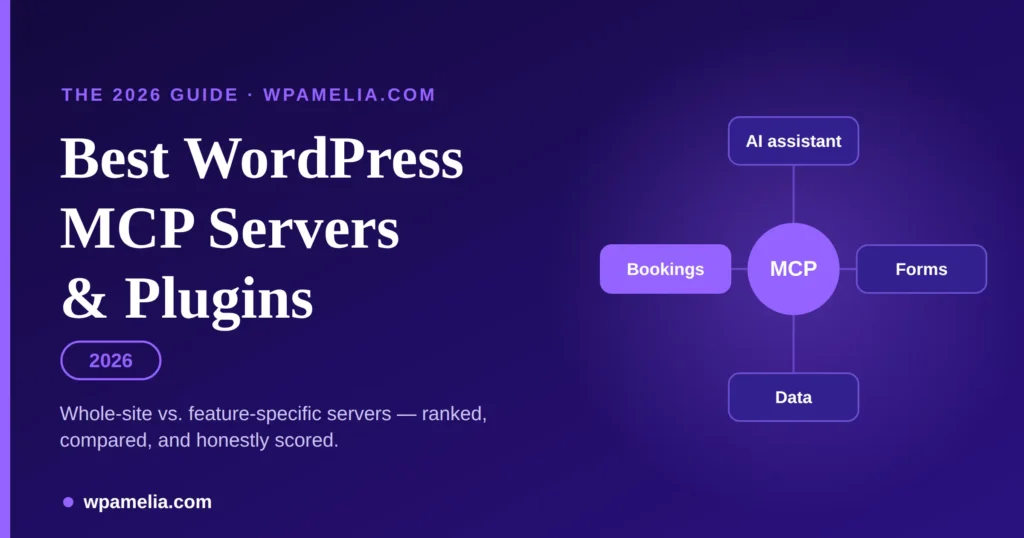
A WordPress MCP server lets an AI assistant like Claude or ChatGPT do real work on your WordPress site through plain conversation — publish a post, update a product, check next week’s bookings — instead of you clicking through wp-admin. MCP (Model Context Protocol) is the open standard that connects the assistant to your site.
There are two kinds, and picking the right kind matters more than picking the right brand:
- Whole-site MCP servers hand an AI broad control over your entire site — posts, pages, themes, users, WooCommerce, the lot. Powerful, and worth being careful with. For most site owners who want general AI control, Royal MCP is the strongest all-round pick right now (self-hosted, OAuth 2.0, 170+ tools, free), with WPVibe close behind if you live in a page builder.
- Feature-specific MCP servers expose only one plugin’s job — just your bookings, or just your forms — so the AI can manage that one thing and nothing else. If you mainly want an assistant that handles appointments, Amelia’s MCP server is the most complete booking-scoped option; for forms, IvyForms does the same for AI form building and entries.
If the idea of giving an AI the keys to your whole site makes you nervous, that instinct is correct — and it’s exactly why the feature-specific category exists. Below we rank both, show our work, and say plainly where each one is the wrong choice.
Key takeaways
- A WordPress MCP server connects an AI assistant (Claude, ChatGPT, Cursor) to your site so it can perform real actions through conversation, using the open Model Context Protocol.
- Whole-site servers control your entire install; feature-specific servers control one plugin’s job only — the safer default when your need is narrow.
- Best whole-site server for self-hosted WordPress: Royal MCP (free, OAuth 2.0, 170+ tools). Friendliest for content and page builders: WPVibe. Best for developers: the native WordPress MCP adapter.
- Best feature-specific servers: Amelia MCP for bookings and IvyForms MCP for forms — each limits the AI to that plugin and nothing else.
- The one to skip: Automattic/wordpress-mcp, archived in January 2026; use the official WordPress MCP Adapter instead.
How we ranked WordPress MCPs
We scored every server against six things a real WordPress owner cares about, weighted for how much they actually decide the choice:
| Dimension | Weight | What we looked at |
|---|---|---|
| Security & permission model | 25% | OAuth vs. passwords, scoping, audit logs, undo, what the AI can’t touch |
| Capability & scope | 20% | What the AI can actually do for the job you’re hiring it for |
| Maintenance & trust | 20% | Active installs, reviews (with the review count, not just stars), official status |
| Setup & ease of use | 15% | Time from install to a working AI connection; coding required or not |
| AI client compatibility | 10% | Claude, ChatGPT, Cursor, Gemini and other MCP clients |
| Cost & hosting fit | 10% | Free vs. paid, and whether it works on ordinary self-hosted WordPress |
Evidence and dates: every rating, install count and price below was checked first-hand on WordPress.org, each vendor’s docs, and the official repositories on 25 August 2026. Where a plugin is young or a review count is tiny, we say so rather than hide it — a 5.0 rating from 2 reviews is not the same signal as 4.9 from 25. We used competitors’ own “best of” lists only to decide who to evaluate, never as evidence of quality.
Overview of the best MCPs for WordPress
| # | MCP server | Type | Best for | Install / rating | Price |
|---|---|---|---|---|---|
| 1 | Royal MCP | Whole-site | Power + safety, self-hosted | 10,000+ · 5.0 (7) | Free |
| 2 | WPVibe | Whole-site | Content & page builders | 10,000+ · 4.9 (25) | Free + paid |
| 3 | miniOrange Secure MCP | Whole-site | Security-first teams | 500+ · 5.0 (2) | Free |
| 4 | WordPress MCP Adapter | Foundation | Developers | Official · 1.6k★ | Free |
| 5 | InstaWP mcp-wp | Whole-site (dev) | Staging & dev work | Open source | Free |
| 6 | Amelia MCP | Feature-specific | AI for bookings only | Bundled w/ Amelia | With licence |
| 7 | IvyForms MCP | Feature-specific | AI for forms only | Bundled w/ IvyForms | Free |
| 8 | wpDataTables MCP | Feature-specific (data) | AI reporting on your data | Bundled w/ wpDataTables | With wpDataTables |
| 9 | GravityMCP | Feature-specific (forms) | Existing Gravity Forms users | GravityKit | Free (needs GF) |
| 10 | Contact Form 7 · Novamira (not ours) | Feature-specific (forms) | CF7 form structure only | 3rd-party bridge | Paid |
Whole-site WordPress MCP servers
These give an AI assistant broad reach across your WordPress install. Install one when you genuinely want AI to run the site — not just one plugin.
1. Royal MCP — the most complete self-hosted server
Royal MCP is the one to beat if you want an AI assistant that can do almost anything on a self-hosted site without your data ever leaving it. It ships 170+ tools — 85 core WordPress tools (posts, pages, media, comments, menus, SEO metadata, revisions, theme customisation) plus 86 that auto-load for WooCommerce (29), Elementor (11), Divi (9), Advanced Custom Fields (4) and more.
What lifts it above the pack is that the power comes wrapped in genuinely serious safety. Authentication is OAuth 2.0 with PKCE and Dynamic Client Registration, every token, session and audit-log entry stays inside your own database, requests are rate-limited to 60 per minute, and destructive actions get 72-hour undo tokens and dry-run previews. That combination — full CRUD on your store and a way to walk back a mistake — is rare.
It connects to just about everything: Claude, ChatGPT, Gemini, Grok, Llama, Mistral and DeepSeek, plus Cursor, Windsurf, VS Code and local models via Ollama and LM Studio.
- Pricing: free on WordPress.org, no licence checks or telemetry on activation. A Pro tier is announced but not yet released.
- Watch out for: the trust signals are still thin — a 5.0 rating, but from only 7 reviews against 10,000+ installs. It’s clearly capable; it just hasn’t been battle-tested in public for long. And 170 tools is a large attack surface, so lean on the per-tool controls.
- Best for: self-hosted owners and agencies who want maximum AI capability with self-hosted security they control.
2. WPVibe — the popular pick for content and builders
If your day is spent in posts, pages and a page builder, WPVibe (from SeedProd, whose plugins run on a million-plus sites) is the most comfortable fit. It’s the most-reviewed server here — 4.9 out of 5 across 25 reviews on 10,000+ active installs — which for a tool that writes to your site is a meaningful track record.
Beyond standard content, media, categories and tags, it edits theme files through a safe draft → preview → publish workflow, runs WP-CLI commands, manages WooCommerce products and pricing, and edits pages built with Elementor, Bricks, Breakdance, Beaver Builder and Divi — the widest page-builder coverage on this list. It even searches Unsplash for stock imagery inline. It connects to Claude (Desktop, web, Code), ChatGPT, Cursor, Windsurf and OpenCode.
The catch is the pricing model: the plugin is free, but daily action allowances are capped, and lifting the cap means a paid plan. For light editing that’s a non-issue; for an agency running bulk operations it’s a real cost to model before you commit.
- Best for: creators and site builders who want AI help with content and page-builder layouts.
- Skip it if: you need airtight, self-hosted-only credential handling — Royal MCP and miniOrange are more explicit about that
3. miniOrange Secure MCP Server — security-first, still young
miniOrange comes at MCP from its identity-and-security background, and it shows: self-hosted OAuth 2.1 with PKCE, Dynamic Client Registration for one-click setup, per-tool on/off toggles, role-based permissions through an “NHI Registry”, and full activity logging. On paper its tool surface is the largest here — 300+ tools spanning content (93), WooCommerce (45), Yoast SEO (8), the major form plugins including Contact Form 7, WPForms and Gravity Forms (40), and site admin (35).
The reason it isn’t higher is track record: 500+ active installs and just 2 reviews. The engineering looks strong and the brand is credible in the security space, but there isn’t yet a body of real-world use to lean on. Promising, and worth watching — but go in with eyes open.
- Best for: security-conscious teams who want granular control and are comfortable being early adopters.
4. WordPress MCP Adapter — the official foundation
This is the official project (part of WordPress’s “AI Building Blocks” initiative, ~1.6k stars) that turns the WordPress Abilities API into MCP tools, resources and prompts. It’s the plumbing the modern WordPress-plus-AI stack is built on — including, notably, the feature-specific servers further down this page.
It is not an end-user tool. It’s for developers: PHP 7.4+, WordPress 6.9+, Composer, and code to register the abilities you want exposed. If you can build with it, it’s the most trustworthy and flexible starting point there is. If you can’t, you want one of the turnkey plugins above instead.
- Best for: developers building a custom MCP surface for a specific site or product.
- One to skip: the older Automattic/wordpress-mcp plugin was archived in January 2026 and now points people to this adapter — don’t start a new project on it, despite older roundups still listing it.
5. InstaWP mcp-wp — built for developers and staging
InstaWP’s open-source mcp-wp server offers 43 tools across posts, pages, media, users, taxonomies, plugins, themes and database operations — plus PHP execution, which is enormously useful for development and staging work and enormously risky on a live production site. Paired with InstaWP’s hosted “InstaMCP” toggle, it’s a one-switch setup for sites already on their platform.
- Best for: developers spinning up staging sites and automating dev workflows.
- Watch out for: PHP and direct database access mean this is a workshop tool, not something to point at a client’s live store.
Feature-specific WordPress MCP servers
Here’s the shift most roundups miss. You don’t always want an AI that can touch your whole site. Often you want it to do exactly one job — manage your bookings, or build your forms — and to be structurally incapable of anything else. That’s what a feature-specific MCP server is: a single plugin exposing only its own actions as MCP tools. Smaller blast radius, less to misconfigure, and the AI can’t wander off and edit your theme because it was never given the ability to.
Both examples below are built on the official WordPress MCP Adapter (entry #5), so they inherit the Abilities API’s permission model rather than bolting on their own.
Amelia MCP — an AI assistant scoped to your bookings
If the reason you want AI on your site is appointments, Amelia’s MCP server is the most complete booking MCP option available. Instead of “let the AI run WordPress,” it’s “let the AI run the calendar” — and only the calendar.
Connected to an MCP client like Claude Desktop, the assistant can handle the full booking loop in plain language: list services, employees, customers, events and appointments; check availability for a service; add a service or customer; create an appointment or event; register a customer for a recurring event; and cancel a booking. So “book Maria a 90-minute deep-tissue massage with the first available therapist next Tuesday afternoon” becomes one sentence instead of six screens.
The security story is the quiet selling point. Because Amelia is built on the WordPress Abilities API and MCP Adapter, every action respects your existing role-based permissions and Amelia’s own booking-validation rules — the AI can’t create an appointment your booking rules wouldn’t allow, and it can’t do anything outside Amelia. Authentication uses a standard WordPress Application Password, treated as a secret, not your login. It works across all Amelia licence plans with nothing extra to buy.
Beyond running your calendar, the same AI approach can create the site itself, so an AI-built booking website arrives with a matching theme and your services already set up.
Be honest with yourself about the rough edges, though:
- Setup is mildly technical — you’ll need Node.js (for npx) on the machine running the client and an Application Password. It’s a copy-paste config, not a one-click toggle.
- Customer notifications don’t fire for bookings the AI creates, so a human should confirm anything customer-facing.
- Services and events the AI creates use default settings (colour, visibility, deposits) that you’ll want to tidy afterwards.
- Complex, multi-step requests are less reliable than single, clear ones, and the Amelia Employee role isn’t fully supported for AI booking yet — connect with an admin or manager account.
Best for: salons, clinics, coaches and any WordPress business that wants an AI assistant for scheduling without handing it the rest of the site. Not the right tool if you want AI to manage posts, products or your whole install — that’s a whole-site server’s job (see Royal MCP or WPVibe above).
Amelia’s MCP server connects Claude or ChatGPT to your bookings and keeps them out of the rest of your site. It’s included on every Amelia plan, with role-based permissions built in.
IvyForms MCP — an AI assistant scoped to your forms
The forms-shaped version of the same idea, from the same team. IvyForms’ MCP server lets an AI assistant build and manage forms through conversation — and, tellingly, it’s designed to be cautious. The AI can list forms, open details, create or duplicate forms, add/reorder/duplicate fields, manage entries (list, summarise, count, star), and handle notifications (full create/update/duplicate), but it cannot delete forms, entries or notifications, cannot change plugin settings, and sees submission data redacted — field values, IP addresses and API keys come back masked. Access is administrator-only.
Uniquely on this list, it works both with external clients (Claude Desktop, Cursor, Claude Code) and in-browser through Angie, Elementor’s free AI assistant — so a non-technical admin can use it without touching a config file. The plugin and MCP connection are free; it requires WordPress 6.9+.
- Best for: WordPress owners who want AI help spinning up and managing forms, especially non-developers who’d rather work through Angie than a terminal.
- Watch out for: the deliberate guardrails mean it’s for building and reading, not bulk clean-up — you can’t have the AI delete old entries, by design.
wpDataTables MCP — an AI assistant scoped to your data and reports
The third piece of the same puzzle, and the one that makes the other two more useful. wpDataTables’ AI assistant integration exposes your tables and charts over MCP so an assistant can turn “show me last month’s bookings by service as a bar chart” into an actual query and visual. It’s not a chat box inside the plugin — you connect an MCP client like Claude Desktop to the `/wp-json/wpdt-mcp/mcp` endpoint — and it offers ten concrete actions: list tables, get table data, create/update/delete a table, list charts, create a chart, get chart data, run a read-only query, and export table data.
Its safety model is unusually careful for a data tool: it runs as your authenticated WordPress user, enforces all existing wpDataTables permission rules on every action, keeps table create/update/delete admin-only, and — the key detail — its query action is read-only, so the AI can read, summarise and chart your data but cannot insert, update or delete rows through it. It runs on WordPress 5.3+ (the Abilities API is bundled in 6.9+, with a Composer fallback below that).
This is where the booking story pays off: Amelia captures the appointments, and wpDataTables lets an AI read and visualise them — revenue by service, no-show rates, busiest hours — without ever getting write access to your records.
- Best for: anyone who reports on booking (or form) data, or manages large tables, and wants AI to query, summarise and chart on demand.
- Watch out for: the read-only query limit (deliberate — data changes go through the explicit create/update actions), and that it’s scoped to wpDataTables only.
GravityMCP — a feature-scoped MCP for Gravity Forms
Not everything worth knowing is a Melograno product. GravityMCP, from GravityKit, is a genuinely strong feature-scoped server for Gravity Forms: it creates and edits forms from natural language, handles full entry CRUD, sends notifications, analyses response data into custom reports, and builds Views with GravityView 3.0+. It authenticates over Application Passwords (or a Gravity Forms REST key), respects existing permissions, and never stores your form data. It’s free — but it needs Gravity Forms, a paid plugin, underneath it.
- Best for: sites already running Gravity Forms that want deep, AI-driven entry analysis. If that’s you, it’s the natural pick over a general-purpose server.
Contact Form 7 (via Novamira) — a third-party bridge
Contact Form 7 has no MCP of its own, but Novamira Pro adds a third-party one. It lets an AI list, create, edit and duplicate CF7 forms and author fields using CF7’s own form-tag syntax, plus configure mail and messages. The catch is inherent to CF7: it doesn’t store submissions, so this works on form structure and mail only — no entries to read unless you add a plugin like Flamingo. It expects full backend access, suits dev/staging, and is paid.
- Best for: CF7 loyalists who want AI help authoring form markup — not entry management, which CF7 can’t do.
Whole-site vs. feature-specific: which do you actually need?
|
One MCP connection and a much bigger WordPress workflow Amelia doesn’t have to work alone. IvyForms and wpDataTables can also expose AI-ready capabilities, opening the door to workflows that move beyond a single plugin. The bigger idea?
All accessible to your AI workflow through the same MCP-based WordPress architecture. |
A quick gut-check:
- Pick a whole-site server if you want general AI control of your site — writing posts, editing pages, managing products, tidying media. Accept that you’re granting broad access, and choose one with real safety controls (Royal MCP, miniOrange) and a workflow you trust.
- Pick a feature-specific server if there’s one job you want automated — bookings, forms — and you’d rather the AI couldn’t touch anything else. It’s the safer default when your need is narrow, which for a lot of businesses it is.
They’re not mutually exclusive, either. Running Amelia’s booking MCP alongside a whole-site server is a perfectly sensible setup: broad help where you want it, a tightly-scoped assistant where the stakes (your customers’ appointments) are higher.
The bottom line
For general AI control of a self-hosted site, Royal MCP is the best-rounded choice today, with WPVibe the friendliest if you work in a page builder. But before you install any of them, ask whether you need whole-site power at all. If the real job is bookings, a booking-scoped server like Amelia’s MCP gives your AI assistant everything it needs to run your calendar and nothing it could use to break the rest of your site — which, for most appointment-based businesses, is exactly the trade you want.
Ratings, install counts and prices were checked on 25 August 2026 and will drift over time — verify current figures on WordPress.org and each vendor’s site before you decide. This category is moving fast; we’ll refresh this ranking as servers mature.
Try Amelia’s booking-scoped MCP server — the safe way to hand appointments to an AI assistant.
Frequently asked questions
What is a WordPress MCP server?
It’s a bridge that lets an AI assistant control your WordPress site through the Model Context Protocol, an open standard. Instead of you clicking through wp-admin, you tell an assistant like Claude or ChatGPT what you want in plain language and it performs the action through the server’s defined tools.
Do I need an MCP server to use Claude or ChatGPT with WordPress?
Yes, if you want the AI to act on your site rather than just talk about it. The MCP server is what actually connects the assistant to your WordPress data and lets it read or make changes. Without one, the AI has no live access to your site.
Which WordPress MCP server is the official one?
The official project is the WordPress MCP Adapter, part of WordPress’s “AI Building Blocks” initiative, which exposes the WordPress Abilities API as MCP tools. It’s a developer foundation, not a plug-and-play tool — most people use a turnkey plugin (or a feature-specific server) built on top of it. The older Automattic/wordpress-mcp plugin was archived in January 2026.
Is it safe to give an AI access to my WordPress site?
It can be, if you choose the right tool and scope. Look for OAuth or Application Password authentication (never your raw login), permission scoping, audit logs and an undo path. The safest approach when you only need one job done is a feature-specific server like Amelia’s or IvyForms’, which limits the AI to that plugin and nothing else.
What’s the difference between a whole-site MCP server and a feature-specific one?
A whole-site server gives the AI broad control across your entire install — posts, pages, themes, users, WooCommerce. A feature-specific server exposes only one plugin’s actions — just bookings, or just forms — so the AI can manage that one area and is structurally unable to touch the rest of your site. Narrower need, smaller risk.
What’s the difference between an MCP server and the WordPress REST API?
The REST API is the underlying interface WordPress already exposes; an MCP server wraps chosen actions in a format AI assistants can discover and call safely, with permissions and structure built in. MCP is, in effect, an AI-friendly, guard-railed layer on top of that API.
Do I need WordPress 6.9 to use MCP?
For the modern Abilities-API-based servers, generally yes — the official adapter and servers built on it (including IvyForms) require WordPress 6.9 or newer. Some standalone servers work on older versions, but 6.9+ is the safe baseline.
Will an MCP server slow down my site or need special hosting?
In normal use, no — the server responds to AI requests rather than adding load to page views for your visitors. Most run fine on standard hosting. The exceptions are dev-focused servers with PHP execution or heavy database operations, which belong on staging rather than a live site.

Explore topics

Read Inspiring Customer Stories
Check out how our user set Amelia for his business