


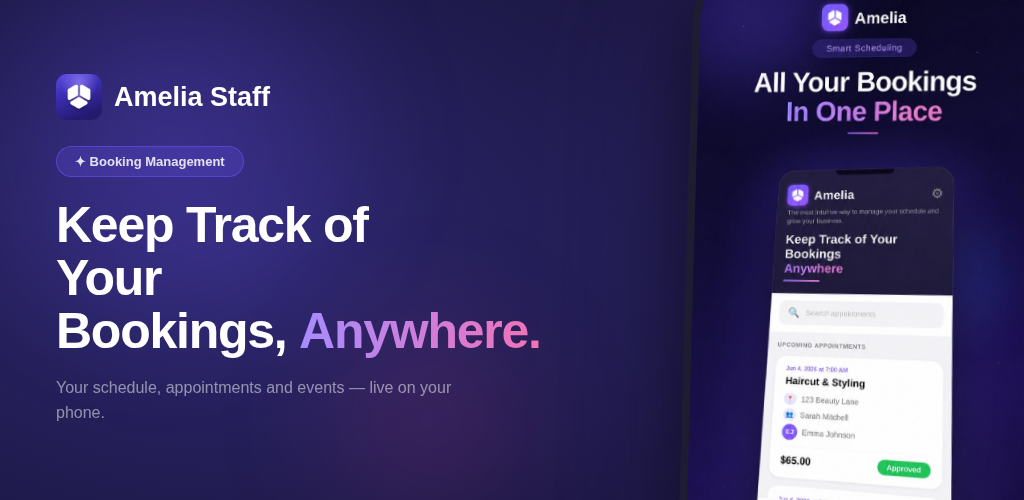
You’re between clients. Standing in the hallway, phone in hand, trying to remember if that 3 PM appointment is confirmed or if you still need to handle that event check-in. You know the answer is somewhere in your WordPress admin… but that means hunting for your laptop, logging in, navigating the backend.
Sound familiar?
That’s exactly the problem the Amelia Business App was built to solve.
What Is the Amelia Business App?
The Amelia Business App is a dedicated mobile app for Amelia admins and employees, available for both iOS and Android through the Google Play and Apple App Store.
It puts the essential parts of your Amelia booking system directly on your phone, giving the people who run and staff your business a simpler way to manage daily appointments and events wherever they are.
This is not a customer-facing booking app. It’s a management tool for your team. Think of it as your backstage pass to everything happening in your schedule, wherever you are.
The app is currently available in its initial MVP version, focused on the core mobile workflows admins and employees are most likely to need during the day. You can:
- View your full list of appointments and events
- Check the details of any individual appointment or event
- Update appointment and event statuses on the spot
- Scan QR codes for event check-ins
- Switch the app language to match your team’s preference
The app will continue to evolve, but these essential features already give teams a practical way to manage their schedules without relying on the WordPress backend for every update.
Who It’s For
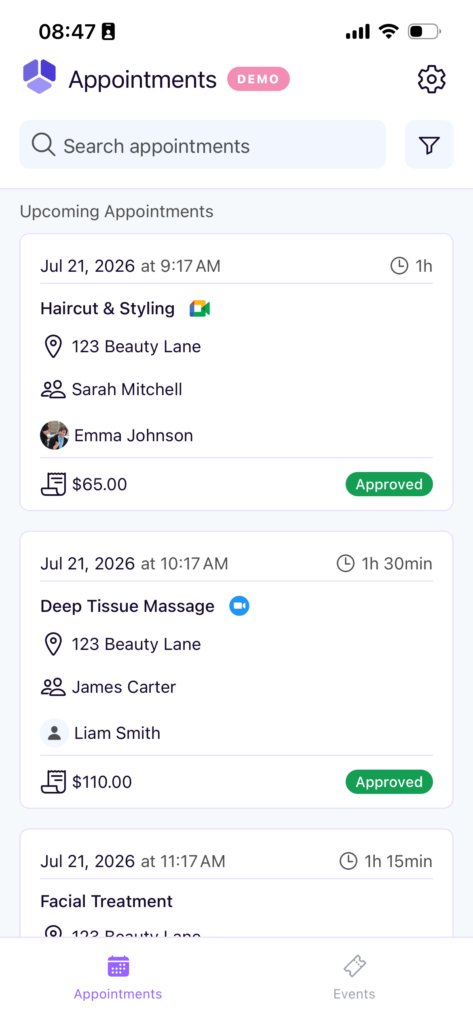
The Amelia mobile app for iOS and Android works for two roles: admins and employees.
Admins get a bird’s-eye view of what’s happening across the business. Employees see what’s relevant to them: their appointments, their events, and their upcoming schedule.
That distinction matters. A nail technician doesn’t need to see the whole spa’s calendar. She needs to know her 10 AM confirmed, her 2 PM rescheduled, and whether the workshop on Friday still has attendees. The app gives each person exactly what they need.
Where the Amelia App Saves Time
Here’s where the Amelia mobile app earns its place. The features may be simple, but the scenarios where they matter add up fast.
Checking the day before it starts
A lot of business owners and staff start their morning by reviewing the day. With the Amelia Business App, that happens from bed, from the car, from a coffee shop and not from a desk.
Scroll through your appointments for the day. See who’s confirmed, who’s pending, and mentally prep for the day without firing up a laptop.
For employees who work across multiple locations or off-site, this is huge. A personal trainer doing morning sessions at a client’s gym doesn’t have to be near a computer to know her schedule is solid.
Updating status between appointments
The appointment finished. Do you need to walk back to the front desk, open the admin panel, and mark it as completed? Or can you just grab your phone for five seconds?
With the app, it’s the five-second version.
An employee wraps up a session, taps the appointment, and updates the status. Done. The admin sees it reflected in real time. No catch-up at the end of the day, no sticky notes, no “oh I forgot to mark that one.”
For businesses with multiple employees, this kind of real-time status updating means the admin always has an accurate picture, without chasing anyone down.
Event check-ins with QR code
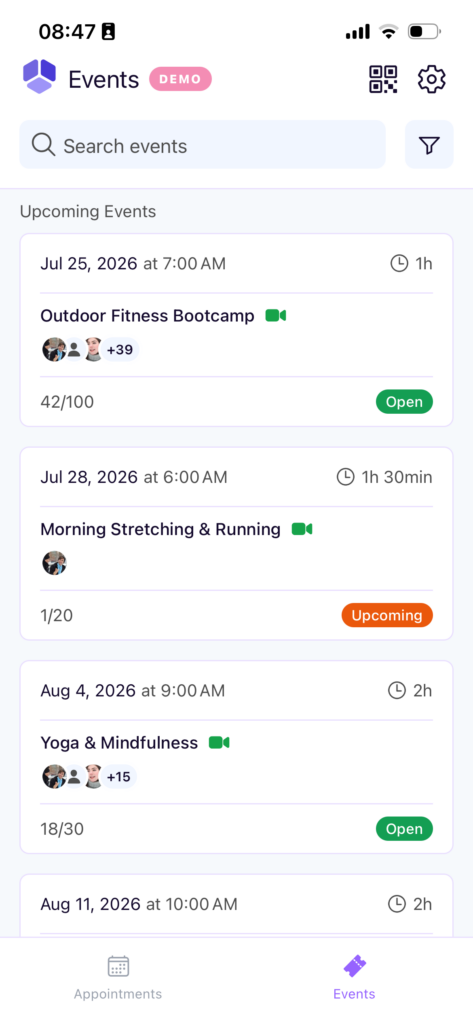
Running an event is a different kind of organized chaos. Attendees arrive in clusters, sometimes without printed confirmations, and someone needs to track who actually showed up.
The app includes QR code functionality for events. Attendees get their QR codes at booking. Staff scans them at the door and check-in is confirmed. Without a clipboard, manual list cross-referencing, or that well-known sentence, “let me look you up in the system.”
For workshops, group fitness classes, consultations, photography sessions, or any event that needs to be managed, this alone can save meaningful time on event day.
Staying on top of things without a desk
The recurring theme here is flexibility. Not every business runs from behind a desk. And not every admin or employee has convenient access to a computer throughout the workday.
A medical receptionist managing a busy practice doesn’t always have a free moment at the computer. A spa owner moving between rooms, checking on staff, and greeting clients still needs to know what’s happening.
The Amelia app means the information travels with the employees, not the other way around.
Multi-language teams
If your team works in different languages, you’ve probably run into friction with software defaulting to one. The Amelia Business App lets each user set their preferred language. Small thing, but genuinely useful when your staff spans multiple languages or regions.
How to Get the Amelia Business App
The Amelia App is available on the Amelia Elite plan, which starts at $249/year. Elite is Amelia’s top tier, which includes full feature access, unlimited domains, and now the mobile app as the newest addition.
If you’re already on Elite, the app is yours to use. Download it, log in with your Amelia credentials, and your team is set up in minutes.
If you’re on a lower plan and the app is something your team would genuinely use, it’s worth factoring that value into the upgrade decision.
Your Business Doesn’t Stop When You Leave Your Desk
And your booking management shouldn’t either.
The Amelia mobile app for iOS and Android is a practical tool for teams that need to stay on top of appointments and events without being tethered to a computer. It’s built for the way service businesses actually operate: on the move, between clients, managing real-time changes throughout the day.
It’s early days for the app. But early days that already make the workday easier.
Explore the Elite plan and get started with Amelia

Explore topics

Read Inspiring Customer Stories
Check out how our user set Amelia for his business